Cast Column As Date Python XML Columns The Benefits And Use Cases OpenXmlDeveloper Extract Month From Datetime Python Mobile Legends Riset Python Current Date How To Get Current Date In Python 3 Notas De Tres Columnas Con L neas 2 Storyboard Solved Python Date Time Python 3 Autocomplete Ready Chegg Official Google cast Help Center where you can find tips and tutorials on using Google cast and other answers to frequently asked questions
Cast from a device to Google TV You can cast content from phones tablets or laptops to your Google TV Cast to your Google TV Important The steps below may vary based on your Para transmitir Chrome en una TV necesitar 225 s lo siguiente Un Chromecast Chromecast con Google TV Google TV Streamer 4K Chromecast Ultra o TV con Google Cast Buena
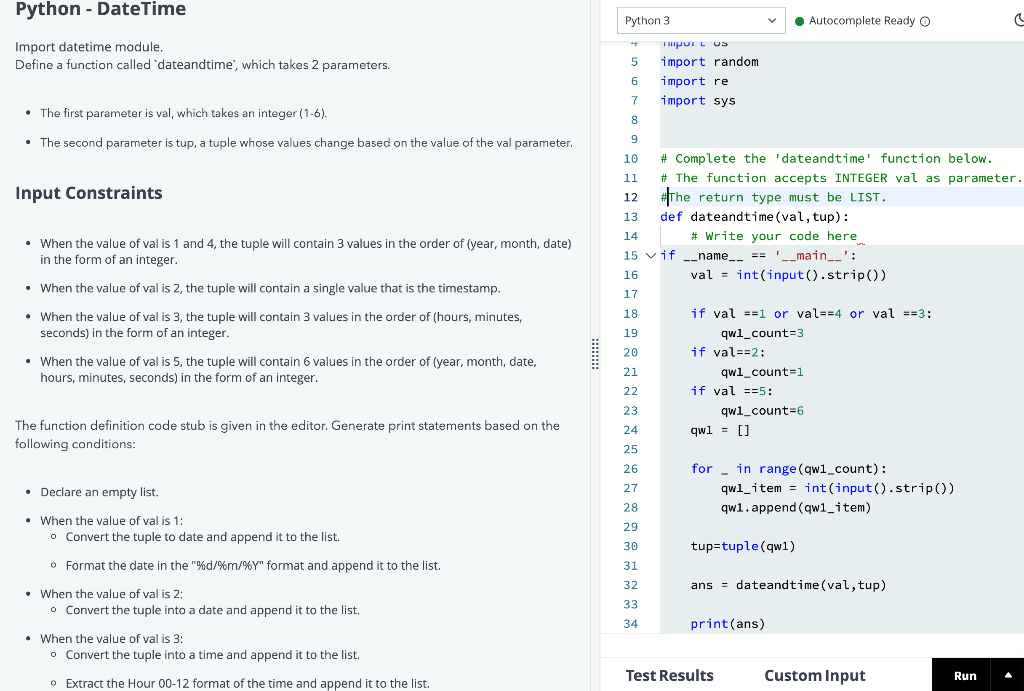
Solved Python Date Time Python 3 Autocomplete Ready Chegg Date Format In Python Assignment Expert CopyAssignment Tabla 3 Columnas 7 Filas Kuvak sikirjoitus By Es examples Wild Date Arecaceae palm Family Phoenix Sylvestris F Flickr Python DateTime TimeDelta Strftime Format With Examples Python Python Add Column To Dataframe Based On Values From Another Mobile Plantilla De T Chart De 3 Columnas Storyboard Por Es examples Python Date W3schools Python Calculating Column Values For A Dataframe By Looking Up On Vrogue
Cast Column As Date Python
 Cast Column As Date Python
https://img.openxmldeveloper.org/what_is_a_column_in_xml.JPG
Cast a tab from Chrome Important To cast on a Mac computer with macOS 15 or later you must give Chrome access in your system settings On your computer open Chrome At the top right
Templates are pre-designed files or files that can be utilized for different purposes. They can conserve time and effort by providing a ready-made format and design for creating various kinds of material. Templates can be used for individual or expert projects, such as resumes, invites, flyers, newsletters, reports, presentations, and more.
Cast Column As Date Python
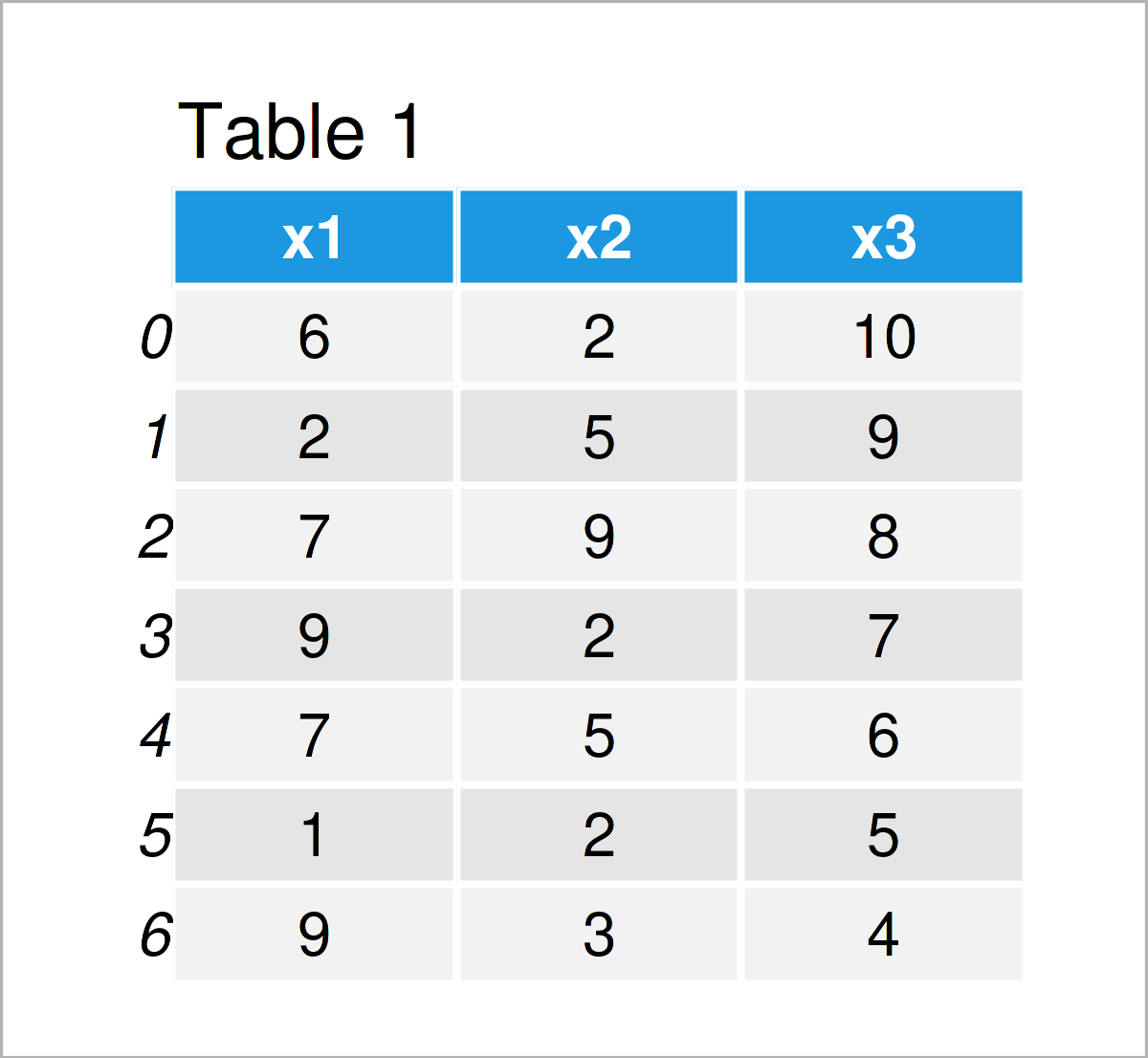
Python How To Add A Dataframe To Some Columns Of Another Dataframe
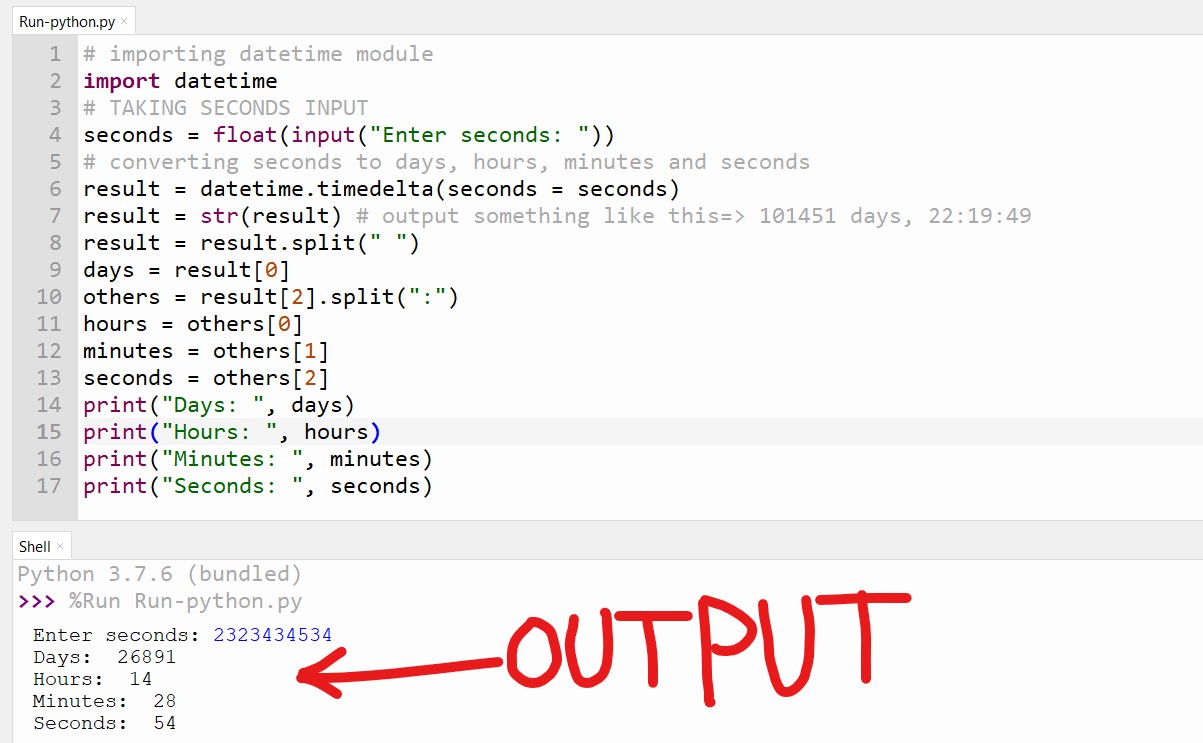
Date Format In Python Assignment Expert CopyAssignment

Tabla 3 Columnas 7 Filas Kuvak sikirjoitus By Es examples

Wild Date Arecaceae palm Family Phoenix Sylvestris F Flickr

Python Add Column To Dataframe Based On Values From Another Mobile

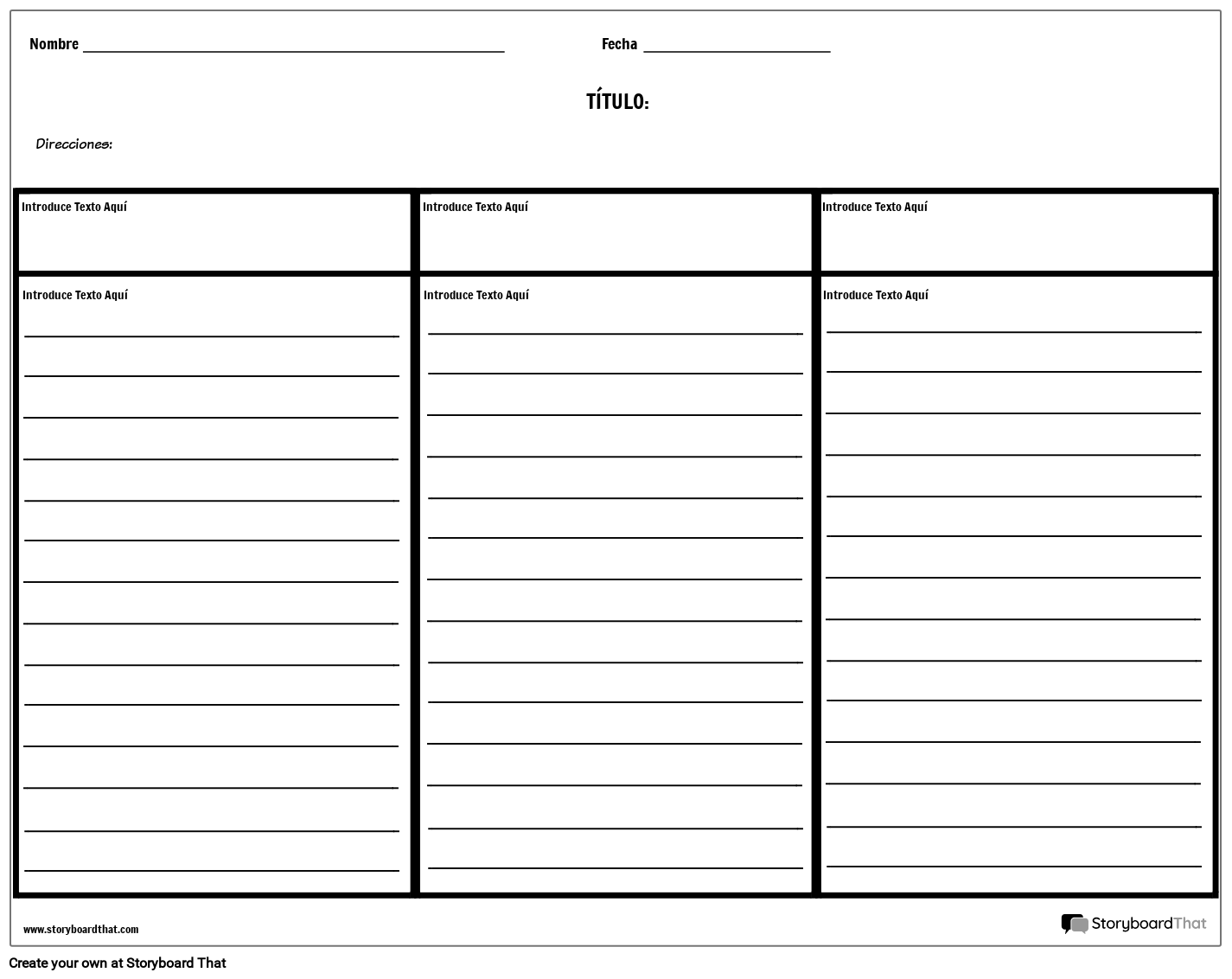
Plantilla De T Chart De 3 Columnas Storyboard Por Es examples

Presentamos Google Cast Google Cast ofrece experiencias de audio y televisi 243 n multipantalla con altavoces Enviar contenido es tan sencillo como pulsar un bot 243 n en tu aplicaci 243 n favorita

When you cast a tab to a TV a Display icon appears on the tab When there s an active Cast session on the right of the address bar next to Extensions you can find the Cast connected

Cast from Google Cast enabled apps to your TV Make sure the mobile device tablet or computer you re using to cast is on the same Wi Fi network as your Chromecast Google TV Streamer
Factory reset your Chromecast or Google TV Streamer Voice Remote Troubleshoot Low power and g co cast power screens Set up a replacement Chromecast with Google TV or Google
How to cast A quick start guide Can t wait to cast Get started with the quick start guide or use these simple steps Step 1 Plug in your Chromecast device Plug Chromecast into your TV
[desc-11] [desc-12]
[desc-13]