Capcut Edit Tutorial Tiktok Template How To Use CapCut Video Editor On SmartPhones All Tech Nerd Zoom En CapCut Aqu Se Explica C mo Hacerlo Gu a R pida Qu Es Capcut Explicaci n De Las Funciones B sicas Y El Uso1 CapCut Pro Premium Video Editing At Your Fingertips SaasBizShop LTD Qu Es Capcut Explicaci n De Las Funciones B sicas Y El Uso1 Millions of video and image templates for all your design needs Find your perfect template from millions available designed for social promotions vlogs lifestyle showcases and more
CapCut is a free all in one video editor and video maker application with everything you need to create stunning high quality videos Beginners can get started with CapCut in a matter of Jul 26 2025 nbsp 0183 32 CapCut has you covered with an extensive selection of backing tracks and music that are easy to insert into your video And if you re feeling extra creative you can experiment
Qu Es Capcut Explicaci n De Las Funciones B sicas Y El Uso1 How To Use CapCut And CapCut Templates Explained How To Blur Video In CapCut Explained How To Blur Video In CapCut What Is CapCut Explanation Of Basic Functions And Usage1 How To Use CapCut Background Remover A Detailed Tutorial Best Way To Import Spotify Music To CapCut For Video Editing AudiFab Zoom En CapCut Aqu Se Explica C mo Hacerlo Gu a R pida CapCut Online Video Editing App Latest 2024 Free
Capcut Edit Tutorial Tiktok Template
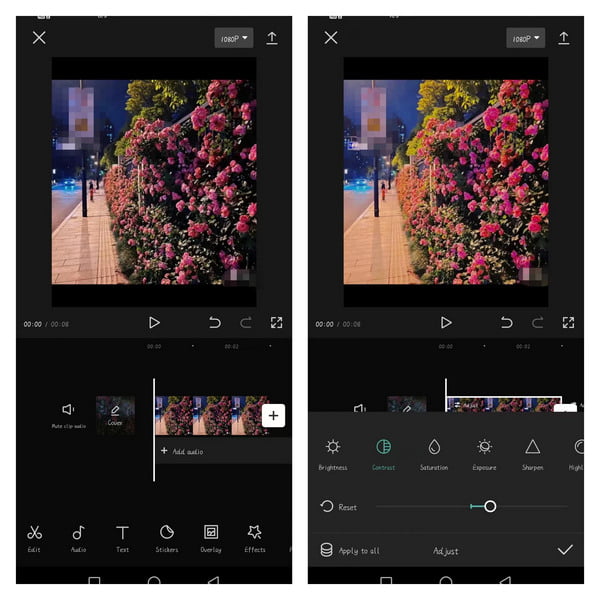 Capcut Edit Tutorial Tiktok Template
https://www.alltechnerd.com/wp-content/uploads/2023/08/Capcut-Filters.jpg
4 days ago nbsp 0183 32 CapCut for desktop is a free powerful video editing software designed for Windows and macOS It offers a full featured timeline editor with advanced tools like keyframe
Pre-crafted templates provide a time-saving service for creating a varied variety of documents and files. These pre-designed formats and designs can be used for numerous personal and professional jobs, consisting of resumes, invitations, flyers, newsletters, reports, discussions, and more, improving the material development process.
Capcut Edit Tutorial Tiktok Template

C mo Cortar Un V deo En CapCut
How To Use CapCut And CapCut Templates
Explained How To Blur Video In CapCut
Explained How To Blur Video In CapCut
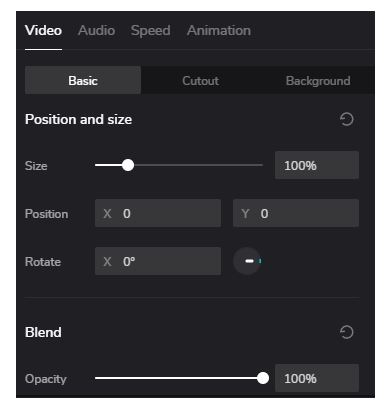
How To Use CapCut Background Remover A Detailed Tutorial

Best Way To Import Spotify Music To CapCut For Video Editing AudiFab

Jul 25 2025 nbsp 0183 32 CapCut is an all in one video editor and video maker application with everything you need to create stunning high quality videos Beginners can get started with CapCut in a
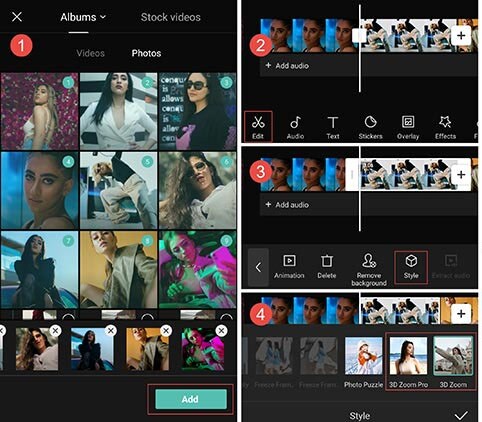
Apr 22 2025 nbsp 0183 32 CapCut is a free video editing program that enjoys unprecedented success among users of social networks particularly in short form sections such as Instagram Reels YouTube
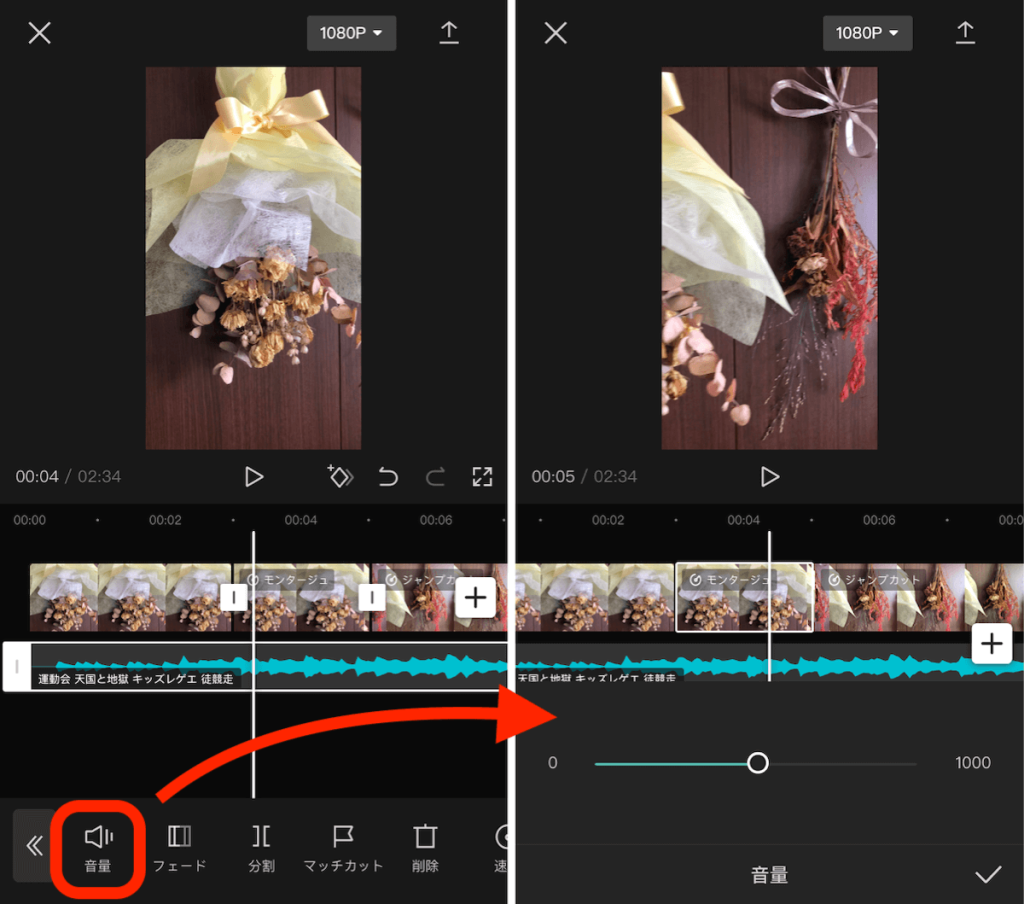
Adjust the format and share with your friends on social media platforms CapCut is an all in one video editor and video maker application with everything you need to create stunning high

Use the CapCut web editor accessible online at capcut to use CapCut s video editing capabilities without installing any software The web editor allows CapCut video editing
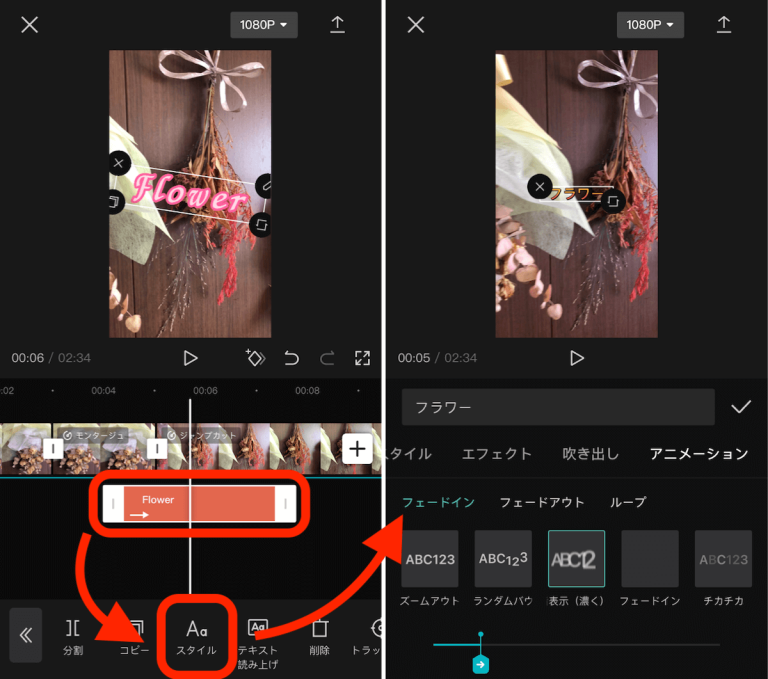
What is CapCut and what s it for CapCut is an app that lets you edit videos in many ways including adjusting the brightness contrast luminosity color exposure saturation sharpness
[desc-11] [desc-12]
[desc-13]