Canva Hyperlinks Not Working In Pdf How To Add Clickable Hyperlink In Canva Easy Steps How To Fix Hyperlinks Not Working In Onenote Or Outlook How The Heck Hyperlinks Are Not Working Outlook Microsoft Learn How To Add A Clickable Hyperlink To Your PDF In Canva Fallon Travels Solved WORD Hyperlinks Not Working In PDF Adobe Community 12322373 Web Apr 8 2022 nbsp 0183 32 6 Image from Canva D id you know that you can add hyperlinks to your Canva designs and export them to PDFs so you can share them to promote your work If not read on GIF Created by Author in
Web No need to recreate your PDFs on Canva You can now simply import them for editing on canva via your desktop browser Note This is an early version beta release of our PDF to design conversion feature Web Aug 9 2023 nbsp 0183 32 If you are you will find that there s no reaction to your hyperlink and it can seem like it doesn t work Hyperlinks do not work on Canva designs or on the Canva documents where you can edit your designs The hyperlinks can only work either in a PDF file exported or published from Canva or while on presenter view
Solved WORD Hyperlinks Not Working In PDF Adobe Community 12322373 Solved WORD Hyperlinks Not Working In PDF Adobe Community 12322373 PDF Hyperlinks Not Working How To Fix Solved WORD Hyperlinks Not Working In PDF Adobe Community 12322373 Solved WORD Hyperlinks Not Working In PDF Adobe Community 12322373 Solved Hyperlinks From MS Word Not Working In PDF Adobe Support Solved Hyperlinks Not Working In PDF Downloaded From InDe Adobe PDF Hyperlinks Not Working How To Fix Easy Steps To Make Excel Hyperlinks Working
Canva Hyperlinks Not Working In Pdf
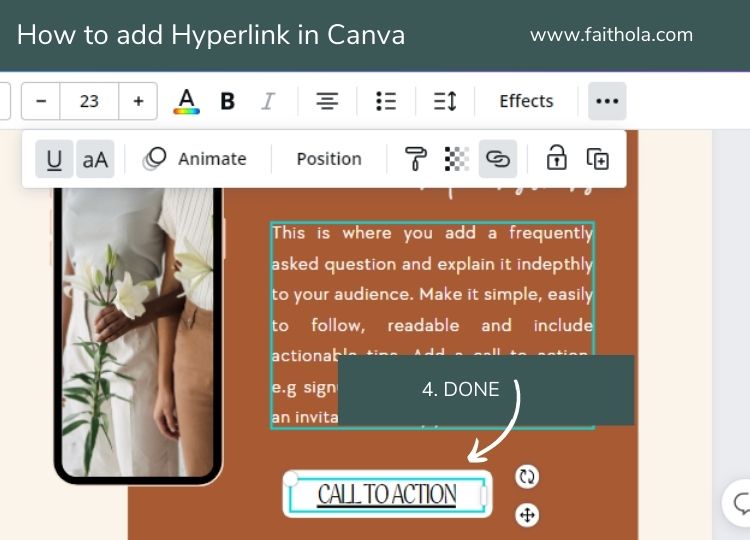 Canva Hyperlinks Not Working In Pdf
https://faithola.com/wp-content/uploads/2022/01/How-to-add-hyperlink-in-Canva-3.jpg
Web Sep 27 2022 nbsp 0183 32 The answer is yes Hyperlinks do work in PDF Canva and they can be a great way to drive traffic to your website or landing page However there are a few things to keep in mind when using hyperlinks in PDF Canva First make sure that your hyperlink is properly formatted
Templates are pre-designed files or files that can be used for numerous functions. They can conserve effort and time by providing a ready-made format and design for producing various type of material. Templates can be used for personal or expert jobs, such as resumes, invites, leaflets, newsletters, reports, presentations, and more.
Canva Hyperlinks Not Working In Pdf
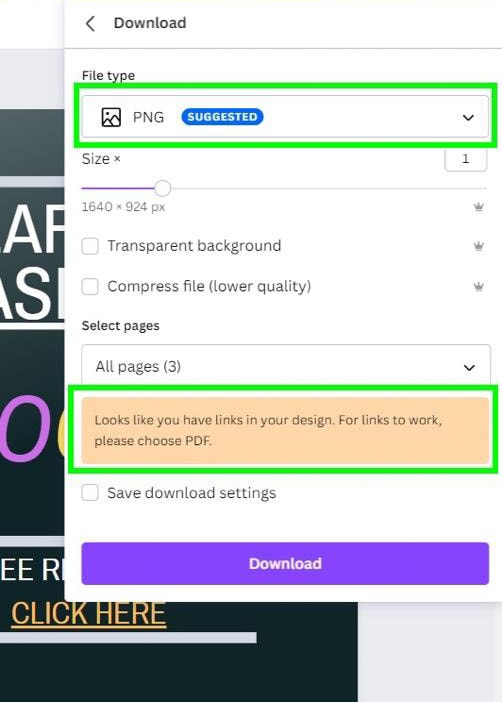
How To Add A Clickable Link In Canva Brendan Williams Creative 2023

Solved WORD Hyperlinks Not Working In PDF Adobe Community 12322373
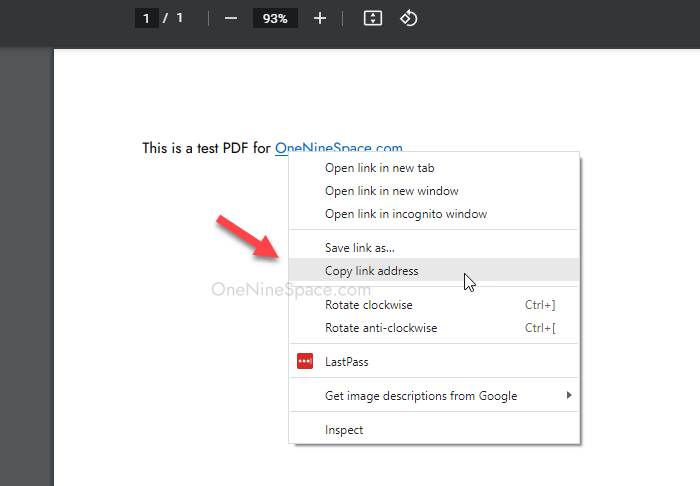
PDF Hyperlinks Not Working How To Fix

Solved WORD Hyperlinks Not Working In PDF Adobe Community 12322373

Solved Hyperlinks From MS Word Not Working In PDF Adobe Support

Solved Hyperlinks Not Working In PDF Downloaded From InDe Adobe
Web 0 00 2 33 Canva Quick Tip Here s How to Make Sure Your Hyperlinks Work in a Canva PDF Be Your Own Graphic Designer 3 6K subscribers 1 3K views 7 months ago Canva Quick Tips In this

Web Feb 9 2020 nbsp 0183 32 Adding a hyperlink to your PDF document in Canva is incredibly simple and I ve included the step by step process screenshots just in case you need a visual reference Step 1 Click on the design element or text box that you want to
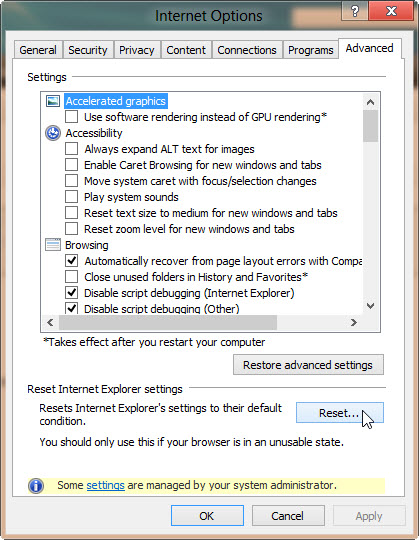
Web Sep 7 2021 nbsp 0183 32 CLICKABLE PDF IN CANVA How To Create Clickable Links In Canva Wondering how to create a clickable PDF in Canva In this Canva tutorial you ll learn how to
Web Sep 7 2021 nbsp 0183 32 If you ve been wondering how to add clickable links in Canva by adding links in PDF or hyperlink in PDF this Canva Pro previously Canva for work and Canva for beginners tutorial is for you We ll be sharing Canva tips and tricks on how to design with Canva so that you can start creating clickable PDFs in Canva

Web Dec 10 2022 nbsp 0183 32 On mobile tap Apply or Done to confirm the link If you re downloading the design there are a few things to know about hyperlinks Downloading as a PDF allows hyperlinks to remain functional Image files such as JPG don t support hyperlinks Social media like LinkedIn don t support hyperlinks on posts or PDFs
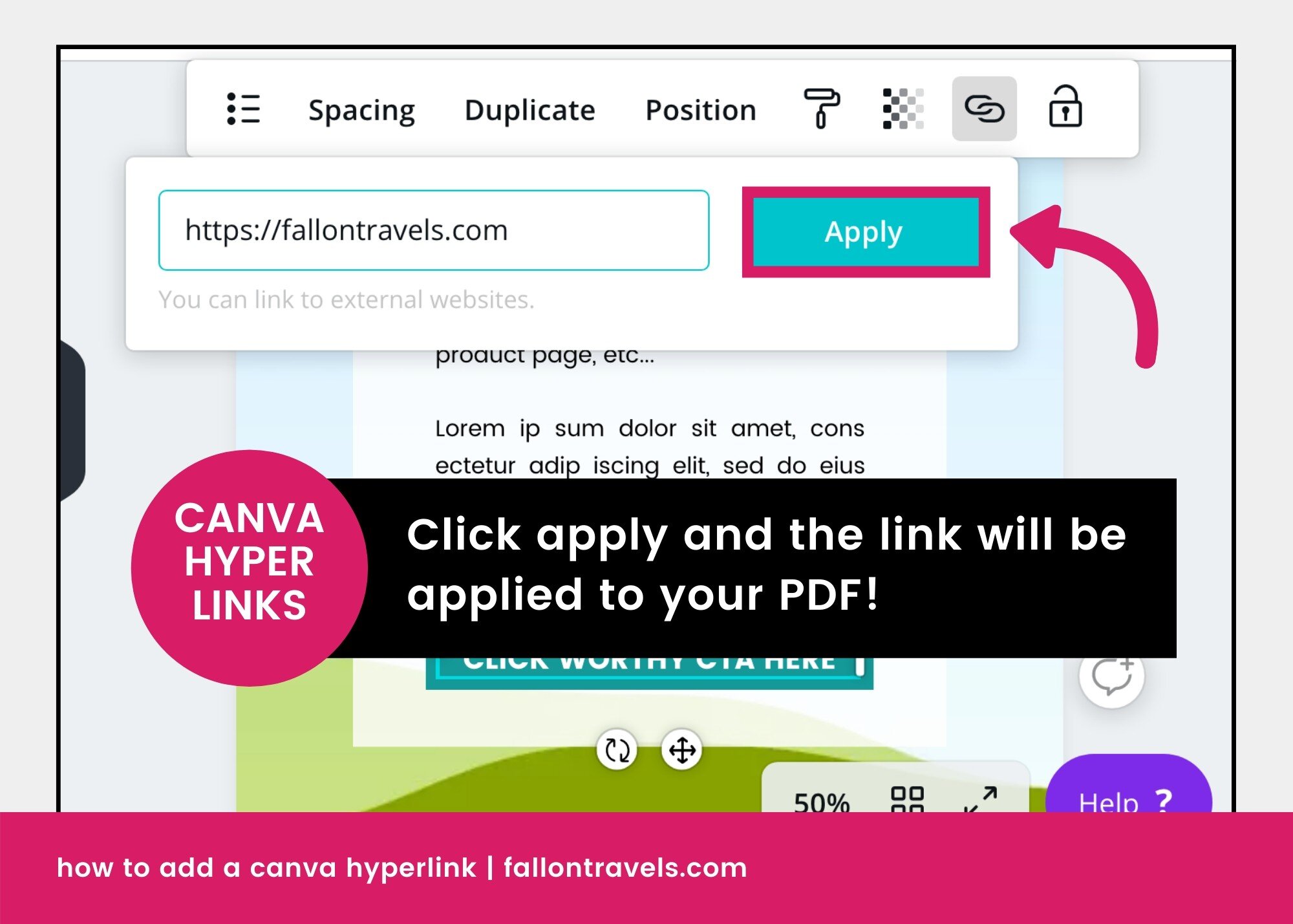
Web May 31 2022 nbsp 0183 32 Canva claims that you have some text effects and that impairs its ability to create a working PDF document That may be the case for so more more One of the most annoying things is to Web Sep 28 2023 nbsp 0183 32 Step by Step Guide to Adding Hyperlinks in Canva Here is a guide to how to add the hyperlinks in Canva Step 1 Open or create a design Step 2 Click on the element or text you want to add a hyperlink to Step 3 Click on the link icon on the toolbar Step 4 Paste or type the website URL that you want to link Step 5 Click on Apply to save
Web Sep 13 2023 nbsp 0183 32 Canva will automatically hyperlink text that looks like a URL so if users forget to include the http or https prefix their link may not work It is important to note that Canva hyperlinks may not work in certain situations such as when exporting a design as a PDF