Cannot Write To Usb Drive Cannot Format USB Drive Write Protected Solved Unable To Write To External USB Drive MacRumors Forums I Cannot Write To USB Drives read Only P Apple Community I Cannot Write To USB Drives read Only P Apple Community Usb Flash Write Protected Cannot Format UnBrick ID Go to This Computer or My Computer on your Windows PC Locate the removable disk or USB thumb drive and right click on it On the context menu that shows up choose Format Format drive to fix The disk is write protected issue Under the Format Options menu choose Quick Format and click the Start button
Open Start on Windows 10 Search for PowerShell right click the result and select the Run as administrator option Type the following command to identify the removable drive you want to repair and press Enter Type the following command to erase the drive and press Enter In the above command make sure to change 6 to the disk number of Method 1 Obtain a permission to save files If You receive an error message You don t have permission to save in this location Contact the administrator to obtain permission This issue particularly occurs when you try to save Office 2010 or Office 2007 documents in Windows 10 Windows 8 or Windows 7
Usb Flash Write Protected Cannot Format UnBrick ID How To Fix Usb Flash Drive Write Protected CaraNgeflash 6 Fixes For The System Cannot Write To The Specified Device Usb Flash Write Protected Cannot Format UnBrick ID The Disk Is Write Protected Write Protected How To Fix The Disk Is Write Protected USB Error The Disk Is Write Protected Fix TOP 2 Ways To FIX Remove Write How To Remove A Write Protected USB Drive Or SD Card YouTube Can t Copy transfer avi File To USB Drive MacRumors Forums
Cannot Write To Usb Drive
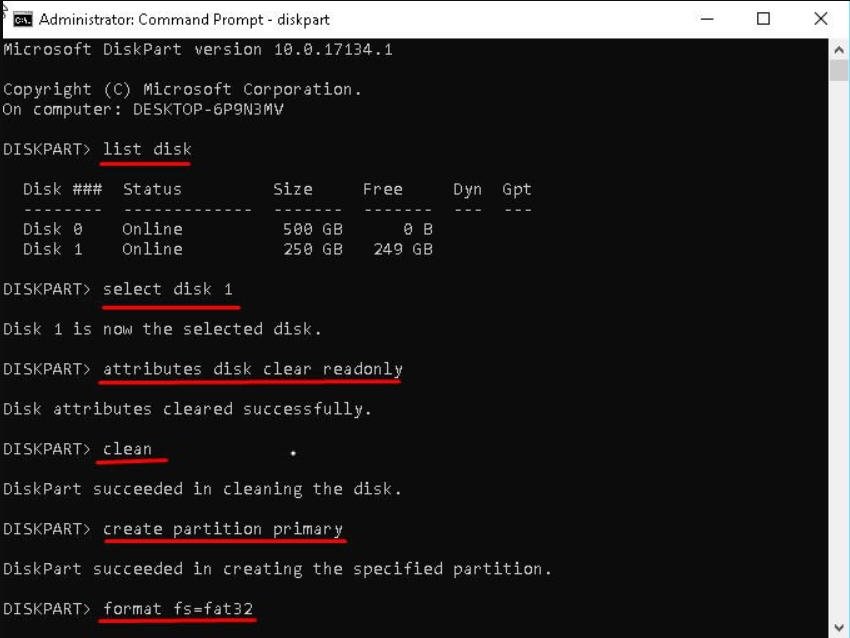 Cannot Write To Usb Drive
https://www.diskpart.com/articles/images/cannot-format-usb-drive-write-protected-1881/cmd.jpg
Connect your USB or pen drive to PC Step 2 Open Windows File Explorer locate and right click on the files or folder which is write protected in your USB drive and select Property Step 3 Go to the General tab uncheck Read Only click Apply and OK to finish
Pre-crafted templates use a time-saving service for developing a varied variety of files and files. These pre-designed formats and layouts can be utilized for various individual and professional jobs, consisting of resumes, invites, flyers, newsletters, reports, presentations, and more, improving the content production process.
Cannot Write To Usb Drive
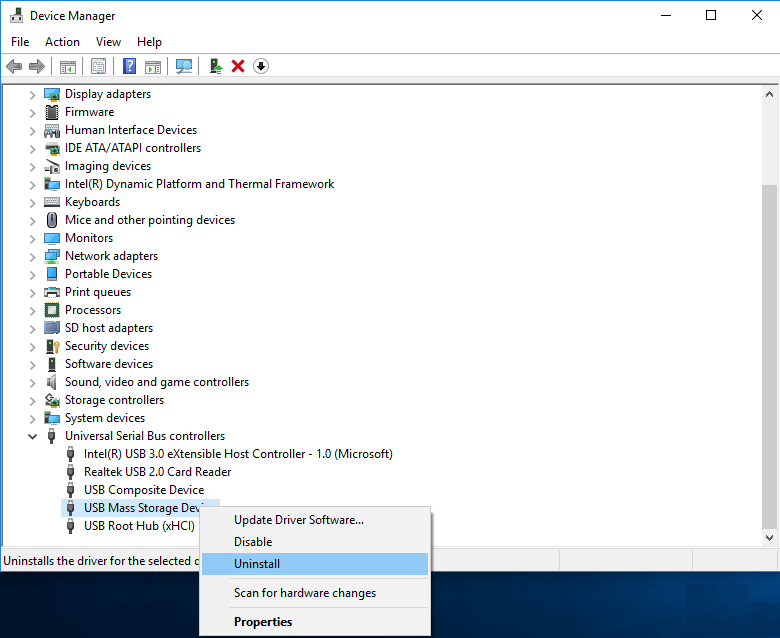
If You Cannot Access USB Drive On Windows 10 DiskInternals
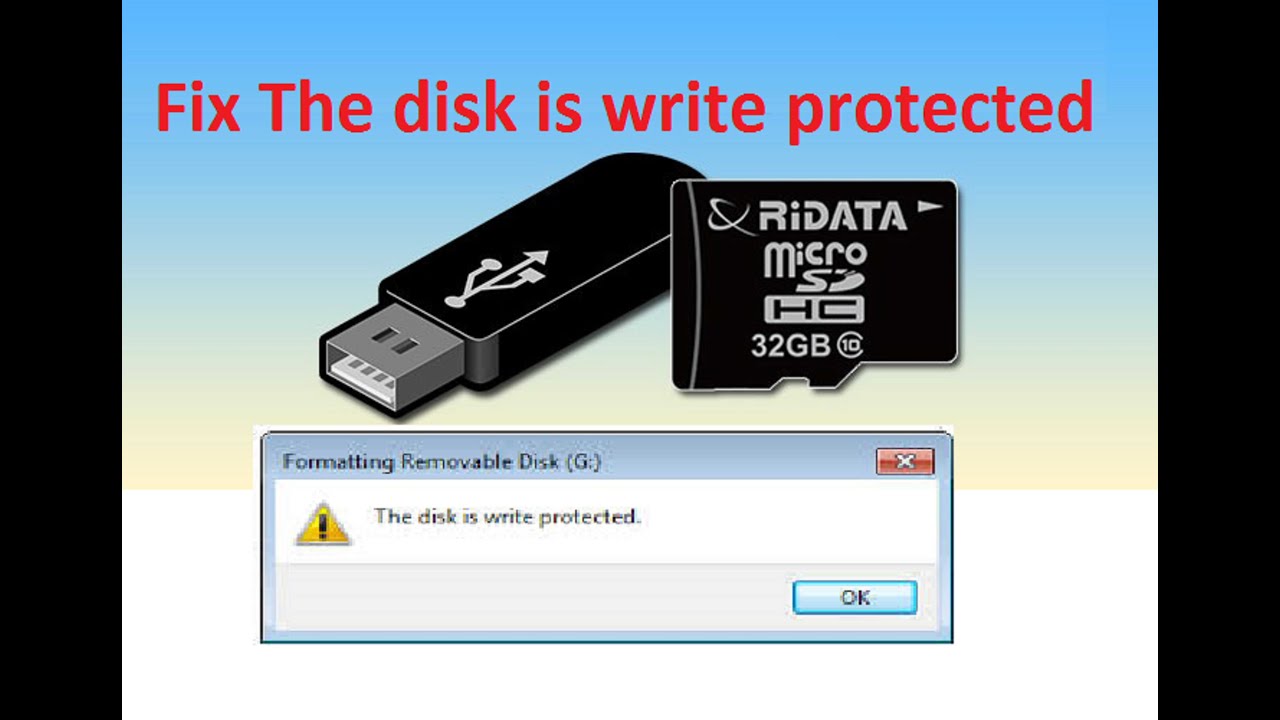
How To Fix Usb Flash Drive Write Protected CaraNgeflash

6 Fixes For The System Cannot Write To The Specified Device
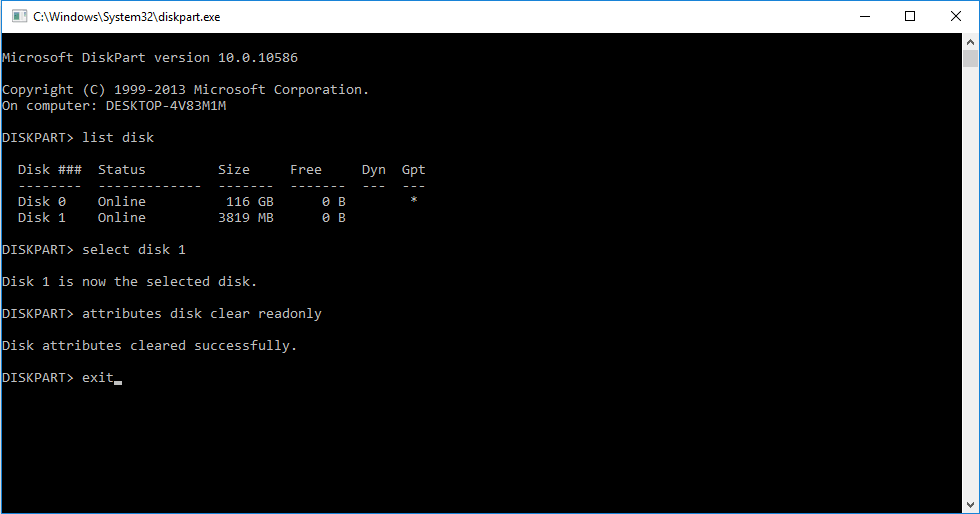
Usb Flash Write Protected Cannot Format UnBrick ID

How To Fix The Disk Is Write Protected USB Error

The Disk Is Write Protected Fix TOP 2 Ways To FIX Remove Write
1 Wipe the USB Drive Clean with Diskpart Command Line Tool 2 Reallocate the USB Drive Volume from Disk Management Console Third Party Options 1 FormatUSB 2 HDD LLF Low Level Format Find Out Whether Your USB Drive Is Worth Saving 1 Wipe the USB Drive Clean with Diskpart Command Line Tool

1 Check the USB Stick for Viruses Every time you plug a USB drive into your computer you should automatically scan it for viruses especially if you have used it on a computer you don t own or a public computer Viruses often fill your USB drive with nonsense files which can make your USB drive respond with the Write Protected error
Press Windows key R to open the Run box Type diskpart and press Enter If you receive a User Account Control prompt asking for permission to continue click Yes At the DISKPART prompt type list disk and press Enter Use the disk size to determine which one is your USB flash drive
Here is a list of notable things Flash drive is brand new I can copy files to it using my sister s laptop and PC I can t on my PC The file system doesn t matter Can t write to NTFS or FAT32 Can t write to flash drive or external HDD My PC has no malware virus Tried booting in Safe Mode Still couldn t write

Your USB is write protected If you re encountering this error you might be able to fix the problem simply by reinstalling your USB flash drive If that doesn t work you might want to try formatting your drive USB write protected unable to format Sometimes you might not be able to format your drive due to this error
To enable write protection using Group Policy do the following Use the Windows key R keyboard shortcut to open the Run command Type gpedit msc and click OK to open the Local Group Policy To repair a USB drive with PowerShell commands on Windows 11 use these steps Open Start on Windows 11 Search for PowerShell right click the result and select the Run as administrator option Type the following command to identify the USB flash drive and press Enter Type the following command to erase the entire drive and press Enter In
Needs answer Google Workspace I ve recently bought a 32GB USB Flash Drive made by Kingston I downloaded the Chromebook Recovery Utility to install Chrome OS Flex Once I get to step 3 I get this error message Unable to write to the selected USB flash drive or SD card