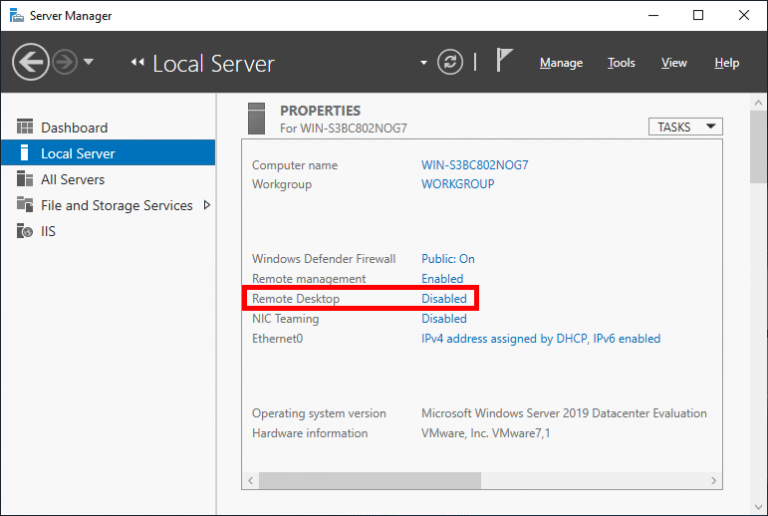
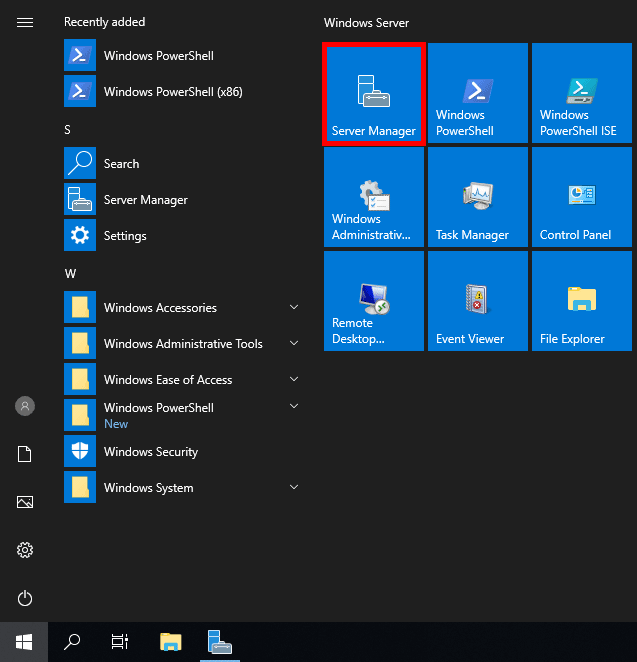
Cannot Enable Remote Desktop Windows Server 2019 Enable Remote SSH Access To Ubuntu Server Windows Server 2019 How To Enable Remote Desktop Youtube Mobile Legends How To Enable Remote Desktop In Windows Server 2019 RootUsers What Is The Latest Windows Remote Desktop Client Damerwizards 3 Ways To Enable Remote Desktop On Windows Server 2019 Fix Type Method 1 Enable Server 2019 RDP from Server Manager Step 1 Click on the Start button and you can see Server Manager Step 2 Click on Local Server on the left in Server Manager window We can see that Remote Desktop is Disabled Step 3
Execute the following command to configure the firewall to allow remote desktop connections Enable NetFirewallRule DisplayGroup Remote Desktop This is by far the quickest method to enable Remote Desktop in Windows Server 2019 One of the most important features of Windows Server 2019 is Remote Desktop which gives us the ability to remotely access our server and manage it efficiently Below we will explore how to enable and activate Remote Desktop in Windows Server 2019 so you can enjoy its benefits and functionalities Windows Server 2019 Standard As low as 91 66
3 Ways To Enable Remote Desktop On Windows Server 2019 Fix Type How To Enable Remote Desktop In Windows Server 2019 Enable Remote Desktop In Windows Server 2016 Dimitris Tonias Configuring Remote Desktop Web Access In Server 2019 YouTube How Do I Enable Remote Desktop On Windows Server 2019 Remote Desktop Services And Web Client In Windows Server Complete Demo Windows Server 2019 How To Enable Remote Desktop YouTube Enable Remote Desktop Windows Server 2019 Command Line How To Enable RDP In Windows Server 2016 step by step
Cannot Enable Remote Desktop Windows Server 2019

https://images.unsplash.com/photo-1483706600674-e0c87d3fe85b?dpr=1&auto=format&fit=crop&w=1500&h=960&q=80&cs=tinysrgb&crop=&bg=
1 You must first open the server manager from the Start menu 2 After opening Server Manager click Local Server in the left column 3 Click Disabled in front of the Remote Desktop option 4 In the window that opens click Allow remote connections to this Computer and click OK 5
Pre-crafted templates use a time-saving option for developing a diverse range of documents and files. These pre-designed formats and designs can be made use of for various personal and professional jobs, including resumes, invites, leaflets, newsletters, reports, presentations, and more, improving the content production process.
Cannot Enable Remote Desktop Windows Server 2019

Installation Of Remote Desktop Services In Server 2019 YouTube

How To Enable Remote Desktop In Windows Server 2019
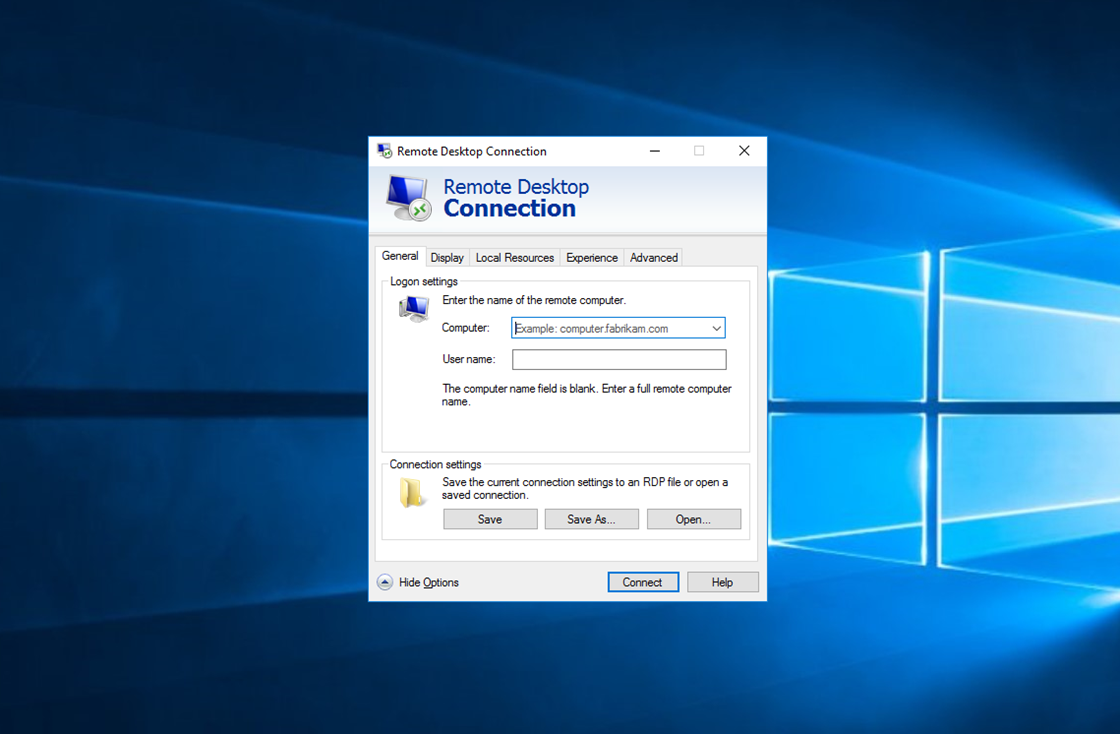
Enable Remote Desktop In Windows Server 2016 Dimitris Tonias
Configuring Remote Desktop Web Access In Server 2019 YouTube

Remote Desktop Services And Web Client In Windows Server Complete Demo

Windows Server 2019 How To Enable Remote Desktop YouTube

Windows Server 2019 Standard Remote Desktop Service is running but port 3389 not listening Same issue in all Windows Server 2019 Standar instances the we have running Found system event related Remote Desktop Services is not accepting logons because setup is running Log Name Microsoft Windows TerminalServices LocalSessionManager Operational
To do it follow these steps On the server sign in to the server locally not using Remote Desktop Terminal Client Select Start Run type tscc msc s without quotation marks and select OK In the Terminal Services Configuration snap in double click Connections then RDP Tcp in the right pane
Allowing Remote Desktop Service on Windows Server 2019 is faster on PowerShell that the GUI procedure For this setting we will use Set ItemPropery cmdlet to change Registry flag setting Launch PowerShell session as Administrator Then execute the command below

First go to the Start menu then select Run In the text box that appears enter regedt32 In the Registry Editor select File then select Connect Network Registry In the Select Computer dialog box enter the name of the remote computer select Check Names and then select OK

Sometimes the Remote Desktop service may stop running or fail to start Solution Open the Services application locate the Remote Desktop Services service and ensure that it is set to Automatic startup and is currently running If not start the service and set it to automatic 6 RDP Port Conflicts
Professor Robert McMillen shows you how to Enable Remote Desktop in Windows Server 2019 Cannot connect to RDP on Windows 2019 member server Ask Question Asked 2 years 7 months ago Modified 2 years 7 months ago Viewed 3k times 0 I just finished standing up a new member server VM with Windows Server 2019 Standard but I cannot connect to it on port 3389 Windows Defender Firewall is disabled on all profiles The services are running
Video Series on Advance Networking with Windows Server 2019 In this video tutorial you will learn how to Enable Remote Desktop Protocol RDP connection on