Cannot Change Time On Windows Server 2019 How To Install OpenSSH On Windows Server 2019 Or 2022 YouTube Windows Server 2019 Standard Shopakey Tutorial Install Sql Server 2019 Developer Edition On Windows Server How To Fix NET Framework Installation Error 0x800F0906 On Windows How To Deploy A Printer Via GPO On Windows Server 2019 Video 13 Web May 31 2023 nbsp 0183 32 Using Local Group Policy Editor Windows Time registry reference Show 2 more Applies to Windows Server 2022 Windows Server 2019 Windows Server 2016 Windows Server 2012 R2 Windows Server 2012 Windows 11 Windows 10 Azure Stack HCI versions 21H2 and 20H2
Web Nov 17 2019 nbsp 0183 32 The solution is to force the Control Panel Date and Time applet to run separately with administrator privileges Click Start Type timedate cpl Right click on the resulting Control panel item Choose Run as administrator Now you can adjust the Web Feb 23 2023 nbsp 0183 32 At the command prompt type the following command to restart the Windows Time service and then press Enter net stop w32time amp amp net start w32time Troubleshooting For the Windows Time service to function correctly the networking infrastructure must function correctly
How To Deploy A Printer Via GPO On Windows Server 2019 Video 13 How To Fix The Error Unknown Software Exception On Windows Server How To Turn Off Application Telemetry On Windows Server 2019 2022 PDF HANDS ON WINDOWS SERVER 2019 MDI Install Error 0x80070643 Windows Server 2019 250 Hello Setting Up Active Directory In Windows Server 2019 Step By Step Guide How To Install Planning Analytics Workspace On Windows 2019 Infocube Get Server 2019 Essentials Trusted License Affordable Price Get The Best Price On Windows Server 2019 1 50 User CALs
Cannot Change Time On Windows Server 2019
 Cannot Change Time On Windows Server 2019
https://i.ytimg.com/vi/9HHLpyXPRH0/maxresdefault.jpg
Web Aug 4 2021 nbsp 0183 32 To change the time zone in Windows 11 10 8 1 and Windows Server 2019 2016 2012 R2 a special command line tool tzutil exe Windows Time Zone Utility is used It first appeared in Windows 7 It first appeared in Windows 7
Templates are pre-designed files or files that can be utilized for various purposes. They can conserve time and effort by supplying a ready-made format and layout for developing various kinds of material. Templates can be utilized for personal or expert jobs, such as resumes, invites, leaflets, newsletters, reports, presentations, and more.
Cannot Change Time On Windows Server 2019
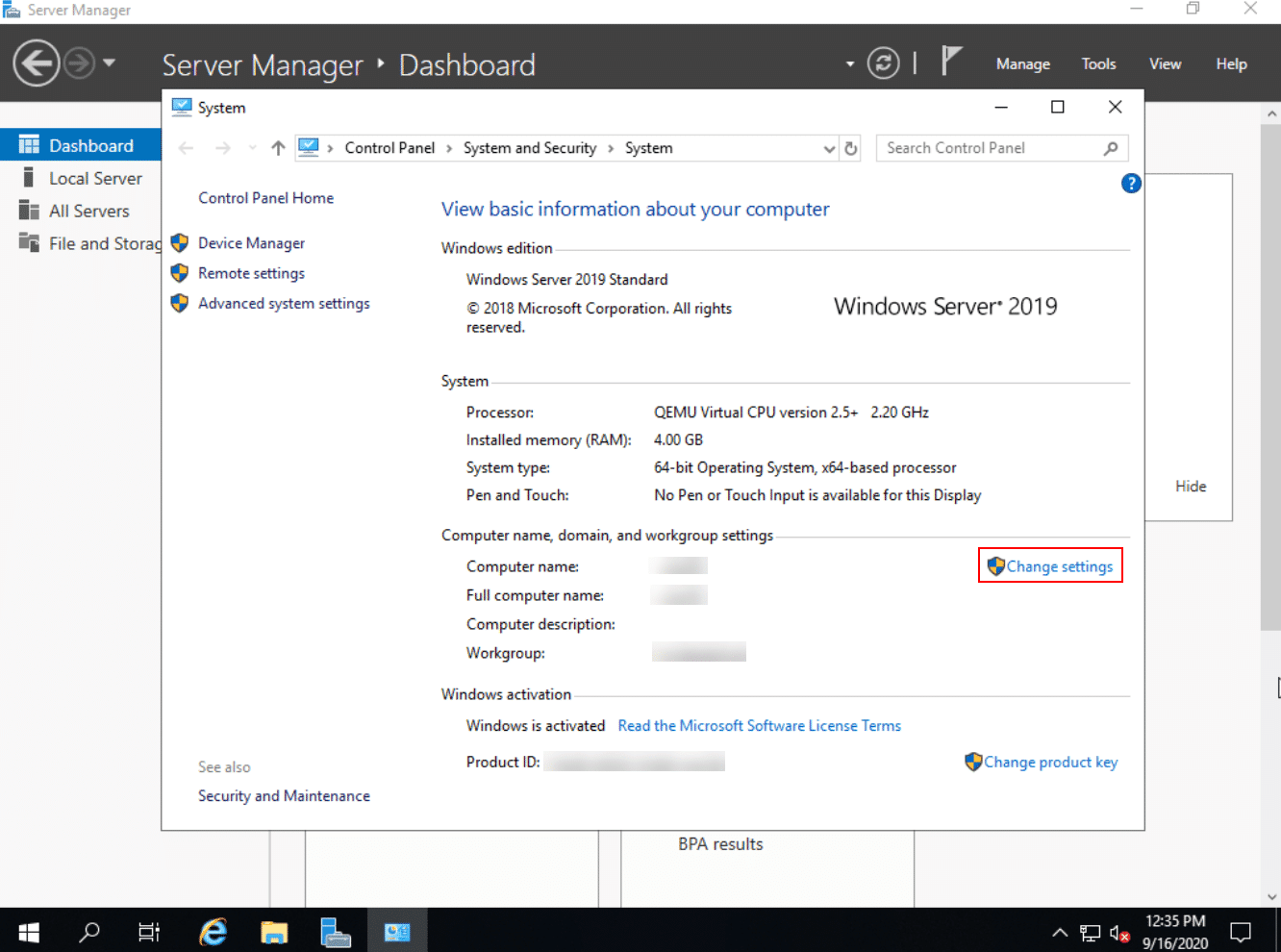
How To Change The Hostname On Windows Server 2019 Snel

How To Fix The Error Unknown Software Exception On Windows Server

How To Turn Off Application Telemetry On Windows Server 2019 2022

PDF HANDS ON WINDOWS SERVER 2019

Setting Up Active Directory In Windows Server 2019 Step By Step Guide

How To Install Planning Analytics Workspace On Windows 2019 Infocube
Web Oct 30 2019 nbsp 0183 32 EDIT After tests by the poster with the neutron time agent that uses the Standard Time Protocol on UDP port 37 rather than the Simple Network Time Protocol SNTP on UDP port 123 the problem seems to be

Web Oct 23 2019 nbsp 0183 32 Its usage is relatively simple Use tzutil l to list the time zones available on the system Change to the desired zone using the following command tzutil s quot W Australia Standard Time quot In this example you would set the time zone to Western Australia Changing the time zone with tzutil exe

Web Mar 6 2022 nbsp 0183 32 To correct the time just recall the Date and Time control panel item by opening a command prompt and typing timedate cpl The Date and Time dialog box will appear Click on the change date and time button and change the time Falcon IT Services is a managed IT service provider

Web Sep 22 2021 nbsp 0183 32 I checked the following in RSOP MSC Comp Config gt Windows Settings gt Security Settings gt Local Policies gt User Rights Assignments quot Change the system time quot is set to quot Not Configured quot Comp Config gt Admin Templates gt System gt Locale Services This was non existent within RSOP

Web Mar 30 2022 nbsp 0183 32 in this video we ll know how to fix issue during changing time zone on windows server 2019 it gives error message you do not have permission to perform this task more
Web Jan 5 2022 nbsp 0183 32 When running a desktop from a Terminal Services server we can t obtain the privilege to change the time zone This requires elevation in order to prevent messing with the whole server This is part of Windows Server 2019 design and is not seen as a bug Web Dec 27 2021 nbsp 0183 32 Steps To Change Time Zone on Windows Server 2019 with PowerShell To change the Time Zone with PowerShell you need to open a PowerShell with Administrator access To do this from your start menu type PowerShell and right click on it and select Run as an Administrator Check the Current Time Zone on Windows Server
Web Aug 31 2023 nbsp 0183 32 Step 1 Verify Time Service Status service Get Service w32time Write Host quot Current w32time service status service Status quot Step 2 Re register Windows Time Service if service Status eq Running Stop Service w32time w32tm unregister w32tm register Start Service w32time