Calculate Time Difference In Excel Vba How To Calculate Time Difference In Excel VBA 2 Methods How To Calculate Time Difference In Excel VBA 2 Methods How To Calculate Time Difference In Excel VBA 2 Methods How To Calculate Time Difference In Excel Quora How To Calculate Date And Time Difference In Hours In Excel Haiper The Hour Function in VBA will return the hour part of the time inputted Sub GetHour MsgBox The current hour is Hour Time End Sub The procedure above combines the Time and Hour functions to give us the current hour of the day We can also input the time and the hour for that time will be returned
One commonly used function is DATEDIF allowing you to calculate differences in years months days or even hours and minutes Additionally a straightforward subtraction formula can be employed for precise time difference calculations Understanding these techniques empowers users to efficiently manage time related data and make Let s find all kinds of differences between these two dates Step 1 Create a macro name first Code DateDiff Example1 Step 2 Define Two Variables as Date Code DateDiff Example1 Date1 Date2 As Date Step 3 Now for the Date1 variable assign 15 01 2018 and for the Date2 variable assign 15 01 2019
How To Calculate Date And Time Difference In Hours In Excel Haiper How To Calculate Date Time Difference In Excel Haiper How To Count Date In Excel Haiper How To Know Date Difference In Excel Haiper How To Calculate Date Length In Excel Haiper Day Calculator 2023 YaseminHeilyn Mal Infecta Roti Calculate Hours Between Two Times Excel Satisfac ie Calculate The Difference Between Two Times In Excel PakAccountants Time Difference In Excel How To Implement Time Difference In Excel
Calculate Time Difference In Excel Vba
 Calculate Time Difference In Excel Vba
https://www.exceldemy.com/wp-content/uploads/2022/05/How-to-Calculate-Time-Difference-in-Excel-VBA-14-2048x1503.png
Time in Excel is stored as a fraction of a day Subtracting gives you decimal days you need to multiply to get to minutes Time B Time A 60 Minutes in an hour 24 Hours in a day VBA Need to calculate time difference between times from different dates 3 Find the difference in hours and minutes of two dates with format dd mm yyyy
Templates are pre-designed files or files that can be used for various functions. They can save effort and time by supplying a ready-made format and design for developing different sort of content. Templates can be used for individual or expert tasks, such as resumes, invitations, flyers, newsletters, reports, discussions, and more.
Calculate Time Difference In Excel Vba
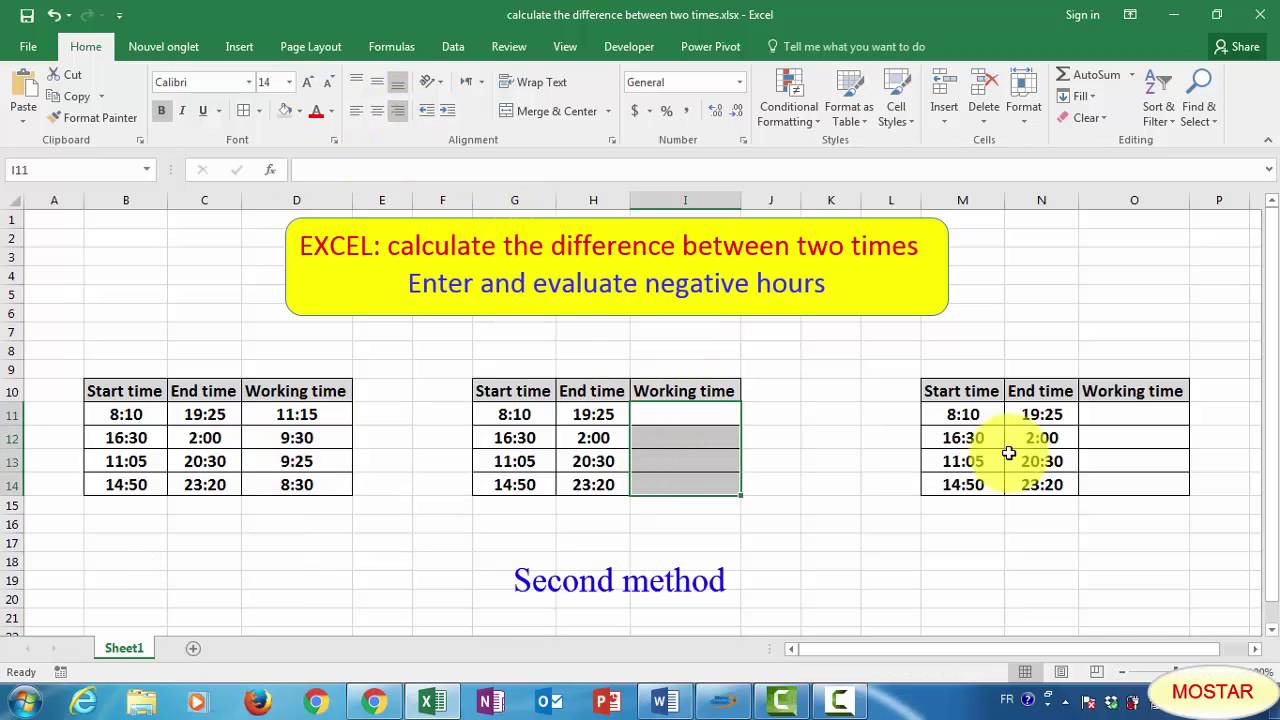
Excel Calculate The Difference Between Two Times YouTube
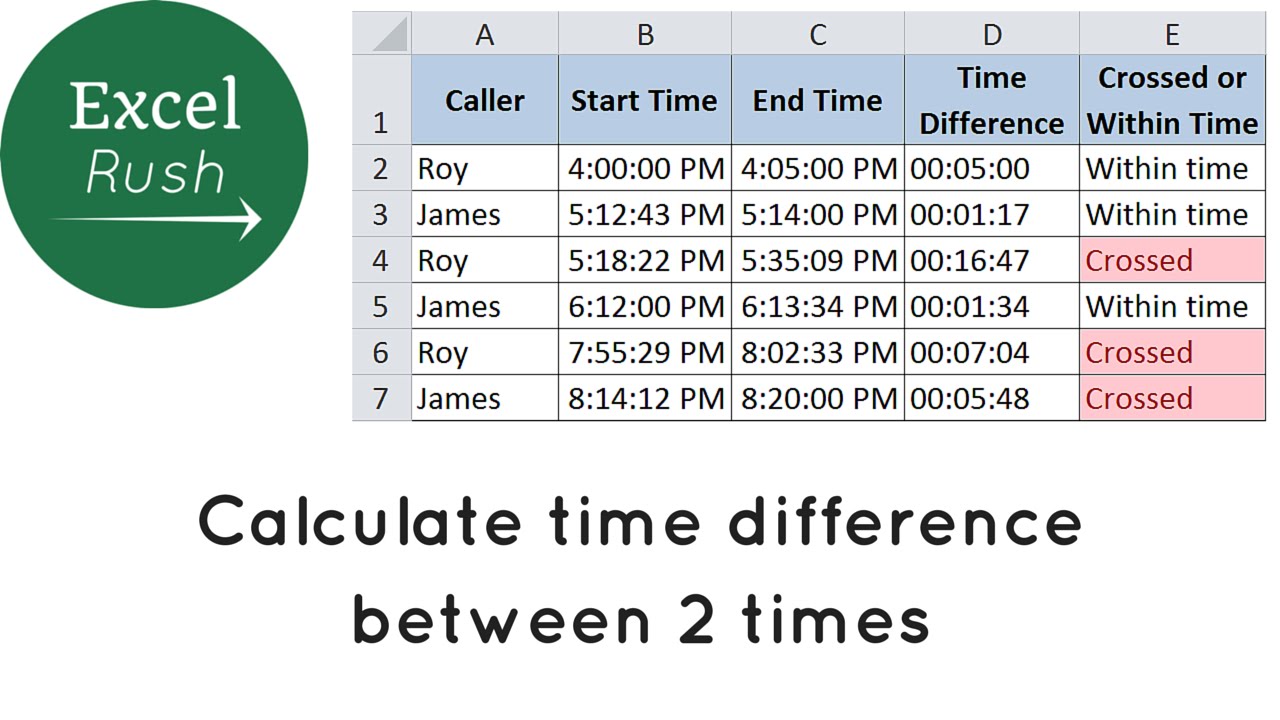
How To Calculate Date Time Difference In Excel Haiper

How To Count Date In Excel Haiper
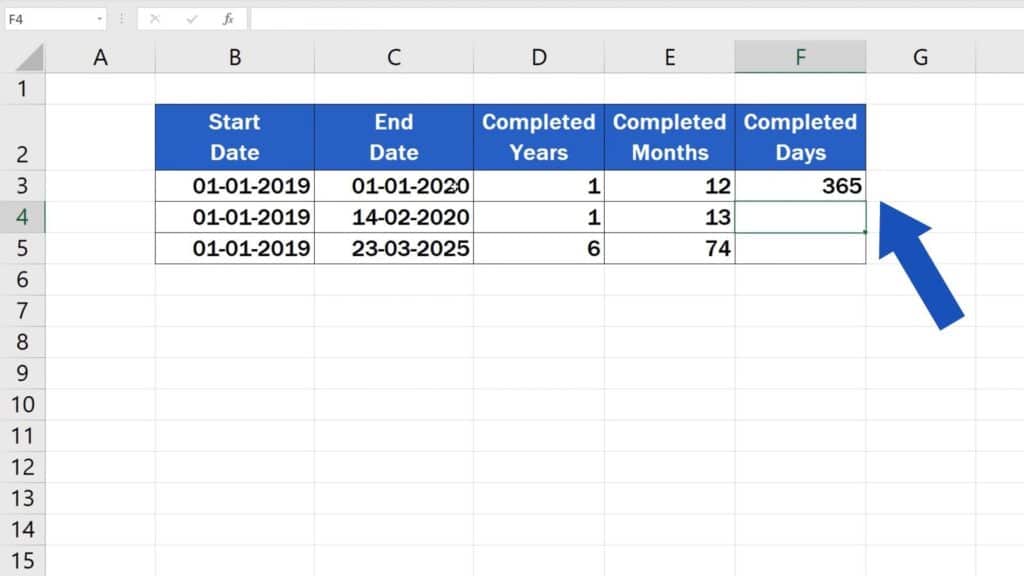
How To Know Date Difference In Excel Haiper
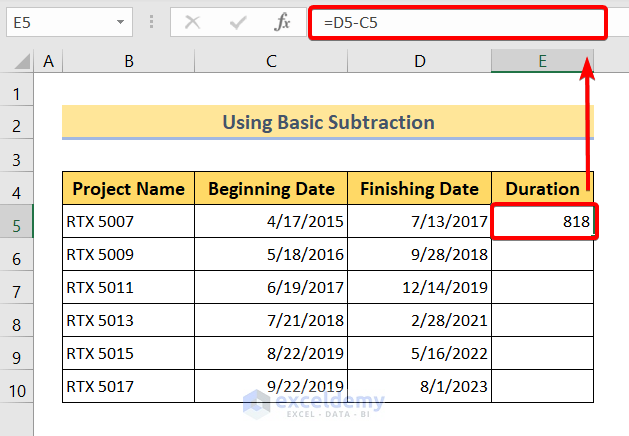
Day Calculator 2023 YaseminHeilyn
Mal Infecta Roti Calculate Hours Between Two Times Excel Satisfac ie

Office VBA reference topic Remarks Use the DateDiff function to determine how many specified time intervals exist between two dates For example you might use DateDiff to calculate the number of days between two dates or the number of weeks between today and the end of the year To calculate the number of days between date1 and date2 you can use either Day of year y or Day d

Example Calculate Time Difference in VBA Suppose we have the following two columns of start and end times in Excel We can create the following macro to calculate the time difference between each start and end time and display the results in columns C through F

EndTime WS Range C i Value Once the start and end times are assigned use the VBA function called DateDiff to calculate the time difference DateDiff n StartTime EndTime This function has five arguments But the last two are optional and not needed for this type of calculation First argument is the interval
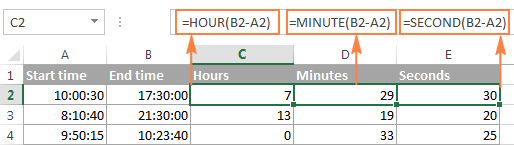
9 TEXT B2 A2 h mm ss Hours minutes and seconds between two times with the cell formatted as h mm ss by using the TEXT function 4 55 00 Note If you use both a format applied with the TEXT function and apply a number format to the cell the TEXT function takes precedence over the cell formatting

Below is the formula that will give you the time difference in hours B2 A2 24 The above formula will give you the total number of hours elapsed between the two time values Sometimes Excel tries to be helpful and will give you the result in time format as well as shown below
Calculate Difference Between two Times in Excel VBA Most of the time we wanted find differences of two Times It s a very regular and common exercise in Excel and VBA when dealing with times We can find this using Excel VBA DateDiff function In order to calculate we need start time and end time It returns an integer value as a result I am trying to calculate the time difference between two times defined by date and time I need some help since the result I get does not seem to be correct Please c see code below Excel formula vba to calculate the Time Taken according to batches of data oHoi99 Sep 17 2023 Excel Questions Replies 1 Views 94 Sep 17 2023
The easiest way to calculate a time difference in Excel is to simply subtract one time from the other This works because Excel stores dates as integers and times as decimal values see the page on Excel dates for more details It is only the formatting of an Excel cell that causes the cell s contents to be displayed as a date or time rather