Calculate Minute Difference In Excel How To Calculate Percentage Difference Excel Haiper Riset How To Calculate Date Time Difference In Excel Haiper How To Calculate Hours Into Days In Excel Haiper How To Count Date On Excel Haiper How To Know Date Difference In Excel Haiper If you multiply the numerical value of 1 45 which is 0 07 by 24x60 the number of hours in a day and the number of minutes in an hour you will obtain the value in minutes of your cell 105 Share
SECOND B2 B1 While these functions are ideal for providing the total number of hours minutes or seconds they are limited to those specific parts of the time If you need more such as both the hours and minutes you can use the next option Use Subtraction and Manually Format the Result To use these functions select the cell where you want the result to appear and enter the formula HOUR time value MINUTE time value or SECOND time value For example if you want to extract the number of seconds from the time value 3 30 45 PM you would enter SECOND 3 30 45 PM The result will be displayed as an integer value
How To Know Date Difference In Excel Haiper Datedif Excel How To Calculate Date Difference In Excel Excel Date How To Calculate Average Difference In Excel Haiper Calculate Percentage Difference Between Two Numbers In Excel Riset Calculating Time Difference In Excel Exceld Vaxt F rqini Hesablamaq Excel Datedif Function Calculate The Difference Between Two Dates Riset Find Percentage Difference Between Two Numbers In Excel YouTube Calculate Hours Difference Between Two Times In Excel Vba Hot Sex Picture How To Calculate Date Time Difference In Excel Haiper
Calculate Minute Difference In Excel
 Calculate Minute Difference In Excel
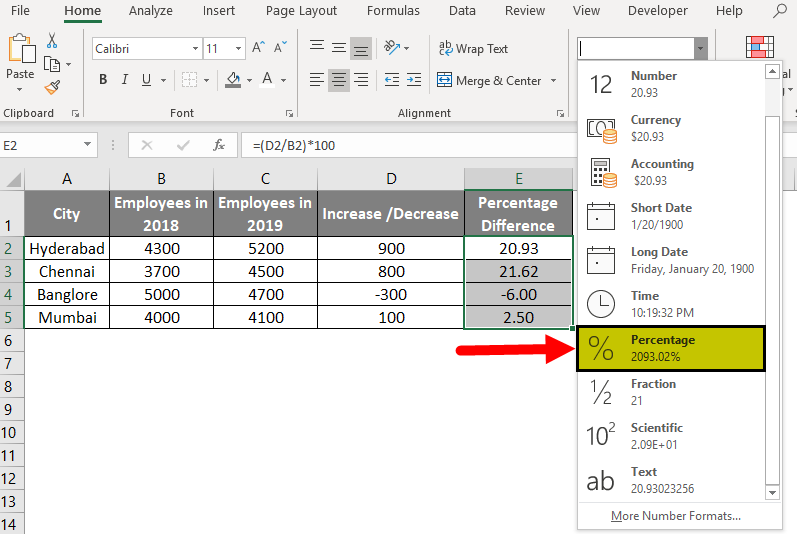
https://cdn.educba.com/academy/wp-content/uploads/2019/02/Percentage-Difference-Example-1-8.png
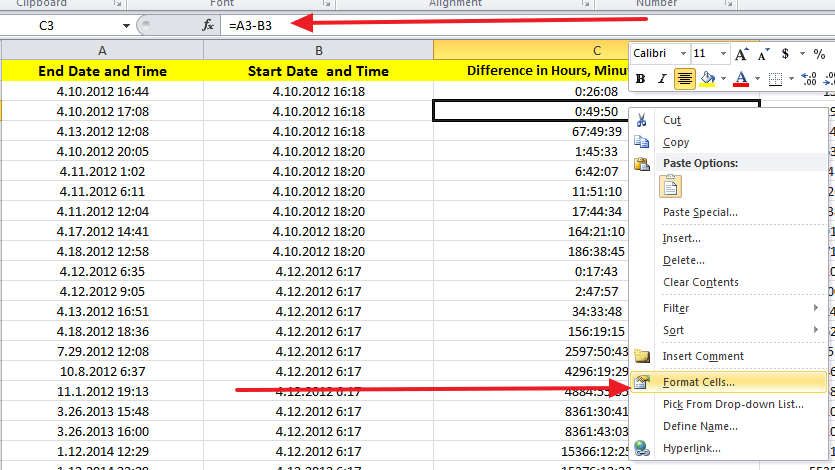
Step 1 Find the Time Difference in Dates To find the difference in dates type the following formula C5 B5 Therefore it will calculate the days difference between the two dates It will show the result in the decimal units Step 2 Use a Formula to Calculate the Time Difference
Pre-crafted templates use a time-saving service for creating a varied series of documents and files. These pre-designed formats and designs can be utilized for numerous individual and expert jobs, including resumes, invitations, flyers, newsletters, reports, discussions, and more, enhancing the material development process.
Calculate Minute Difference In Excel
How To Calculate Date Length In Excel Haiper
Datedif Excel How To Calculate Date Difference In Excel Excel Date

How To Calculate Average Difference In Excel Haiper

Calculate Percentage Difference Between Two Numbers In Excel Riset
Excel Datedif Function Calculate The Difference Between Two Dates Riset
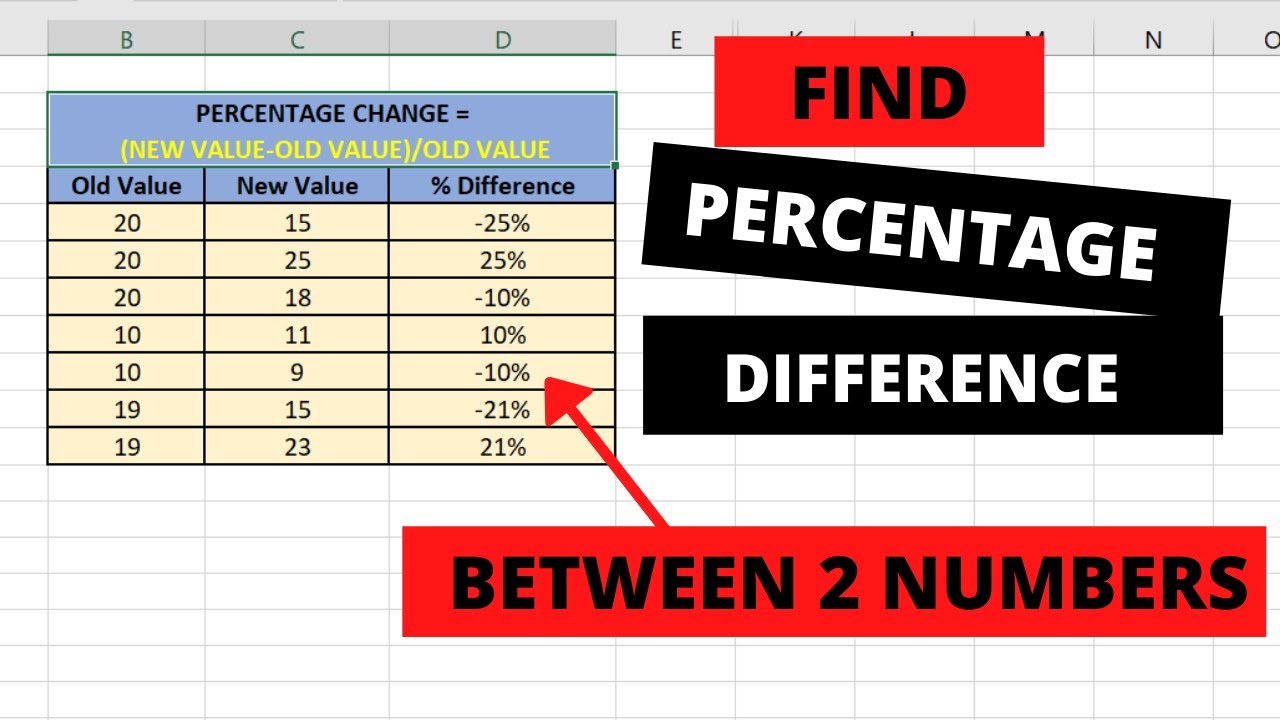
Find Percentage Difference Between Two Numbers In Excel YouTube
The Generic Formula to calculate the minutes between two times is END TIME START TIME 1440 We subtract time dates in excel to get the number of days Since a day has 1440 24 60 minutes we multiply the result by 1440 to get the exact number of minutes For this example we write the formula below in cell D2 and copy it in the cells below

1 Times that are negative show as 2 To clearly see this change the number format of the values in cell A2 B2 and C2 to General 3 The time difference formula below always works Explanation if the end time is greater than or equal to the start time simply subtract the start time from the end time

You can use the following formula to calculate the difference between two times in minutes in Excel B2 A2 1440 This particular formula calculates the difference in minutes between the times in cells B2 and A2 By default the formula B2 A2 would return the difference between cells B2 and A2 in terms of days

The simplest and most obvious Excel formula to calculate time difference is this End time Start time Depending on you data structure the actual time difference formula may take various shapes for example
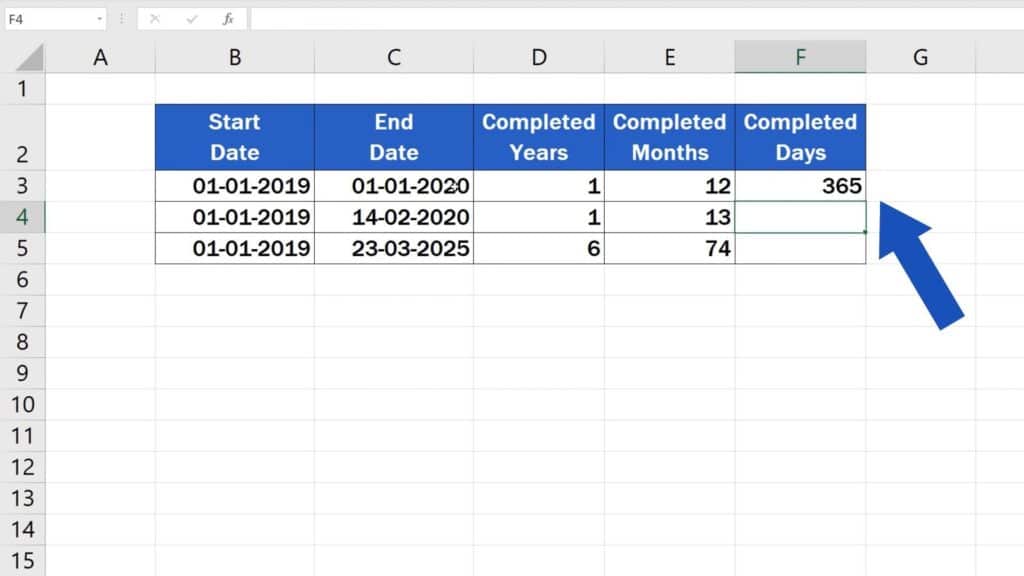
Simple Subtraction of Calculate Time Difference in Excel Since time is stored as a number in Excel find the difference between 2 time values you can easily subtract the start time from the end time Calculating Time Difference in Minutes To calculate the time difference in minutes you need to multiply the resulting value by the total
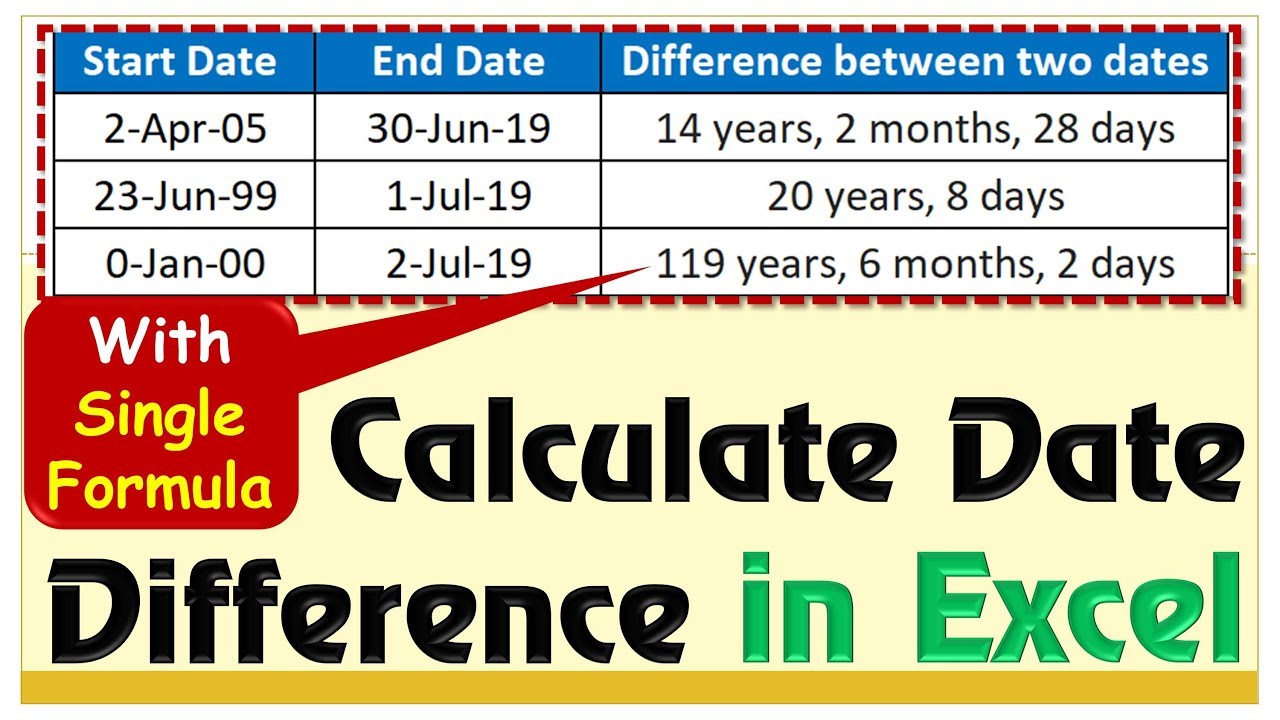
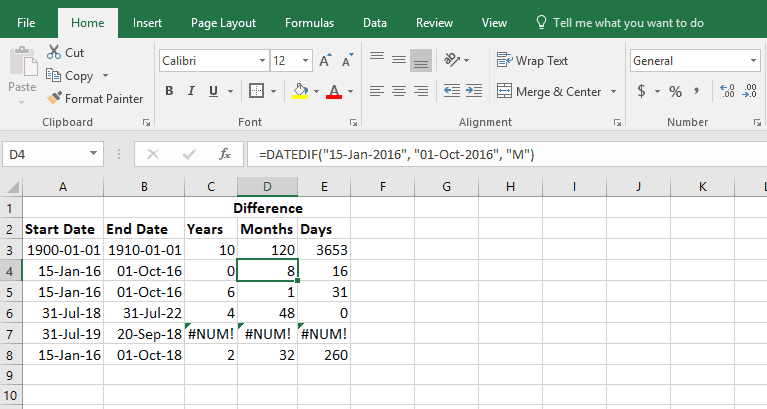
5 Get Difference in Seconds Same as minutes we can also get the difference in seconds All you need to do is to use the following formula end time start time 86400 Here 86400 is the total second in 24 hours and when you enter this formula it will return the difference in start and end time in seconds Calculate the difference between two dates Use the DATEDIF function when you want to calculate the difference between two dates First put a start date in a cell and an end date in another Then type a formula like one of the following Warning I f the Start date is greater than the End date the result will be NUM
Once you have calculated the time difference between two times in Excel you can easily convert this value to minutes using the conversion factor Simply multiply the time difference by 1440 to obtain the result in minutes For instance if you have calculated a time difference of 0 5 hours the equivalent value in minutes would be 0 5 1440