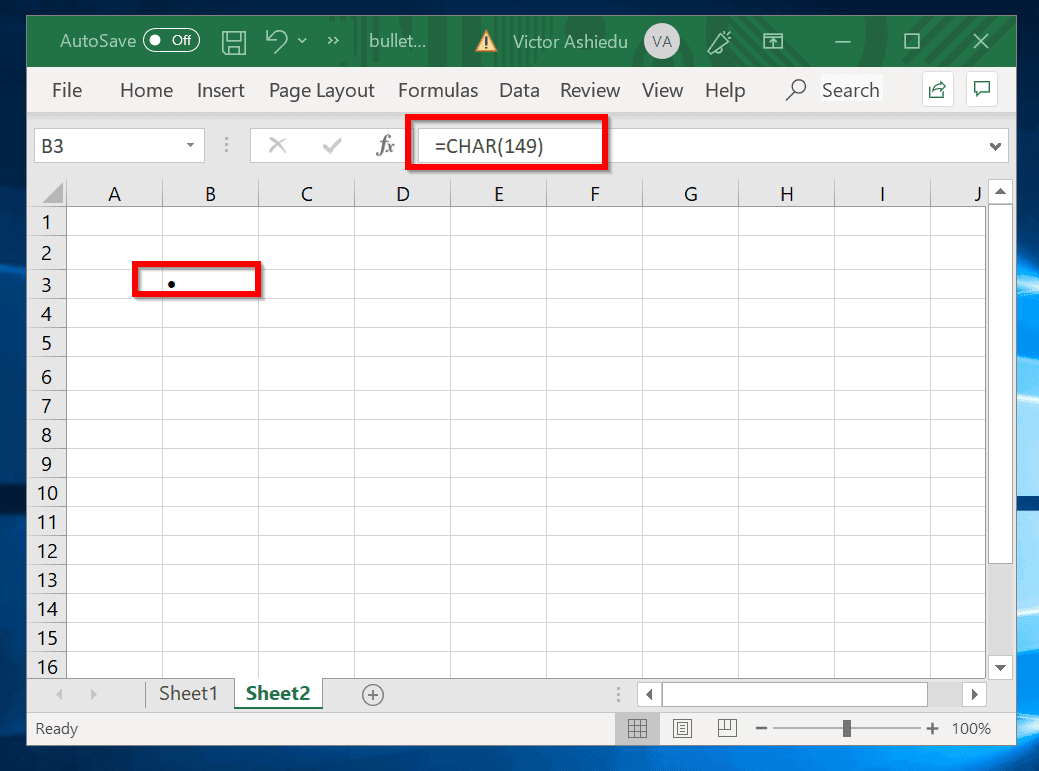
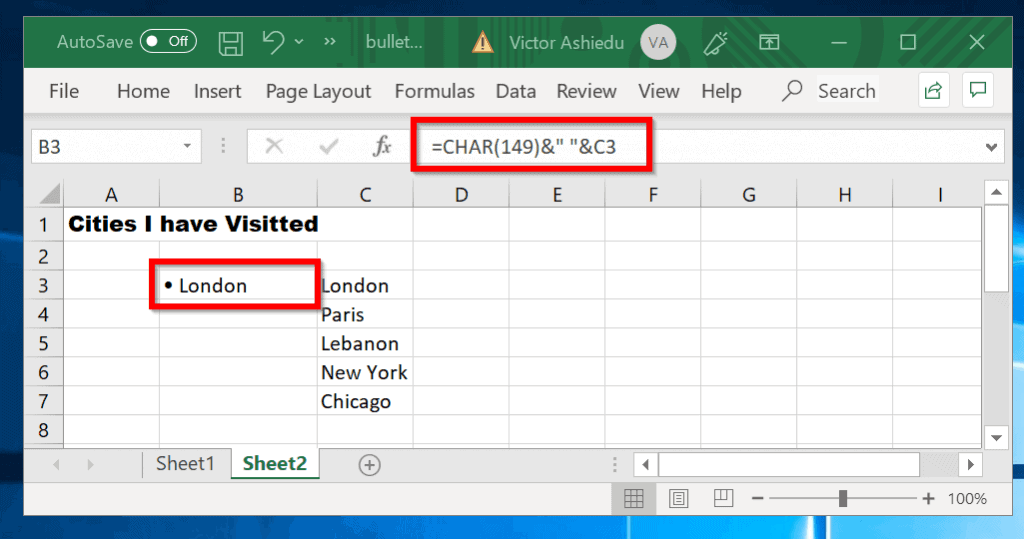
Bullet Points In Excel Cell Bullet Points In Excel 4 Easy Ways To Insert Bullet Points In Excel How To Insert Bullet Points In Excel GeeksforGeeks How To Insert Bullet Points In Excel In 8 Different Ways Bullet Points In Excel Top 5 Methods How To Insert Bullet Points In Excel How To Add Bullet Points In Excel Web Using keyboard shortcuts Using Excel s Symbol tool Using special fonts Using the CHAR Function By Applying Custom Formats Copying from MS Word or MS PowerPoint Using SmartArt or a Text Box Let us take a look at each of these methods Using Keyboard Shortcuts to Add Bullet Points in Excel
Web Jul 26 2020 nbsp 0183 32 To add one bullet point per cell double click the first cell where you want a bullet point and press Alt 7 to insert the bullet Then type the item you d like to follow the bullet Different keyboard shortcuts will insert different style bullets Web This page illustrates three ways to insert bullet points in Excel You can use a keyboard shortcut insert a symbol or create a custom number format If you have a number pad on the right side of your keyboard execute step 1 or step 2 1 To insert a filled round bullet point press Alt Numpad 7
Bullet Points In Excel How To Add Bullet Points In Excel Excel bullet point with CHAR 149 Itechguides Bullet Points In Excel 4 Easy Ways To Insert Bullet Points In Excel How To Easily Insert Bullet Points In Excel 2016 For Windows And Mac Adding Bullets Within Excel Cell Hot Sex Picture How To Add A Bullet Point In Excel How To Enter A Bullet Within A Cell In Excel YouTube Dita Dei Piedi Moneta Sognare How To Insert Bullet In Excel Membro Command For Bullet Points In Word Mac
Bullet Points In Excel Cell
 Bullet Points In Excel Cell
https://itechguides.com/wp-content/uploads/2019/07/insert-symbol-1024x721.png
Web Apr 14 2021 nbsp 0183 32 You can insert bullet points in an Excel spreadsheet by following a few simple steps Here s how to do it Adding Bullet Points To insert bullet points in Microsoft Excel you need to
Templates are pre-designed documents or files that can be utilized for different purposes. They can save time and effort by offering a ready-made format and design for creating various sort of content. Templates can be used for personal or professional projects, such as resumes, invitations, leaflets, newsletters, reports, discussions, and more.
Bullet Points In Excel Cell
How To Insert Bullet Points In Text Box Or Specify Cells In Excel
Excel bullet point with CHAR 149 Itechguides
Bullet Points In Excel 4 Easy Ways To Insert Bullet Points In Excel
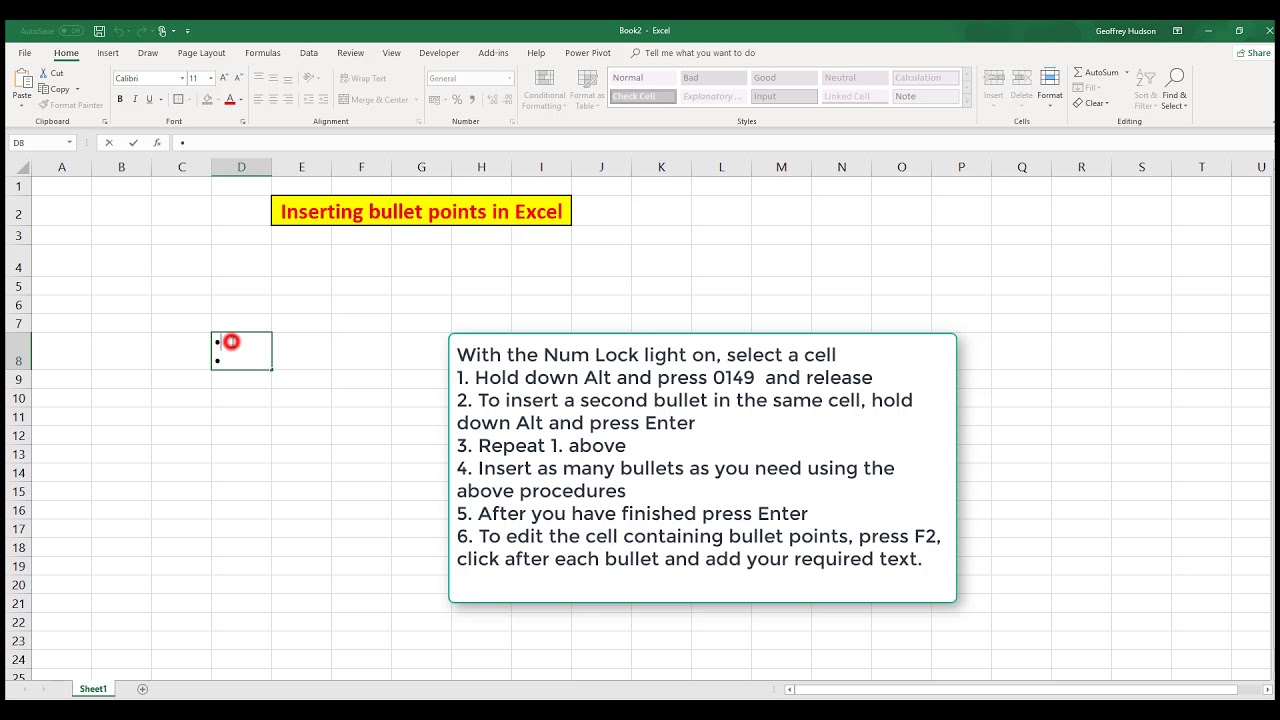
How To Easily Insert Bullet Points In Excel 2016 For Windows And Mac
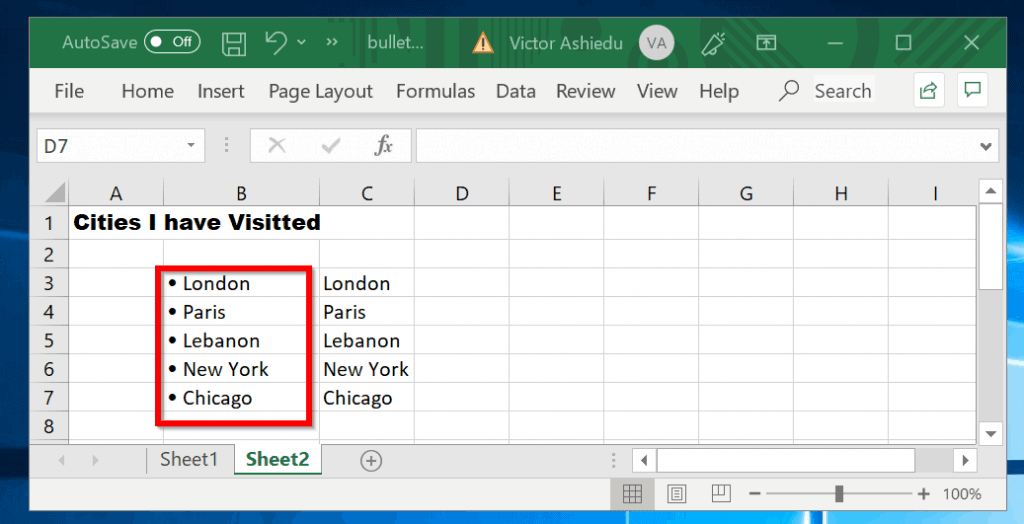
How To Add A Bullet Point In Excel
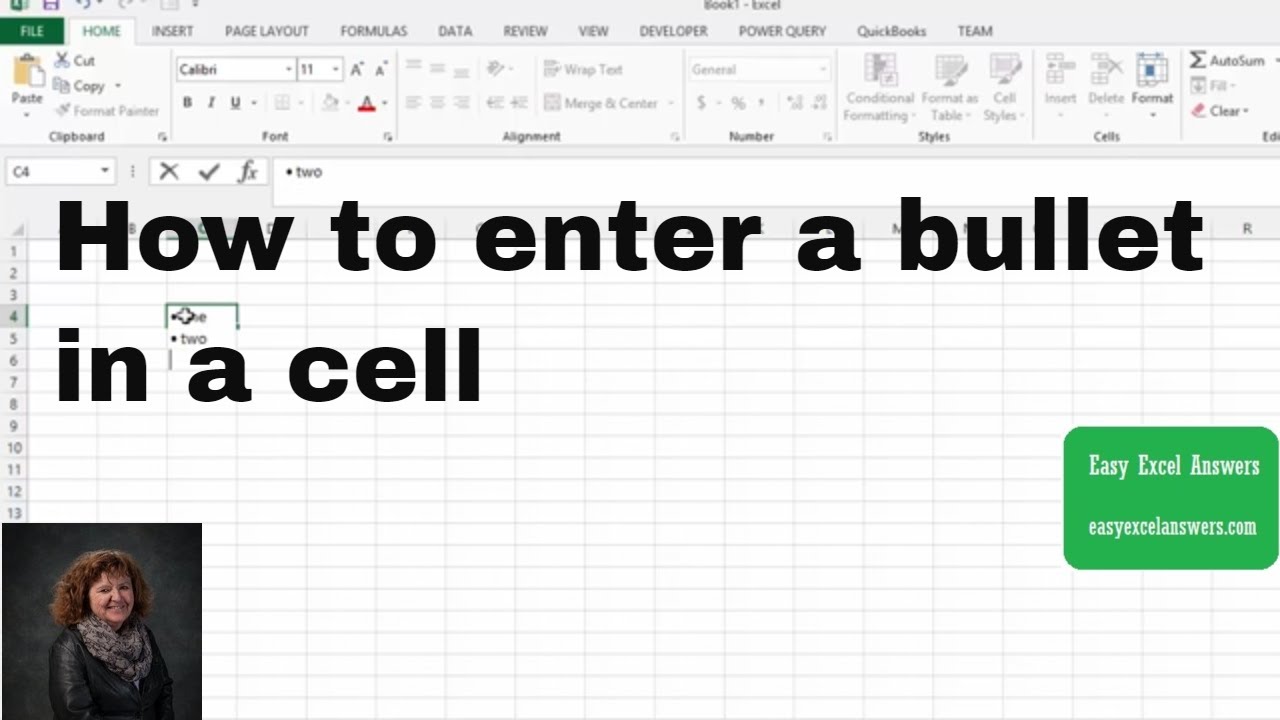
How To Enter A Bullet Within A Cell In Excel YouTube

Web Insert bullets in a worksheet If you have a numeric keypad on the right side of your keyboard press ALT 7 for a bullet Different fonts provide different symbols If your font does not provide the bullet try selecting a font such as You can copy and paste a bulleted list from another program
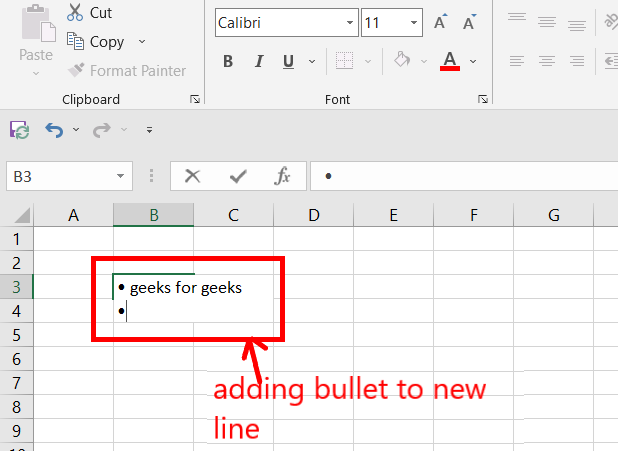
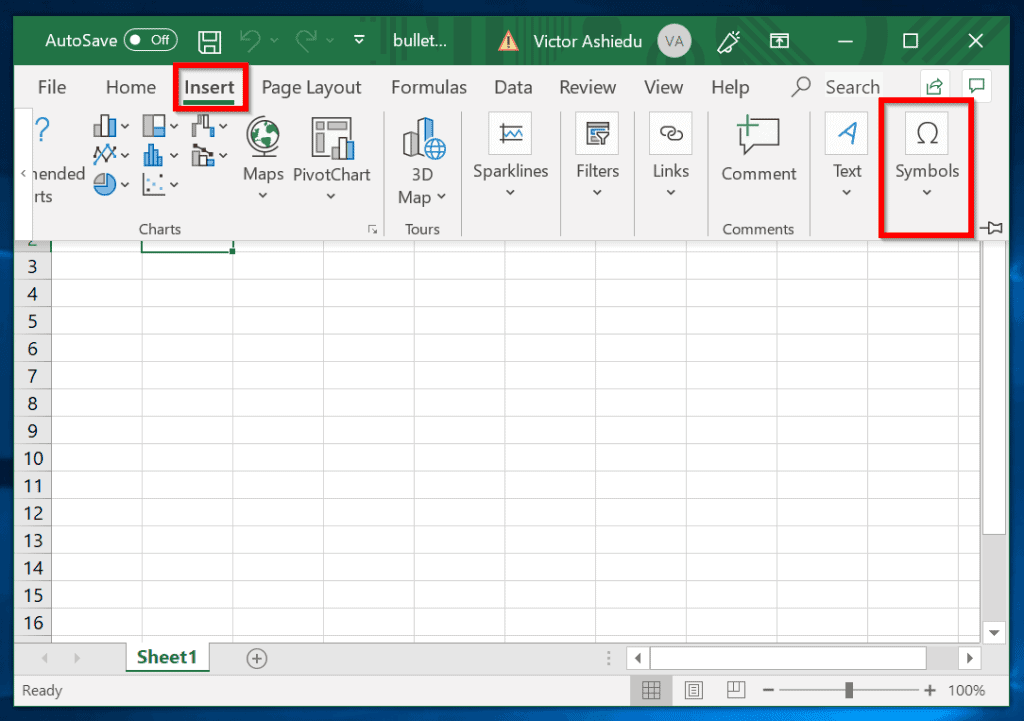
Web Nov 19 2020 nbsp 0183 32 Insert Bullet Points From the Symbol Menu First select any blank cell in your Excel workbook Make sure you have the quot Insert quot tab open and click quot Symbol quot from under the quot Symbols quot icon In the dialog box type 2022 in the Character code box Click quot Insert quot and then quot Close quot
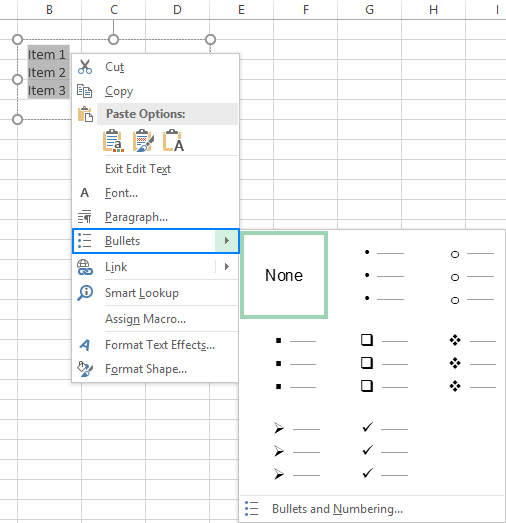
Web Here are the steps to do it In any cell insert a bullet use the shortcut or insert symbol technique shown above Double click on the cell that has the bullet or press F2 to get into the edit mode select the bullet and copy it Select the cells on which you want to apply the custom number

Web Mar 18 2022 nbsp 0183 32 Create a Bulleted List Using Keyboard Shortcuts Select the cell where you want to add a bullet Press Alt 7 or Alt 0149 for a solid bullet or Alt 9 for a hollow bullet
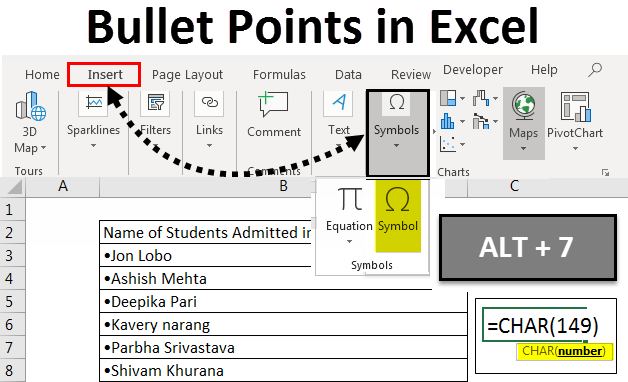
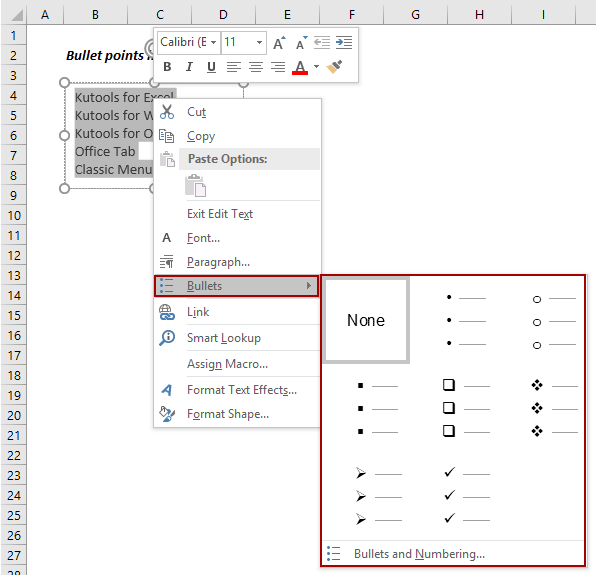
Web A bullet used in your Excel data can come from an external source through copy paste or internal sources like Symbol CHAR function Custom Format keyboard shortcuts special fonts Text Box AutoCorrect and if you must go all out for visual attention to your bulleted data you do it the SmartArt way
[desc-11] [desc-12]
[desc-13]