Brew Install Pip Mac M1 Start Creating Images From Text With Stable Diffusion On Your MAC Easy Mac M1 brew nvm Apple Pip Princess Junior Master Gardener Mac PyAudio Brew Install Opencv For Python 2 Accountingkurt Web Nov 2 2021 nbsp 0183 32 How to install brew on M1 Mac Zack Hoherchak Brew on your Mac is important because it helps you install other things Start by running the command below
Web Oct 10 2021 nbsp 0183 32 Setting up Python with Miniforge Step 1 Install Homebrew Step 2 Install miniforge Step 3 Setup and activate a virtual environment Step 4 Install any Python Web Homebrew installs the stuff you need that Apple or your Linux system didn t Homebrew installs packages to their own directory and then symlinks their files into opt homebrew
Brew Install Opencv For Python 2 Accountingkurt How To Install Homebrew brew On M1 Mac DelTrance Pip Dwyer Install Pip Mac Brew Dadsselection About PIP Medium MYOMEE M1 Mac Build Electron App app ffmpeg autocut Issue 1 Zcf0508 Installing Pyinstaller On Raspberry 3 PIP 7103 1024x1024 Clelands Construction
Brew Install Pip Mac M1
 Brew Install Pip Mac M1
https://mirairo.net/images/appledocker1.png
Web Homebrew s package index
Templates are pre-designed files or files that can be used for numerous functions. They can conserve effort and time by providing a ready-made format and design for developing different sort of material. Templates can be utilized for personal or expert tasks, such as resumes, invites, leaflets, newsletters, reports, discussions, and more.
Brew Install Pip Mac M1
Apple MacBook Pro M1 AppleMagazine
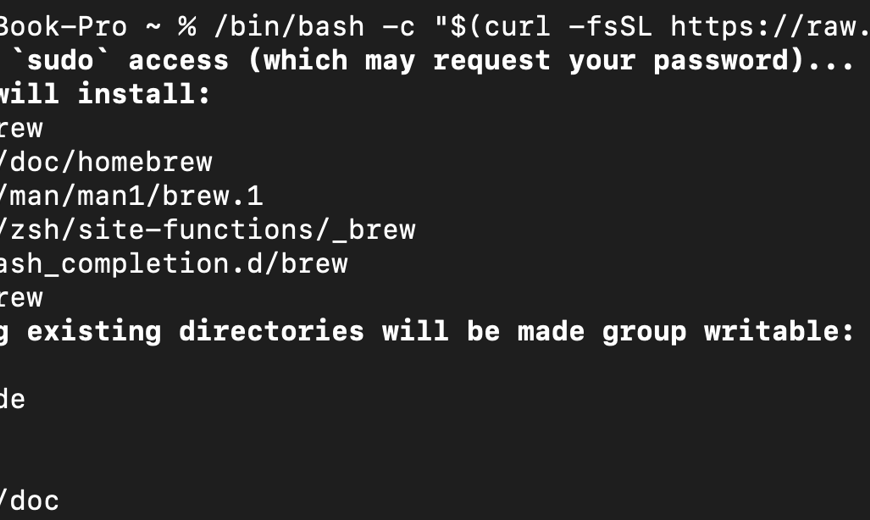
How To Install Homebrew brew On M1 Mac DelTrance

Pip Dwyer

Install Pip Mac Brew Dadsselection
MYOMEE

M1 Mac Build Electron App app ffmpeg autocut Issue 1 Zcf0508

Web I have the Mac Mini 2020 with the new m1 chip I ran pip3 install r requirements txt and got the following error ERROR Command errored out with exit status 1 command
Web Python This page describes how Python is handled in Homebrew for users See Python for Formula Authors for advice on writing formulae to install packages written in Python
Web Jul 7 2022 nbsp 0183 32 Download and install the latest pygplates version corresponding to your system architecture Mac M1 ARM and take note of the installation directory and python path Install conda we recommend

Web Nov 17 2023 nbsp 0183 32 In the Terminal type curl https bootstrap pypa io get pip py o get pip py and press Enter Allow curl time to download the script onto your Mac Once it s done

Web Apr 7 2021 nbsp 0183 32 python m pip install U pip maybe not necessary python m pip install netCDF4 within python check that the following works python import netCDF4 exit
Web Mar 22 2021 nbsp 0183 32 Can t find Brew installed packages on Mac M1 in Pycharm I m having trouble installing packages and using them in Pycharm I ve followed various threads Web Jul 29 2023 nbsp 0183 32 sudo port install python35 or sudo brew install python3 Of course be sure which Python version you use i e is python really linked with python3 x If not
Web Sep 5 2022 nbsp 0183 32 This is the process of installing cvxpy on Mac M1 since pip install cvxpy is not working directly step 1 install Homebrew bin bash c quot curl fsSL