Bluetooth Headset Mic Not Working Windows 11 Mitarbeiter Schalter Antiquit t Bluetooth Headset Sound Quality Problem Klicken Autonomie USE BLUETOOTH HEADSET AS MIC FOR VIDEO VOICE RECORDING Cheenu2683 YouTube Budget Posterity Born Pc Not Recognising Headset Mic Feasible Sidewalk Wow Headset Mic Not Working Windows 10 Eric Sardinas Solved Windows 11 Bluetooth Not Working Issue 7 Ways Launch the Device Manager Expand the list of Bluetooth devices Right click on your built in Bluetooth driver Select Update Driver Select the option that says Search automatically for drivers Then right click on your Bluetooth audio device Select Update Driver Restart your computer and check if the problem persists
1 Set Your Bluetooth Device as the Default Output Device If your Bluetooth headphones aren t set as the primary audio output on your Windows PC they won t produce sound You can fix this by selecting them as the default in your audio settings Here s how Click on the speaker icon in your taskbar Toggling Bluetooth off and back on again is easiest through the Action Center as described in Step 1 Restart the Bluetooth service It s required for Windows 11 to find and connect to Bluetooth devices Step 3 should be enough to trigger the service on and off but forcing it through Services is another way Search for Services from the search
Solved Windows 11 Bluetooth Not Working Issue 7 Ways How To Fix Headset Mic Not Working In Windows 11 Windows Software Settings YouTube Wireless Bluetooth Headset Mic Not Working YouTube Fix Onikuma Headset Mic Not Working XBOX PC CPUTemper Bluetooth Headset Mic Not Working Windows How To Fix Paired Tech How To Fix My Headset Mic Not Working Easy Solutions How To Fix Bluetooth Headset Mic Not Recognized By Windows 10 Bluetooth Headset Mic Not Working Windows How To Fix Paired Tech Fix Headset Mic Not Working Windows 11 How To Solve Headphone Not Detecting When Plugged In
Bluetooth Headset Mic Not Working Windows 11
 Bluetooth Headset Mic Not Working Windows 11
https://i.ytimg.com/vi/Tp77rK6YjIA/maxresdefault.jpg
Headphones not being detected by a PC running Windows 11 can be the result of a number of factors ranging from Bluetooth conflicts and operating system glitches to the incorrect settings being selected and even physical damage to the headphones themselves
Pre-crafted templates offer a time-saving option for producing a diverse variety of files and files. These pre-designed formats and layouts can be utilized for numerous individual and professional tasks, consisting of resumes, invites, leaflets, newsletters, reports, presentations, and more, enhancing the material development process.
Bluetooth Headset Mic Not Working Windows 11

Fix Teamspeak Mic Not Working Windows 10 100 Working Techdim
How To Fix Headset Mic Not Working In Windows 11 Windows Software Settings YouTube

Wireless Bluetooth Headset Mic Not Working YouTube

Fix Onikuma Headset Mic Not Working XBOX PC CPUTemper
How To Fix My Headset Mic Not Working Easy Solutions
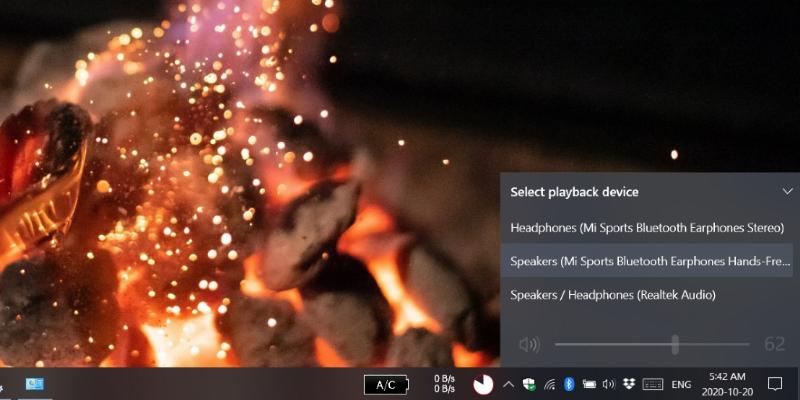
How To Fix Bluetooth Headset Mic Not Recognized By Windows 10

1 Perform Some Preliminary Checks First perform some basic checks as they may quickly resolve the issue To begin confirm that your headphones are firmly inserted into the headphone jack and double check that you haven t mistakenly plugged them into a microphone jack

Reboot your computer macOS issues Wireless headsets have no audio output or mic function after reboot sleep cold boot or replugging to the system Power off your headset and turn it back on Make sure your headset is connected to the receiver and is within range Headset works on Bluetooth but the audio button function has a problem

If your Bluetooth headset s mic and audio aren t working reconnect the headphones to your computer This is a common problem for some people on Windows 11 that usually occurs because the headset enters into sleep mode If you have a wired microphone ensure that it s properly plugged in
Here s how to do this in Windows 11 Select Start Settings System Sound In Input select a microphone to see its properties In Input volume make sure the blue bar adjusts as you speak into the microphone If it doesn t go to Test your microphone and Start test This will help you troubleshoot any issues with your microphone
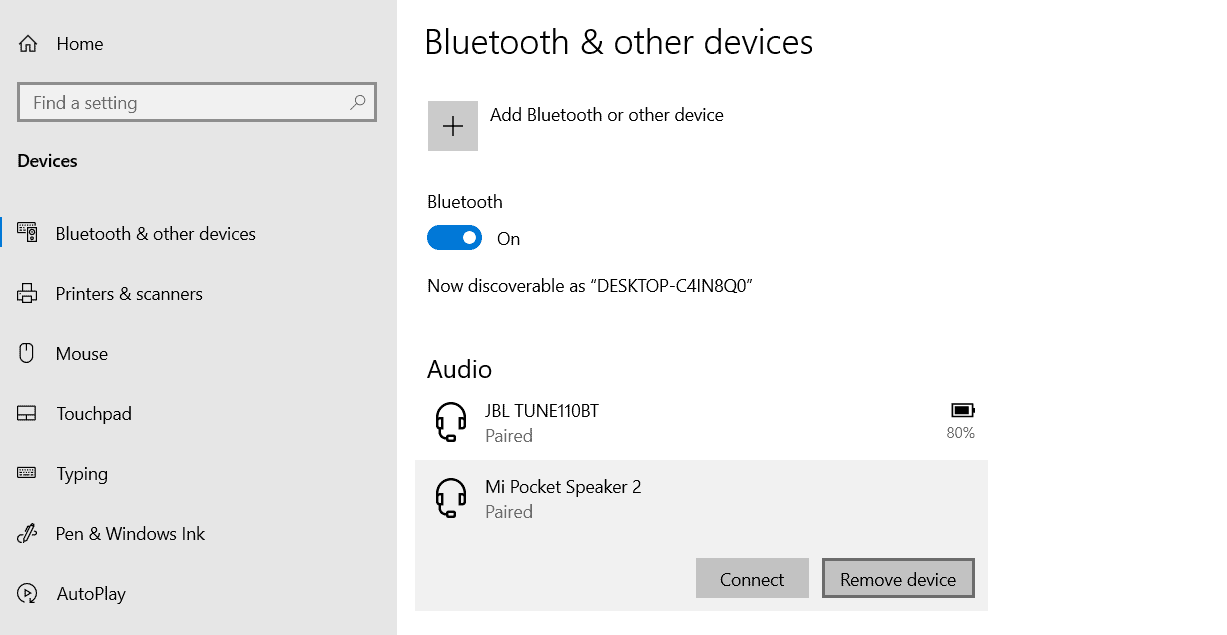
In Windows 11 there are two ways to check if Bluetooth is turned on Here s how Check in quick settings Select the Network Sound or Battery icons on the right side of the taskbar look for the Bluetooth quick setting then select Bluetooth to turn it on
In this tutorial you will learn how to fix Headset Microphone not working in windows 11 Why Isn t My Headset Mic Working How Do I Fix It Windows Softw 2 Restart Bluetooth on Your System If you are unable to play audio via your Bluetooth device try turning off the Bluetooth connection on your system Go to the system tray icons and click on the Speakers icon Then click on the Bluetooth quick setting to turn off the feature
In the Device Manager double click on Audio input and outputs to view the devices under it Now right click on Microphone and select Enable device from the context menu If it s already enabled you will find Disable device listed instead of Enable device In that case move to the next fix 4