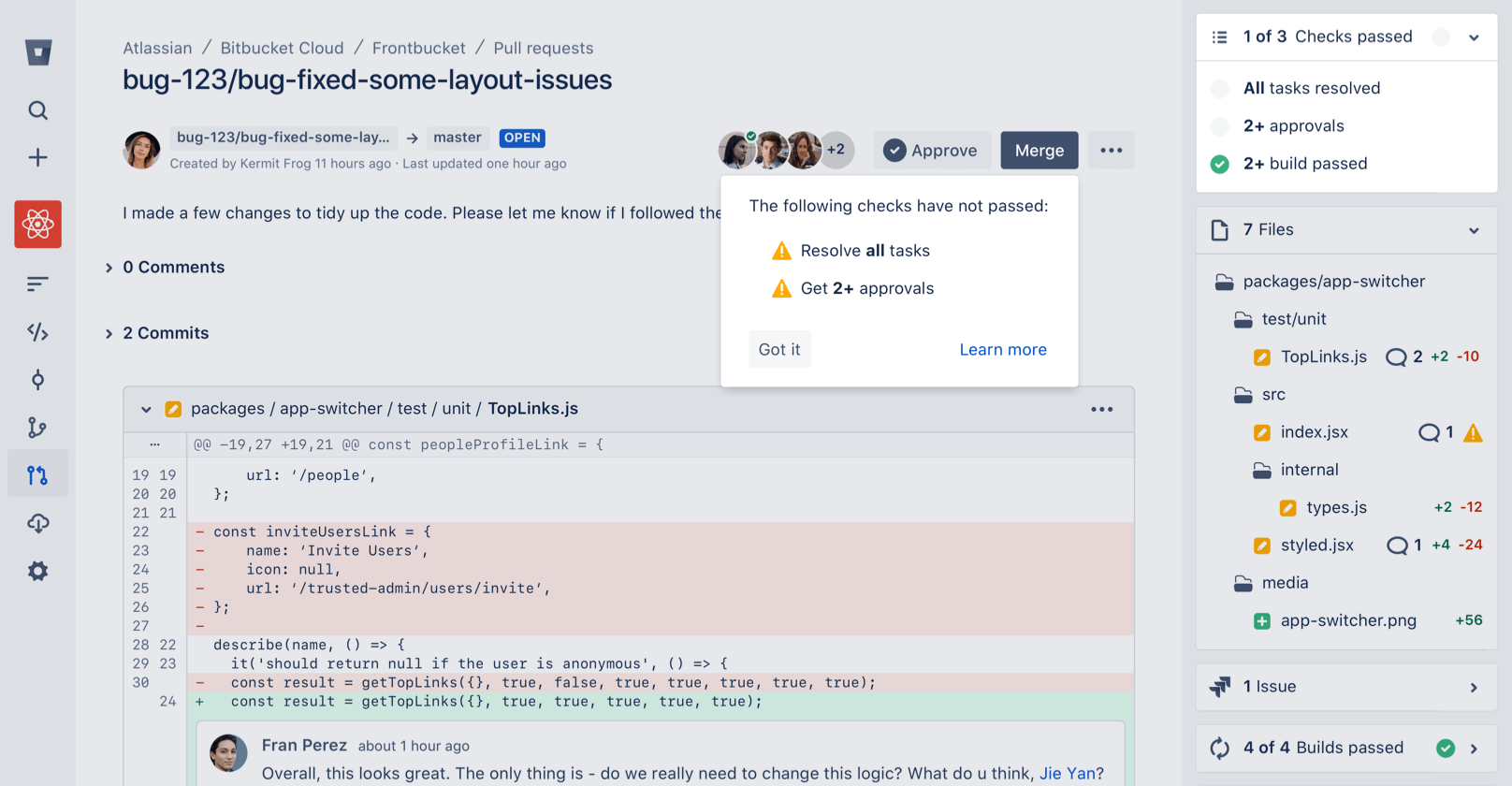
Bitbucket Merge Commit Vs Merge BitBucket Merge Conflict Edit On One Check in And Deleted File On Other Commit Graph For Bitbucket Data Center Atlassian Marketplace What Is The Difference Between A Merge Commit A Squash Stop Closing Pull Requests Always With A Merge Commit YouTube Bitbucket Cloud Premium Bitbucket To merge a pull request In the top right corner of the pull request view select Merge In the Merge pull request dialog you can add information about the pull request in a comment The text you add appears between the subject line and the log lines that Bitbucket and Git generate and adds the text to the commit message for the merge
Pull request merge strategies Git merge strategies affect the way the Git history appears after a merge has occurred With Bitbucket Server 4 9 repository admins can choose which merge strategies to allow and set a default merge strategy And users can now choose a merge strategy from the merge dialog of each pull request Git merge will combine multiple sequences of commits into one unified history In the most frequent use cases git merge is used to combine two branches The following examples in this document will focus on this branch merging pattern
Bitbucket Cloud Premium Bitbucket Continuous Integration Teamcity Bitbucket Build A Pull Requests Resolve Git Merge Conflicts Azure Repos Microsoft Learn Merge A Pull Request Bitbucket Data Center And Server 7 21 Git How To Configure Merge Strategies On Bitbucket Cloud Stack Git Rebase Vs Git Merge Alvarezp Pull Request Vs Merge Request Stiltsoft Git What Does Commit Message Merge Branch Of xxx Https bitbucket How To Switch Branch In Git Youtube Riset
Bitbucket Merge Commit Vs Merge
 Bitbucket Merge Commit Vs Merge
https://i.stack.imgur.com/UZDv8.png
Step 1 Create a branch and make a change Create a branch where you can add future plans for the space station that you aren t ready to commit When you are ready to make those plans known to all you can merge the changes into your Bitbucket repository and then delete the no longer needed branch
Pre-crafted templates offer a time-saving solution for producing a varied range of files and files. These pre-designed formats and designs can be utilized for numerous individual and expert projects, consisting of resumes, invites, leaflets, newsletters, reports, discussions, and more, improving the material creation process.
Bitbucket Merge Commit Vs Merge
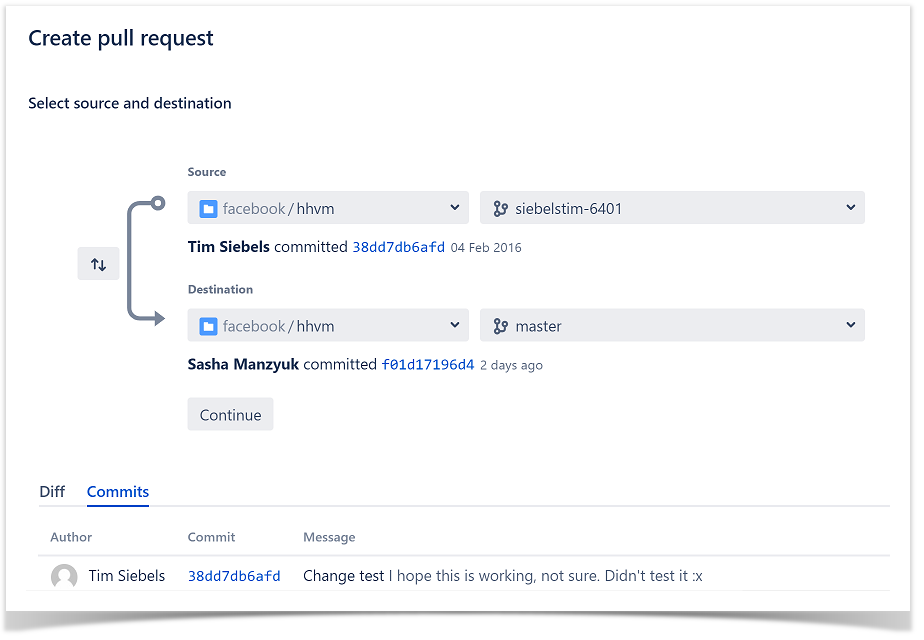
Pull Request Vs Merge Request Stiltsoft

Continuous Integration Teamcity Bitbucket Build A Pull Requests
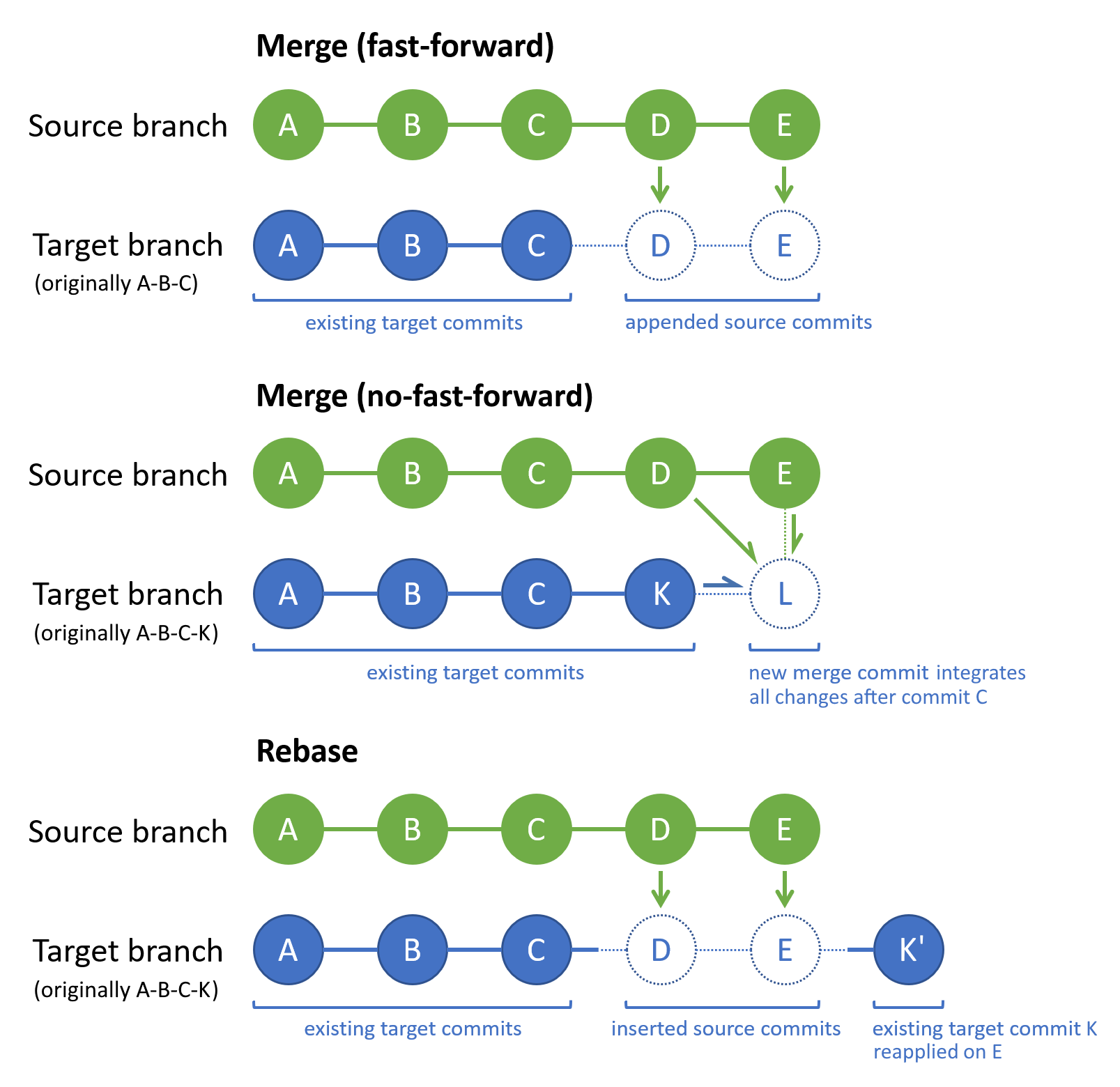
Resolve Git Merge Conflicts Azure Repos Microsoft Learn
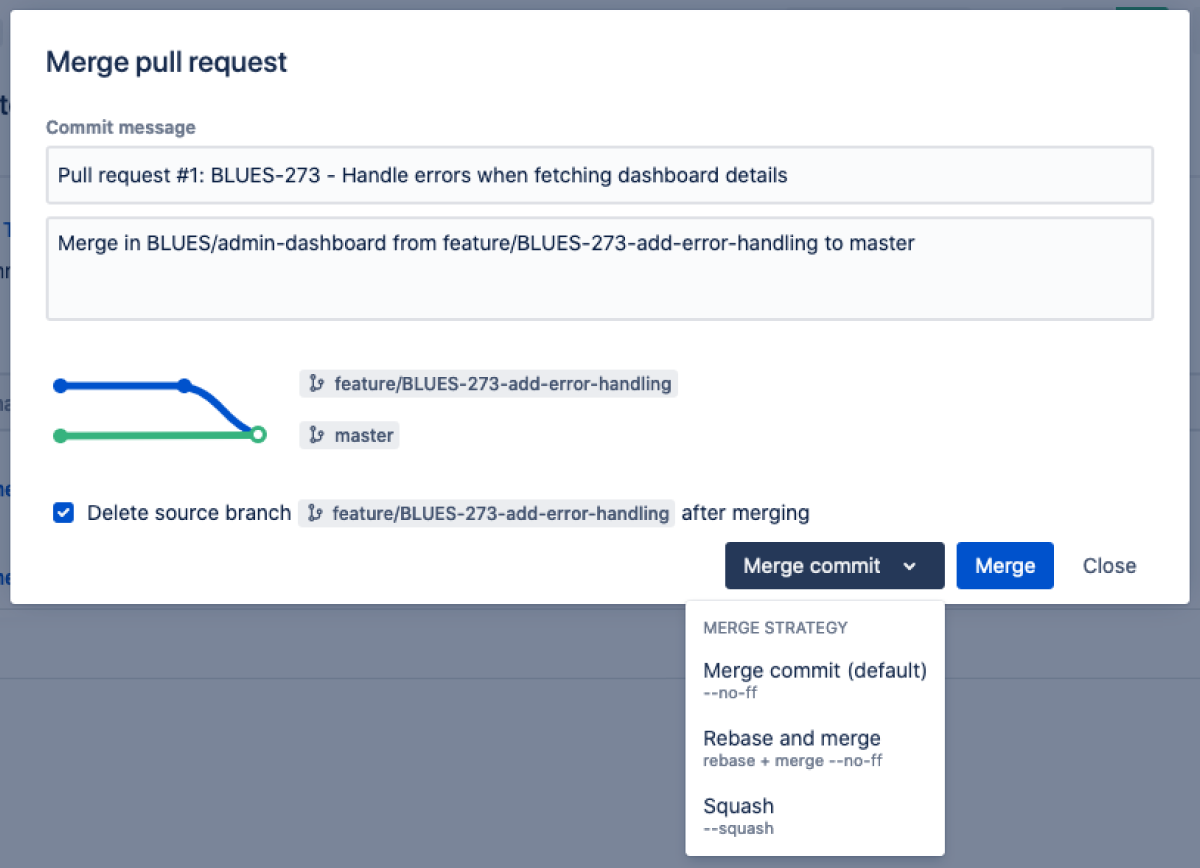
Merge A Pull Request Bitbucket Data Center And Server 7 21
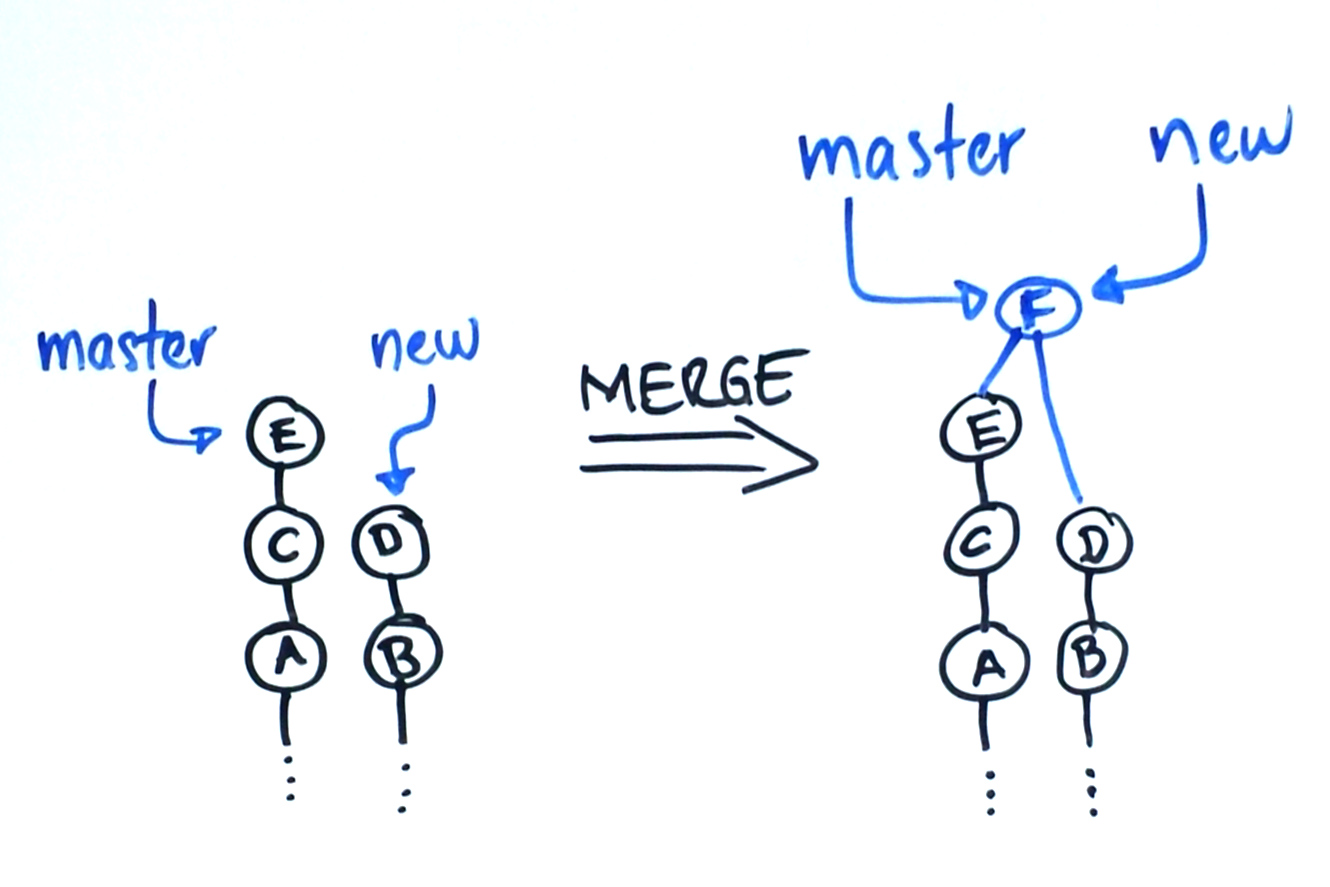
Git Rebase Vs Git Merge Alvarezp
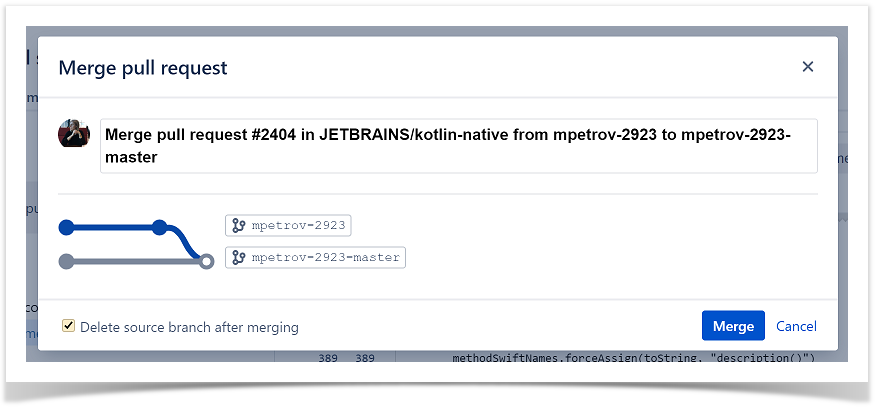
Pull Request Vs Merge Request Stiltsoft

The merge strategies available in Bitbucket are Merge commit no ff DEFAULT Always create a new merge commit and update the target branch to it even if the source branch is already up to date with the target branch Fast forward ff If the source branch is out of date with the target branch create a merge commit
Git merge feature main This creates a new merge commit in the feature branch that ties together the histories of both branches giving you a branch structure that looks like this Merging is nice because it s a non destructive operation The existing branches are not changed in any way
4 Answers Sorted by 196 Rebase Feature Branches Before Merging If you want to avoid merge commits you need to ensure all commits are fast forwards You do this by making sure your feature branch rebases cleanly onto your line of development before a merge like so

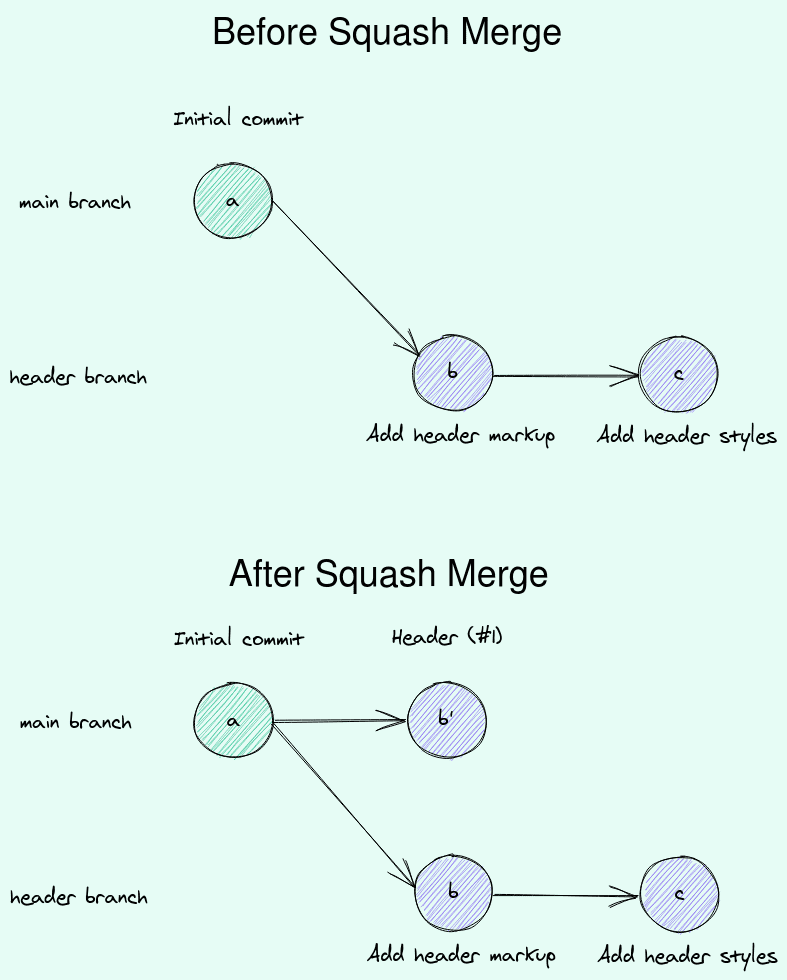
Squash merge is available as a default merge strategy in Bitbucket What merge strategy is right for you When to do a merge commit Select Merge commit when you want to maintain an exact history of changes Merge commits are also useful if as part of your workflow pull requests are large in scope and you review commits individually
Bitbucket already supports squash on merge which results in a single commit on the destination branch containing your merged changes The result A tidy list of commits one for each merge However squashed merges can be undesirable in some cases you may want to maintain a linear commit history without squashing to a single commit
Merges happen locally Whenever you merge in Git you do so with a local repository You can track changes in remote repos locally or fetch them as needed to perform merging operations but all changes including your merge commits will need to be pushed to your remote repo once you ve completed them Git checkout A git merge B Git creates a new commit on the A branch in addition to merging all commits from B that are not already on the A branch Now suppose branches C and D have at least one commit in common When I run the same two commands Git does not create the extra commit It just merges the existing commits from D into C
1429 git cherry pick should be your answer here Apply the change introduced by an existing commit Do not forget to read bdonlan s answer about the consequence of cherry picking in this post Pull all commits from a branch push specified commits to another where A B C D