Batch Rename File Extensions 3 Ways To Batch Rename Files In Windows Make Tech Easier Batch Rename Files And File Extensions In Windows 11 10 Batch Rename File Extensions With Name Mangler YouTube Batch Rename Files And File Extensions In Windows 11 10 How Do I batch Rename File Extensions In Windows Web May 15 2016 nbsp 0183 32 Open a command prompt window run for and read the output help carefully and completely There is explained xI only file extension of I and nI only file name of I and nxI file name with extension of I
Web Jun 22 2009 nbsp 0183 32 Modified 12 years 8 months ago Viewed 22k times 13 I m renaming empty file extensions with this command rename bla However I have a folder with hundreds of such subfolders and this command requires Web Jun 25 2016 nbsp 0183 32 renaming multiple files extensions in a Windows batch script Ask Question Asked 9 years 4 months ago Modified 7 years 2 months ago Viewed 3k times 2 I need to recursively search directories and when a file of a specific name is found then rename it The key is that I need to also be able to rename it back later
How Do I batch Rename File Extensions In Windows How To Batch Rename File Extension Only Help Support Directory How Do I batch Rename File Extensions In Windows How To Batch Rename Multiple Files In Windows How To Batch Rename Files In Windows 6 Ways Tech News Today Rename Multiple Files Extensions At Once Quickly bonus Tips YouTube Ways To Rename Your Files In Windows 11 Studytonight Batch Rename File Extensions With Command Prompt PowerShell SumTips How To Batch Change File Extensions In Mac OS
Batch Rename File Extensions
 Batch Rename File Extensions
https://www.maketecheasier.com/assets/uploads/2014/07/batch-rename-files-cmd-prompt-changed-extension.png
Web Nov 9 2022 nbsp 0183 32 Type the following command to rename the files in bulk and press Enter ren FILE EXTENSION FILE NAME In the command replace quot FILE EXTENSION quot with the extension to change
Templates are pre-designed documents or files that can be utilized for various functions. They can conserve time and effort by providing a ready-made format and layout for producing different sort of material. Templates can be utilized for individual or expert jobs, such as resumes, invitations, leaflets, newsletters, reports, presentations, and more.
Batch Rename File Extensions
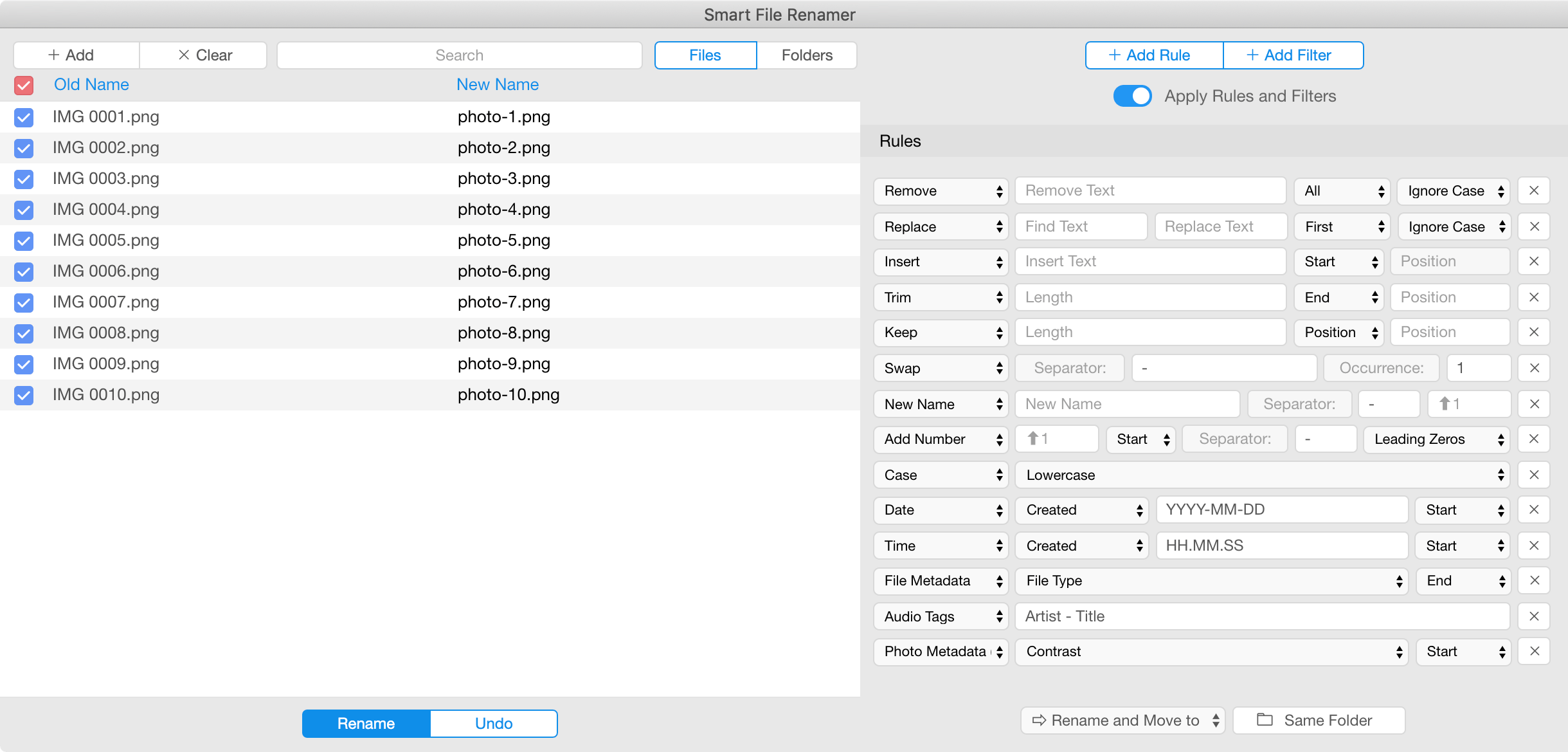
Smart File Renamer Rename Multiple Files Easily

How To Batch Rename File Extension Only Help Support Directory
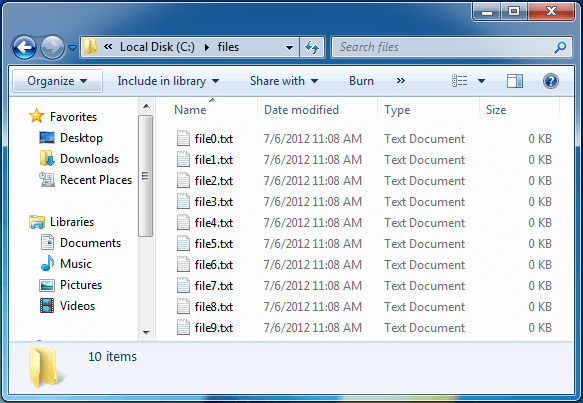
How Do I batch Rename File Extensions In Windows
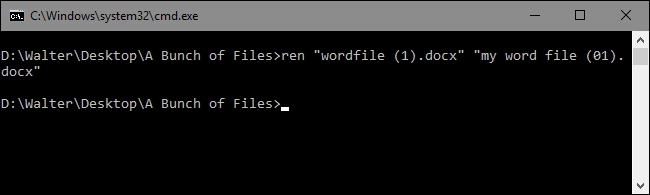
How To Batch Rename Multiple Files In Windows

Rename Multiple Files Extensions At Once Quickly bonus Tips YouTube

Ways To Rename Your Files In Windows 11 Studytonight

Web Jul 3 2012 nbsp 0183 32 Batch rename file extensions in bulk from CMD Recursively batch rename file extensions If you want to rename files from one extension to another recursively in all Remove file extensions in batch The below command would remove extension for the specified file types Add prefix to file names
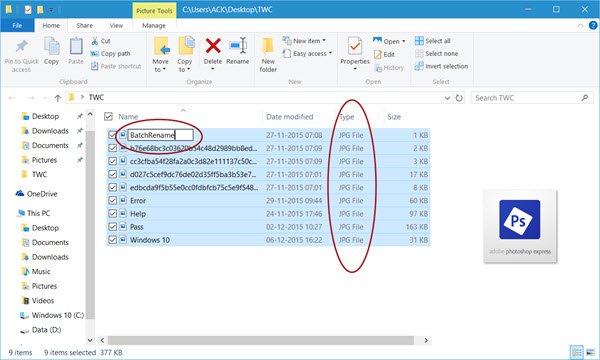
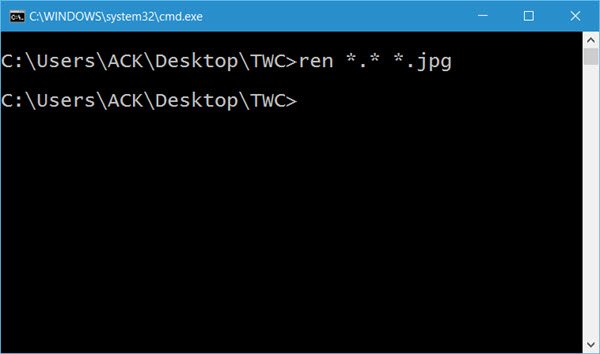
Web Sep 19 2022 nbsp 0183 32 Follow TheWindowsClub Learn how to rename all file extensions in a folder amp sub folders at once on Windows 11 10 You can batch rename or rename all file extensions in bulk

Web Nov 30 2022 nbsp 0183 32 Follow TheWindowsClub Learn how to batch rename files or change file extension for all files in a folder quickly amp easily in Windows Mass or Bulk rename multiple files
Web Oct 19 2012 nbsp 0183 32 1 I have a directory full of files output from some software as below Pending 001 Pending 002 Pending 003 etc I would like to use a bat to rename them as below Pending001 csv Pending002 csv Pending003 csv etc Any suggestions batch file Share Improve this question Follow edited Oct 19 2012 at 16 00 devrys 1 569 3 27 43
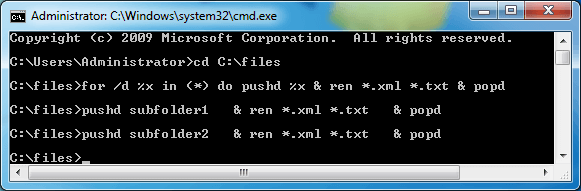
Web How to change files extension with bat Ask Question Asked 7 years 4 months ago Modified 7 years 4 months ago Viewed 10k times 2 I need to change files extension in folders and subfolders by creating bat file Example File1 txt File2 txt FileN txt Should be renamed to File1 jpg File2 jpg File3 jpg FileN jpg
[desc-11] [desc-12]
[desc-13]