Bash Reset Command The Right Way To Reset A Forgotten Root Password In Linux Mint Factory Reset Command Prompt Windows 11 How To Reset Root Password On Ubuntu Linux Mining Reset Root Password Using bin bash Method How To Easily Factory Reset Windows 11 PC 2 Ways Web Jan 17 2021 nbsp 0183 32 You can reset the bash profile of user using following commands Overwrite the existing bashrc from user s home directory cp etc skel bashrc source bashrc Take backup of existing bashrc from user s home directory However check here how you can use the utility command not found in ubuntu Share
Web Jan 20 2017 nbsp 0183 32 There is a reset command I can use in bash which I think is part of core utils Does it clean up the RAM used by previous commands from the Terminal session I mean everything written into the terminal and memory used by commands Web 2 Answers What you re looking for in BASH is equivalant to what is built in precmd in ZSH This built in function would be executed prior to executing a command A work around is mentioned in https superuser questions 175799 does bash have a hook that is run before executing a command
How To Easily Factory Reset Windows 11 PC 2 Ways How To Reset Command Prompt To Default Settings Windows 10 Gyoumagazine Shell How To Reset Cursor Color In Bash Stack Overflow Git SQL Docker rabbitmq 3 8 Reset Root Password Using bin bash Method Reset The Password In Linux Ubuntu Bash In Windows 10 Web Carpenter Fixing The Display With Reset Linux Bash Shell Scripting Tutorial Wiki Github fork github HsienWei Chin CSDN
Bash Reset Command
 Bash Reset Command
https://www.tecmint.com/wp-content/uploads/2020/04/Reset-Root-Password-in-Linux-Mint.jpg
Web Mar 10 2022 nbsp 0183 32 In bash one can press up to refer to the previous command Say then I accidentally press Ctrl W and I wish to restore the previous command but it seems to be gone If I clear the command and try again it s still gone from the history E g Let s say I run the following command
Pre-crafted templates offer a time-saving option for developing a varied range of documents and files. These pre-designed formats and layouts can be used for numerous individual and expert projects, including resumes, invites, leaflets, newsletters, reports, discussions, and more, enhancing the content production procedure.
Bash Reset Command
Adb Command Factory Reset Fastboot Factory Reset Command Six0wllts

How To Reset Command Prompt To Default Settings Windows 10 Gyoumagazine

Shell How To Reset Cursor Color In Bash Stack Overflow
Git SQL

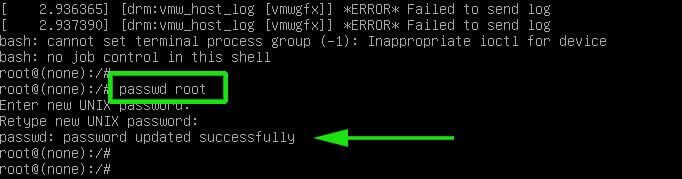
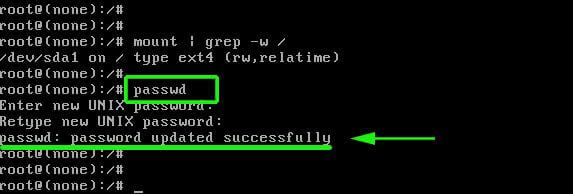
Reset Root Password Using bin bash Method
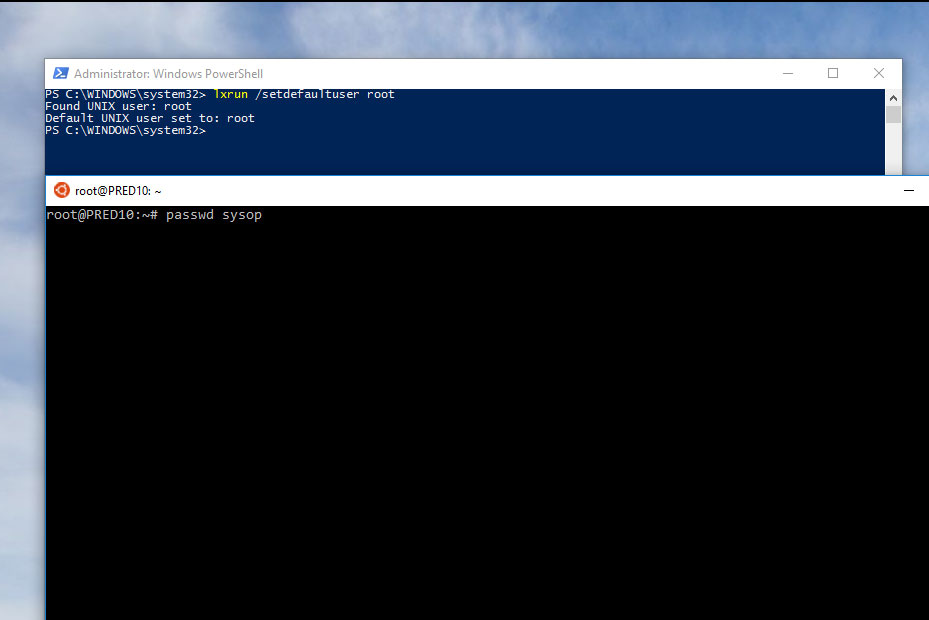
Reset The Password In Linux Ubuntu Bash In Windows 10 Web Carpenter
Web Use reset to reset your terminal when it gets messed up by control sequences Use cat only when you want to stream a whole lot of data from one place to another uninterrupted Use head to stream just the first few choose how many with n lines of text output Use a pager program such as less or most to view pages of output

Web Jan 23 2023 nbsp 0183 32 reset s This option prints the sequence of shell commands to initialize the environment variable TERM to the standard output reset V This option reports the version of ncurses which was used in this program and exits reset w This option resizes the window to match the size deduced via setupterm Normally this has no effect unless
Web Sep 23 2021 nbsp 0183 32 reset fully resets the terminal it restores various modes to their expected values resets the window size resets delays and tab expansions outputs the terminal s reset or initialisation sequence and flushes the output It tries various inputs and outputs to determine how to talk to your terminal instead of blindly using
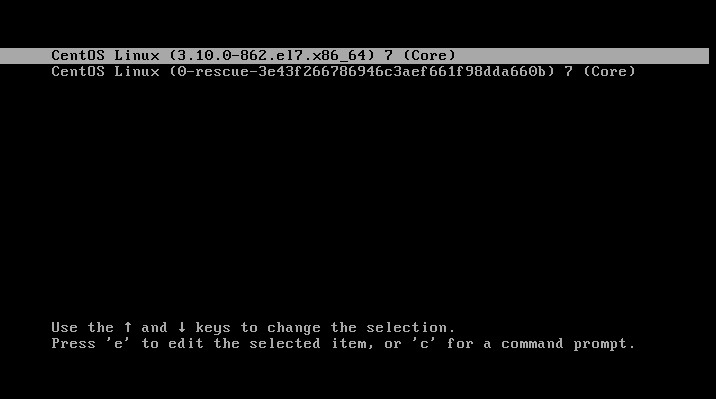
Web Jun 16 2011 nbsp 0183 32 Command l command l leads to removing last typed command from display Command k command k leads to removing clearing all display buffer reset type this in terminal leads to reset of terminal in case display becomes garbled not sure of equivalent in other unix flavors Share
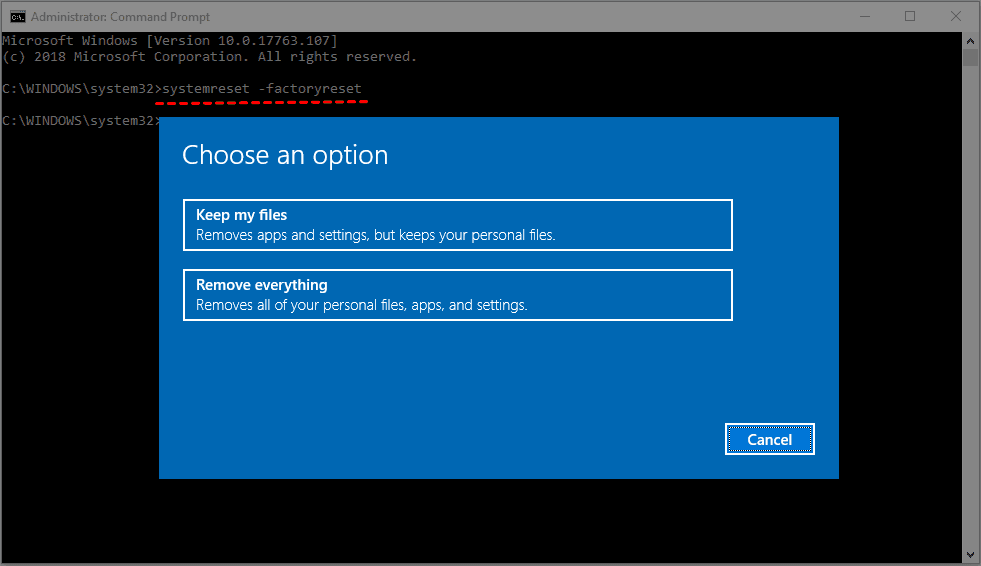
Web Apr 2 2022 nbsp 0183 32 The best method to reset your terminal is with the reset command This will wipe everything that is currently in the terminal including the scrollback buffer in most terminal applications and should fix issues such as a bugged terminal or one that is displaying strange characters reset
Web reinit reset exec sudo login user quot USER quot bin sh c quot cd PWD exec SHELL l quot There are many answers around the web but most don t actually work Easy way to test is to set export SOMEVAR 42 then execute the supposedly resetting Web 1 Take out the exec and you get a shell that sources the files that you want Then just exit when you are done checking Arcege
Web Mar 30 2018 nbsp 0183 32 The command number in bash specifies the number of commands typed since logging in as that user to whatever terminal you have open It can be seen in your PS1 with such as in export PS1 quot quot I would like to reset this number at times