Backup Best Practices Data Retention Data Retention Policy Everything You Need To Know Backup Retention Vs Data Retention StorageSwiss The Home Of Best Data Retention Practices Bleuwire Data Backup Best Practices Data Retention Policy Best Practices 3 Things You Need To Know Learn how to use Google Drive In this section you ll learn to Use Google Drive features Upload share amp organize your files Use Drive for Desktop Use Google Drive features On your
backup b 230 k p b 230 k p n lt gt Every part of the system has a backup adj Choose the backup quality of your photos amp videos You can automatically save your photos and videos to your Google Account when you turn on backup Learn how to back up your photos
Data Retention Policy Best Practices 3 Things You Need To Know Overview Veeam Backup For Public Cloud Solutions Best Practice Guide Tape Server Veeam Backup Replication Best Practice Guide Best Practices Data Backup TEERAPUCH Cyber Protection Best Practices For Backing Up Data MariaDB What Is The 3 2 1 Backup Rule Retention Policies On Backups Own Knowledge Base Own 7 Reasons You Must Have Data Backup And Recovery Strategy For Your Data Retention 101 Policies And Best Practices Egnyte
Backup Best Practices Data Retention
 Backup Best Practices Data Retention
https://jatheon.com/wp-content/uploads/2022/01/Data-Retention-Policy-101-SM.jpg
Download your photos or videos Important If you have backup turned on you can find photos on your computer that you took on your mobile device To create a local copy on your computer
Templates are pre-designed documents or files that can be utilized for numerous functions. They can conserve effort and time by offering a ready-made format and layout for creating various kinds of material. Templates can be used for personal or professional tasks, such as resumes, invitations, flyers, newsletters, reports, presentations, and more.
Backup Best Practices Data Retention
All About The Microsoft Office 365 Retention Policy CloudAlly
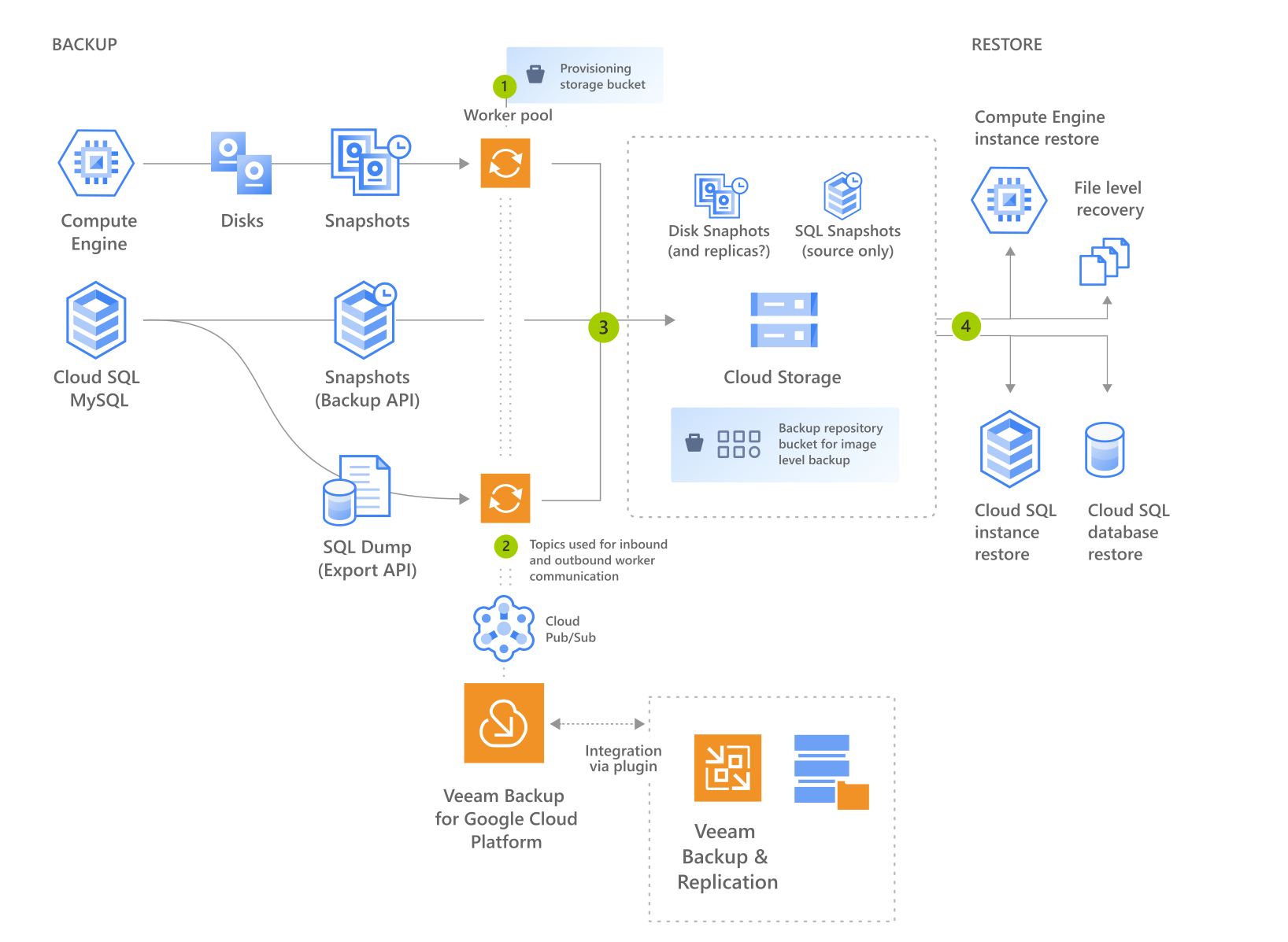
Overview Veeam Backup For Public Cloud Solutions Best Practice Guide
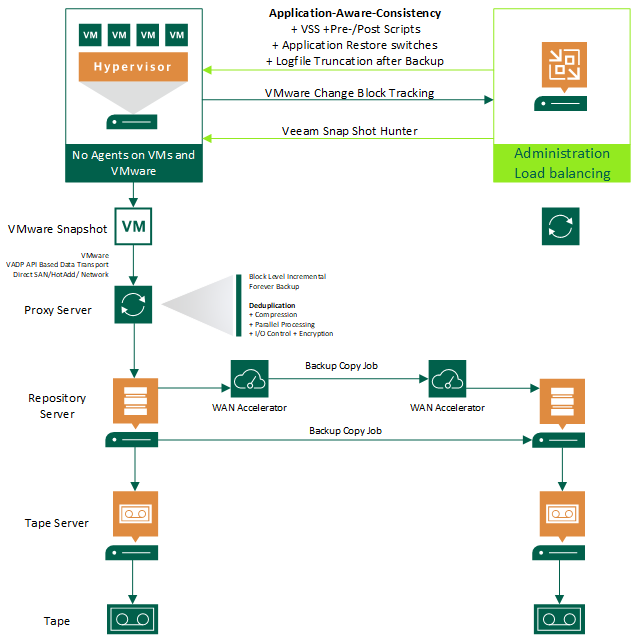
Tape Server Veeam Backup Replication Best Practice Guide

Best Practices Data Backup TEERAPUCH
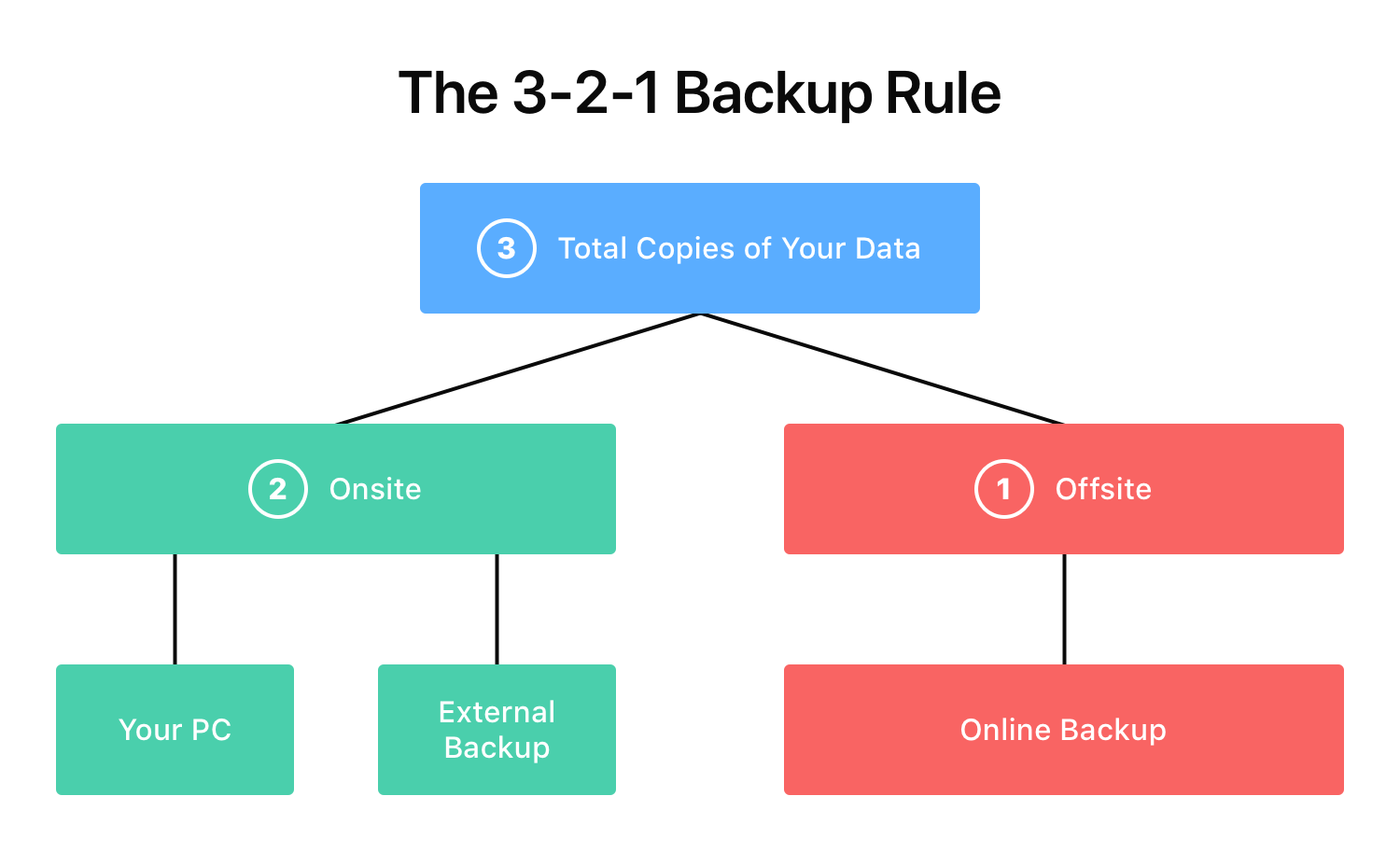
What Is The 3 2 1 Backup Rule
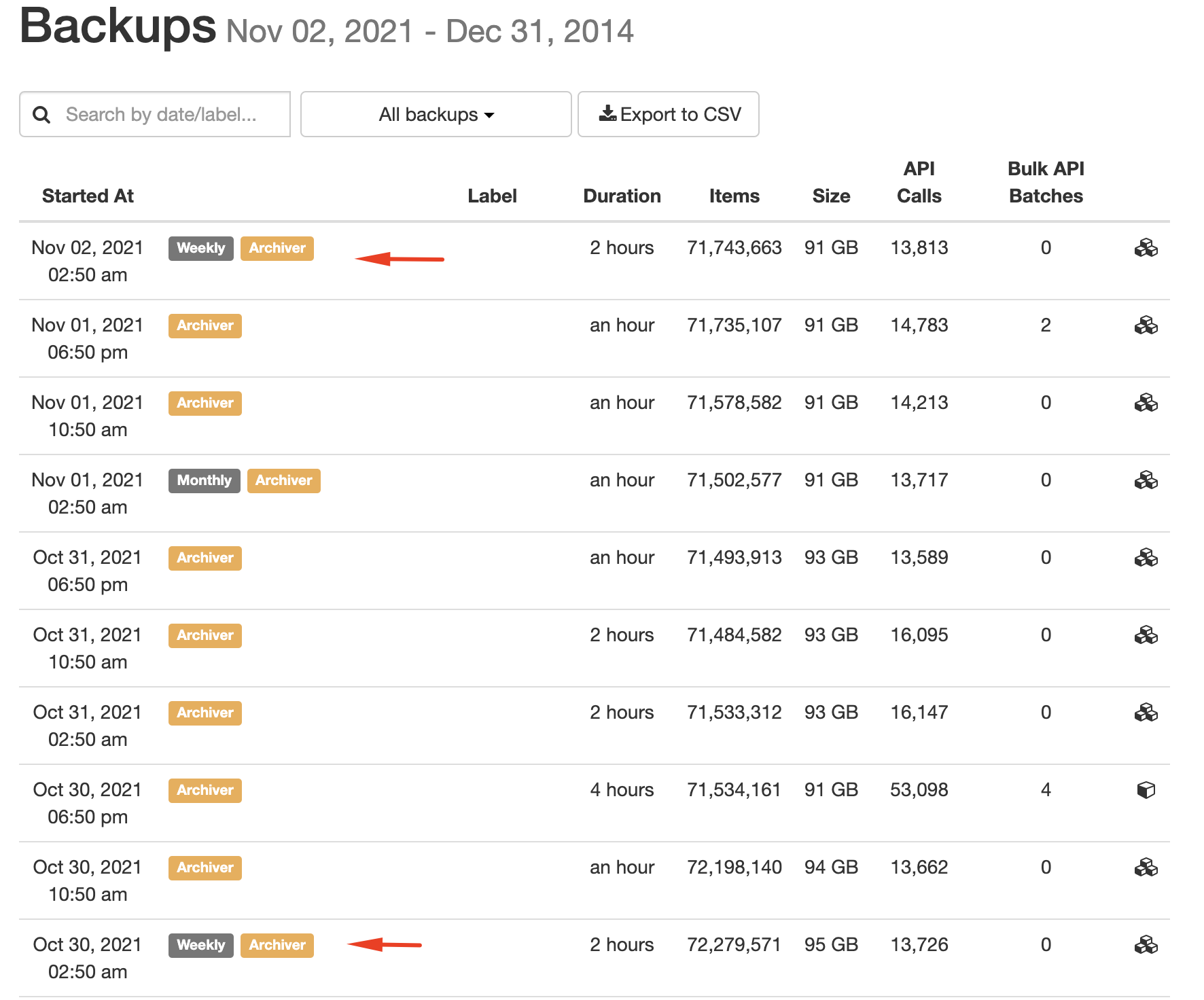
Retention Policies On Backups Own Knowledge Base Own
Backup backup

Turn off backup You can also turn off automatic backups at any time Stop future device backups On your Android phone open your device s Settings app Tap Google Backup Turn off Backup

You can sync files from your computer to Google Drive and backup to Google Photos On your computer open Drive for desktop Click Settings Preferences On the left click Folders from

Backup in Google Foto vengono caricati solo foto e video Le foto o i video eliminati dal computer rimangono in Google Foto e viceversa Le modifiche vengono caricate come nuove immagini

You can set up your phone to automatically back up your files The fastest way to transfer your apps messages call history and settings is to back up your old phone first When you add
[desc-11] [desc-12]
[desc-13]