Azure Databricks Create Partitioned Table Azure Databricks Azure Databricks Microsoft Learn Tutorial Stream Data Into Azure Databricks Using Event Hubs Converting Speech To Images With Azure OpenAI Quickstart Run A Spark Job On Azure Databricks Workspace Using Azure Azure Databricks SQL How To Get Started YouTube WEB May 7 2024 nbsp 0183 32 For unmanaged tables with data sitting in ADLS you can try the following to add partition columns on an existing Delta table You can try this approach CREATE OR REPLACE TABLE new1
WEB Jan 21 2019 nbsp 0183 32 I m working with a Delta table in Databricks that is partitioned by a Year column and I have a timestamp column in the table I want to optimize my queries to fetch data within a specific timestamp range e g between 21 01 2019 and 04 12 2019 WEB Learn how to use the CREATE TABLE USING syntax of the SQL language in Databricks SQL and Databricks Runtime
Azure Databricks SQL How To Get Started YouTube Partitioning Tables Supabase Docs Informaci n General Sobre La Gobernanza De Datos Azure Databricks Azure Data Factory Vs Databricks Key Differences Azure Databricks How To Create External Partitioned Table Using CI CD In Azure Databricks Using Azure DevOps Part 2 How To Create DataFrames In PySpark Azure Databricks Databricks Example Partition Table Raid 0 Hot Sex Picture
Azure Databricks Create Partitioned Table
 Azure Databricks Create Partitioned Table
https://learn.microsoft.com/ko-kr/azure/databricks/_static/images/getting-started/databricks-architecture-azure.png
WEB Sep 13 2022 nbsp 0183 32 When you enable column mapping in a Delta table the underlying Parquet files can use different column names than the table schema The default naming syntax for partition directories is based on the partition column values e g date 2022 08 18
Templates are pre-designed files or files that can be utilized for numerous purposes. They can save effort and time by providing a ready-made format and layout for developing various type of material. Templates can be used for personal or expert projects, such as resumes, invitations, leaflets, newsletters, reports, discussions, and more.
Azure Databricks Create Partitioned Table
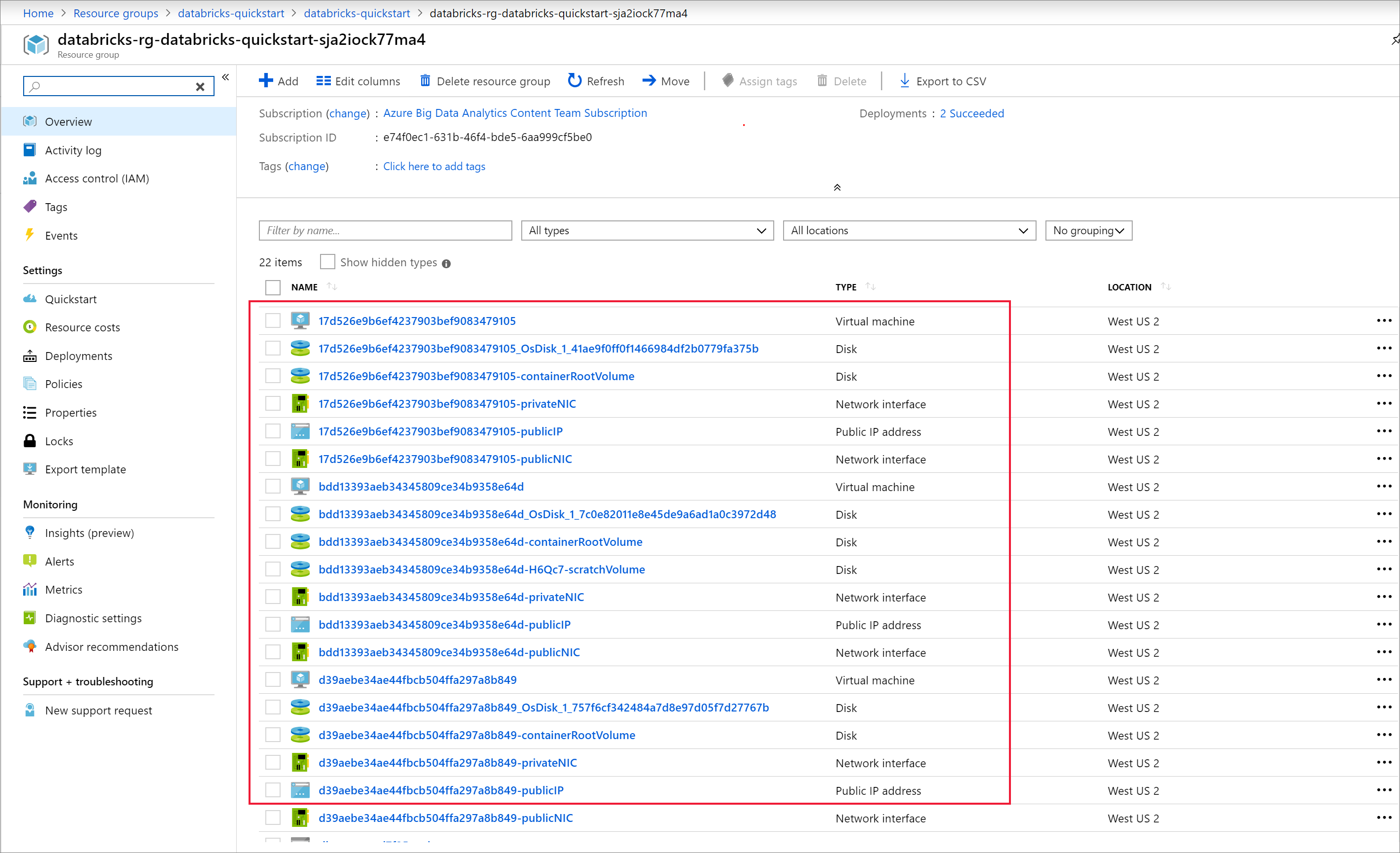
Create An Azure Databricks Workspace In Your Own Virtual Network

Partitioning Tables Supabase Docs
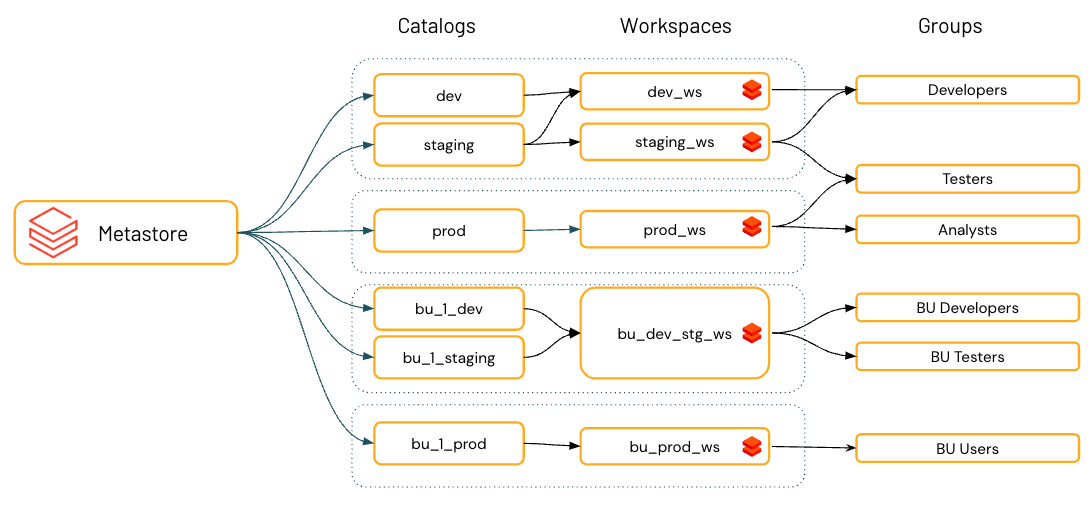
Informaci n General Sobre La Gobernanza De Datos Azure Databricks

Azure Data Factory Vs Databricks Key Differences

CI CD In Azure Databricks Using Azure DevOps Part 2

How To Create DataFrames In PySpark Azure Databricks

WEB Jun 11 2024 nbsp 0183 32 This article provides an overview of how you can partition tables on Azure Databricks and specific recommendations around when you should use partitioning for

WEB Learn how to use the CREATE TABLE USING syntax of the SQL language in Databricks SQL and Databricks Runtime

WEB To use partitions you define the set of partitioning column when you create a table by including the PARTITIONED BYclause When inserting or manipulating rows in a table Databricks automatically dispatches rows into the appropriate partitions

WEB Oct 14 2022 nbsp 0183 32 To add a column to a nested field use the following ALTER TABLE table name ADD COLUMNS col name nested col name data type COMMENT col comment FIRST AFTER colA name

WEB This article provides an overview of how you can partition tables on Databricks and specific recommendations around when you should use partitioning for tables backed by Delta Lake
WEB Jan 18 2023 nbsp 0183 32 You ll learn why Delta Lake does not have ADD PARTITION and DROP PARTITION commands as Hive does and how Delta Lake treats Hive style partitions differently Let s start by creating a partitioned Delta table and then see how to add and remove partitions WEB Mar 1 2024 nbsp 0183 32 Learn how to use the ALTER TABLE PARTITION syntax of the SQL language in Databricks SQL and Databricks Runtime
WEB Oct 31 2022 nbsp 0183 32 I have data in parquet format in GCS buckets partitioned by name eg gs mybucket name ABCD I am trying to create a table in Databaricks as follows DROP TABLE IF EXISTS name test CREATE TABLE name test USING parquet LOCATION quot gs mybucket name quot It is loading all the columns except name