Aws Cli Clear Environment Variables Aws Cli Environment Variables How To Find The Superuser Password In Linux Systran Box Aws Cli Environment Variables Installing BBMOD Part 3 Running BBMOD CLI From Any Directory optional Aws Cli Environment Variables Ernestine Castillo Rumor Configuring AWS CLI Environment Variables IV Best Practices for Using AWS CLI Environment Variables V Conclusion Ready to Take Your Tech Career to the Next Level Environment variables play a vital role in configuring and securing applications and their usage is particularly crucial when working with AWS CLI Command Line Interface
Install the AWS Command Line Interface AWS CLI on your system Ways to set environment variables in AWS CLI Setting environment variables for AWS CLI can be done in different ways but each way has precedence over the other A Command Line
Aws Cli Environment Variables Ernestine Castillo Rumor Getting And Using Session Tokens With MFA In The AWS CLI AWS ECS Quickly Create Environment For Your Dockerized Apps HA CLI VersionTL DR adjust Aws Adfs Open Source Agenda Azure Cli Format For Environment Variables With Problematic Characters Daxmax GDT LDT IDT How To Bypass Aws Cli Cloud Proxy Upload Failed Failed To Connect To Proxy Url Garcia Therinueng Come Cancellare Le Variabili D ambiente In Windows Winadmin it Finding AWS CLI Secrets In Environment Variables
Aws Cli Clear Environment Variables
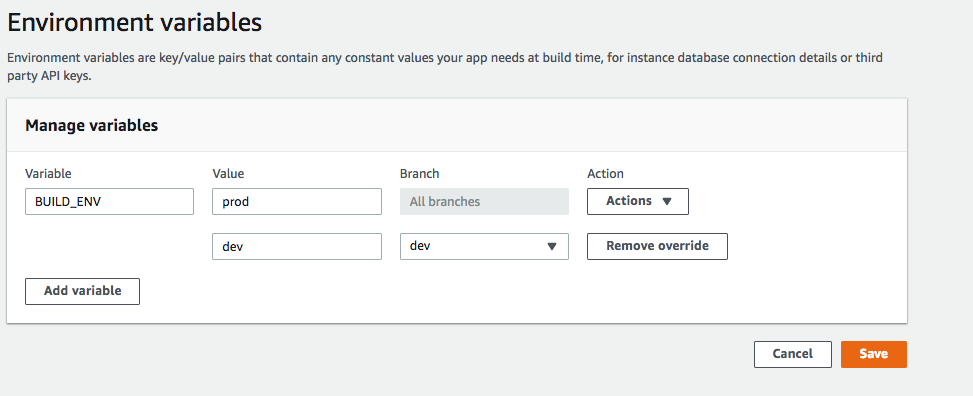 Aws Cli Clear Environment Variables
https://docs.aws.amazon.com/images/amplify/latest/userguide/images/envvars.png
In order to clear your AWS CLI Credentials you have to Locate the credentials and config files The path depends on your operating system shell on Linux and macOS aws credentials aws config on Windows C Users USERNAME aws credentials C Users USERNAME aws config Open the files in a text editor and remove the unnecessary profiles
Templates are pre-designed documents or files that can be used for various purposes. They can conserve effort and time by offering a ready-made format and design for producing various sort of material. Templates can be used for personal or professional tasks, such as resumes, invitations, leaflets, newsletters, reports, presentations, and more.
Aws Cli Clear Environment Variables
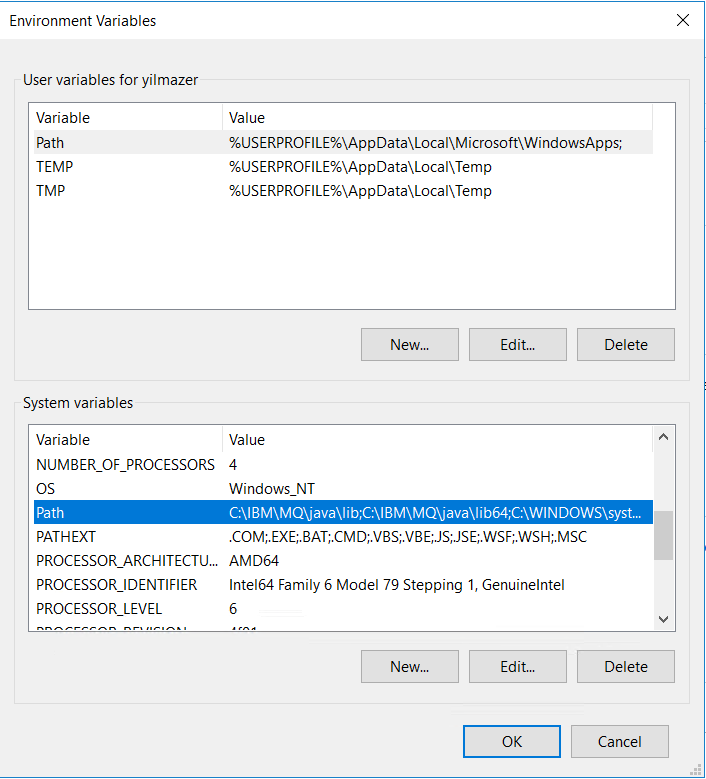
How To Bypass Aws Cli Cloud Proxy Upload Failed Failed To Connect To Proxy Url Garcia Therinueng
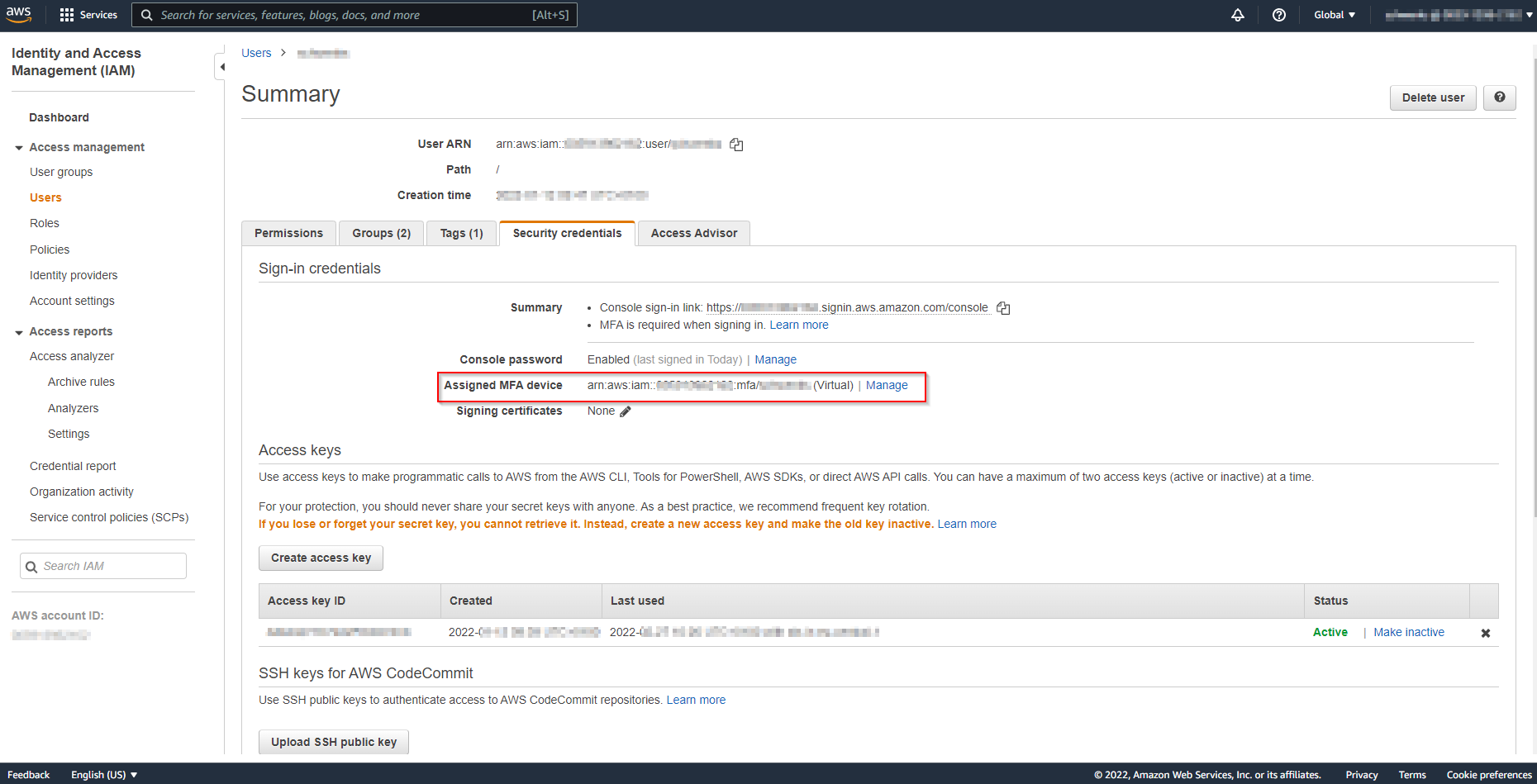
Getting And Using Session Tokens With MFA In The AWS CLI

AWS ECS Quickly Create Environment For Your Dockerized Apps HA CLI VersionTL DR adjust

Aws Adfs Open Source Agenda

GDT LDT IDT

How To Bypass Aws Cli Cloud Proxy Upload Failed Failed To Connect To Proxy Url Garcia Therinueng

How do you environment variables look like Dunedan Jan 14 2020 at 20 12 You should set both AWS ACCESS KEY ID and AWS SECRET ACCESS KEY or neither There s no situation in which setting just one of them is useful This works fine and you should not have to provide the profile option

The AWS CLI has a few general options The third column Config Entry is the value you would specify in the AWS CLI config file By default this location is aws config If you need to change this value you can set the AWS CONFIG FILE environment variable to change this location The valid values of the output configuration variable are json

Environment variables You can store values in your system s environment variables Assume role Assume the permissions of an IAM role through configuration or the aws sts assume role command Assume role with web identity Assume the permissions of an IAM role using web identity through configuration or the aws sts assume role command

When using AWS CLI is there a way I can specify it to use the credential file instead of the values stored in the env variables aws ec2 describe instances profile saml saml is a profile name inside the credentials file stored in aws credentials
To make the environment variable setting persistent across all PowerShell and Command Prompt sessions store it by using the System application in Control Panel Alternatively you can set the variable for all future PowerShell sessions by adding it to your PowerShell profile
The AWS Amplify CLI is a command line toolchain that helps frontend developers create app backends in the cloud that often include business logic powered by AWS Lambda functions Customers use environment variables to store environment specific values such as API endpoints and secrets to securely store sensitive information such as API keys The AWS CLI and AWS SDK offer the ability to update variables programmatically and Infrastructure as Code tools provide a more robust and scalable solution for real world applications Regardless of the method chosen environment variables provide a flexible and convenient way to modify the behavior of AWS Lambda functions
Delete a variable Remove an environment variable from the Lambda function Important Note on Updating Environment Variables When using the aws lambda update function configuration command to update the existing environment variables it is crucial to pass both the environment variable you want to add or update and all existing environment