Aws Backup Plan Best Practices Process Control Plan Online Software Tools Templates AWS Backup Plan Archives CloudAffaire Protecting Amazon RDS DB Instances Encrypted Using KMS AWS Managed Key With Cross account And Getting Started With AWS Backup Plan By Gerald Bachlmayr Medium Amazon Web Services AWS Backup Plan Not Showing Backups In Vault Stack Overflow Documentation AWS Config Developer Guide Feedback Operational Best Practices for APRA CPG 234 Operational Best Practices for Asset Management Operational Best Practices for AWS Backup Operational Best Practices for AWS Identity And Access Management Operational Best Practices for AWS Well Architected Framework Reliability Pillar
Using AWS Backup backup administrators can create backup plans that define the frequency and retention of backups for AWS resources in a single AWS account or across multiple accounts using the AWS Organizations integration In January 2019 AWS launched AWS Backup a fully managed backup service that makes it easy to centralize and automate the backup of data across AWS services As of July 2019 AWS Backup integrates with Amazon EBS Amazon EFS Amazon RDS all engines except Amazon Aurora Amazon DynamoDB AWS Storage Gateway Volume Gateway Overview
Amazon Web Services AWS Backup Plan Not Showing Backups In Vault Stack Overflow AWS Backup A Path To Data Protection Cloudkul AWS Backup For S3 Create AWS Backup Plan DEV Community AWS Data Backup Best Practices AWS Quick AWS Backup Plan Contrado Digital Using AWS Backup To Protect Amazon Aurora Databases AWS Storage Blog Backup As A Service Centralized Backups AWS Backup AWS
Aws Backup Plan Best Practices
 Aws Backup Plan Best Practices
https://praxie.com/wp-content/uploads/2021/02/Process-Control-Plan-Free-PowerPoint-Template.png
Follow these steps to get started using backup policies Learn about the permissions you must have to perform backup policy tasks Learn about some best practices we recommend when using backup policies Enable backup policies for your organization
Pre-crafted templates provide a time-saving solution for creating a varied variety of files and files. These pre-designed formats and layouts can be utilized for numerous personal and professional tasks, including resumes, invites, flyers, newsletters, reports, discussions, and more, enhancing the content creation procedure.
Aws Backup Plan Best Practices
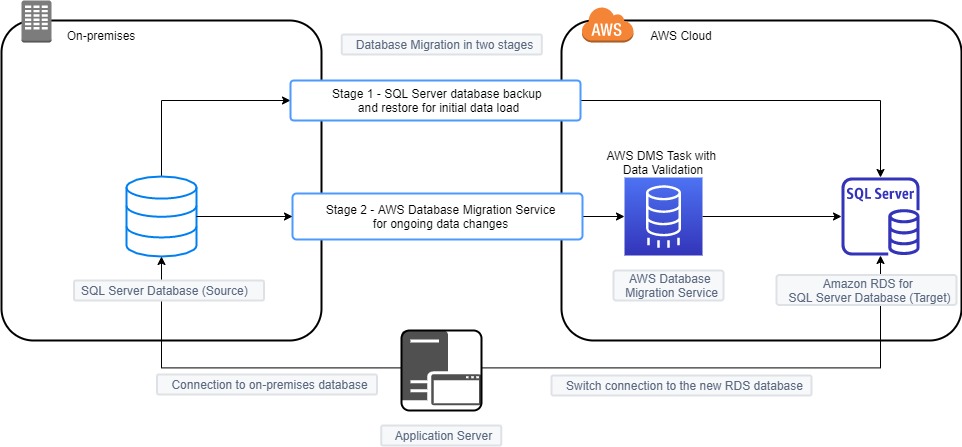
Migrating Your SQL Server Database To Amazon RDS For SQL Server Using AWS DMS Looking For IT News

AWS Backup A Path To Data Protection Cloudkul
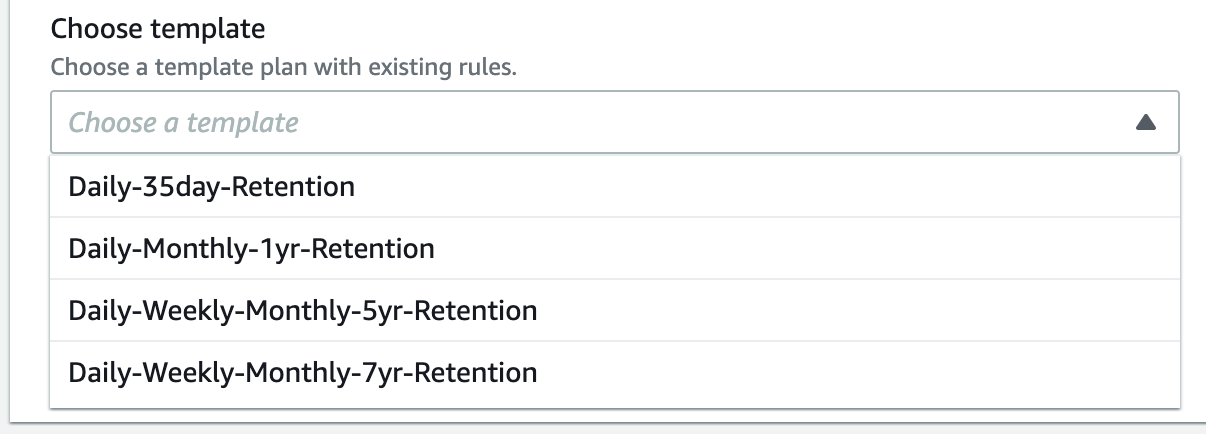
AWS Backup For S3

Create AWS Backup Plan DEV Community

AWS Quick
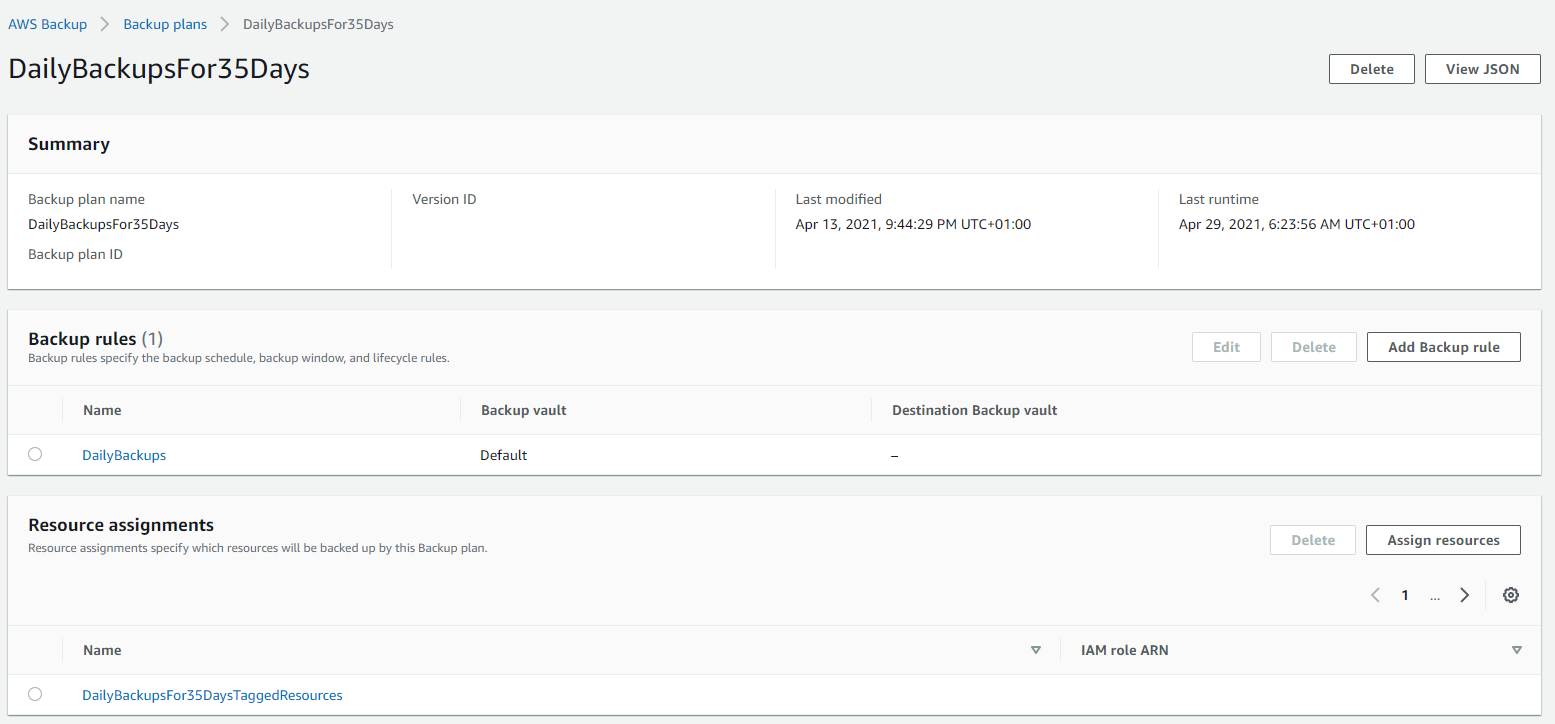
AWS Backup Plan Contrado Digital

Refer to Backup and Recovery Approaches Using AWS and the Reliability Pillar of the AWS Well Architected Framework for architectural best practices for designing and operating reliable secure efficient and cost effective workloads in the cloud 2 Incorporate backup in DR and BCP

Step 1 Implement a backup strategy PDF RSS A comprehensive backup strategy is an essential part of an organization s data protection plan to withstand recover from and reduce any impact that might be sustained because of a security event
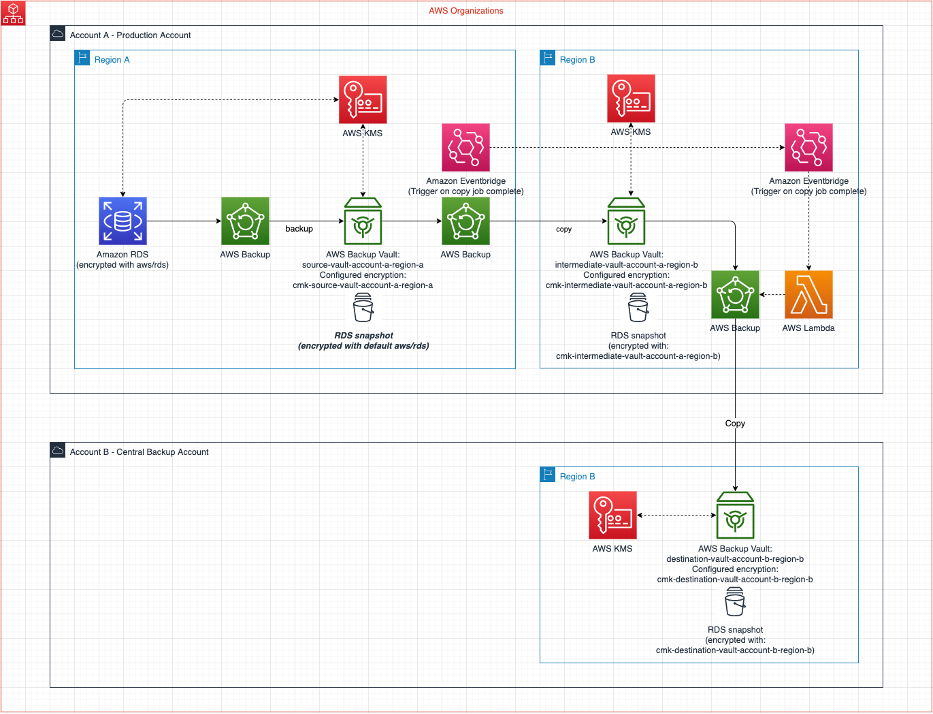
AWS recommends the following best practices for using backup policies Decide on a backup policy strategy You can create backup policies in incomplete pieces that are inherited and merged to make a complete policy for each member account If you do this you risk ending up with

Be aware that backup plans created by AWS Backup are based on backup best practices and common backup policy configurations When you select an existing backup plan to start from the configurations from that backup plan are automatically populated for your new backup plan

April 2023 document history This guide discusses how to implement backup and recovery approaches using Amazon Web Services AWS services for on premises cloud native and hybrid architectures
IAM roles used by AWS Backup to create a backup of the Amazon RDS database If a subsequent role is not created then the default IAM role can be used AWSBackupDefaultRole Step 1 Automating Amazon RDS backup and restore Step 2 Configure an on demand AWS Backup job of an Amazon RDS database Step 3 Configure automatic AWS Backup jobs of Setting up AWS Backup involves creating a customized backup plan for selected resources with defined schedules and retention policies Choose appropriate storage options like Amazon S3 or Glacier based on cost effectiveness and accessibility needs Best Practices for AWS Backup When it comes to protecting your valuable data in the cloud
When creating an Amazon S3 backup consider the following limitations and best practices See Considerations for AWS Backup for Amazon S3 It s a best practice to configure continuous backups for an S3 bucket in one backup plan Amazon S3 buckets for continuous or periodic backups must both reside in the same backup vault