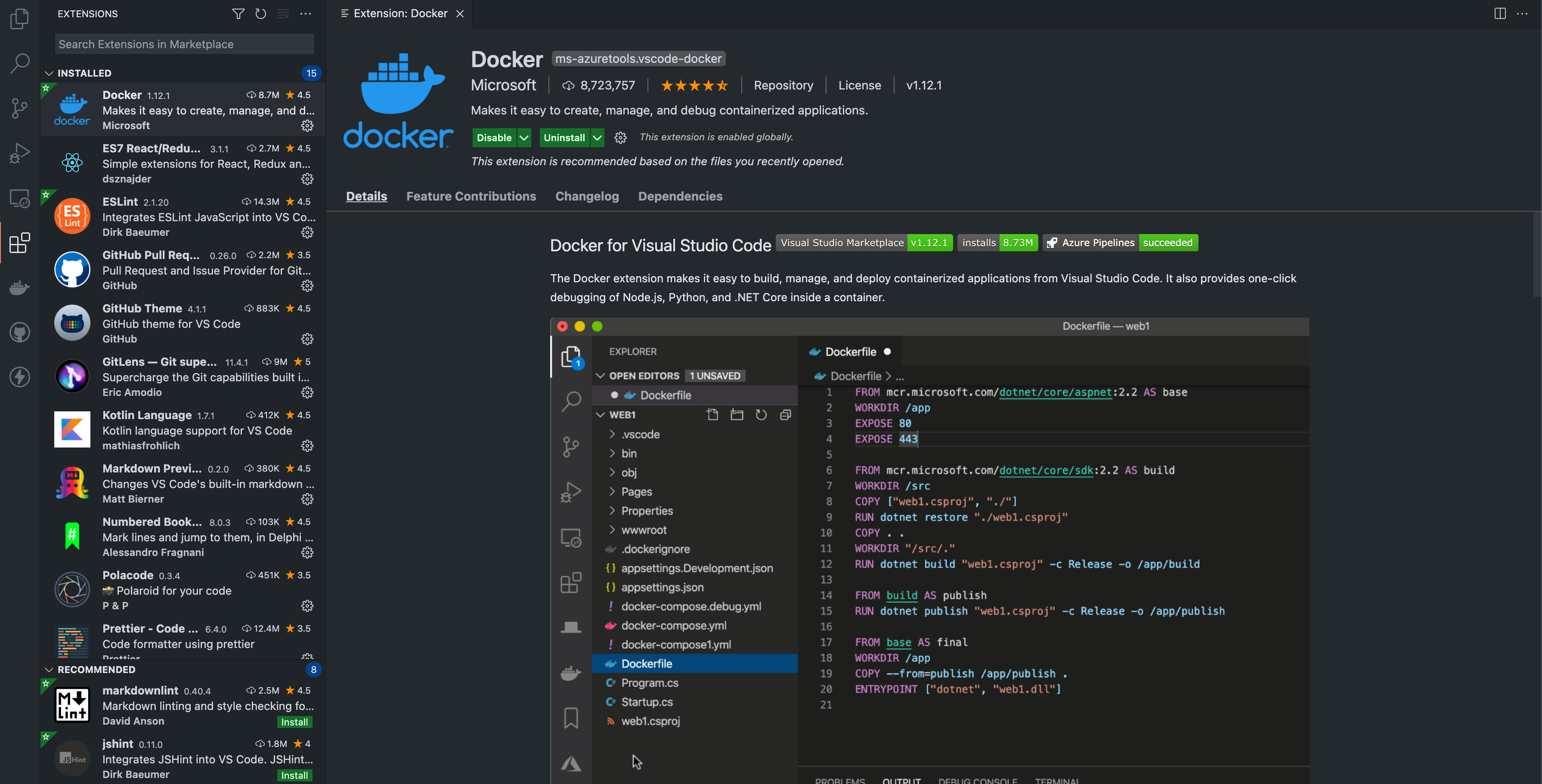
Attach To Running Docker Container Vscode How To Bash SSH To Running Docker Container Tutorial HD Guide 2023 Docker How To Use The Visual Studio Code CLI To Remote Container Attach To Running Docker Container Vs Code Tips Learn Attaching To How To Connect VSCode To A Docker Container YouTube Vscode go docker Dockerfile Viakiba This approach is also useful if you are looking to attach to already running containers on this remote server A basic remote example Setting up VS Code to attach to a container on a remote Docker host can be as easy as setting the Docker extension docker environment property in settings json and restarting VS Code or reloading the window
Connect to remote Docker over SSH We recommend using the Visual Studio Code Remote SSH extension to connect to a remote machine running Docker engine You can use the Remote SSH and Dev Containers extensions together You may review the steps in the Dev Containers documentation It is also possible to connect to the remote Docker engine directly using SSH tunneling which you can read Now you can run docker run i u vscode all installed vscode image latest And attach vscode to this container This is an answer to your first question Also you can review vscode documentation and use devcontainer json configurations when you attach to already running containers and even containers running on remote machines
Vscode go docker Dockerfile Viakiba Atach To Arangodb Docker Conainer Lunavirt Debug Node js App Running In A Docker Container BigBinary Blog How To SSH Into Running Docker Container LinuxTect How To Develop Inside A Container Using Visual Studio Code Remote How To SSH Into A Docker Container Secure Shell Vs Docker Attach Docker Container Vscode VScode SSH Docker Container Qiita Equivalent To Vscode attach Vscode To A Running Docker Container
Attach To Running Docker Container Vscode
 Attach To Running Docker Container Vscode
https://i.ytimg.com/vi/1UtCP_qbsy8/maxresdefault.jpg
To connect to a remote machine via SSH Select Add to connect to a remote system Select a running container to attach to after connecting to the SSH or daemon successfully and hit OK To set the target to a remote container running a process via a Docker daemon Specify the daemon address i e via TCP IP etc under Docker host Optional and click the refresh link
Templates are pre-designed files or files that can be used for various purposes. They can conserve time and effort by providing a ready-made format and layout for creating various kinds of material. Templates can be used for personal or professional projects, such as resumes, invites, leaflets, newsletters, reports, presentations, and more.
Attach To Running Docker Container Vscode

Using Dev Container To Build Targets NanoFramework Documentation

Atach To Arangodb Docker Conainer Lunavirt
Debug Node js App Running In A Docker Container BigBinary Blog
How To SSH Into Running Docker Container LinuxTect
How To SSH Into A Docker Container Secure Shell Vs Docker Attach

Docker Container Vscode
Attach to a Running Container Attach to an already running Docker container Create a Development Container Create a custom container for your work environment Advanced Containers Find solutions to advanced container scenarios devcontainer json reference Review the devcontainer json schema

startup the Docker container of your choice I was not able to Attach Visual Studio Code from this VSCode window VSCode window connected to local machine Click on the Docker extension the docker containers running on the remote get listed Attach VSCode to a running container using one of the folling options

The Docker extension provides a docker debug configuration provider that manages how VS Code will launch an application and or attach a debugger to the application in a running Docker container This provider is configured via entries within launch json with configuration being specific to each application platform supported by the provider

Click the button and select Attach to running container Visual Studio Code will then install itself in the container and open a new window and the tiny green button at the bottom of the new window will show Container IMAGE NAME CONTAINER NAME
Attach to a Docker container n To attach to a Docker container either select Dev Containers Attach to Running Container from the Command Palette kbstyle F1 or use the Remote Explorer in the Activity Bar and from the Containers view select the Attach to Container inline action on the container you want to connect to n n n
This approach is also useful if you are looking to attach to already running containers on this remote server n A basic remote example n Setting up VS Code to attach to a container on a remote Docker host can be as easy as setting the Docker extension docker environment property in settings json and restarting VS Code or reloading the The Docker extension executes a number of Docker CLI commands when you perform various operations such as to build images run containers attach to containers and view container logs Some of these commands have a large number of optional arguments often used in very specific scenarios As an alternative to the above Visual Studio Code
You can attach VS Code to a running Docker container with the remote containers extension Use this to run commands and edit code all inside of the containe