Apt Get Show Package Dependencies Linux Package Installation rpm Yum Apt get Dpkg How To Check deb Package Dependencies In Ubuntu Determining System Dependencies For R Projects Mdneuzerling How To Visualize A Word Lattice With Kaldi List Ubuntu Debian Package Dependencies In Terminal With Apt rdepends Web The following packages found on this system are affected by this Source libplrpc perl ended on 2014 05 31 at version 0 2020 2 Details Not supported in squeeze LTS Affected binary package libplrpc perl installed version 0 2020 2
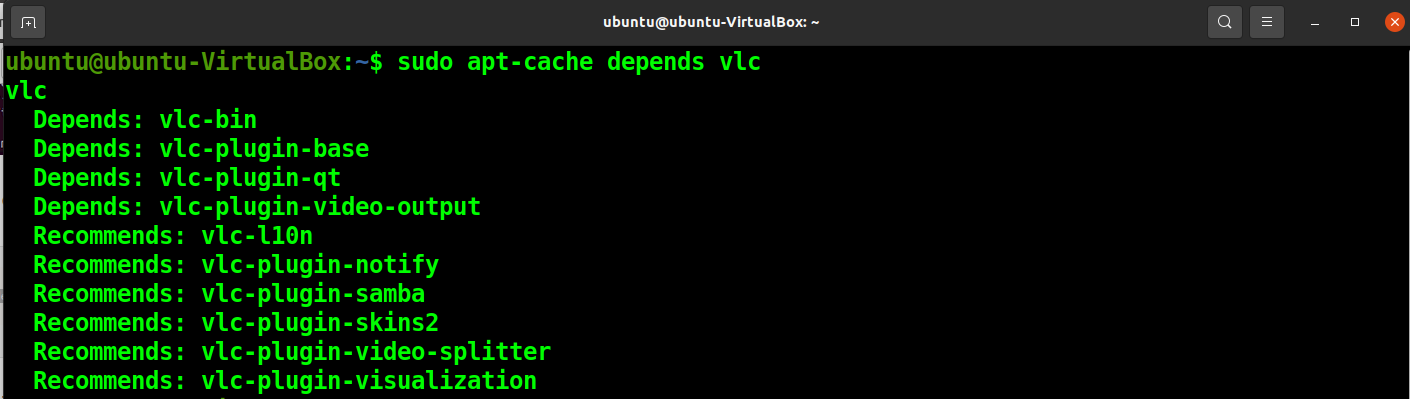
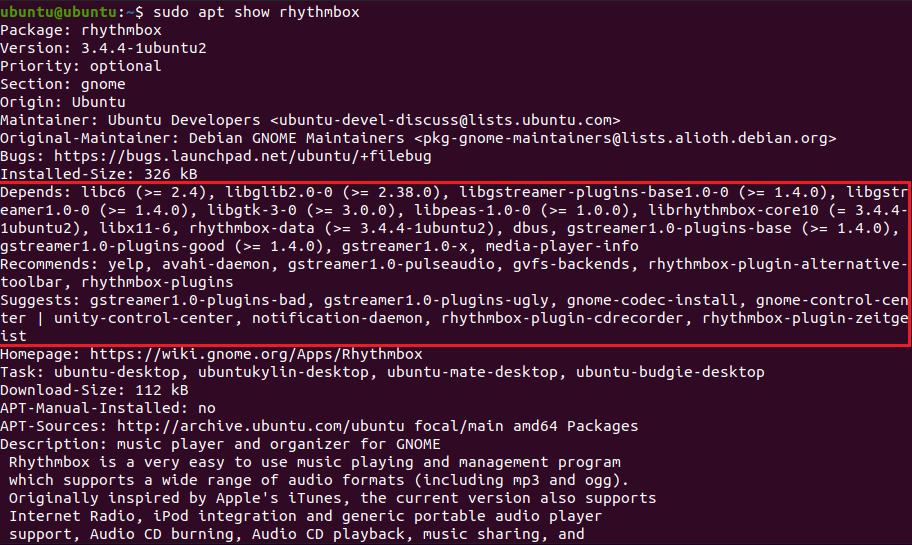
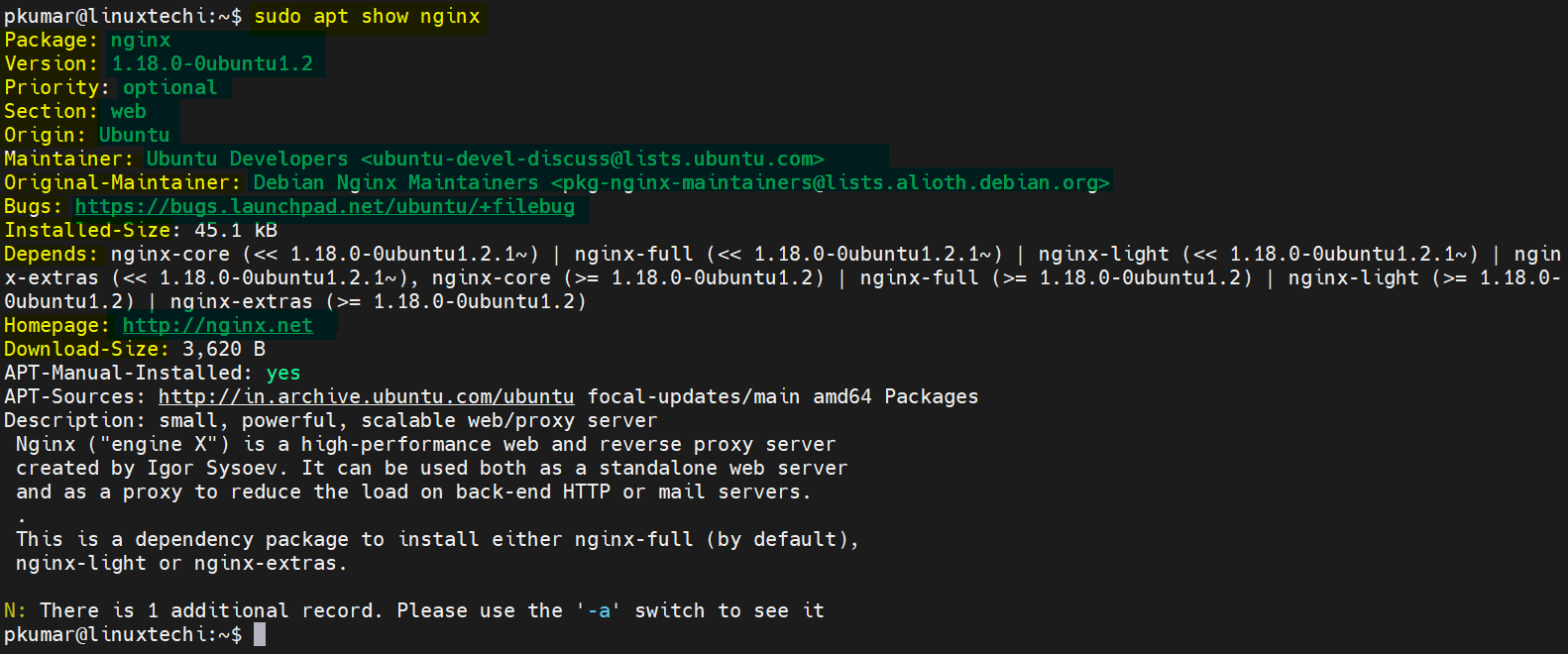
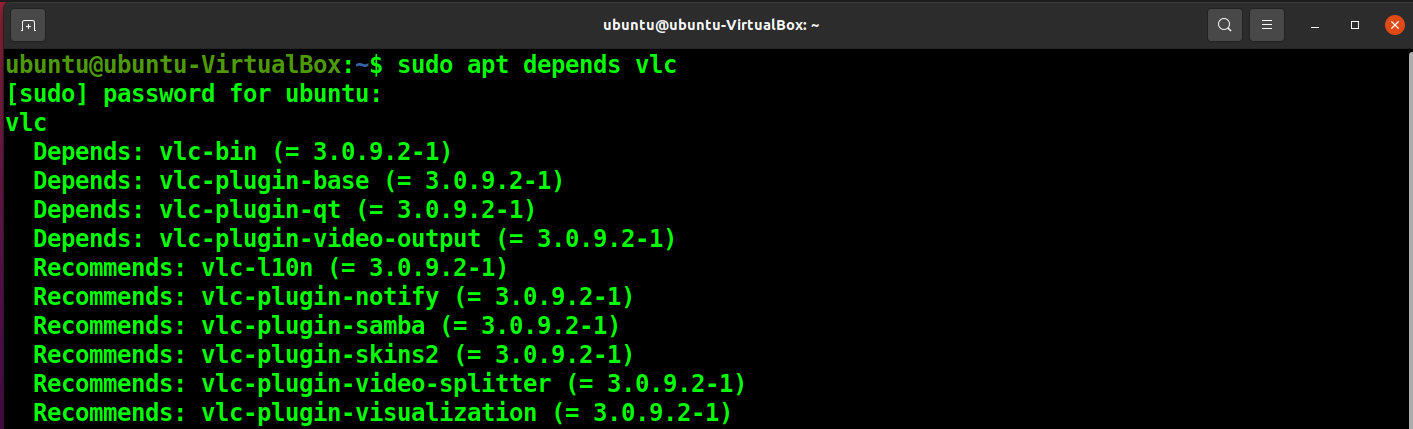
Web Sep 25 2021 nbsp 0183 32 APT the default package manager in Ubuntu and Debian based distros offers multiple commands to get dependency related information of a package Using the APT Package Manager You can use APT in Ubuntu to get a list of dependencies associated with a package The basic syntax of the command is sudo apt depends Web May 24 2020 nbsp 0183 32 This command provides detailed information about a package its repository dependencies and a lot more Knowing what version of a package is available from the official repository could help you in deciding whether you should install it from some other sources Quick recall
List Ubuntu Debian Package Dependencies In Terminal With Apt rdepends The Ultimate Guide To Apt And Apt Get Commands Make Tech Easier How To Install Dependencies With Apt How To List Dependencies Of A Package In Ubuntu How To List Dependencies Of A Package In Ubuntu 15 Apt Command Examples In Ubuntu Debian Linux How To Check Dependencies Of A Package In Ubuntu 20 04 How To Fix add apt repository Command Not Found On Ubuntu Debian Amos Blog ATP In Between Days Day 1
Apt Get Show Package Dependencies
 Apt Get Show Package Dependencies
https://www.fatalerrors.org/images/blog/eb3c6e7045f77e69348eb178b1eafdef.jpg
Web 21 For each package I have installed I would like to know which packages would be installed if I uninstall it An example of the output I need is package list of deps abc foo bar bcd baz abc bdd baz fuubar Append If I check what really would be removed if I remove the package ppp using apt get
Templates are pre-designed documents or files that can be used for various purposes. They can conserve effort and time by providing a ready-made format and layout for creating different sort of material. Templates can be utilized for individual or expert projects, such as resumes, invites, flyers, newsletters, reports, discussions, and more.
Apt Get Show Package Dependencies
How To Check deb Package Dependencies In Ubuntu

The Ultimate Guide To Apt And Apt Get Commands Make Tech Easier

How To Install Dependencies With Apt
How To List Dependencies Of A Package In Ubuntu
15 Apt Command Examples In Ubuntu Debian Linux

How To Check Dependencies Of A Package In Ubuntu 20 04

Web Apr 30 2012 nbsp 0183 32 8 Answers Sorted by 472 apt cache rdepends packagename should do what you want To limit it to packages that are installed on your system apt cache rdepends installed packagename Share Improve this answer Follow
Web Jan 13 2011 nbsp 0183 32 3 Answers Sorted by 50 For a full list of dependencies including the dependencies dependencies you can use apt rdepends build depends openoffice The command may remind you to install apt rdepends first You can use the following command to only show the ones that are not installed

Web Jan 26 2015 nbsp 0183 32 How can I check dependency list for a deb package I am running Ubuntu 11 10 and I have backed up all deb packages from var cache apt archives I want to format my pc and re install selected applications only Also how can I get the list of installed packages and dependencies package management software installation deb Share
Web Apr 18 2018 nbsp 0183 32 The syntax of the command is apt rdepends options packages Let s say you want to find out the dependencies of php For that you could issue the command apt rdepends php The output for
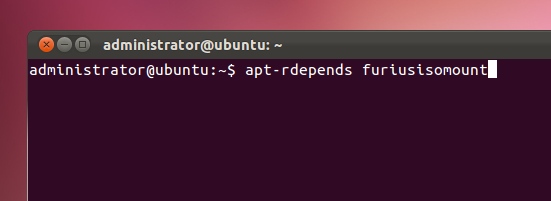
Web Apr 7 2021 nbsp 0183 32 1 Not sure if this helps but when the Debian Python team was planning the removal of python2 we had to figure out the order in which to remove packages starting with leaf packages with 0 rdeps One of the members came up with a pretty cool script for it here github sandrotosi debian tools
Web Mar 9 2015 nbsp 0183 32 The immediate dependencies are given for example by apt cache show tcpdump and are Depends libc6 gt 2 7 libpcap0 8 gt 1 2 1 libssl1 0 0 gt 1 0 0 Or do you want the reverse dependencies of tcpdump i e the packages that have a runtime dependency on tcpdump This is given by apt cache rdepends tcpdump Faheem Web Dec 15 2022 nbsp 0183 32 Method 1 Using apt show command For checking the dependencies of a particular package using the apt show command you will need to follow the steps mentioned below Since all the commands we will discuss are passed via the terminal we will need to launch the terminal in Debian 11 All we have to do is click on the Activities
Web Oct 1 2023 nbsp 0183 32 These are 1 apt package manager apt show command apt cache command 2 dpkg command 3 Third party tool called rDpenends You can read our Comparative Analysis of Methods to distinguish between these three methods and best pick one for your need Method 01 Use APT to Check Package Dependencies in Linux