Alteryx Remove First X Rows The Data School Basic Data Generation With Mockaroo Solved Remove First Few Rows Using The Directory Alteryx Community Solved Remove Empty Rows Alteryx Community Avoid Alteryx Remove Leading Space When Write Data Alteryx Community Solved Remove Everything After The First Hyphen From The Alteryx Web Oct 15 2019 nbsp 0183 32 I think this can be accomplished by using a sample tool And configuring it to quot Skip First N Rows quot In this case quot 10 or 15 and then select quot Group By Country quot In the box below This will skip the first N by country
Web Oct 31 2019 nbsp 0183 32 There are various ways to do this one way that I would suggest is to use the filter tool in combination with the LEFT function Your custom expression in the filter tool should look something like LEFT FieldName 19 quot ACS SECURITY REPORT quot OR LEFT FieldName 8 quot POST ACS quot OR LEFT FieldName 11 quot ID INITIALS quot Web Aug 24 2023 nbsp 0183 32 We can remove these data using a Sample Tool In the Sample Tool configuration Figure 3 we ll opt to quot Skip the 1st N Records quot in this case N will be equal to 3 Figure 3 Set the number of records to skip or remove from the top of the dataset
Solved Remove Everything After The First Hyphen From The Alteryx Alteryx Cheatsheet Blog By Florian Courgey Overriding PersonalInfo For Extra Properties 2989 Support Center Alteryx Unique Records Tool Solved Combine Rows With Like Data In First Column Alteryx Community How To Remove First X Amount Of Characters From Variable In Flow R Alteryx TOPBOTS Removing Blank Columns And Rows To Convert To Tabl Alteryx Community The Data School First Steps With Alteryx
Alteryx Remove First X Rows
 Alteryx Remove First X Rows
https://www.thedataschool.co.uk/content/images/2022/06/image-488.png
Web Use Data Cleansing to fix common data quality issues You can replace null values remove punctuation modify capitalization and more The Data Cleansing tool is not dynamic If used in a dynamic setting for example a macro intended to work with newly generated field names the tool will not interact with the fields even if all options are
Pre-crafted templates use a time-saving service for producing a varied variety of documents and files. These pre-designed formats and designs can be made use of for different personal and expert projects, including resumes, invites, flyers, newsletters, reports, discussions, and more, simplifying the content creation procedure.
Alteryx Remove First X Rows
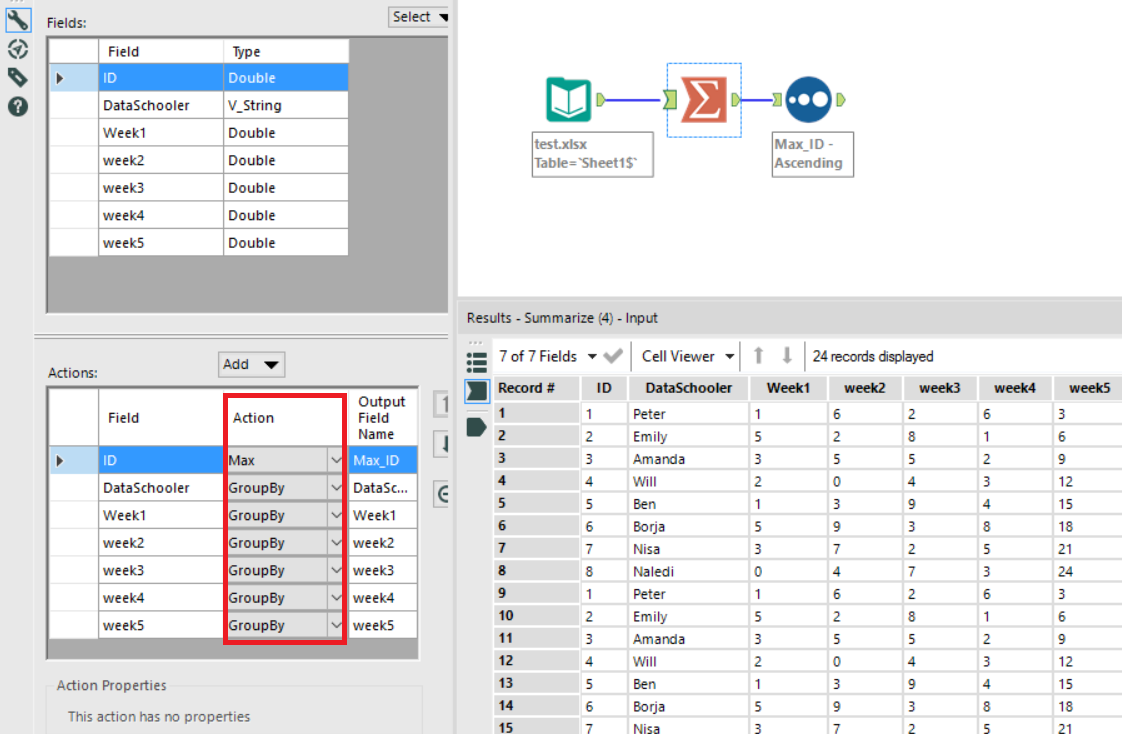
The Data School Four Different Ways To Remove Duplicate Records In
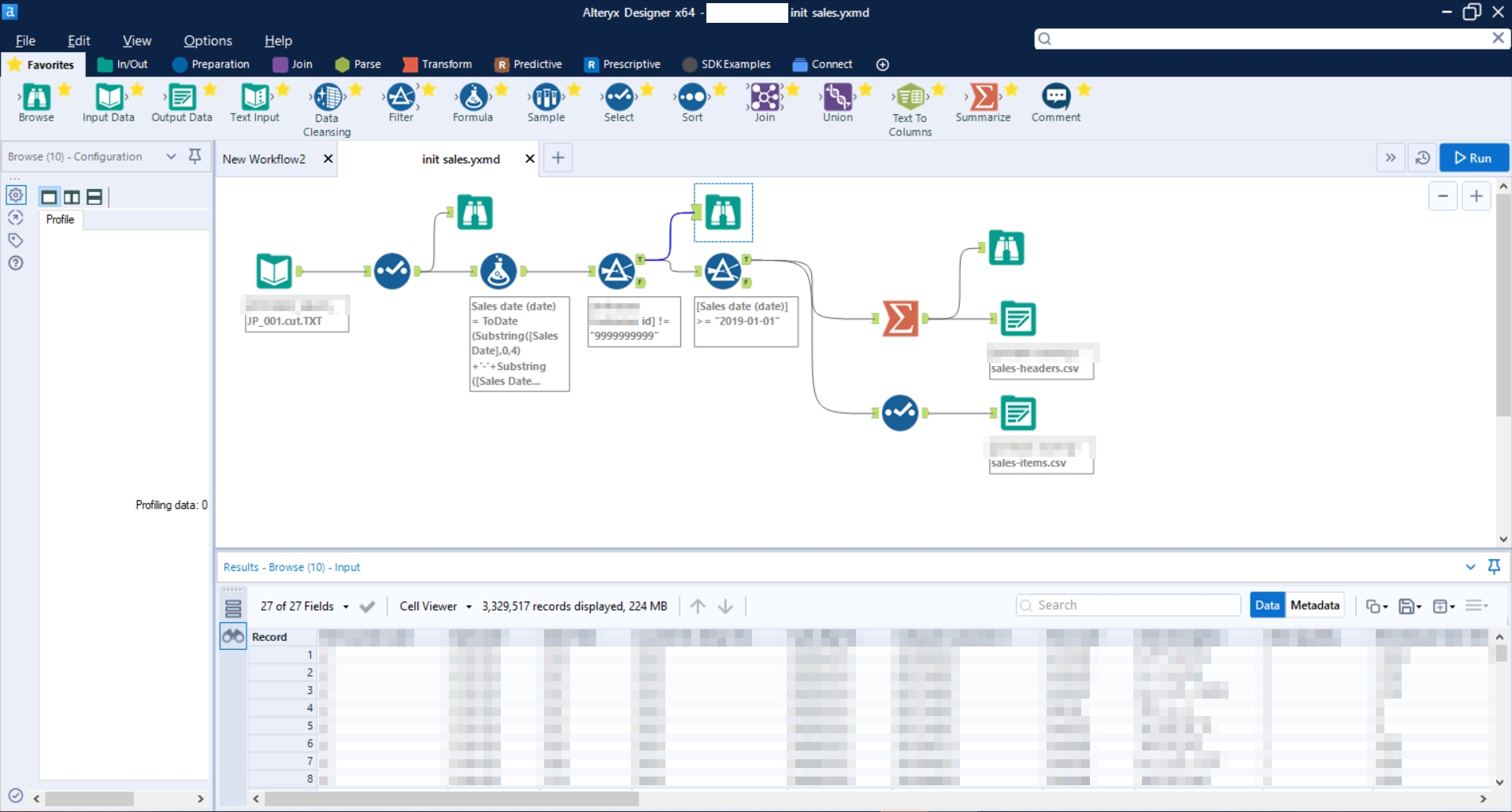
Alteryx Cheatsheet Blog By Florian Courgey
Overriding PersonalInfo For Extra Properties 2989 Support Center

Alteryx Unique Records Tool

How To Remove First X Amount Of Characters From Variable In Flow R

Alteryx TOPBOTS
Web Jul 25 2018 nbsp 0183 32 AW25 You could use the quot Select Records quot tool and set the range to quot 2 quot Alternatively the sample tool would allow you to skip a set number of rows Set this to 1

Web Dec 4 2020 nbsp 0183 32 1 I have to delete all the rows which come between Rebate and Reference 2 The number of rows in between rebate and reference could be any number 3 change the column name from field1 to Reference My final output The solution should be deleting the rows as reference number Hexa Letter could anything Probably using row formula

Web Jun 25 2020 nbsp 0183 32 I started with a formula to tag a new column where f1 Specialist Name but can t figure out how to only delete the leading rows and not all of them Any ideas or other ideas for solving this

Web 03 24 2021 07 40 AM That option i am not finding 1 Record Limit 2 File Format Microsoft Excel 1997 2003 xls Microsoft Excel 1997 2003 xls 3 Table or Query Sheet1 4 Search SubDirs False False 5 Output File Name as Field No No 6 First Row Contains Data False False 7 Do Not Show Complete False False

Web Oct 8 2020 nbsp 0183 32 Click the dot and you ll see a Header transform suggestion to covert this row to header Notice the preview in both cases Delete row highlights the row in red and Header transform puts the highlighted row as the data header
Web Configure the Tool Ranges Enter the records or range of records to return A single digit returns only the entered row For example quot 3 quot returns only row 3 A minus sign before a number returns row 1 through the entered row For example quot 2 quot returns rows 1 and 2 A range of numbers returns the rows in the range including the entered rows Web First the long way Many people clean this data up using a sample tool to remove the first two rows followed by a dynamic rename to get the correct field names as shown in Figure 2 This way takes a long time and adds unnecessary clutter to your workflow Check out the much more efficient way to do things below Figure 2
Web Aug 19 2022 nbsp 0183 32 Step 6 Then go to the configuration pane window Here we can see the Select Sample Type tab then select option as quot Skip 1st N rows quot specify quot N 3 quot then click on run button to view that the first 3 rows are skipped in the results workflow We can specify the value of quot N quot according to our requirement