Alt Character Code For Check Mark Pin Alt Codes For Bullets Symbols And Other Special Characters Pictures How To Get Special Characters Using Alt Key Codes Or The Word Symbols FPDF And The Check Mark Web Programming Ninja Repareer ALT codes Die Niet Werken Op Windows 10 Windows Bulletin Check Mark Symbol Vector Black Graphics Creative Market Create a check mark symbol by pressing and holding Alt and then typing 0252 using the numeric keypad on the right side of the keyboard After creating the check mark symbol switch back to the desired font for text in the document Microsoft Notepad
To insert a check mark symbol in a Word document using Alt Position the cursor where you want to insert the check mark symbol Press Alt 0252 or Alt 0254 on the numeric keypad If the sequence doesn t work press NumLock on the numeric keypad Word will insert a different character 4 Answers Sorted by 6 The tick mark which you referred to i e Alt 0252 is only possible if you select the font as Wingdings as mentioned in this Link
Check Mark Symbol Vector Black Graphics Creative Market Image Result For All Alt Key Codes Symbols Simboli Della Tastiera The ALT Codes How To Insert A Check Mark In Excel How To Get Special Characters Using Alt Key Codes Or The Word Symbols How To Type Symbols And Characters Not Found On A Regular Keyboard Tip C mo Escribir El S mbolo De La Marca De Verificaci n En Windows Y Mac How To Type Check Mark Symbol In Windows And Mac WebNots Information Thread ALT Chart
Alt Character Code For Check Mark
 Alt Character Code For Check Mark
https://i.pinimg.com/originals/99/e0/8b/99e08bbb9e46cc770069464288f096d5.gif
Method one The most basic way to insert a checkmark Method two Find the checkmark in the bullet library Method three Copy and paste the checkmark Method four Use the Alt key checkmark
Pre-crafted templates provide a time-saving solution for developing a diverse range of files and files. These pre-designed formats and designs can be made use of for different personal and professional tasks, consisting of resumes, invites, leaflets, newsletters, reports, presentations, and more, enhancing the content development procedure.
Alt Character Code For Check Mark
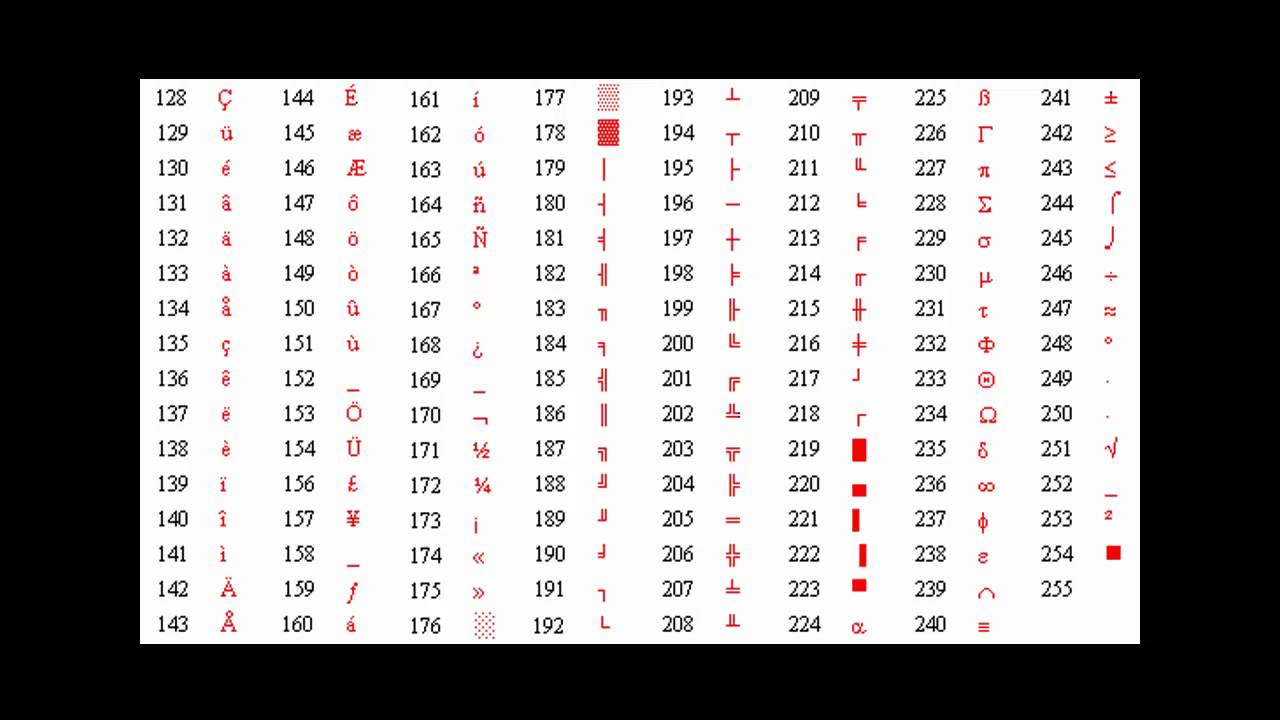
Dentrodabiblia Alt Codes

Image Result For All Alt Key Codes Symbols Simboli Della Tastiera
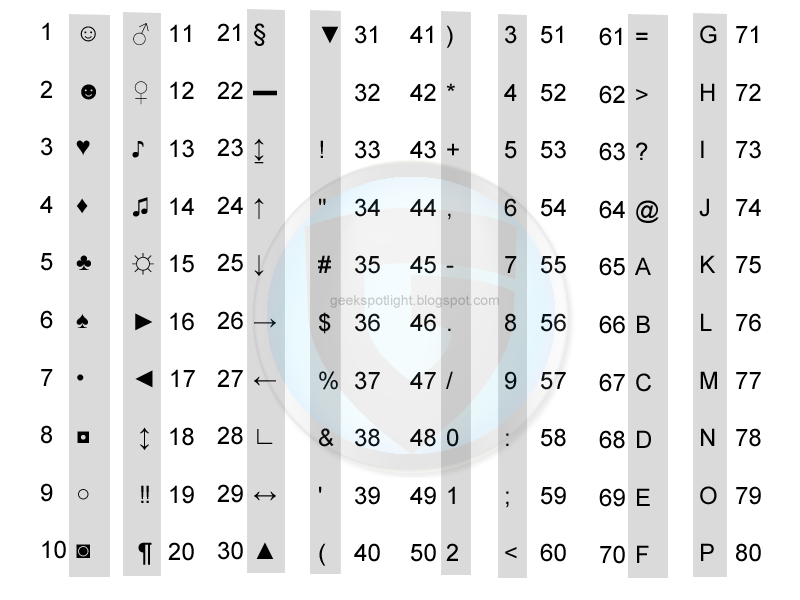
The ALT Codes

How To Insert A Check Mark In Excel
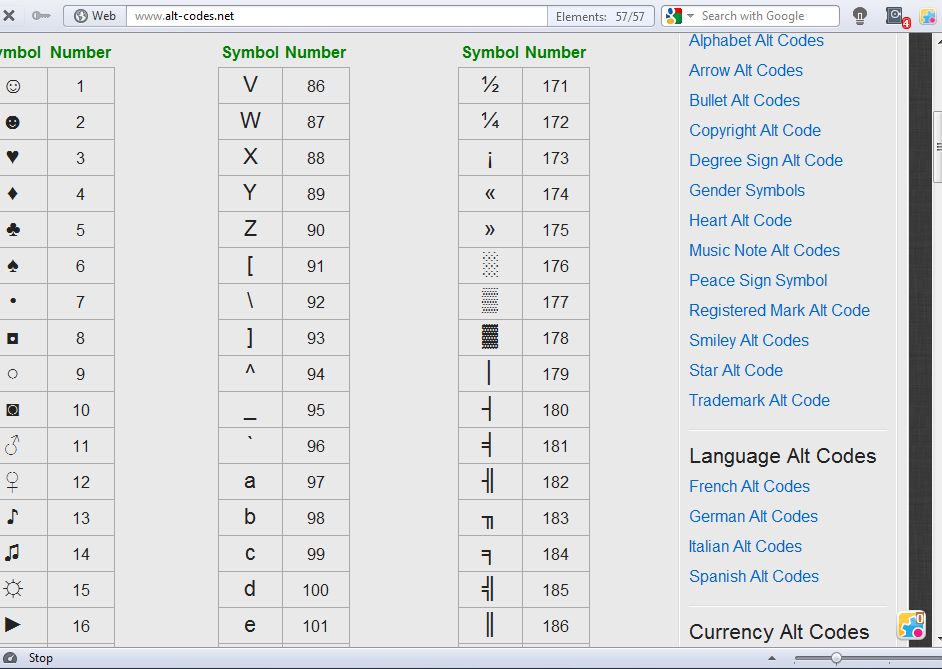
How To Type Symbols And Characters Not Found On A Regular Keyboard Tip

C mo Escribir El S mbolo De La Marca De Verificaci n En Windows Y Mac

Check Mark Symbols List of check mark symbols and emojis with their Unicode Hex values You can copy paste check mark symbols anywhere you like or you can use their Unicode Hex values on your web page design or computer programing You can also learn how to type them in Ms Word or Ms Excel How to type a check mark symbol in Word or in Excel

Below is the complete list of Windows ALT codes for check mark tick mark cross mark ballot box symbols along with their corresponding HTML entity numeric character references and when available their corresponding HTML entity named character references
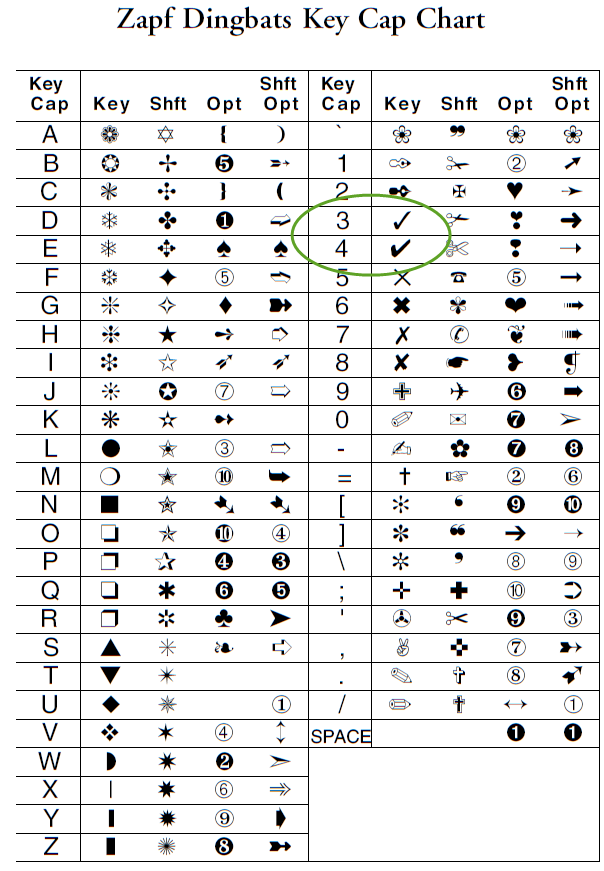
You can easily insert a check mark also known as a tick mark in Word Outlook Excel or PowerPoint These marks are static symbols If you re looking for an interactive check box that you can click to check or uncheck see Add a check box or option button Excel or Make a checklist in Word In your file place the cursor where you want to insert the symbol

Make sure the numeric keypad is activated on the keyboard Place the cursor where the check mark symbol is required and then press and hold the Alt key and type the required alt code value from the above list and release the alt key Examples of Alt Keyboard Sequences Alt 9745 Alt 10003 Alt 10004

Ms Word Alt X code for Tick Mark or Check mark and Tick in Box To insert thick or check mark type 1F5F8 and press Alt X immediately following it Similarly for inserting tick in box type 1F5F8 and press Alt X Summary
While holding the Alt key on your keyboard type in 251 and release the Alt button to enter the check symbol in the place where you have the cursor In some word processing and spreadsheet applications the checkmark uses the same character as the square root symbol 5 Insert formulas Step 2 Place your insertion pointer where you need to type the symbol Step 2 Press and hold the Alt key on your keyboard Step 3 Whilst you hold the Alt key using the numeric keypad type the checkmark symbol s alt code 10003 Step 4 Release the Alt key after typing the Alt code NOTE Using the alt code works only in Microsoft Word
Make sure your numeric keypad is active on the keyboard Place the mouse cursor where you want to insert the symbol Press the Alt key and type 10003 on the numeric keypad Release both the keys and the check mark will show up Check mark symbol alt codes and html code with one click copy paste option Learn how to insert check mark and tick