Alt 164 Not Working Solutions To Fix ALT Codes Not Working On Windows 10 Solutions To Fix ALT Codes Not Working On Windows 10 MiniTool How To Fix ctrl alt n Not Working In Visual Studio Code 100 Fix How To Type N With Accent Letters Using Alt Codes How To Lo Que Significa Alt Startupassembly co Verkko 28 toukok 2021 nbsp 0183 32 I googled the Alt codes of the characters and I wanted to print the n with a tilde However when I use Alt 164 it gives me a music emoji instead of my
Verkko 21 syysk 2006 nbsp 0183 32 1 When writing a word with 241 please try to do not put n because their sound is very different On PC systems while pressing ALT and typing on the Verkko 29 jouluk 2022 nbsp 0183 32 I recently upgraded from Windows 10 to Windows 11 I noticed that the Alt 0151 and Alt 0150 keyboard shortcuts don t work Note I m assuming those
Lo Que Significa Alt Startupassembly co C VSCode Not Showing Errors Stack Overflow ALT 164 Asesor a Y Comunicaci n Visual De Colchagua Patrimonio Ctrl shift f Shortcut Not Work In Vscode 1 26 1 Issue 57500 ALT 164 Cm 65 Inches Bezelless 4K Ultra HD Smart Certified Android How To Use Alt Codes Without A Numpad ALT 164 Memoria Fundaci n CAP VSCode Some Shortcuts Not Working Properly Programming Questions And ALT 164 Identidad De Marca Dibam
Alt 164 Not Working
 Alt 164 Not Working
https://www.minitool.com/images/uploads/news/2019/09/alt-codes-not-working-on-windows-10/alt-codes-not-working-on-windows-10-2.png
Verkko 29 maalisk 2023 nbsp 0183 32 1 Switch on Mouse Keys while Num Lock is enabled To fix the issue enable Mouse Keys when NUM LOCK is ON To do that press the left ALT left
Templates are pre-designed files or files that can be used for different purposes. They can conserve time and effort by providing a ready-made format and design for developing different sort of material. Templates can be used for individual or expert jobs, such as resumes, invitations, leaflets, newsletters, reports, presentations, and more.
Alt 164 Not Working

ALT 164 Identidad De Marca Dibam

C VSCode Not Showing Errors Stack Overflow

ALT 164 Asesor a Y Comunicaci n Visual De Colchagua Patrimonio

Ctrl shift f Shortcut Not Work In Vscode 1 26 1 Issue 57500

How To Use Alt Codes Without A Numpad

ALT 164 Memoria Fundaci n CAP
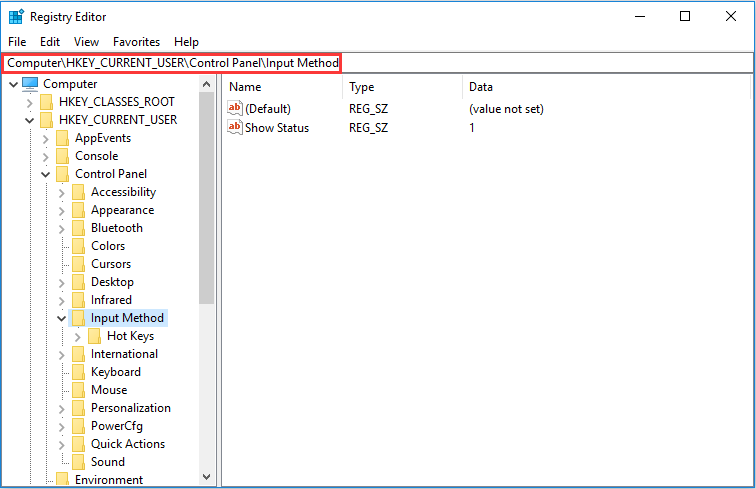
Verkko 8 toukok 2013 nbsp 0183 32 Explain how to determine these numbers To type the Spanish letter 241 it would not work holding down quot alt quot and entering 164 as most say it should so I
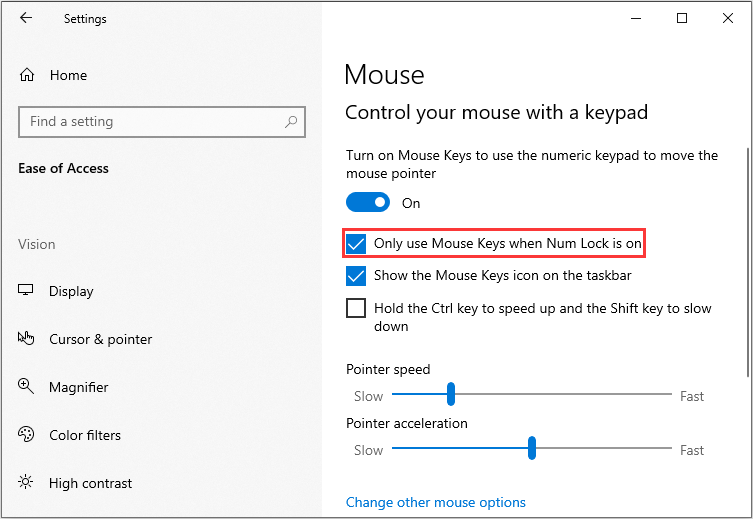
Verkko 3 syysk 2019 nbsp 0183 32 Step 1 Press the Window key R key to open the Run dialog box Next type ms settings easeofaccess mouse and

Verkko Replied on June 21 2016 Report abuse That works fine in Windows 10 depending on what application you are typing it into maybe works in Notepad Wordpad this

Verkko 6 toukok 2023 nbsp 0183 32 If it s not this means the integrated numeric keypad is disabled Enable the Numpad by pressing the Num Lock key If there s no Num Lock key press the Fn and F11 keys simultaneously to activate
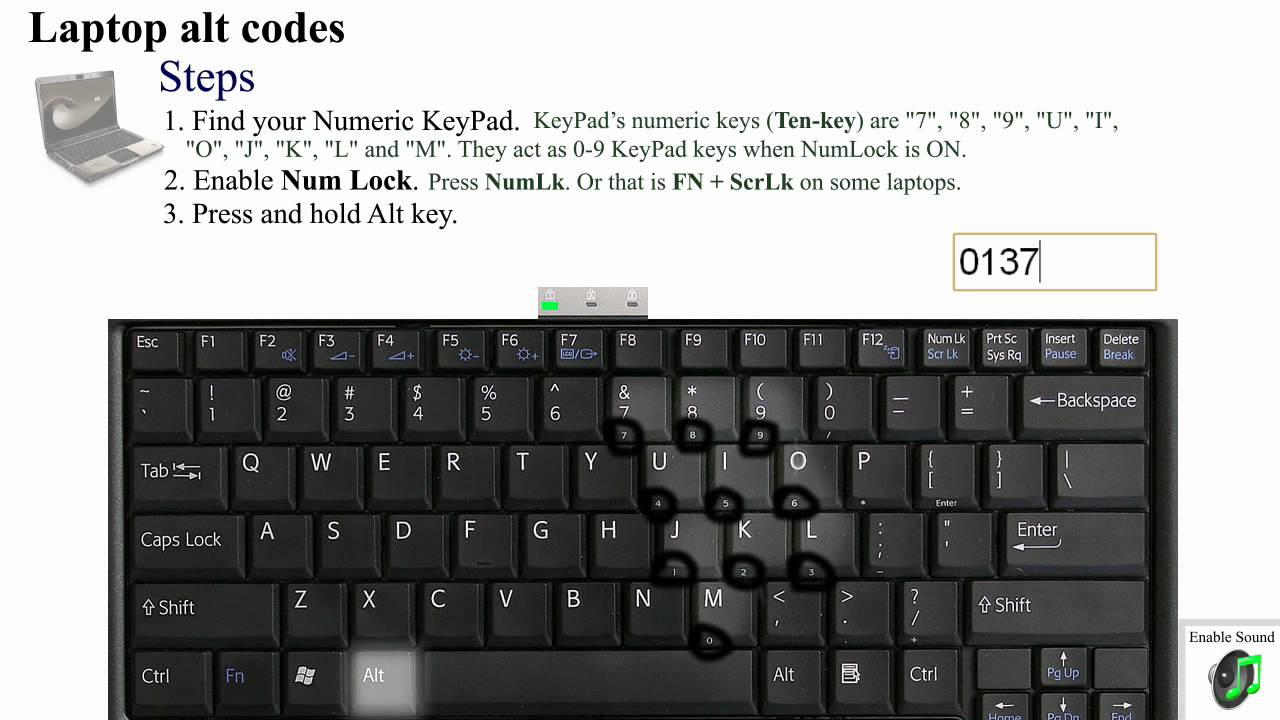
Verkko 10 maalisk 2023 nbsp 0183 32 In order to enter a character hold down the Alt key and press the button on the numeric keypad Next enter the hex code and release the Alt key to add the character If you re still unable
Verkko Fix 1 Shut Down or Restart Your Computer to fix the Alt Key Not Working Problem Fix 2 Confirm Whether It Is a Hardware Problem by testing a different keyboard Fix Verkko 23 lokak 2019 nbsp 0183 32 Step 2 Click Start Scan to find Windows registry issues that could be causing PC problems Step 3 Click Repair All to fix all issues Open Regedit
Verkko 12 hein 228 k 2019 nbsp 0183 32 Alt F4