After Effects Composition Time Take Control Of Your After Effects Compositions Adobe After Effects Cc 2018 How To Increase Project Length Servedarelo Digital Sci Fi Slideshow After Effects Template On Behance On Behance Https aescripts match comp durationMatch Comp Duration lets you quickly change the duration of your selected pre comps and layers and all their neste
One of the fundamental things in After Effects is the ability to change the duration of your animation So in 20 seconds I ll show you how to change the duration in After Effects STEP 1 SET YOUR IN AND OUT POINTS Keyboard Shortcuts in After Effects In Point B Out Point N The first step in trimming your composition is to set your in and out points By setting these points you are telling After Effects to only preview the timeline between the In and Out points In After Effects you can set an In Point by pressing
On Behance Learn After Effects Creating Compositions Storyblocks Take Control Of Your After Effects Compositions 3 Schritte Video Mit After Effects Schneiden Und Bearbeiten Introduction To After Effects Learn After Effects Creating Compositions Storyblocks Effects Of Global Warming Storyboard O Oliversmith After Effects Copy Composition To Another After Effects Project Creating A Composition In After Effects Quick Photoshop Tutorial
After Effects Composition Time
 After Effects Composition Time
https://assets-global.website-files.com/61406347b8db463e379e2732/617c78192a1e2ff3fd5da2b4_after-effects-menu-composition-1.jpeg
The most common way to create an After Effects precomp is to select some layers in your current composition and select Pre compose Shift Option C Cmd Shift C to move them into their own composition But if you have a time specific gap that needs to be filled you re more likely to start from scratch with a new composition instead
Pre-crafted templates offer a time-saving option for creating a diverse variety of documents and files. These pre-designed formats and designs can be used for various personal and professional jobs, consisting of resumes, invites, flyers, newsletters, reports, discussions, and more, streamlining the material production procedure.
After Effects Composition Time

SYNCRUN On Behance
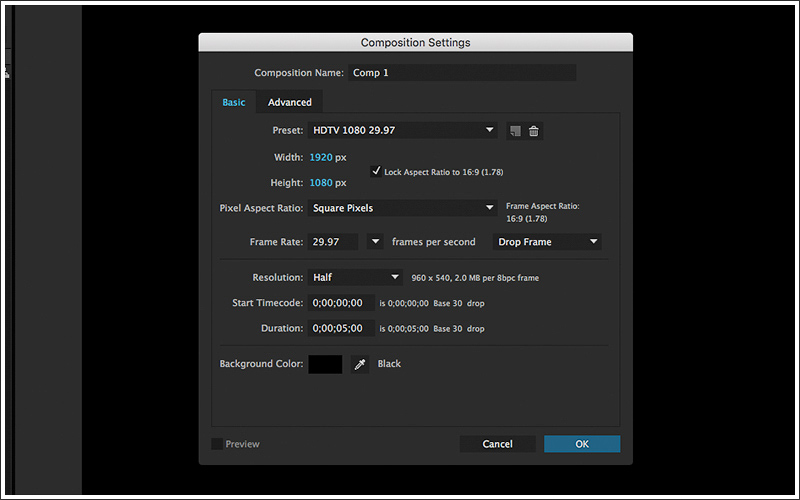
Learn After Effects Creating Compositions Storyblocks

Take Control Of Your After Effects Compositions
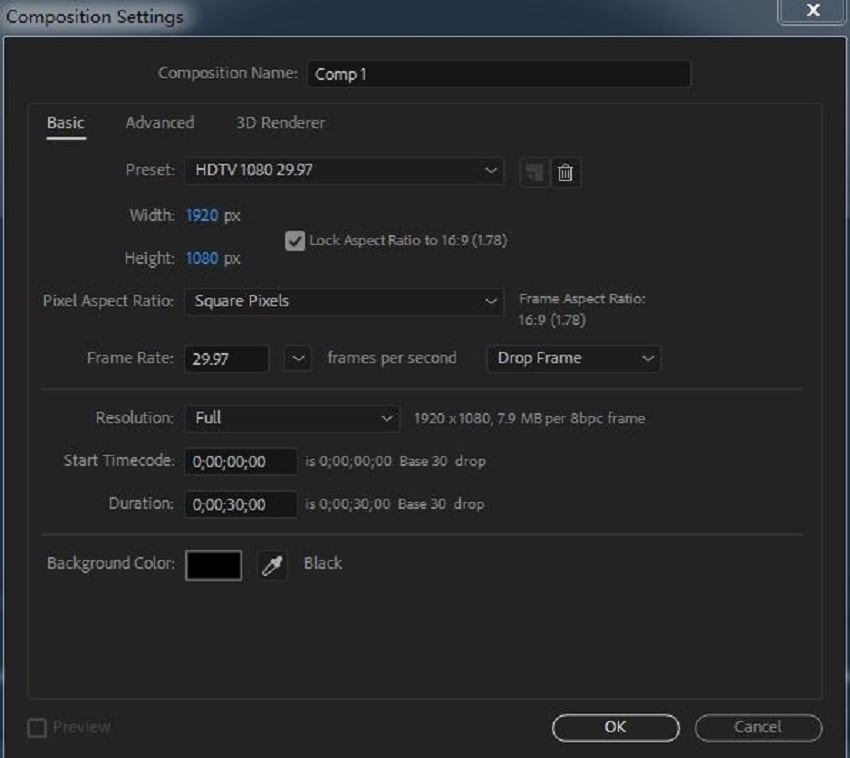
3 Schritte Video Mit After Effects Schneiden Und Bearbeiten
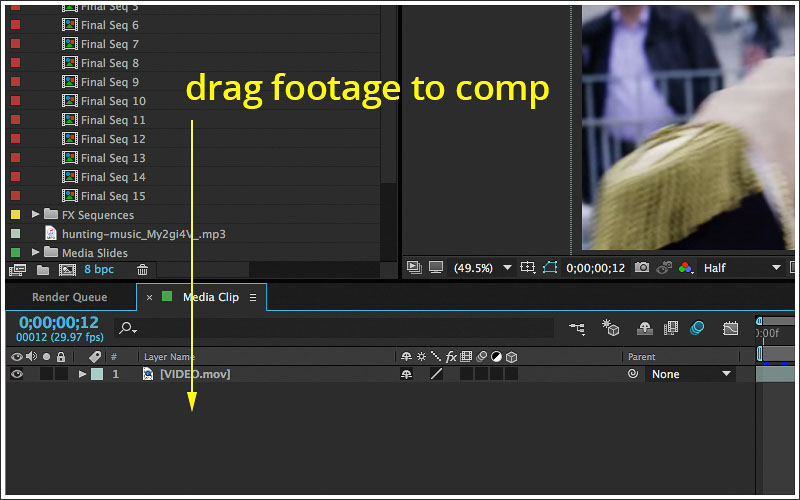
Learn After Effects Creating Compositions Storyblocks

Effects Of Global Warming Storyboard O Oliversmith

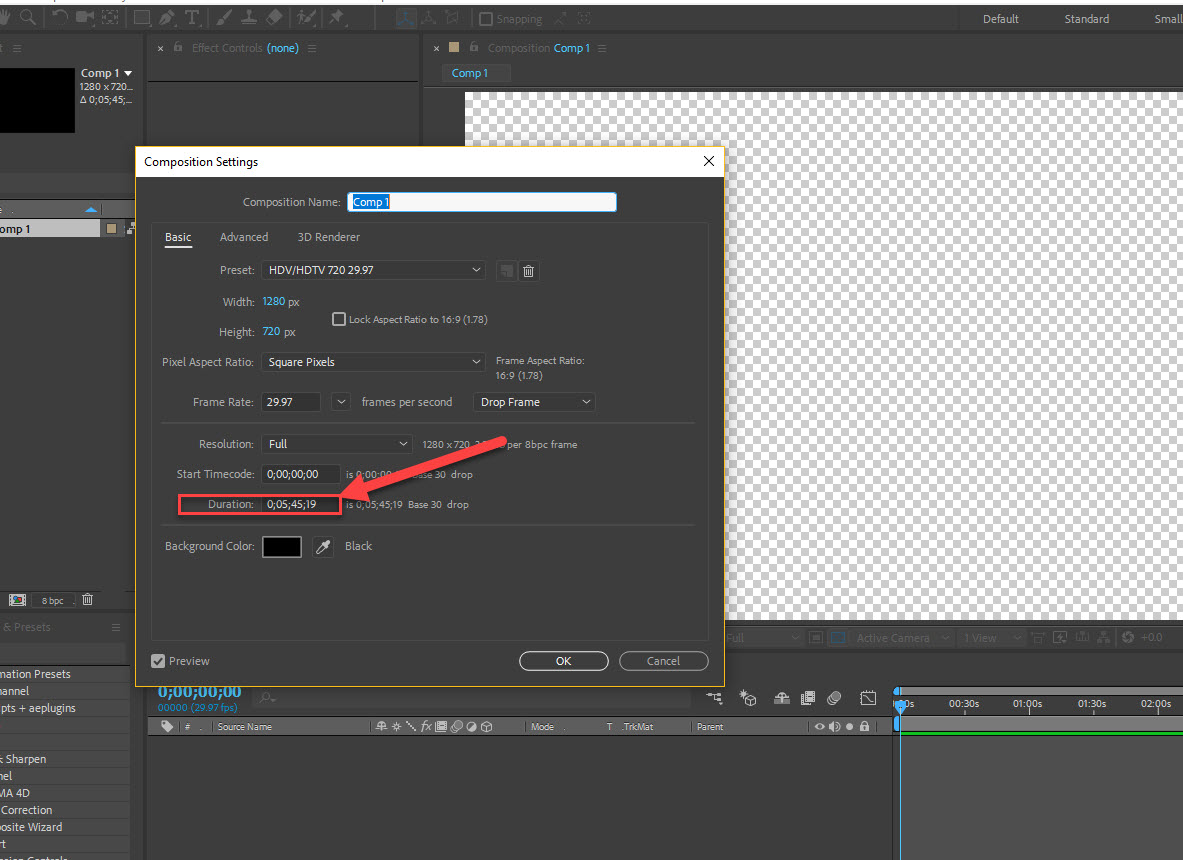
14 views 4 months ago Learn how to lengthen the timeline of an After Effects composition Also learn multiple ways to extend the layers into the blank area of an extended composit
Composition Profiler is a visualization of data produced by After Effects while it renders the frame As the rendering process is highly optimized understanding the different color codes and other elements in the Timeline is vital Color coding guide

By default After Effects displays time in Society of Motion Picture and Television Engineers SMPTE timecode hours minutes seconds and frames You can change to another system of time display such as frames or feet and frames of 16mm or 35mm film

What is the Time Expression in After Effects The time expression in After Effects returns a composition s current time in seconds You can write the time expression in After Effects by simply typing the word time The values generated by this expression can then be used to drive movement by connecting a property value to the expression

1 Correct answer David Torno Advocate Jun 18 2015 I try this var myComp app project activeItem myComp duration myLayer property Footage duration That didn t work because layer objects do not have a duration attribute The math has to be done manually Normally you take the layer outPoint minus the inPoint to get the layer duration
First create a new Composition You can do this by hitting Command N if you re on a Mac or Control N if you re on a Windows computer That will bring up the Composition Settings for the new Composition we re creating Give your Composition a name set the size frame rate and duration The duration is how long the Composition will be Phil Ebiner Time Duration in Adobe After Effects can be changed by selecting composition right click Composition setting Duration My Gear I need to
Add an expression Opt click Alt click on the Time Remap stopwatch Replace the expression text timeRemap with loopOut After Effects will autocomplete as you type selecting the correct list entry will make sure you get the syntax right Move the composition playhead to the end keyframe and then move it back one frame Cmd Ctrl left