Affinity Designer Color Code Affinity Designer Pantone Colours YouTube CUSTOM COLOR PALETTE IN AFFINITY DESIGNER Color Palette Design Affinity Designer CMYK Color Codes Don t Match Pre V2 Archive Of CUSTOM COLOR PALETTE IN AFFINITY DESIGNER Color Palette Make A Color Affinity Designer For Beginners How To Color A Traced Picture YouTube Affinity Designer features a Swatches panel for preloaded or custom color palettes These palettes can contain solid or gradient fill swatches Custom palettescan also be imported including ASE and AI file types In this tutorial you will learn how to create import and use color palettes in Affinity Designer
Affinity Designer lets you choose global default color profiles assign a color profile as you create a document or at any point during your session Most commercial printers will accept sRGB as they ll be able to do their own profiling at the print stage to get the best results for your work Designers may have a preferred method for color selection so Affinity Designer provides a choice Color Studio for selection from color wheel or sliders using different color models A Swatches section in the Studio lets you select swatches from different preset or custom categories including PANTONE Colors
Affinity Designer For Beginners How To Color A Traced Picture YouTube Affinity Designer HSL Color Wheel In This Affinity Designer Beginner Affinity Designer Tutorial 26 Swatches Panel YouTube Affinity Designer Workbook The Official Guide To Affinity Designer Affinity Designer Now Available For Windows How To Use The Color Panel In Affinity Designer YouTube Affinity Designer 1 5 Released Webdesigner Depot Affinity Designer Achat En Ligne Prix Essai Gratuit Evaluations Et Avis Affinity Designer Mac Download Review
Affinity Designer Color Code
 Affinity Designer Color Code
https://i.ytimg.com/vi/3Ep5aOZxo0c/maxresdefault.jpg
You may have a preferred method for color selection so Affinity Photo provides a choice Panel Preferences menu on the Color panel to select color via RGB HSL CMYK LAB or Grayscale sliders in 8 bit 16 bit or percentage modes where applicable or use Hue Saturation or Lightness boxes
Templates are pre-designed documents or files that can be utilized for numerous purposes. They can save time and effort by supplying a ready-made format and layout for creating various kinds of content. Templates can be utilized for individual or professional projects, such as resumes, invites, flyers, newsletters, reports, presentations, and more.
Affinity Designer Color Code

Affinity Photo 2 Released Better Non destructive Editing New Masks

Affinity Designer HSL Color Wheel In This Affinity Designer Beginner

Affinity Designer Tutorial 26 Swatches Panel YouTube

Affinity Designer Workbook The Official Guide To Affinity Designer

How To Use The Color Panel In Affinity Designer YouTube
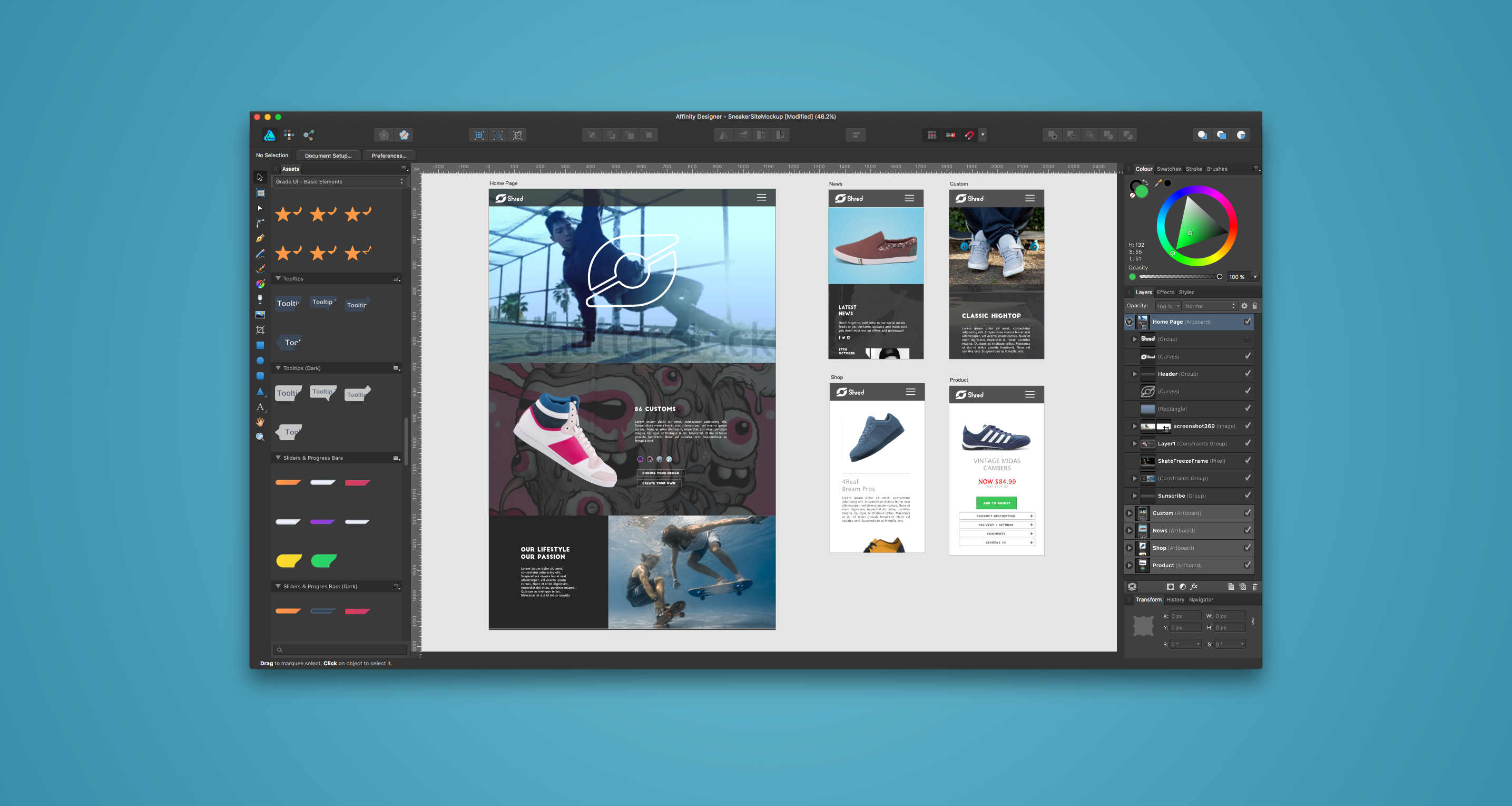
Affinity Designer 1 5 Released Webdesigner Depot

Color panel panel is used to choose color for various tools and selected objects A pop up version of the panel may appear when choosing color from within other dialogs panel can operate in several color modes HSL RGB CMYK and LAB and has various ways of defining color color wheel HSL only color boxes and color sliders

Selecting colors Affinity Designer offers several ways of choosing colors for your design An essential requirement for efficient design is the ability to access colors easily and intuitively Designers may have a preferred method for color selection so Affinity Designer provides a choice

Hey guys I m brand new to Affinity Designer and have very limited experience with programs like Illustrator and Photoshop I m creating a new Squarespace website and would like to use one of the color codes I have there to create a graphic

Affinity Designer has a range of color selection tools and at first you may not know exactly where to go to use them or how to copy and paste hexcodes into and around in your design Learn how to find the color pickers you want and how to set hexcodes in this lesson 1 Introduction 1 lesson 00 58 1 1 Affinity Designer Quick Start 00 58 2

Swatches panel panel makes it easy to use predefined colors and also to define store and reuse your own selection of colors About the Swatches panel panel stores your recently used colors and lets you access a range of predefined palettes each containing solid or gradient fill swatches
First fire up Affinity Designer and open a favorite photo Next click on the Swatches tab If you don t see it go to View main menu bar near the top Studio ensure Swatches is checked Click on the stacked white lines in the upper right corner of the Swatches tab Choose Create Palette From Document Tool shortcut I Settings The following settings can be adjusted from the context toolbar Apply to Selection when selected default the picked colour will automatically apply to the selected object s Fill or Stroke depending on which colour selector is active on the Colour or Swatches panel
Buy now Live responsive and fast even on the most complex docs Handle thousands of objects with no lag organize with layer groups and color tagging make precise selections with live outline view and zoom one million percent and beyond Fully featured vector and raster workspaces