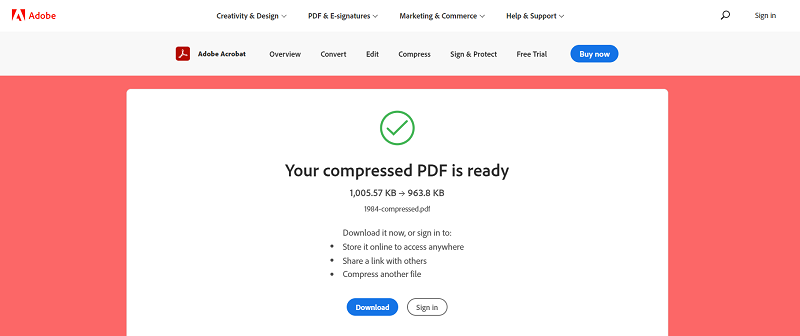
Adobe Acrobat X Compress Pdf Full Guide On How To Compress PDF In Adobe Acrobat Pro DC How To Compress PDF File Size Without Losing Quality In Adobe Acrobat PDF Compress Compress PDF Files And Reduce The File Size By PDF How To Compress PDF Files In Adobe Acrobat EaseUS Full Guide On How To Compress PDF In Adobe Acrobat Pro DC Steps to compress PDF Sign in to Acrobat Web Document Cloud Home at https documentcloud adobe with your Adobe ID and password or with your social Facebook or Google account In the top navigation bar click Convert Compress PDF Do one of the following to select the PDF file that you want to compress and then click Continue
Method 1 Using Adobe s Online PDF Compressor Download Article 1 Go to https www adobe acrobat online compress pdf html Adobe offers a free online PDF compression tool that s great for reducing PDF file sizes 2 Click the Select a file button This opens your computer s file browser 1 To reduce the size of your PDF file open the Optimize PDF tool You can access this tool from the Tools center Click the Tools tab at the top left scroll down until you see the Optimize PDF tool then select Open from the drop down menu Select a file to compress
Full Guide On How To Compress PDF In Adobe Acrobat Pro DC How To Compress PDF File Without Adobe Acrobat How To Compress PDF File Without Adobe Acrobat How To Compress PDF File Without Adobe Acrobat How To Compress A PDF File How To Compress PDF File Without Adobe Acrobat Compress PDF Using Adobe Acrobat Software RT 6 Ways To Compress PDF To 1000KB Or Smaller How To Compress A PDF File
Adobe Acrobat X Compress Pdf
 Adobe Acrobat X Compress Pdf
https://www.easepdf.com/images/pdf-tips/download-compressed-pdf-adobe.png
Open the PDF Select the File menu Select Reduce File Size from the drop down menu Figure 4 Reduce File Size Old Interface Select the location to save the PDF from the Save As Reduced Sized PDF dialog box Figure 5 Save As Reduced Size PDF dialog box Optional Enter a new name in the File Name text box in the Save As dialog box see
Pre-crafted templates use a time-saving solution for developing a diverse series of files and files. These pre-designed formats and designs can be made use of for numerous personal and professional tasks, consisting of resumes, invitations, leaflets, newsletters, reports, discussions, and more, simplifying the material creation process.
Adobe Acrobat X Compress Pdf
Full Guide On How To Compress PDF In Adobe Acrobat Pro DC
How To Compress PDF File Without Adobe Acrobat
How To Compress PDF File Without Adobe Acrobat

How To Compress PDF File Without Adobe Acrobat
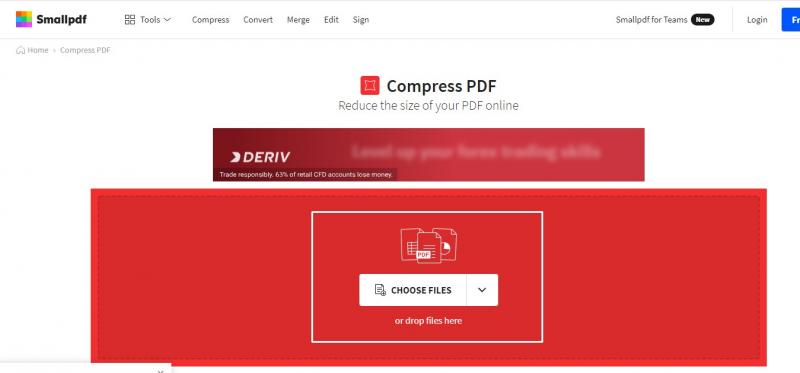
How To Compress PDF File Without Adobe Acrobat

Compress PDF Using Adobe Acrobat Software RT

Open Finder Right click on the PDF file Select Get Info Look at File Size to see how large the PDF is On a PC Open Files Explorer Right click on the PDF file Select Properties Look at File Size to see how large the PDF is Remember one megabyte MB equals 1 000 kilobytes KB

What are the methods used in Acrobat X to reduce file size TOPICS Create PDFs 908 3K Translate Report 1 Correct answer George Johnson LEGEND Dec 04 2010 Yes choose File Save As Optimized PDF as opposed to File Save As Reduced Size PDF 2 Upvotes Translate Jump to answer 74 Replies Jump to latest reply jay fresno AUTHOR

Compress a PDF file in four easy steps Reduce the size of large files with Adobe Acrobat online services for free
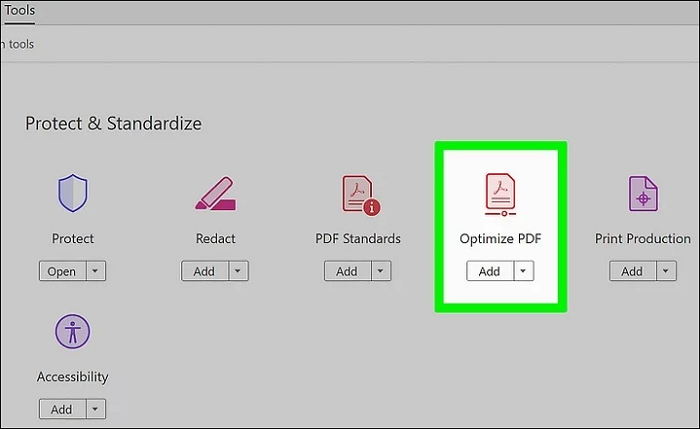
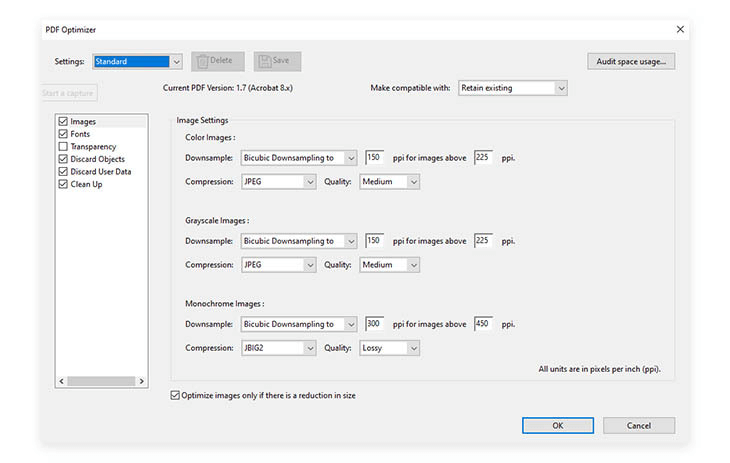
The Acrobat PDF compression tool balances an optimized file size against the expected quality of images fonts and other file content Save using PDF optimizer Acrobat Pro PDF Optimizer provides many settings for reducing the size of PDF files

Home Adobe Document Cloud Acrobat Online Tools Do your best work online with Adobe Acrobat Convert edit organize and compress PDF files with Adobe Acrobat Pro Fill sign and share documents too Start free trial Sign in or create a free account Get access to Acrobat online tools Convert share fill and sign Continue with Adobe
Select Optimize PDF from the Tools center or right hand pane Select Reduce File Size and choose whether you want to reduce a single file or multiple files The file is reduced to the smallest size possible while retaining the document s quality Select Advance Optimization then choose from options in the PDF Optimizer Select Standard from the Settings menu to use the default settings Follow these steps to use PDF Optimizer to reduce the size of heavy PDF files in Adobe Acrobat Audit the space used by the components in the PDF and then apply optimization settings on the images fonts transparency objects and user data
Adobe Creative Cloud