Adjust Column Width Google Sheets Spreadsheet How To Change Column Width In Google Sheets YouTube How To Change Column Width In Google Sheets Example Of Adjusting Column Width In Google Sheets Spreadsheet Class How To AutoFit Columns In Excel Google Sheets Automate Excel How To Adjust Column Width In Google Sheets On Ipad Right click a row or column header Select Resize row or Resize column Enter a row height or column width in pixels Click OK The row height or column width is set to
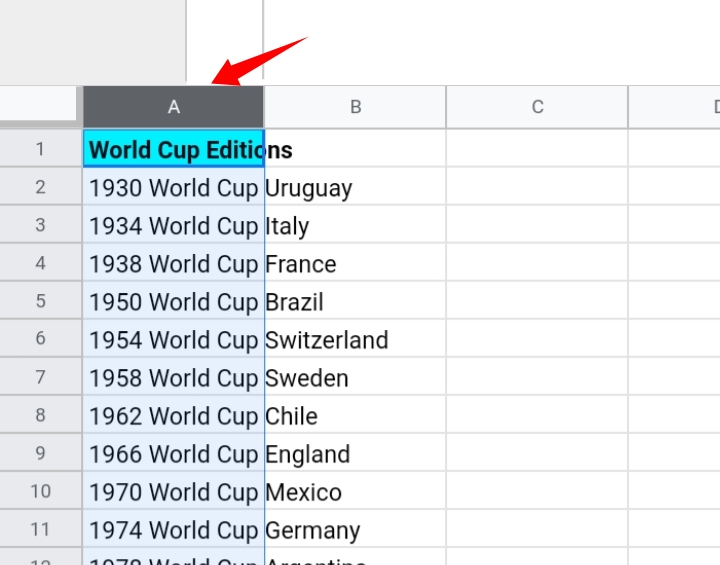
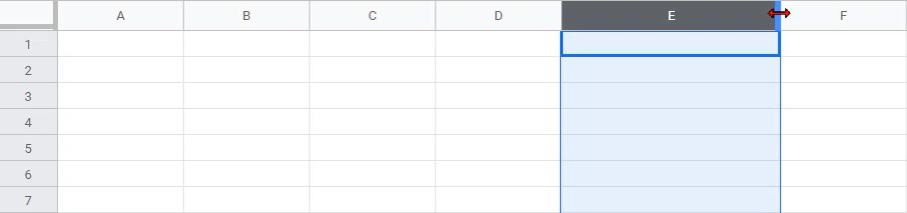
To add 100 rows to your spreadsheet On your spreadsheet scroll to the bottom Next to more rows at the bottom enter the number of rows you d like to add Click Add Open your Google Sheet and select the column you want to edit Hover over the line on the right side column header The mouse cursor will change into a double
How To Adjust Column Width In Google Sheets On Ipad BEST Adjust Column Width Google Sheets Ios Coub How To Adjust Column Width In Google Sheets Support Your Tech Google Sheets Tip Increase Row And Column Width Teacher Tech How To Change Row Height And Column Width In Google Sheets YouTube How To Adjust Column Width In Google Sheets On Ipad Column Width Google Sheets 578616 Column Size Google Sheets How To Autofit Columns In Google Sheets Article With Examples Spreadsheet Class How To Adjust Column Width In Google Sheets On Ipad
Adjust Column Width Google Sheets Spreadsheet
 Adjust Column Width Google Sheets Spreadsheet
https://i.ytimg.com/vi/UdYqwQNeiAQ/maxresdefault.jpg
In Google Sheets there is an option called Set Column Width that allows you to adjust the column width based on predefined measurements This method
Pre-crafted templates use a time-saving option for developing a diverse range of documents and files. These pre-designed formats and designs can be utilized for different personal and expert tasks, consisting of resumes, invites, flyers, newsletters, reports, discussions, and more, simplifying the material development procedure.
Adjust Column Width Google Sheets Spreadsheet
How To Autofit Column Width In Google Sheets Full Details

BEST Adjust Column Width Google Sheets Ios Coub

How To Adjust Column Width In Google Sheets Support Your Tech

Google Sheets Tip Increase Row And Column Width Teacher Tech

How To Adjust Column Width In Google Sheets On Ipad
Column Width Google Sheets 578616 Column Size Google Sheets
Method 1 Click and drag the mouse to change column width Method 2 Set column width in pixels with the Resize columns menu Method 3 Use Fit to

The easiest way to automatically resize column width in Google Sheets is to use the fit to data shortcut When using the fit to data shortcut instead of clicking
If you need to set the width of a column or columns in Google Sheets follow these steps Step 1 Highlight the column or columns you want to select To highlight
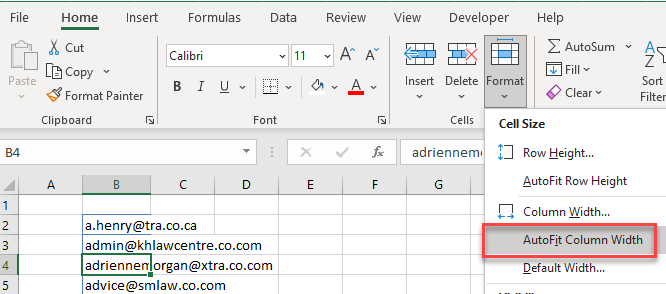
There are two options to set column width via this option enter the width in pixels or fit to existing data By default Enter new column width in pixels is selected and a

Click and drag the column border to the right to increase column width Dragging the border to the left will decrease column width Release the mouse when you are
1 To quickly adjust the width of multiple columns at once select the columns you want to adjust then double click the boundary between two column 1 Select The Entire Column To understand how to set column width in Google Sheets select the column by clicking on the column header Choose the column to edit 2 Drag
The easiest way to use the Google Sheets autofit column width function is to select all the columns that you want to adjust the width of and use a simple double