Adjust Adaptive Brightness How To Configure Content Adaptive Brightness On Windows 11 In 2022 Adaptive Brightness Everything You Need To Know Android Authority How To Turn On Off Content Adaptive Brightness Control CABC On Screen Brightness And Adaptive Brightness Adjust Android Phones XplainD Fix Adaptive Brightness Option Missing In Windows 10 Technoresult WEB Click the Settings icon in the Start menu to open the Settings app Go to the System page in the Settings app Select the Display tab on the left panel On the left panel uncheck the Change brightness automatically when lighting changes option Close the Settings app
WEB Updated Feb 8 2024 Adaptive Brightness is awful but a quick reset may save your from dreaded screen blasts Adaptive brightness on Android phones helps with screen visibility when WEB Your Surface can also adjust the screen brightness automatically based on the ambient light of the room you re using it in For more info see Change screen brightness in Windows To turn off adaptive brightness and contrast on Surface devices on Windows 11 Select the Start button then select Settings gt System gt Display Open Display settings
Fix Adaptive Brightness Option Missing In Windows 10 Technoresult Gammy Adaptive Screen Brightness Tool For Linux Linux Uprising Blog How To Enable Or Disable Content Adaptive Brightness Control CABC On Adaptive Brightness Display Settings AppsLova Adaptive Brightness Turn On Or Off In Windows 8 Windows 8 Help Forums How To Turn On Or Off Content Adaptive Brightness Con Vrogue co How To Disable Content Adaptive Brightness Control CABC On Windows 11 Windows 11 Brightnes Option Adaptive Medicine
Adjust Adaptive Brightness
 Adjust Adaptive Brightness
https://i.pinimg.com/originals/70/70/de/7070defd28357991066d230ae873d90c.jpg
WEB Apr 5 2024 nbsp 0183 32 In Short The easiest way to adjust the display s brightness on your Windows 10 machine is from the Settings app Secondly open the Action Center by pressing Win A Here use the slider to adjust the brightness in Windows 10 You can also use the Function key in tandem with the F11 F12 or F2 F3 keys to adjust the brightness
Pre-crafted templates use a time-saving option for creating a varied variety of documents and files. These pre-designed formats and designs can be made use of for numerous personal and expert tasks, including resumes, invites, leaflets, newsletters, reports, presentations, and more, enhancing the content creation procedure.
Adjust Adaptive Brightness
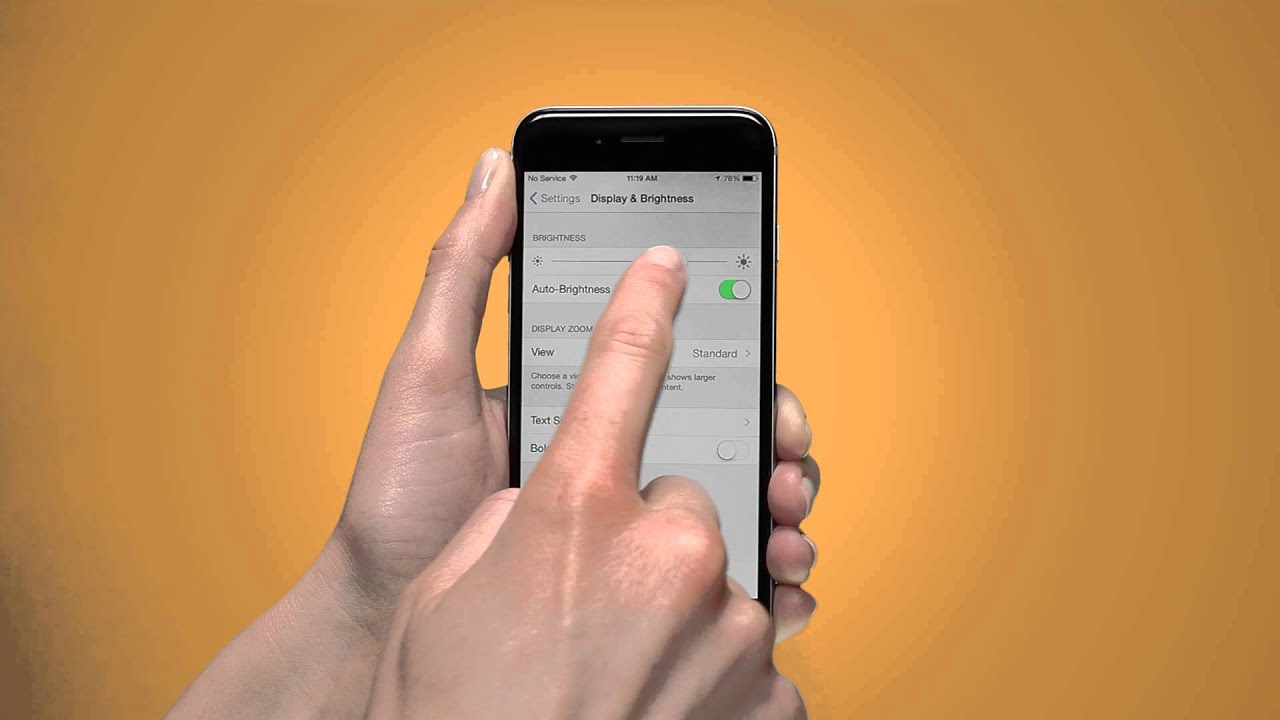
How To Adjust IPhone Brightness YouTube

Gammy Adaptive Screen Brightness Tool For Linux Linux Uprising Blog
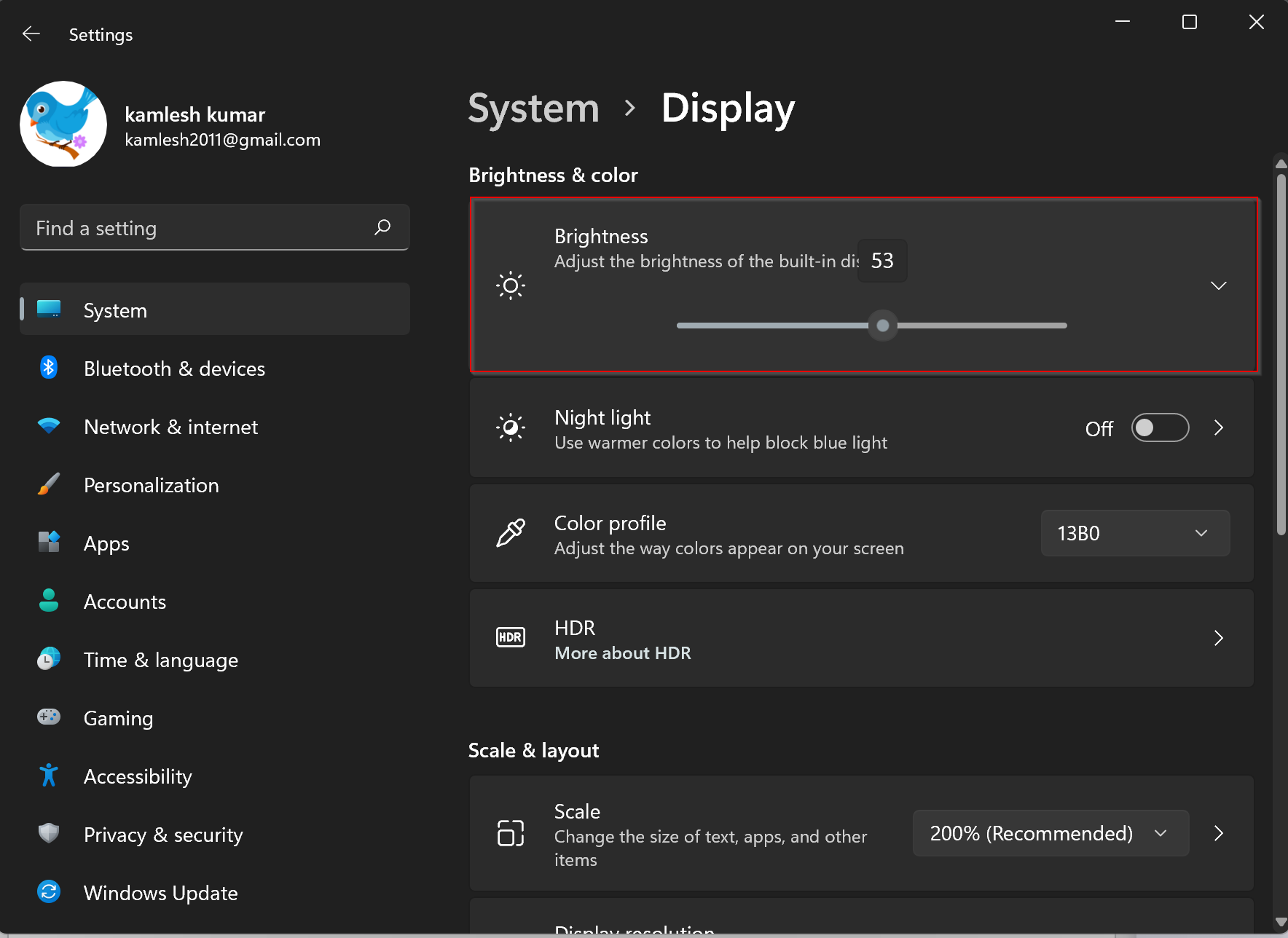
How To Enable Or Disable Content Adaptive Brightness Control CABC On

Adaptive Brightness Display Settings AppsLova
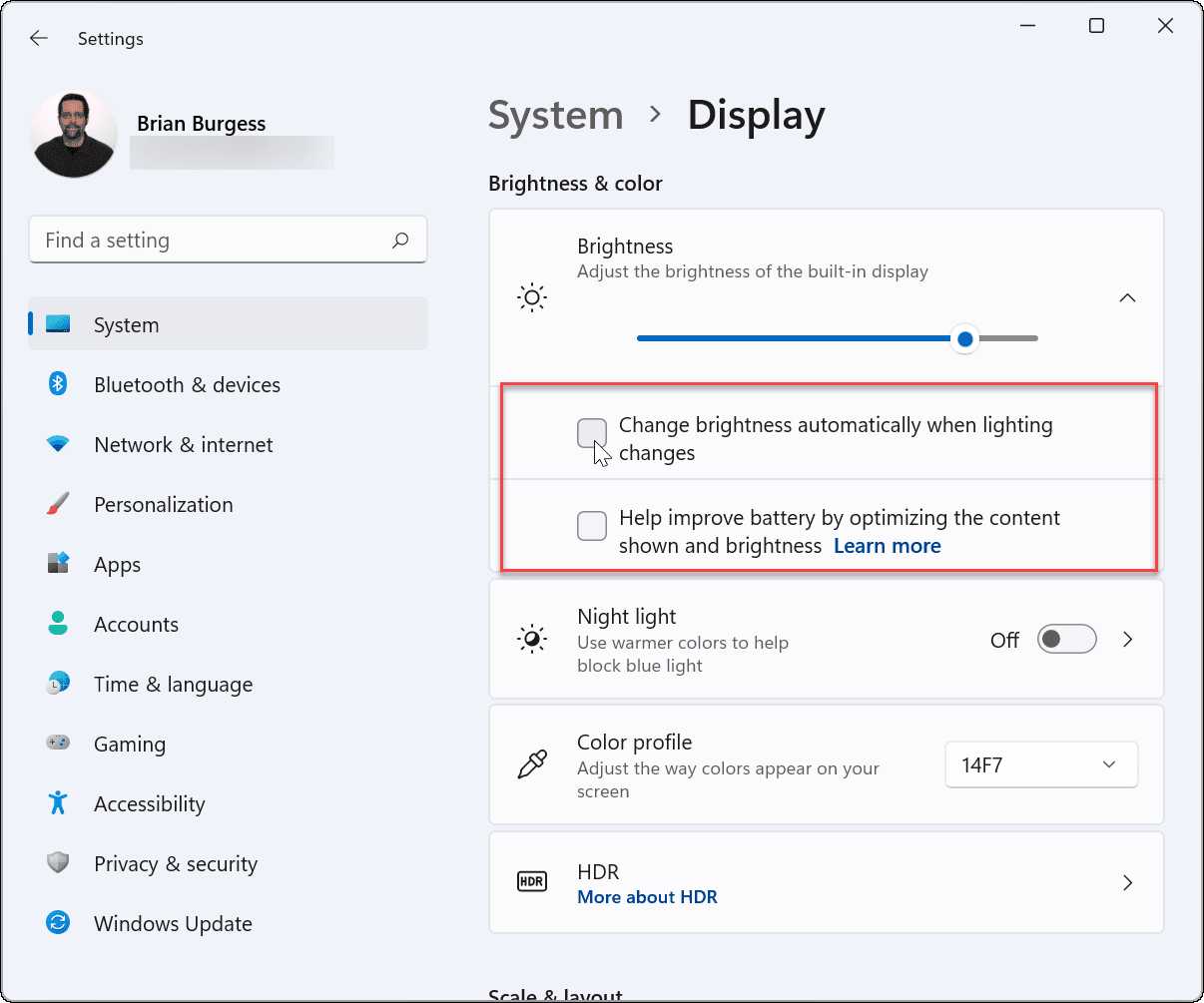
How To Turn On Or Off Content Adaptive Brightness Con Vrogue co
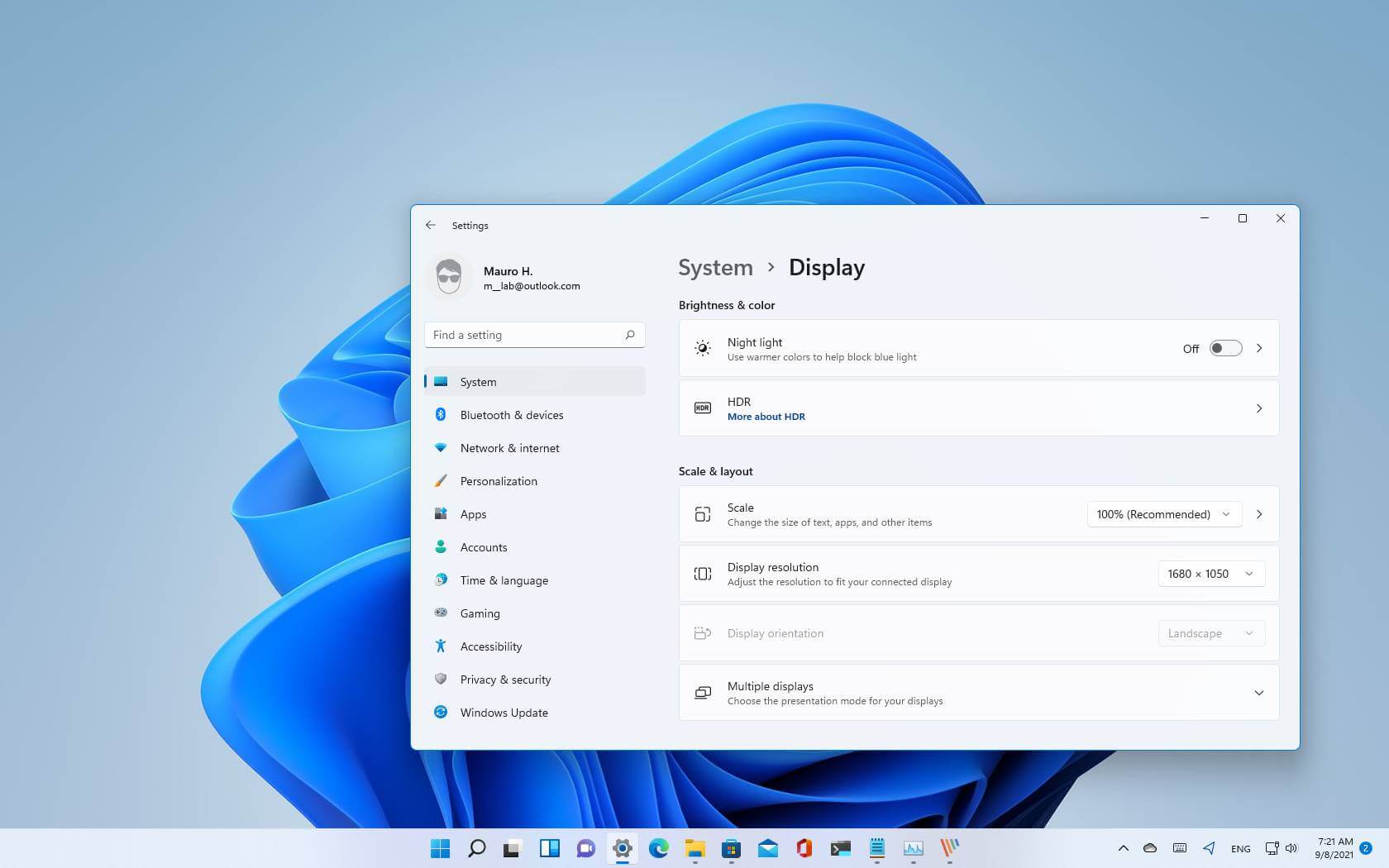
How To Disable Content Adaptive Brightness Control CABC On Windows 11

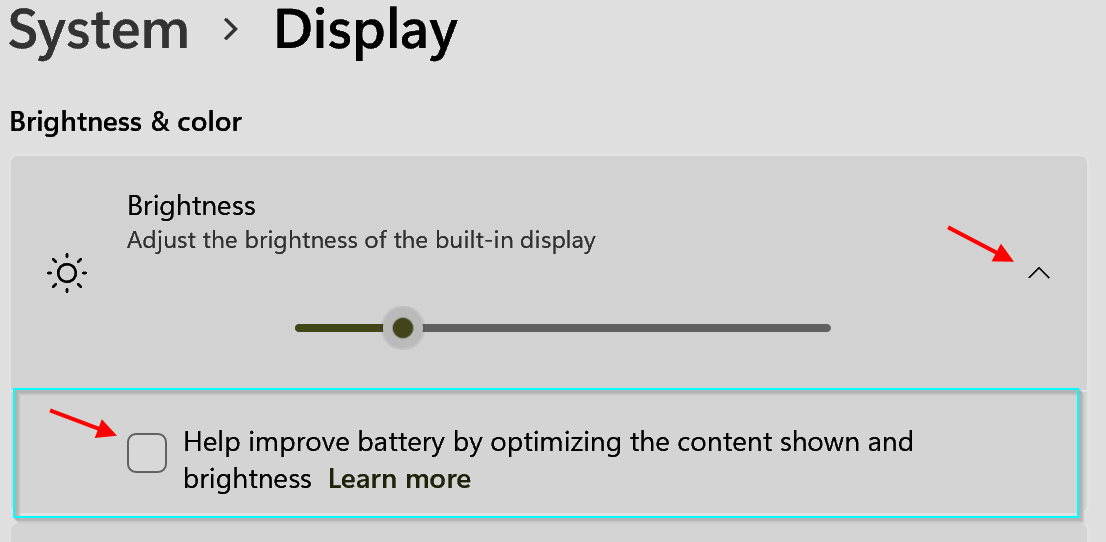
WEB Select Settings gt System gt Display In Display settings select Brightness then set the Change brightness based on content drop down as needed Off Adaptive brightness control will be turned off and screen brightness and contrast will not be adjusted This can result in shorter battery life
WEB Nov 8 2021 Replies 2 Staff This tutorial will show you how to turn on or off Adaptive Brightness for all users in Windows 11 Some PCs can let Windows automatically adjust screen brightness based on the current lighting conditions This automatic setting helps make sure your screen is readable wherever you go
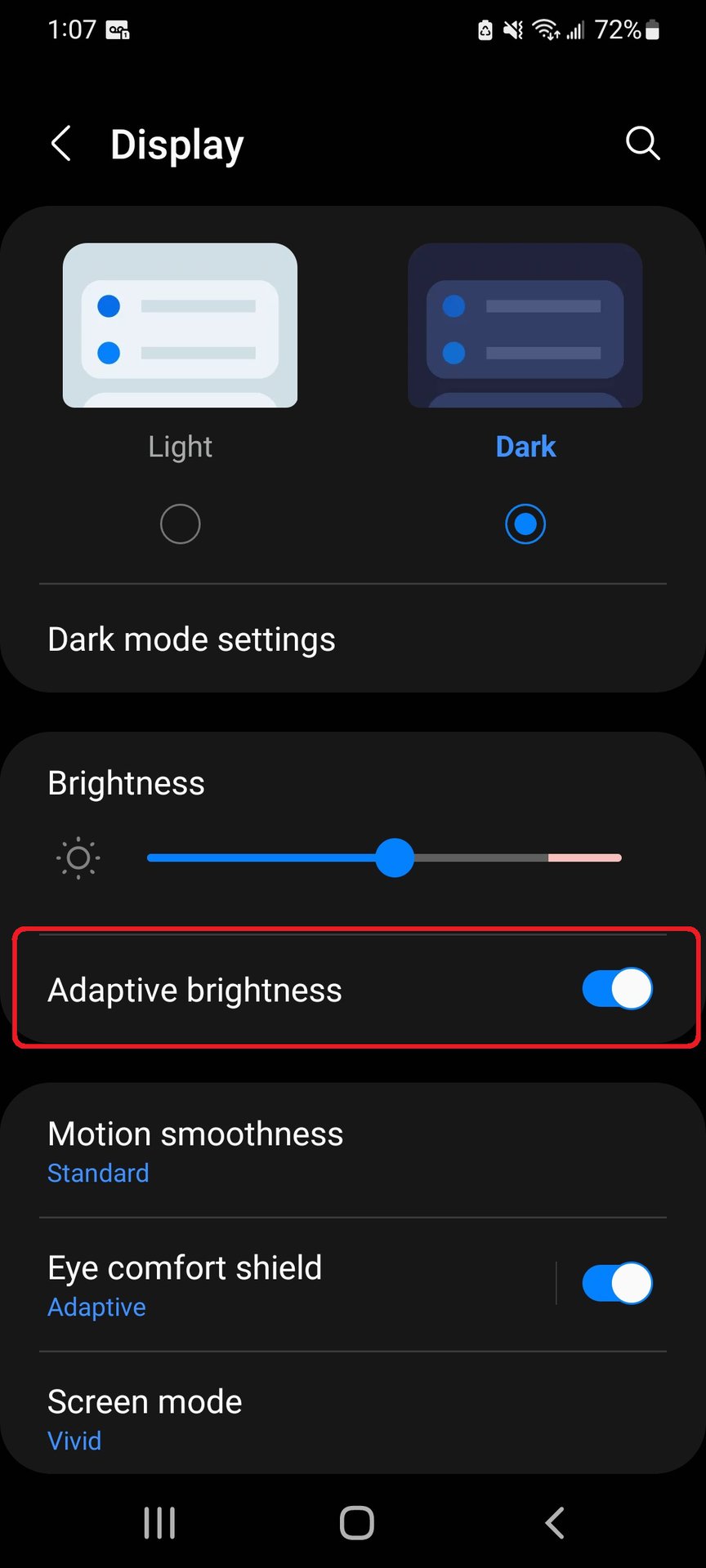
WEB Feb 26 2024 nbsp 0183 32 THE SHORT ANSWER Adaptive Brightness is an Android feature that adjusts your display s brightness levels based on the surrounding lighting and your preferences

WEB May 28 2022 nbsp 0183 32 How to Disable Adaptive Brightness in Windows 10 or 11 If you re tired of your Windows 10 or 11 PC s screen automatically getting brighter or dimmer it s easy to turn off All it takes is a quick trip to Settings Here s how to do it
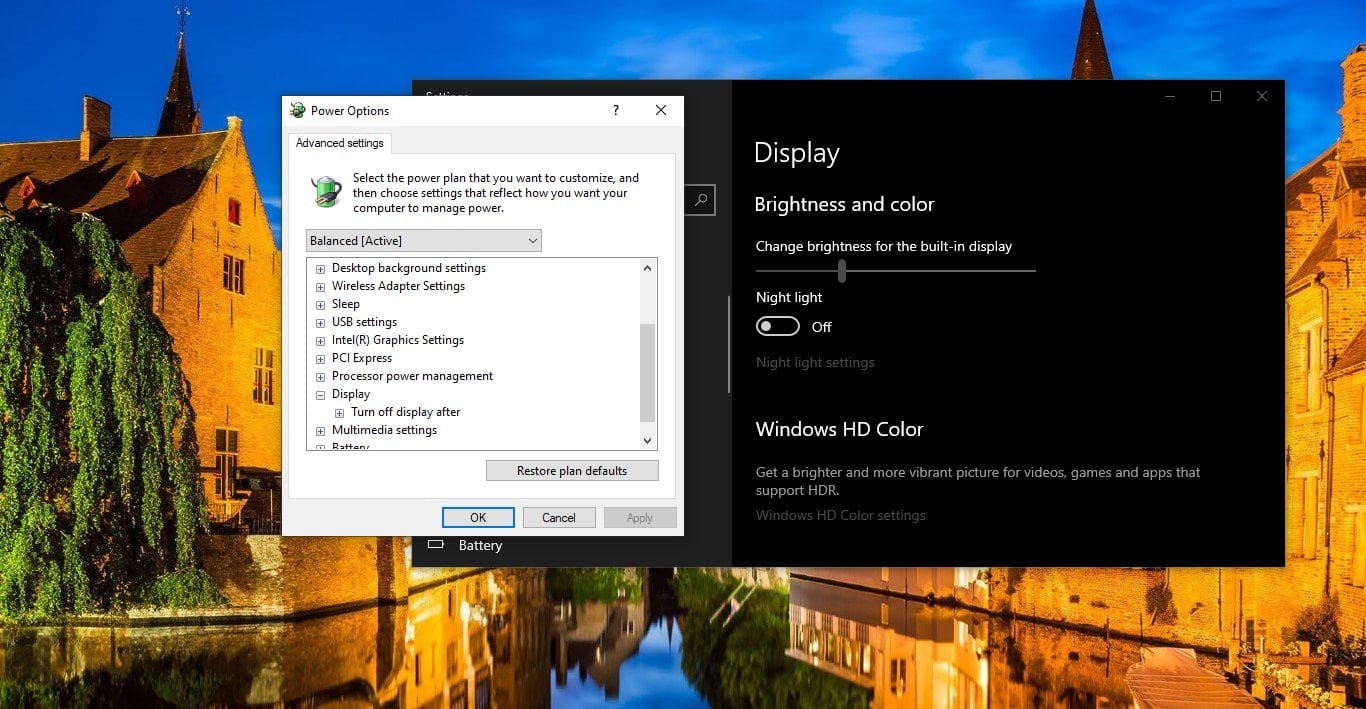
WEB Feb 21 2023 nbsp 0183 32 1 Press Windows Key I to open Settings then click on System 2 Now from the left hand menu select Display 3 On the right window find Change brightness for built in display 4 To enable the Adaptive Brightness make sure to turn on the toggle of Night Light under Change brightness for built in display 5
WEB Nov 7 2021 Replies 1 Staff This tutorial will show you how to turn on or off Content Adaptive Brightness Control CABC for all users in Windows 11 Some PCs can let Windows automatically adjust screen brightness based on the current lighting conditions WEB Dec 1 2023 nbsp 0183 32 Instructions For Windows 11 In the search box at the bottom of the window type settings In the search results listed touch or click Settings App Touch or click Display Touch or click the down arrow to the right of Brightness Using the drop down menu to the right of Change brightness based on content
WEB Aug 12 2023 nbsp 0183 32 You can disable Adaptive Brightness on Windows 10 via the command line by opening an elevated Command Prompt and executing the following command powercfg restoredefaultschemes However the below links say to instead run powercfg setdcvalueindex SCHEME CURRENT 7516b95f f776 4464 8c53 06167f40cc99