Adding Axis Labels In Excel Mac How To Add Axis Labels In Excel Mac 2023 WikiEXCEL How To Add An Axis Title To Chart In Excel Free Excel Tutorial Images 41 How To Add Labels To Axis In Excel Mac How To Add Axis Titles In Excel On Mac 41 How To Add Labels To Axis In Excel Mac Watch in this video How to add Axis Title in Excel on MAC MacBook Pro or MacBook Air to graphs or charts You can add X horizontal and Y axis Vertical labels in Excel MAC using the add chart
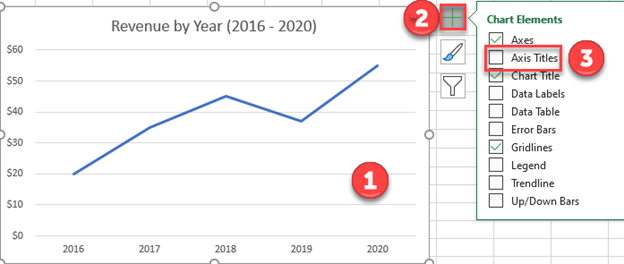
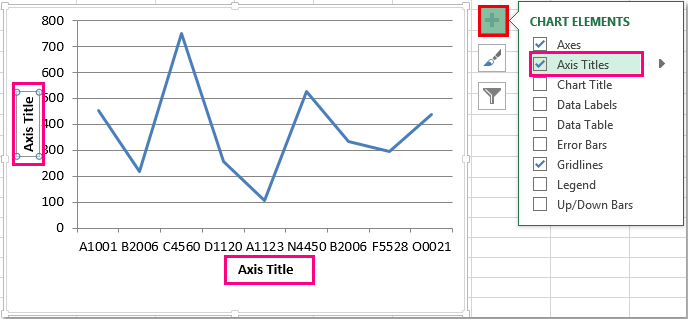
To label the category axis in Excel on Mac select the chart and click on the Chart Elements button in the top right corner From there select Axis Titles and then Primary Horizontal Axis Title 1 Left click the Excel chart 2 Click the plus button in the upper right corner of the chart 3 Click Axis Titles to put a checkmark in the axis title checkbox This will display axis titles 4 Click the added axis title text box to write your axis label
41 How To Add Labels To Axis In Excel Mac Multiple Horizontal Axis Labels Excel 2016 Hairpowen 32 What Is A Category Label In Excel Labels Database 2020 Outstanding Excel Move Axis To Left Overlay Line Graphs In Neat Axis Title Excel Mac Chart Js Straight Line Sine Wave In Excel For Mac Add Axis Label Peatix Excel For Mac Chart Move Position Of Axis Labels Primaryopm Excel For Mac 2016 Axis Labels How To Group Two Level Axis Labels In A Chart In Excel My XXX Hot Girl
Adding Axis Labels In Excel Mac
 Adding Axis Labels In Excel Mac
https://www.wikiexcel.com/wp-content/uploads/how-to-add-axis-labels-in-excel-mac.jpg
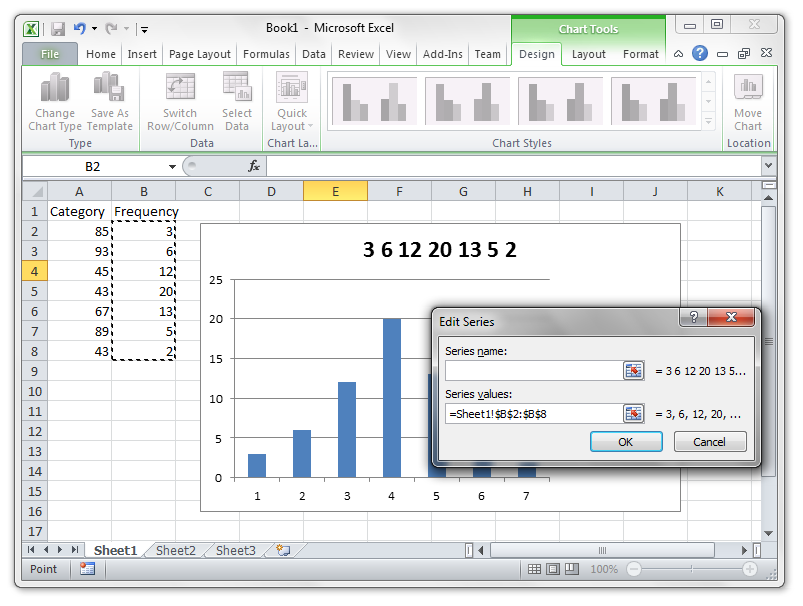
Use new text for category labels in the chart and leavesource data text unchanged Right click the category labels to change and click Select Data In Horizontal Category Axis Labels click Edit In Axis label range enter the labels you
Templates are pre-designed files or files that can be used for various purposes. They can save effort and time by offering a ready-made format and layout for creating various sort of material. Templates can be utilized for personal or professional projects, such as resumes, invitations, flyers, newsletters, reports, discussions, and more.
Adding Axis Labels In Excel Mac
How Do I Edit The Horizontal Axis In Excel For Mac 2016 Pindays
Multiple Horizontal Axis Labels Excel 2016 Hairpowen

32 What Is A Category Label In Excel Labels Database 2020
Outstanding Excel Move Axis To Left Overlay Line Graphs In

Excel For Mac Add Axis Label Peatix
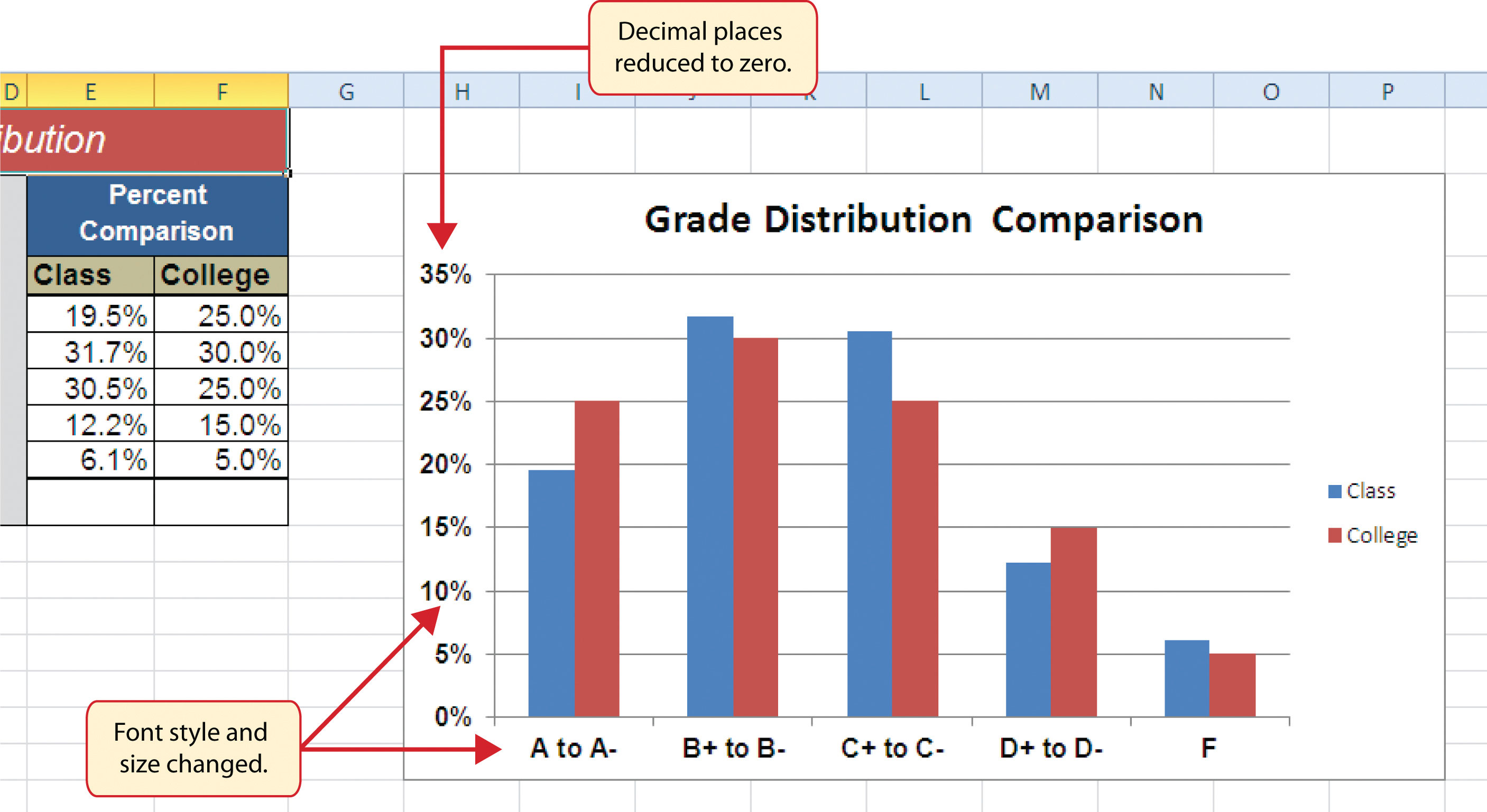
Excel For Mac Chart Move Position Of Axis Labels Primaryopm

Adding X Axis Label When creating a chart in Excel for Mac it s essential to include clear and descriptive axis labels to provide context for the data being presented Here s how to add an x axis label to your chart Click on the Layout tab in the Chart Tools menu
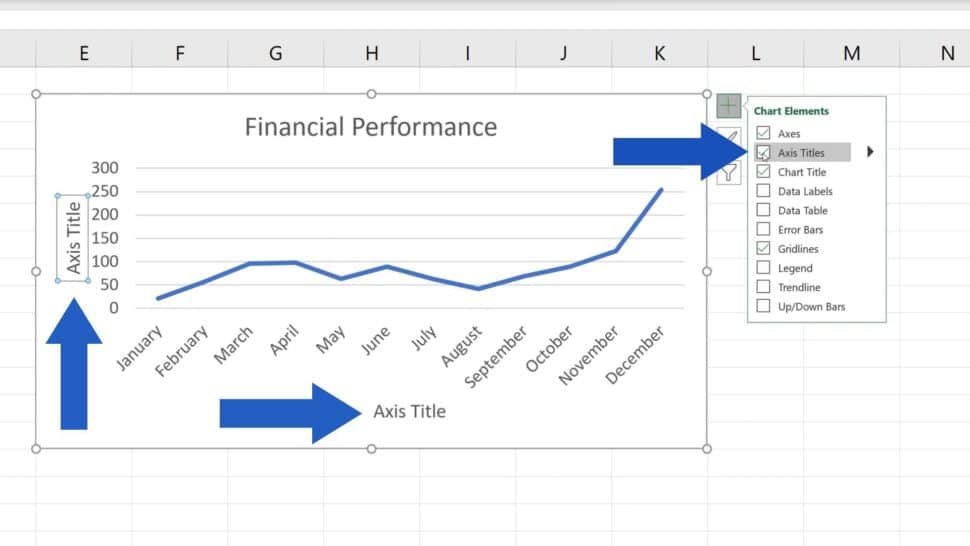
Import and analyze data Charts Change axis labels in a chart Change axis labels in a chart Excel for Microsoft 365 Word for Microsoft 365 Outlook for Microsoft 365 More In a chart you create axis labels are shown below the horizontal category or X axis next to the vertical value or Y axis and next to the depth axis in a 3 D chart

Click on the black row of the add chart element button to open the dialog menu Select axis titles Select primary vertical to make the title appear in the graph Modify the title as needed

Step by Step Guide How to Add Axis Titles in Excel on Mac Axis titles are essential to provide context and explanation for the data presented in charts in Excel Here is an easy to follow guide that will help Mac users add
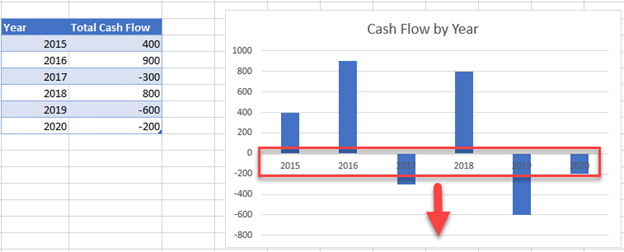
Adding Axis Titles When creating a chart in Excel for Mac it s important to label the axes to provide context for the data being presented Here s how you can add axis titles to your chart A Click on the Chart Elements button next
Adding axis titles in Excel on Mac is straightforward Here s a step by step guide with visuals to help you navigate the process seamlessly Step 1 Choose the chart to which you wish to add the axis title Step 2 Navigate to the Chart Design tab Step 3 In the Chart Elements menu select Axis Titles and then select an axis title How to add label to axis in excel chart on mac July 20 2022 4 6K Views 2 There are several options for customising an Excel chart You may add and alter vertical or horizontal axis names to ensure that your chart is understandable to anybody seeing it
How to add axis labels in Excel mac Simply begin you need to click on the chart then click the plus sign that is located on the top right side of the chart After then make sure the checkbox next to Axis Titles is selected