Add Strings In Excel Formula Get First Text Value With XLOOKUP Excel Formula How To Extract Numbers From Text Strings In Excel Tech Guide Solved How To Add Sequencial Number In Equal Strings In EXCEL For Excel CONCATENATE Function To Combine Strings Cells Columns 2022 Excel CONCATENATE Function To Combine Strings Cells Columns 2022 WEB Mar 10 2023 nbsp 0183 32 See how to quickly add the same text or character to all cells in Excel to beginning to end before after a specific character at a certain position and to a formula
WEB Use CONCATENATE CONCAT TEXTJOIN or the amp operator in Excel to concatenate join two or more text strings WEB May 1 2024 nbsp 0183 32 The easiest way to add text to an Excel formula or any cell is to use the CONCATENATE function It has different variations that you can use but all serve the same purpose You can use the ampersand symbol amp to join two text strings in
Excel CONCATENATE Function To Combine Strings Cells Columns 2022 Excel CONCATENATE Function To Combine Strings Cells Columns List Of How To Add String To A Column In Excel 2022 Fresh News Excel Empty String Exceljet How To Add Strings In C How To Extract Strings In Excel In A Specified Format Using String Add Two String Using Two Ways Concat Method And Using In Java How To Extract Strings In Excel In A Specified Format Using String Excel If Then Formula With Text Dashorizon
Add Strings In Excel Formula
 Add Strings In Excel Formula
https://excelkid.com/wp-content/uploads/2022/07/handling-empty-strings.png
WEB Nov 8 2016 nbsp 0183 32 This function allows you to combine text from different cells into one cell For example we have a worksheet containing names and contact information We want to combine the Last Name and First Name columns in each row into the Full Name column
Templates are pre-designed documents or files that can be used for numerous functions. They can save effort and time by offering a ready-made format and layout for creating different kinds of material. Templates can be utilized for personal or professional tasks, such as resumes, invites, leaflets, newsletters, reports, discussions, and more.
Add Strings In Excel Formula
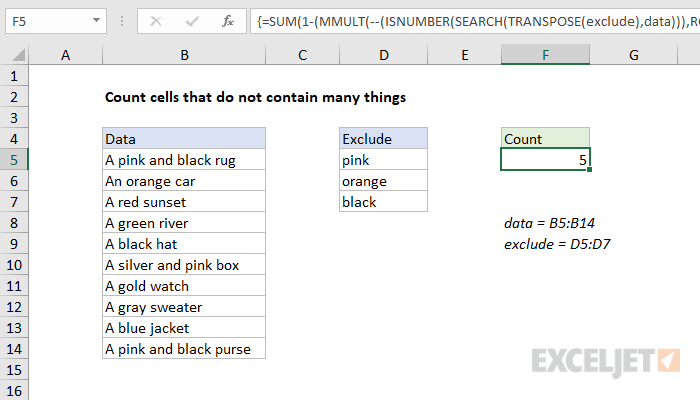
Count Cells That Do Not Contain Many Strings Excel Formula Exceljet
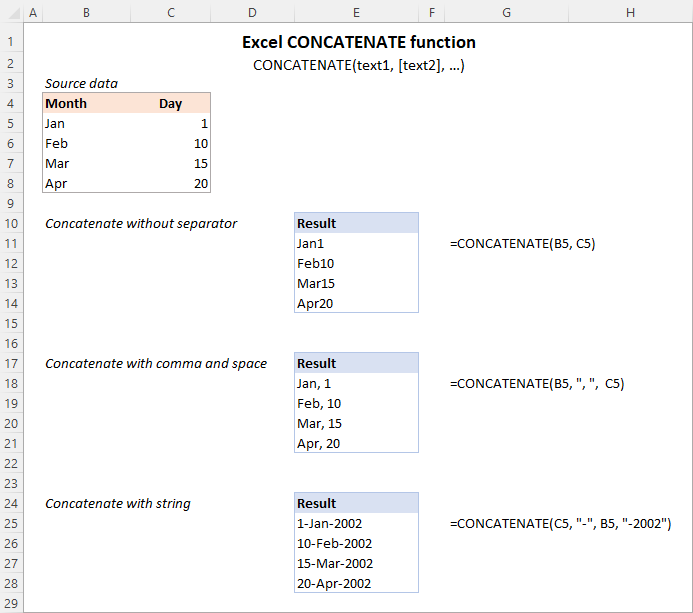
Excel CONCATENATE Function To Combine Strings Cells Columns

List Of How To Add String To A Column In Excel 2022 Fresh News
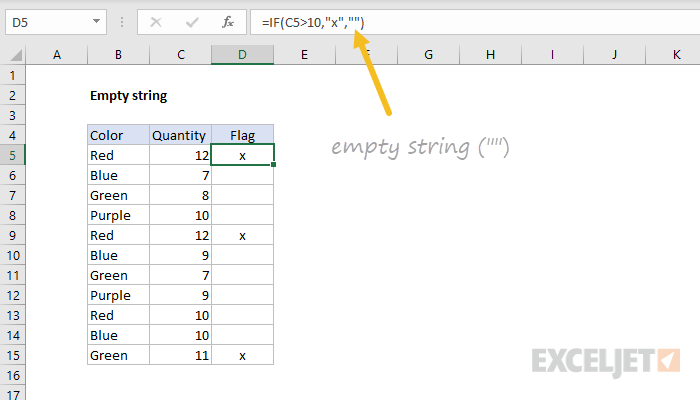
Excel Empty String Exceljet

How To Extract Strings In Excel In A Specified Format Using String
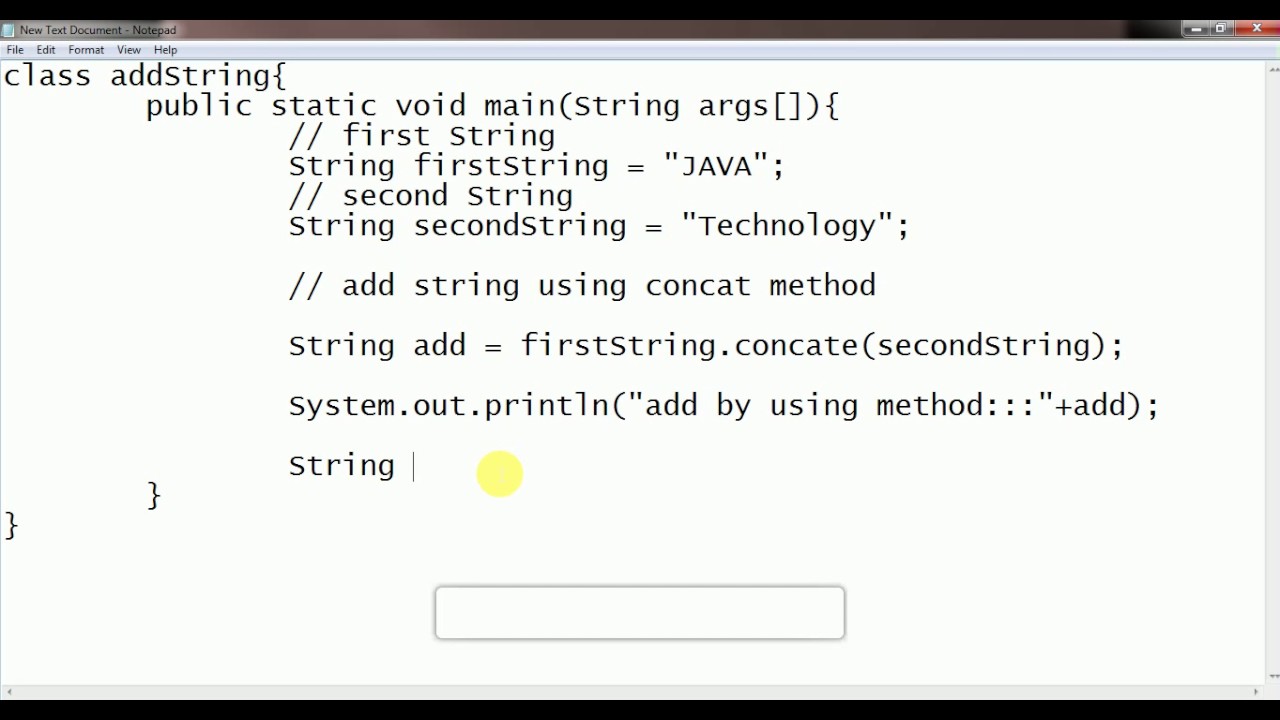
Add Two String Using Two Ways Concat Method And Using In Java

WEB Mar 21 2023 nbsp 0183 32 The tutorial demonstrates how to concatenate text strings numbers and dates in Excel in the desired format Learn how to combine cells ranges and columns using the CONCATENATE function and quot amp quot operator

WEB Learn how to concatenate text strings in Excel using the CONCATENATE function Our step by step guide makes it easy to join two or more text strings into one

WEB In Excel formulas concatenation is the process of joining one value to another to form a text string The values being joined can be hardcoded text cell references or results from other formulas
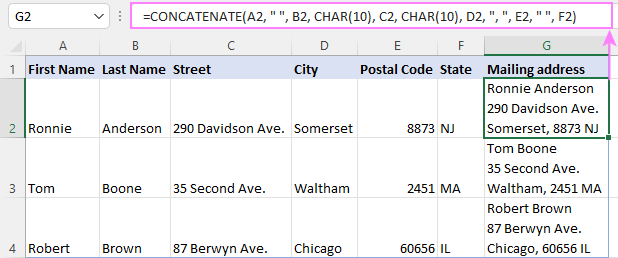
WEB Feb 5 2023 nbsp 0183 32 Do you want to add some text to the beginning middle or end of the existing text in your cells Microsoft Excel has you covered You can use a formula or function to append text to your cells including finding a specific character and adding your text before or after it Here s how
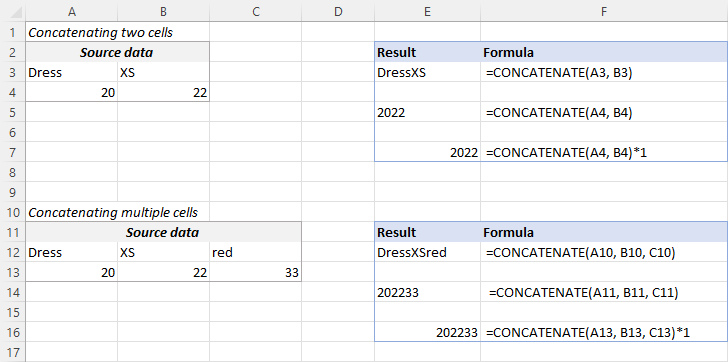
WEB Mar 10 2023 nbsp 0183 32 The CONCAT function in Excel is used to combine strings from multiple cells or ranges into a single cell It is categorized under Text functions and is available in Excel for Microsoft 365 Excel 2021 Excel 2019 and Excel for the web The syntax is as simple as this CONCAT text1 text2
WEB To include text in your functions and formulas surround the text with double quotes quot quot The quotes tell Excel it s dealing with text and by text we mean any character including WEB Jun 28 2024 nbsp 0183 32 How to add text after a formula in Excel is a handy trick for anyone looking to streamline their spreadsheets By combining text with a formula you can create more informative cells that are easier to read and understand This can be done using the quot amp quot operator or the CONCATENATE function
WEB Nov 29 2017 nbsp 0183 32 The ultimate guide to using Text Formulas in Excel such as SUBSTITUTE LEN TRIM CONCAT CHAR LEFT RIGHT MID FIND SEARCH and more