Add Remote Url Git How To Change Git Remote URL Git Will Remote URL For Fetch And Push Be Different Stack Overflow Jan David Narkiewicz Developer Git Adding Remote Origin To A Local Learn How To Use Local And Remote Repositories In Git YouTube Tv Remote Remote Control Ui Animation App Ui Motion Design User Web Oct 29 2019 nbsp 0183 32 To add a new remote navigate to the directory your repository is stored at and use the git remote add command followed by the remote name and the remote URL git remote add lt remote name gt lt remote url gt For example to add a new remote named staging pointing to the git gitserver user repo name git URL you would type
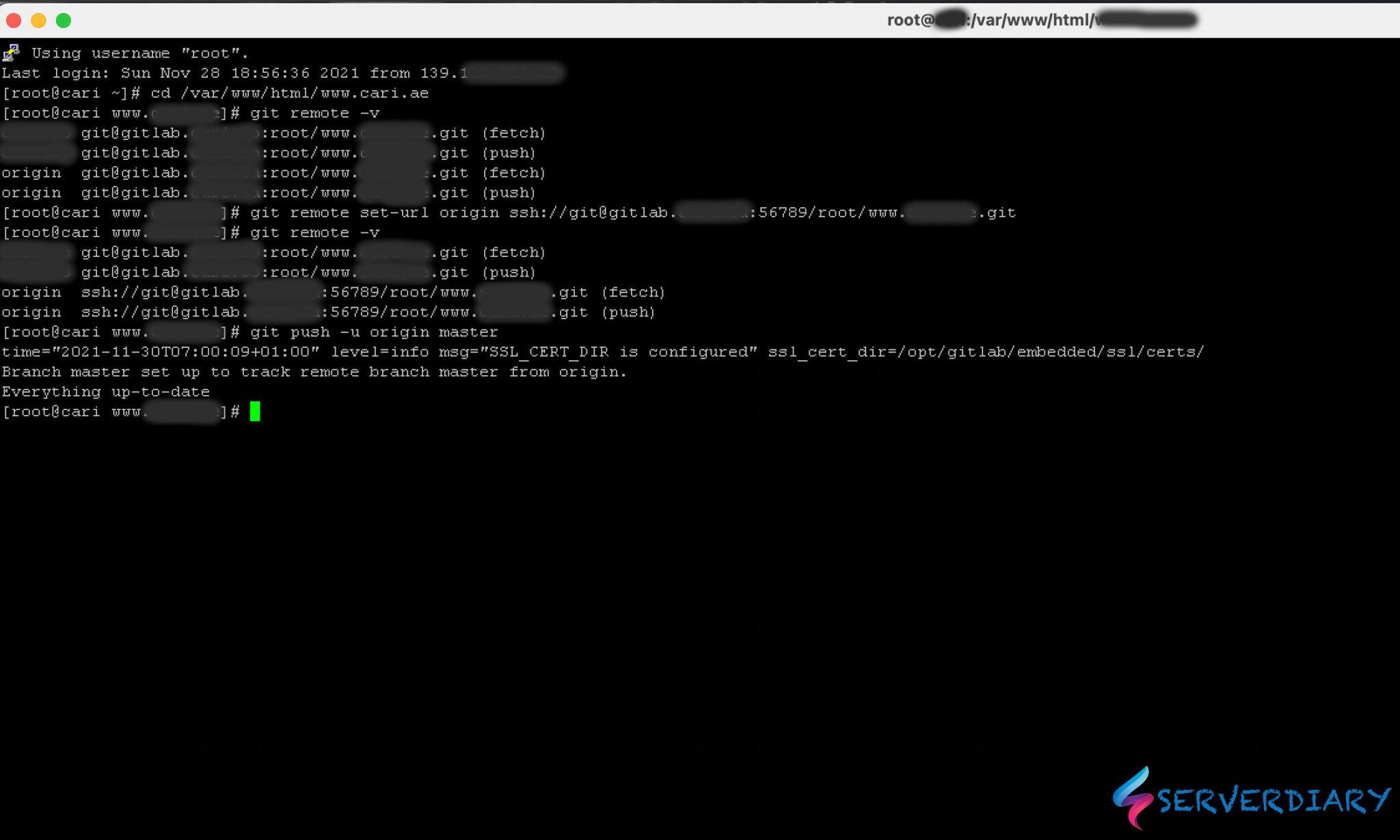
Web Checking connectivity done cd ticgit git remote origin You can also specify v which shows you the URLs that Git has stored for the shortname to be used when reading and writing to that remote git remote v origin https github schacon ticgit fetch origin https github schacon ticgit push Web The git remote add command takes two arguments A unique remote name for example my awesome new remote repo A remote URL which you can find on the Source sub tab of your Git repo For example set a new remote git remote add my awesome new remote repo
Tv Remote Remote Control Ui Animation App Ui Motion Design User Getting Changes From A Remote Repository GitHub Docs Git Remote Add Or Set Url On Custom SSH Port SERVERDIARY What Is Git ORIGIN The Git Remote Add Command How To Change delete remove An Existing Remote URL In Git By Atul Version Control With Git Remotes In Bitbucket 1 git URL https ssh Inno Tech Life Git Remote How To Exit Git Log Or Git Diff TrendRadars
Add Remote Url Git
 Add Remote Url Git
https://vegastack.com/tutorials/content/images/size/w960/2022/01/How-to-Change-Git-Remote-URL.png
Web Dec 16 2020 nbsp 0183 32 Git remote makes it easy for developers to collaborate In this post you will learn how to set up remotes for your local Git repo in three steps We will start by adding Git to a new or existing project and conclude by sharing the project to a Git hosting service like Bitbucket and GitHub
Templates are pre-designed documents or files that can be used for different purposes. They can save effort and time by offering a ready-made format and layout for producing various type of material. Templates can be used for personal or expert projects, such as resumes, invitations, leaflets, newsletters, reports, presentations, and more.
Add Remote Url Git
Git Change Remote URL In Local Repository TecAdmin
Getting Changes From A Remote Repository GitHub Docs
Git Remote Add Or Set Url On Custom SSH Port SERVERDIARY
What Is Git ORIGIN The Git Remote Add Command
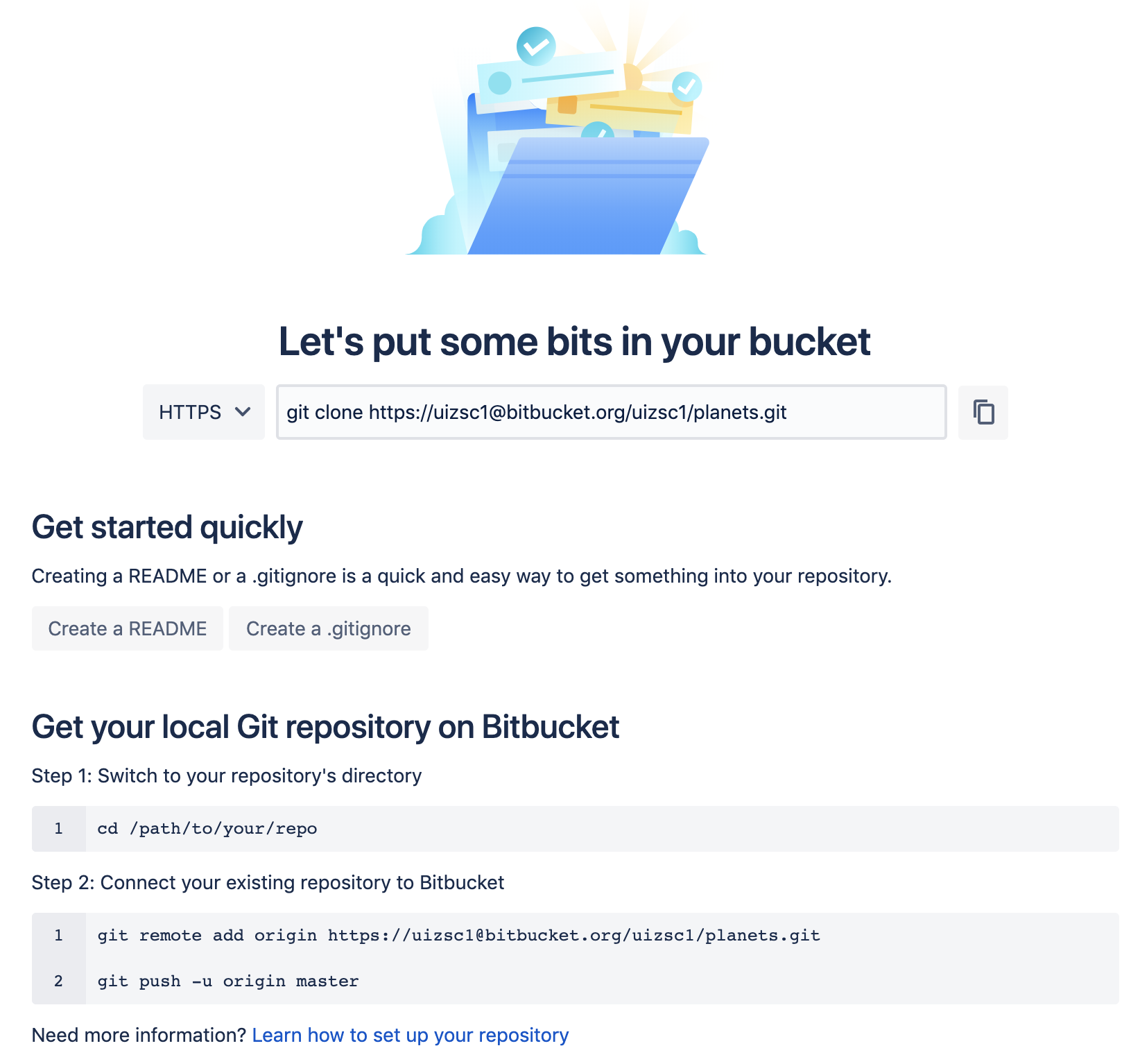
Version Control With Git Remotes In Bitbucket

1 git URL https ssh Inno Tech Life
Web 1 git remote add This command is used to add a new remote you can use this command on the terminal in the directory of your repository The git remote add command takes two arguments A remote name for example origin A remote URL for example https github user repo git

Web Let s go git remote add origin https github gittower example git You can easily check if the command has worked git remote v origin https gittower github gittower example git fetch origin https gittower github gittower example git push Voila looks good Tip Adding a
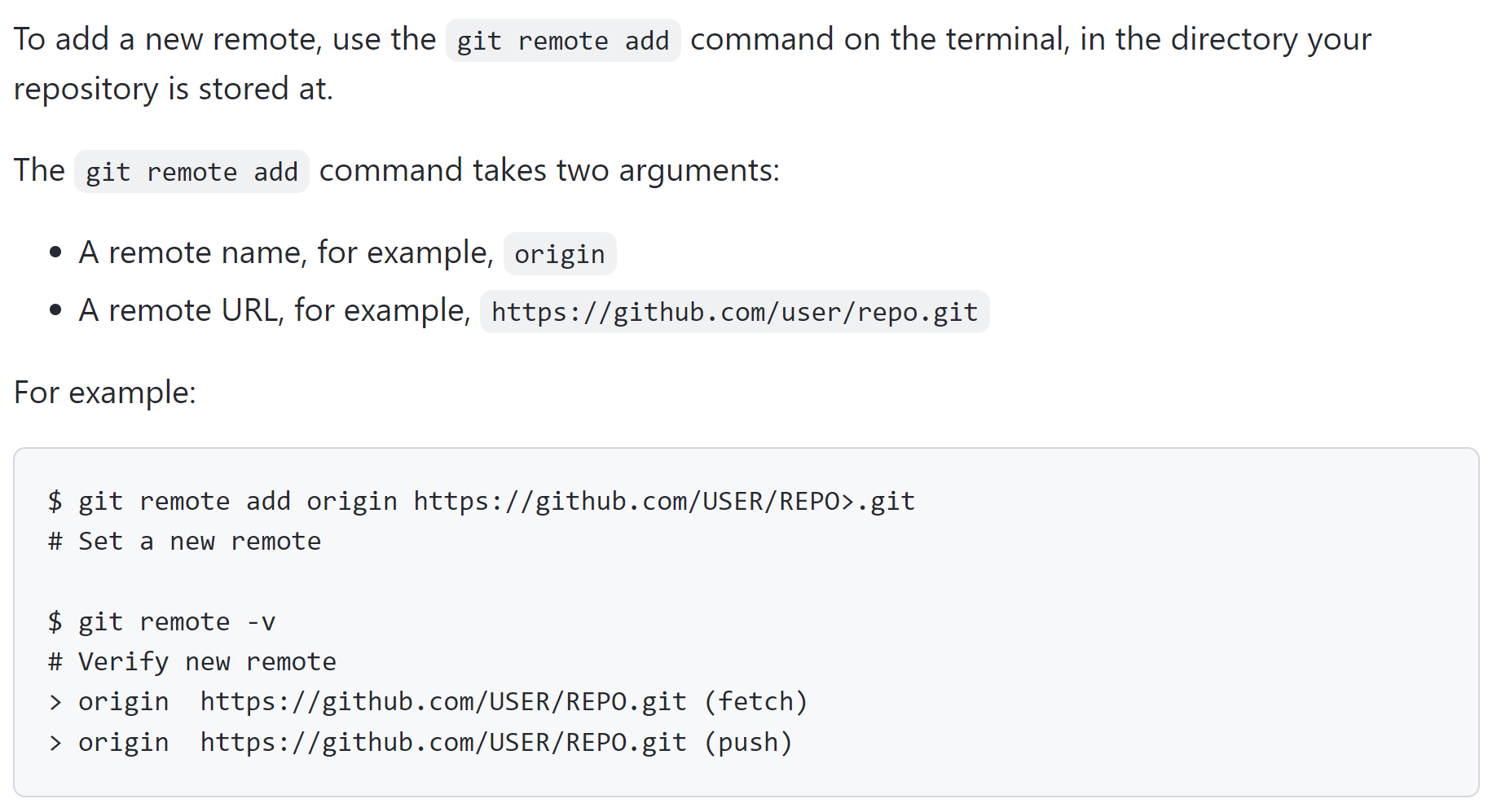
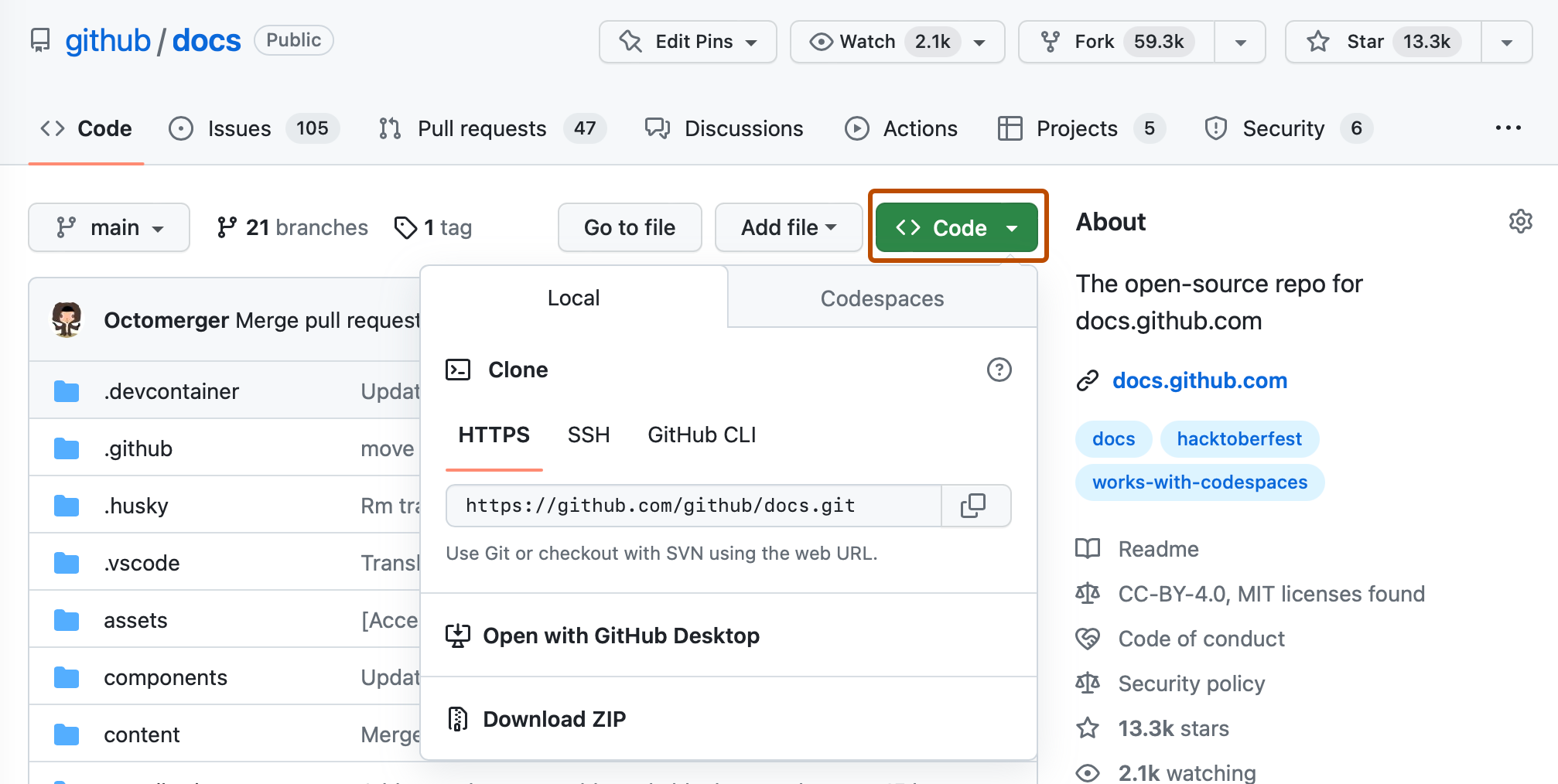
Web The git remote add command takes two arguments A remote name for example origin A remote URL for example https github OWNER REPOSITORY git For example git remote add origin https github OWNER REPOSITORY git Set a new remote
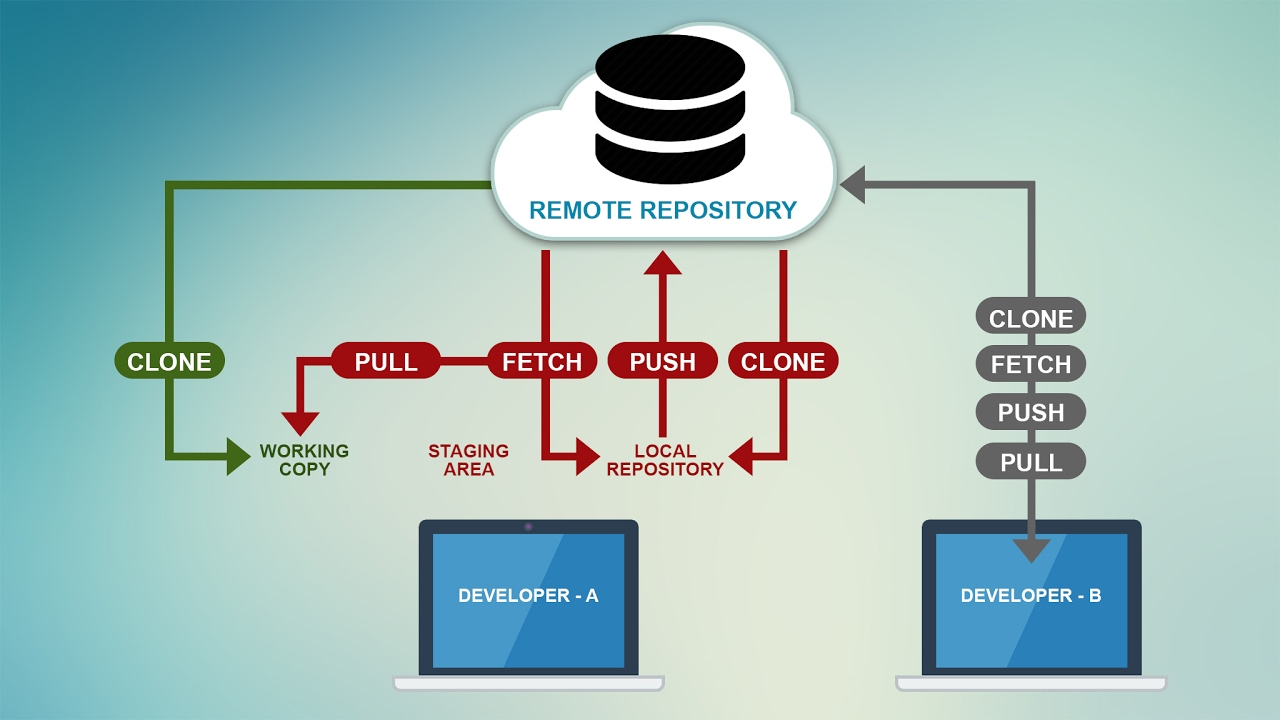
Web COMMANDS With no arguments shows a list of existing remotes Several subcommands are available to perform operations on the remotes add Add a remote named lt name gt for the repository at lt URL gt The command git fetch lt name gt can then be used to create and update remote tracking branches lt name gt lt branch gt

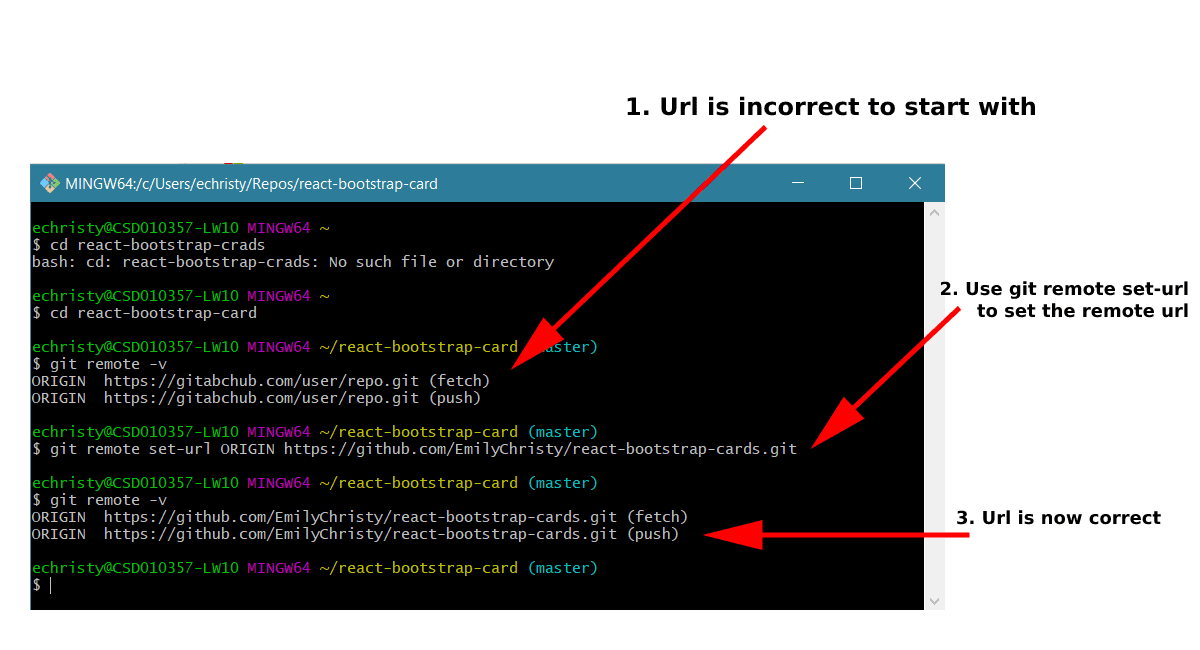
Web You can use the git remote add command to match a remote URL with a name For example you d type the following in the command line git remote add origin lt REMOTE URL gt This associates the name origin with the REMOTE URL You can use the command git remote set url to change a remote s URL Choosing a URL for your
[desc-11] [desc-12]
[desc-13]