Add Remote Git Repository To Local Set Up Git Repository Locally Contributor Guide Microsoft Learn How To Push Local Git Repository To Github YouTube Git Add Remote Repo Jordhow Steps To Initialize A Git Repository And Push The Changes To GitHub Cultural Analytics Open Science Guide 6 Create A GitHub Account The command you ll want to use is git remote add and is generally used in the following way git remote add remote name remote location The remote name is helpful for being able to reference this repository without having to type out the entire location
Step 1 Initializing Git in Your Project We will need a local Git repo to which we will be adding the new remote If you already have a local Git repo and just want to learn how to add a new remote to it you can skip this step and jump to step 2 Otherwise follow the instructions below to get started Newly created by creating a folder running the command git init in short creating a local git repo from the top I have here a local git repository newly created with 2 branches Now these branches are just dummy ones which I created nothing much important to it git branch repo2 branch1 repo2 branch2
Cultural Analytics Open Science Guide 6 Create A GitHub Account Git GIT 1 CodingBucks Dev Blog Working With Both A Local And Remote Repository As A Single User A Git Remote Code Along Learn co What Is Git Commit Push Pull Log Aliases Fetch Config Clone In Git Commands Cloud Studio What Is Git Push Command All You Need To Know Overview Vrogue Syncing With GitHub Introduction To Git And GitHub
Add Remote Git Repository To Local
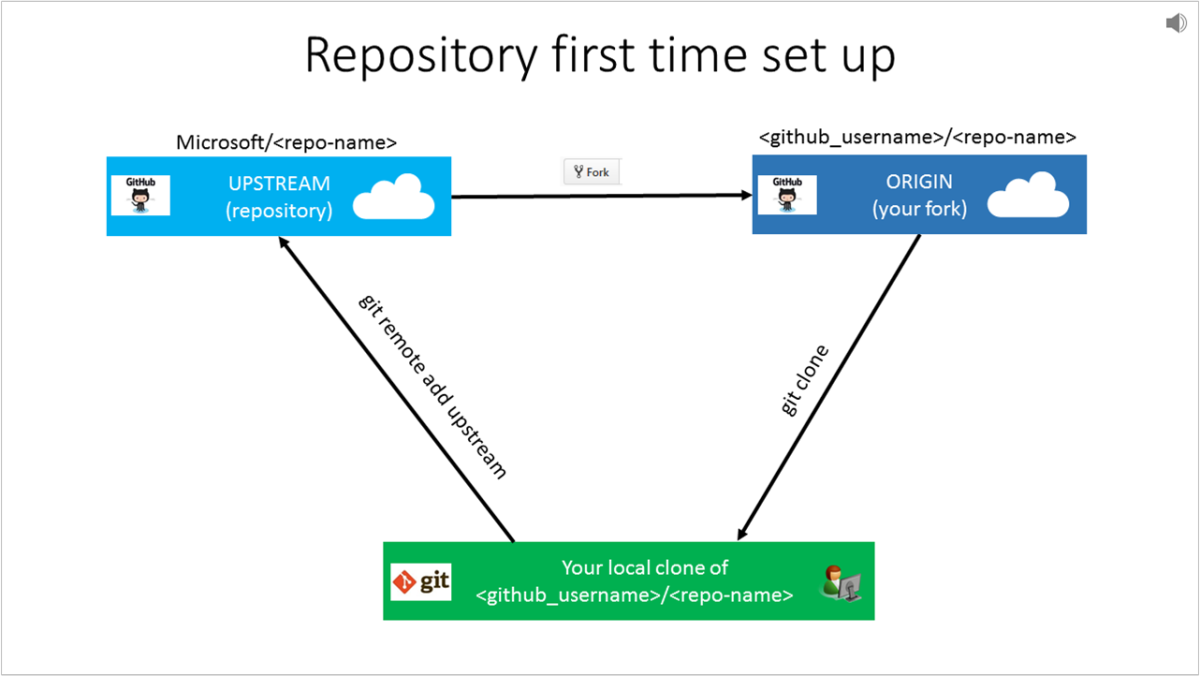 Add Remote Git Repository To Local
https://learn.microsoft.com/en-us/contribute/media/git-and-github-initial-setup.png
To add a new remote use the git remote add command on the terminal in the directory your repository is stored at The git remote add command takes two arguments A unique remote name for example my awesome new remote repo A remote URL which you can find on the Source sub tab of your Git repo For example set a new remote
Pre-crafted templates provide a time-saving option for creating a varied variety of files and files. These pre-designed formats and layouts can be used for numerous personal and professional projects, consisting of resumes, invites, flyers, newsletters, reports, discussions, and more, enhancing the content development process.
Add Remote Git Repository To Local
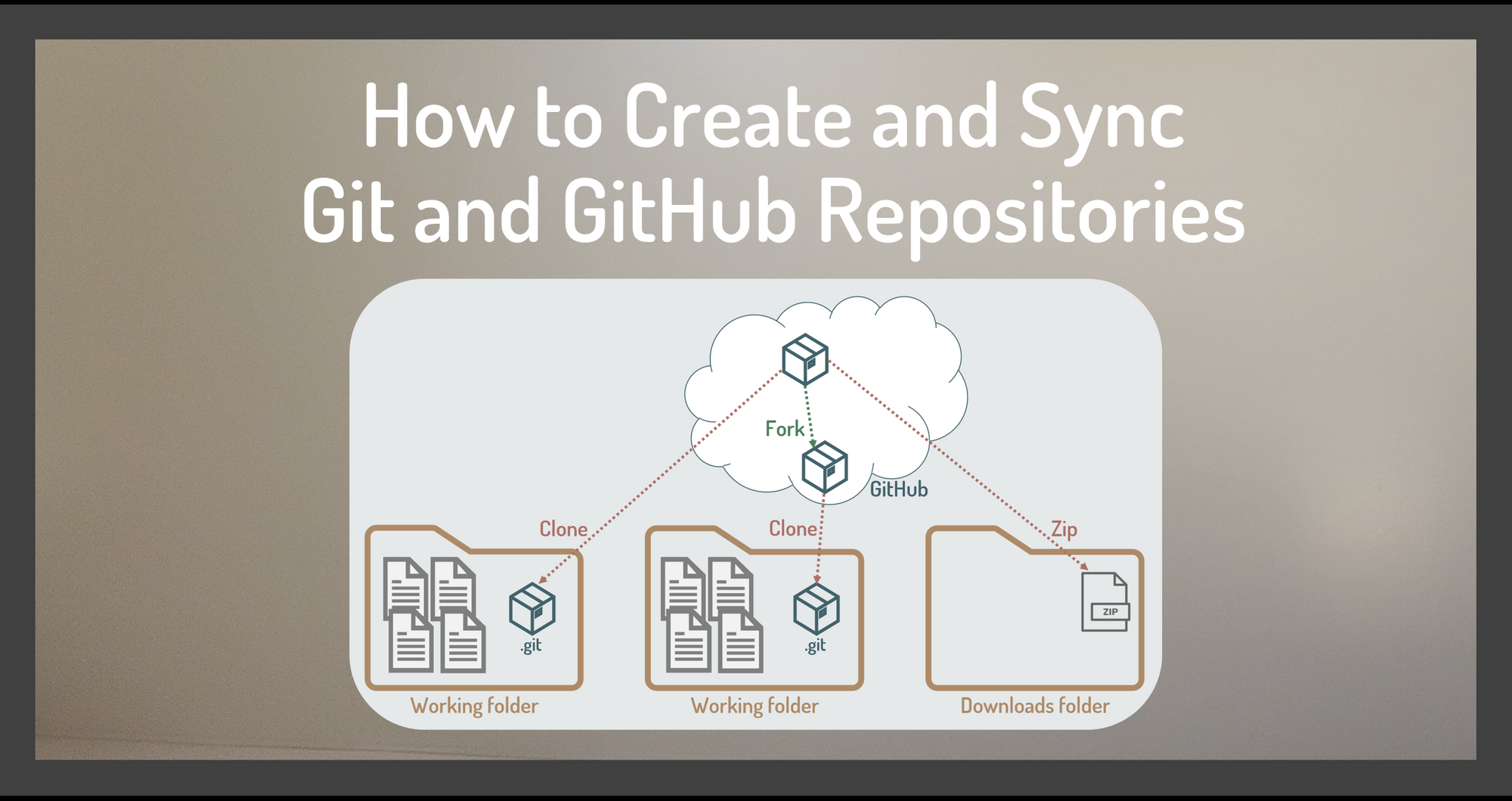
How To Create And Sync Git And GitHub Repositories

Git
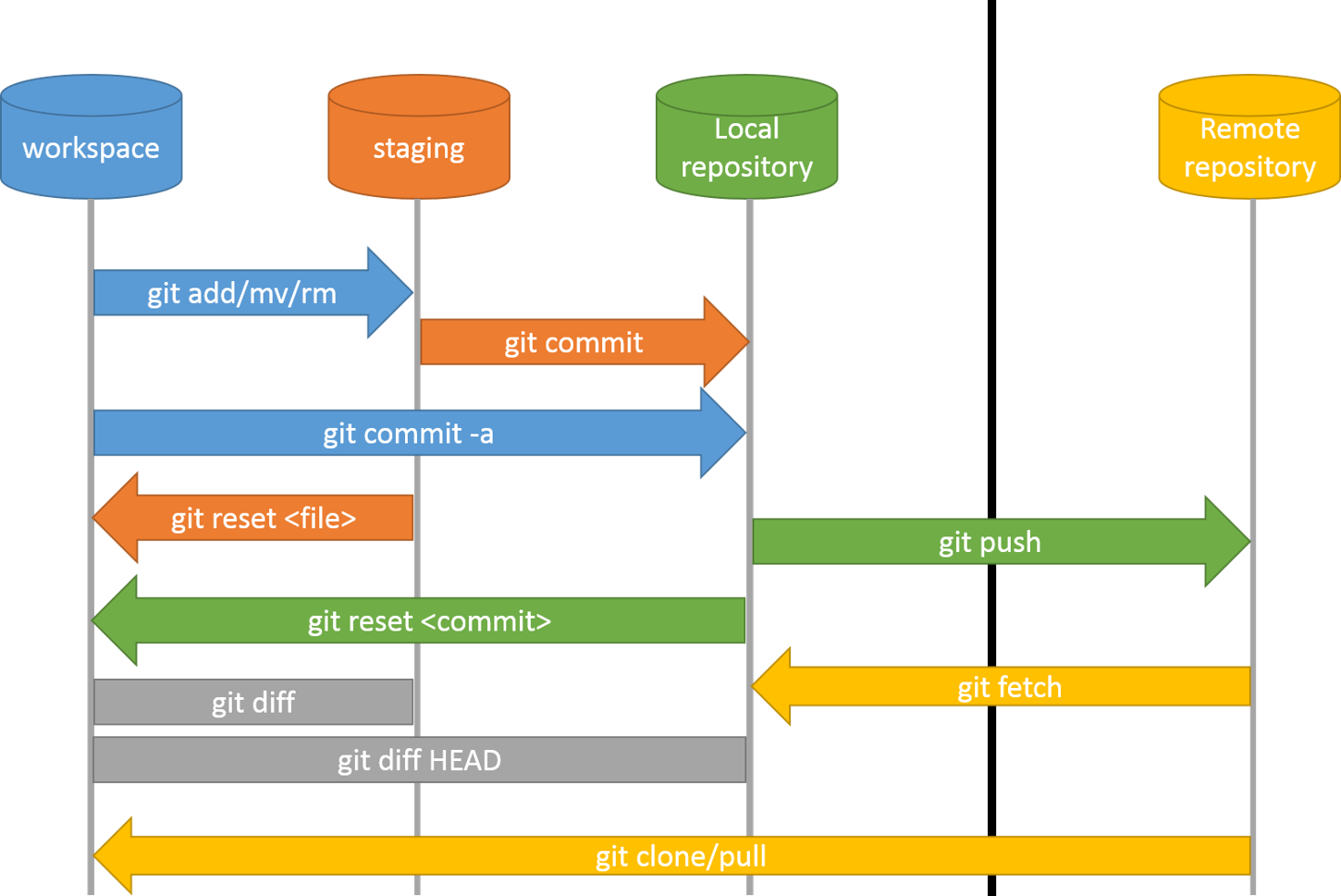
GIT 1 CodingBucks Dev Blog

Working With Both A Local And Remote Repository As A Single User A

What Is Git Commit Push Pull Log Aliases Fetch Config Clone In
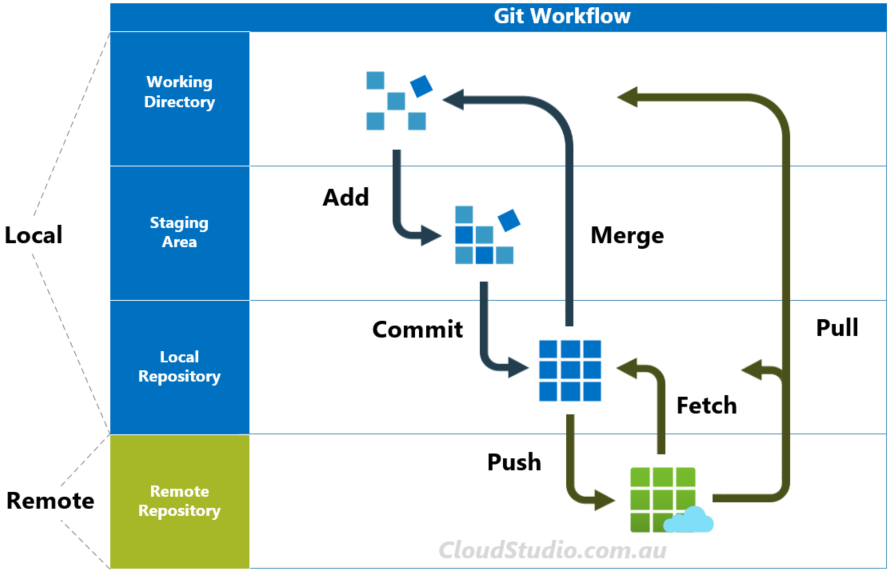
Git Commands Cloud Studio
4 Answers Sorted by 224 Use git remote add origin remote repo URL git push all origin If you want to set all of your branches to automatically use this remote repository when you use git pull add set upstream to the push git push all set upstream origin Share Improve this answer Follow edited Mar 7 2022 at 20 36 Peter Mortensen
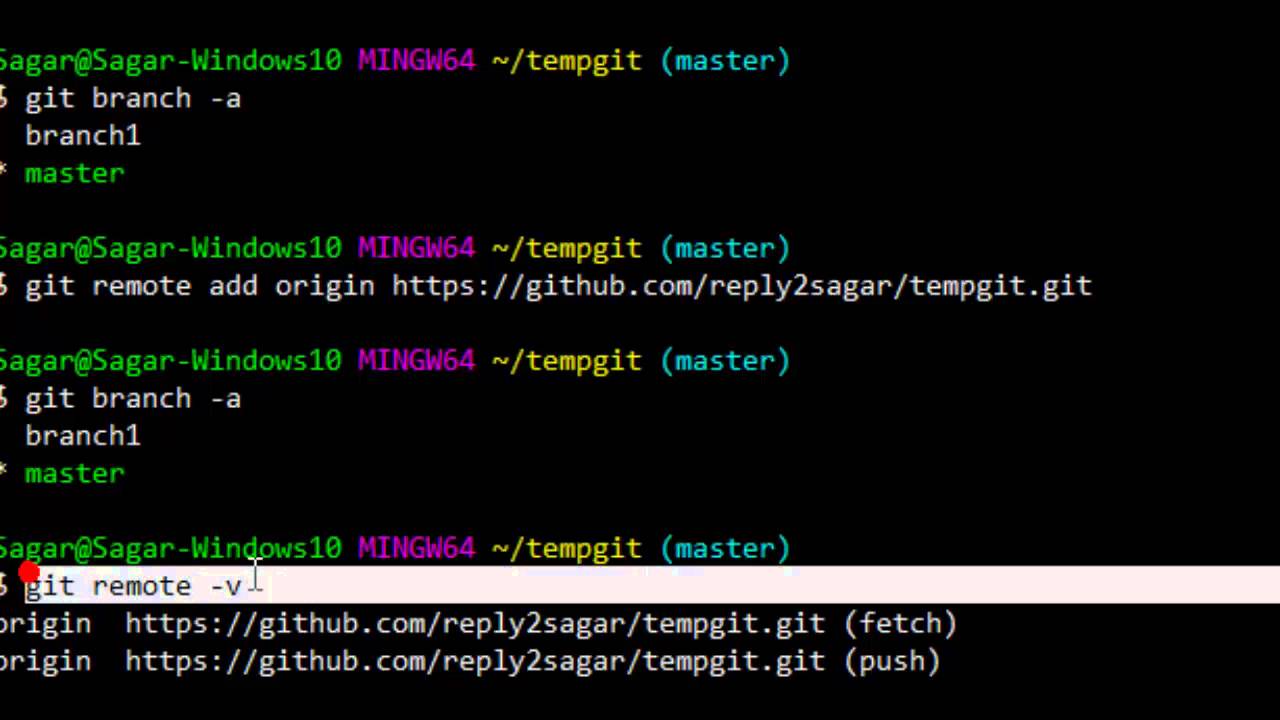
Adding Remote Repositories We ve mentioned and given some demonstrations of how the git clone command implicitly adds the origin remote for you Here s how to add a new remote explicitly To add a new remote Git repository as a shortname you can reference easily run git remote add shortname url

How to Add a Remote in Git Cloning a repository from a remote server downloads the project to your local computer and leaves you with a local Git repository This local Git repository will already have a connection to the original remote set up automatically This is what the origin remote connection points to

Windows Adding a remote repository To add a new remote use the git remote add command on the terminal in the directory your repository is stored at The git remote add command takes two arguments A remote name for example origin A remote URL for example https github OWNER REPOSITORY git For example

To add a new remote navigate to the directory your repository is stored at and use the git remote add command followed by the remote name and the remote URL git remote add remote name remote url For example to add a new remote named staging pointing to the git gitserver user repo name git URL you would type
At the top of your GitHub repository s Quick Setup page click to copy the remote repository URL In the Command prompt add the URL for the remote repository where your local repository will be pushed git remote add origin remote repository URL Sets the new remote git remote v Verifies the new remote URL 3 Answers Sorted by 2 Easier would be git clone url remote repo git work tree path to source add git commit m update repo with local source git push The trick is using the git work tree path option in order to add files which are not in the current local repo worktree Share Improve this answer Follow answered Nov 29 2016 at 19 05
Step 1 Browsing to the right path Create a new folder in your Windows file explorer We will assume that the address to this folder is C Projects Git where you will create your Git projects Open Git bash and type in the following command to browse to the folder created 1