Add Iis Features Windows Server 2019 How To Install IIS In Windows Server 2019 RootUsers Install Iis On Windows Server 2019 X 10 Www vrogue co Step By Step Procedure To Configure IIS On The Windows Server The Sec What S New For Docker On Windows Server 2019 Vrogue How To Auto Start And Keep An ASP NET Core Web Application Running On WEB Aug 29 2019 nbsp 0183 32 Click Add Features button and then Click Next button 8 Click Next button 9 Click Next button 10 This is the section to select Web Server features Select them your d like to add On this example keep default and proceed next It s possible to add these features after installing IIS of course 11 Click Install button 12
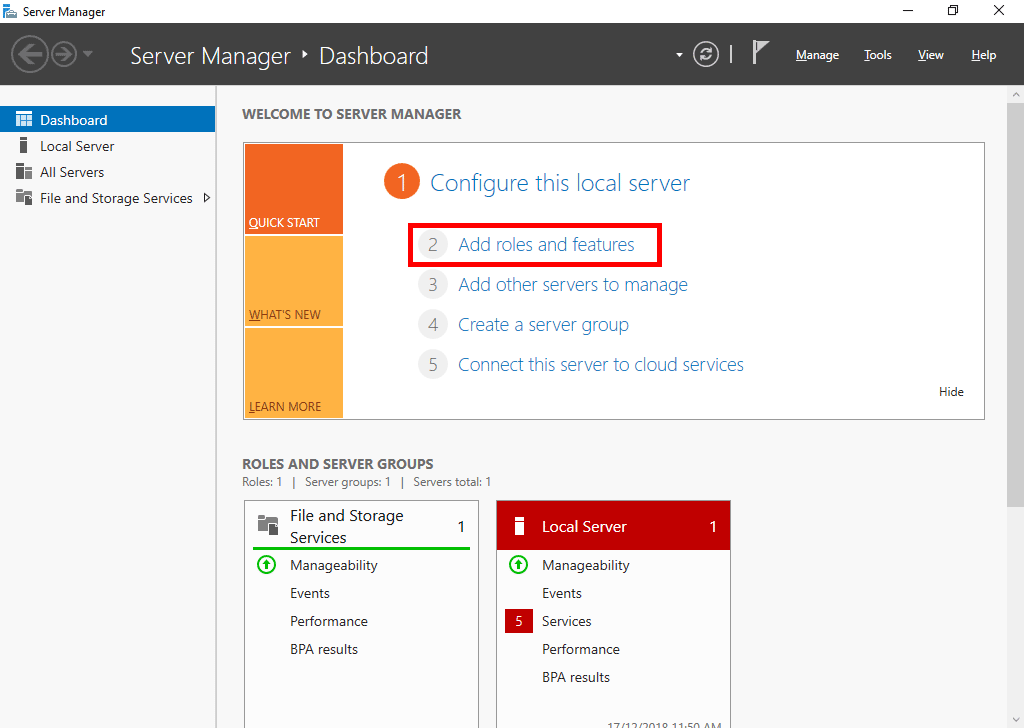
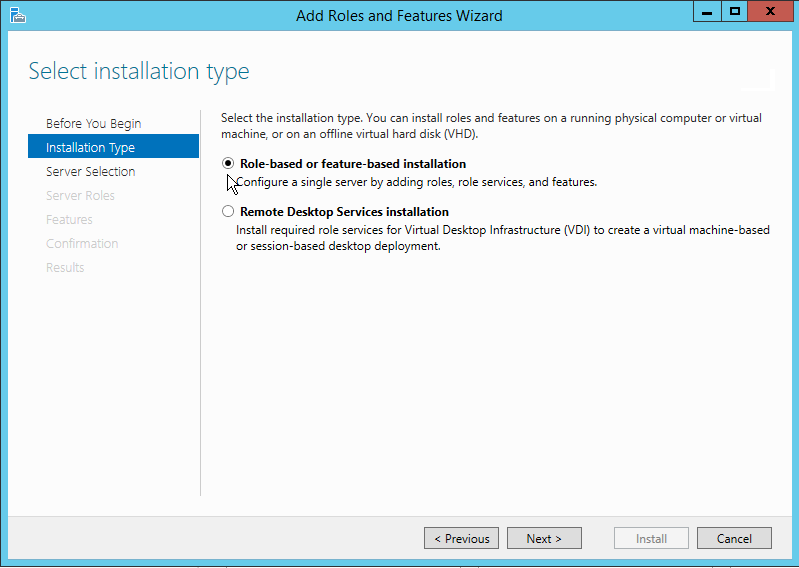
WEB Apr 7 2023 nbsp 0183 32 We will start this post with what IIS is its important pros and cons its installation important roles and features and finally a step by step procedure to configure IIS on the WEB May 9 2022 nbsp 0183 32 How To Set up IIS on Windows Server 2019 To install IIS on your Windows server 2019 follow the steps below 1 From your start menu type server manager and open it 2 In your server manager dashboard click on the Add roles and features 3 Click next to continue on the Before you begin window
How To Auto Start And Keep An ASP NET Core Web Application Running On How To Install Iis On Windows Server 2008 R2 Atlanticnet Windows Server 2019 RDS 10 User CALs Lizenzguru Installing Iis 8 X On Windows Server Www vrogue co Installing Roles And Features On Windows Server UKFast Documentation Windows Server 2019 Device CAL Volume Licencija Naudota Lic IToutlet Windows Server 2019 Datacenter 16 Core 1 Device Perpetual License 1 Install And Configure WDS In Windows Server 2019 Microsoft Windows Server 2019 Standard 16 Core 2 VM 2 CAL DVD OEM
Add Iis Features Windows Server 2019
 Add Iis Features Windows Server 2019
https://www.rootusers.com/wp-content/uploads/2018/12/windows-server-2019-server-manager.png
WEB Oct 23 2020 nbsp 0183 32 Step 1 Click on Add Roles and Features from the Server Manager Once you logged in to your Windows Server 2019 the Server Manager will pop up by default Optionally you can click the Start button and search for Server Manager Once open click on Add Roles and Features Step 2 Select the Installation Type
Pre-crafted templates offer a time-saving service for producing a varied series of documents and files. These pre-designed formats and designs can be utilized for numerous individual and professional projects, including resumes, invitations, flyers, newsletters, reports, discussions, and more, streamlining the material production procedure.
Add Iis Features Windows Server 2019
Windows Server 2019 Datacenter Goedkope licentie nl
How To Install Iis On Windows Server 2008 R2 Atlanticnet
Windows Server 2019 RDS 10 User CALs Lizenzguru

Installing Iis 8 X On Windows Server Www vrogue co
Windows Server 2019 Device CAL Volume Licencija Naudota Lic IToutlet
Windows Server 2019 Datacenter 16 Core 1 Device Perpetual License
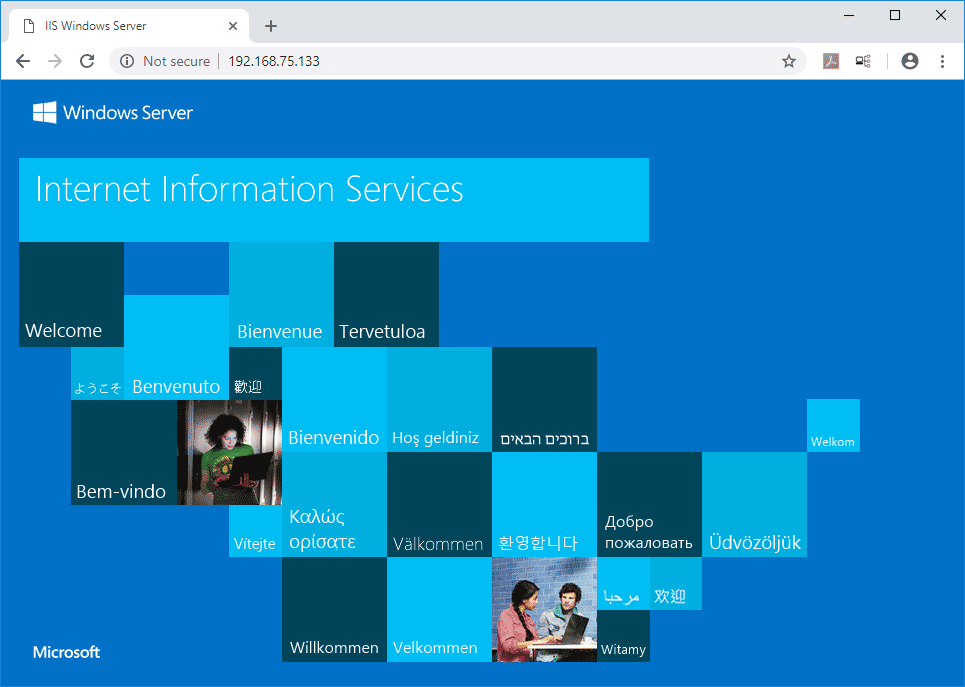
WEB Mar 3 2021 nbsp 0183 32 Add Web Server IIS Features You will receive prompt on the following Window below Click on the Add Features to add the management tools for IIS
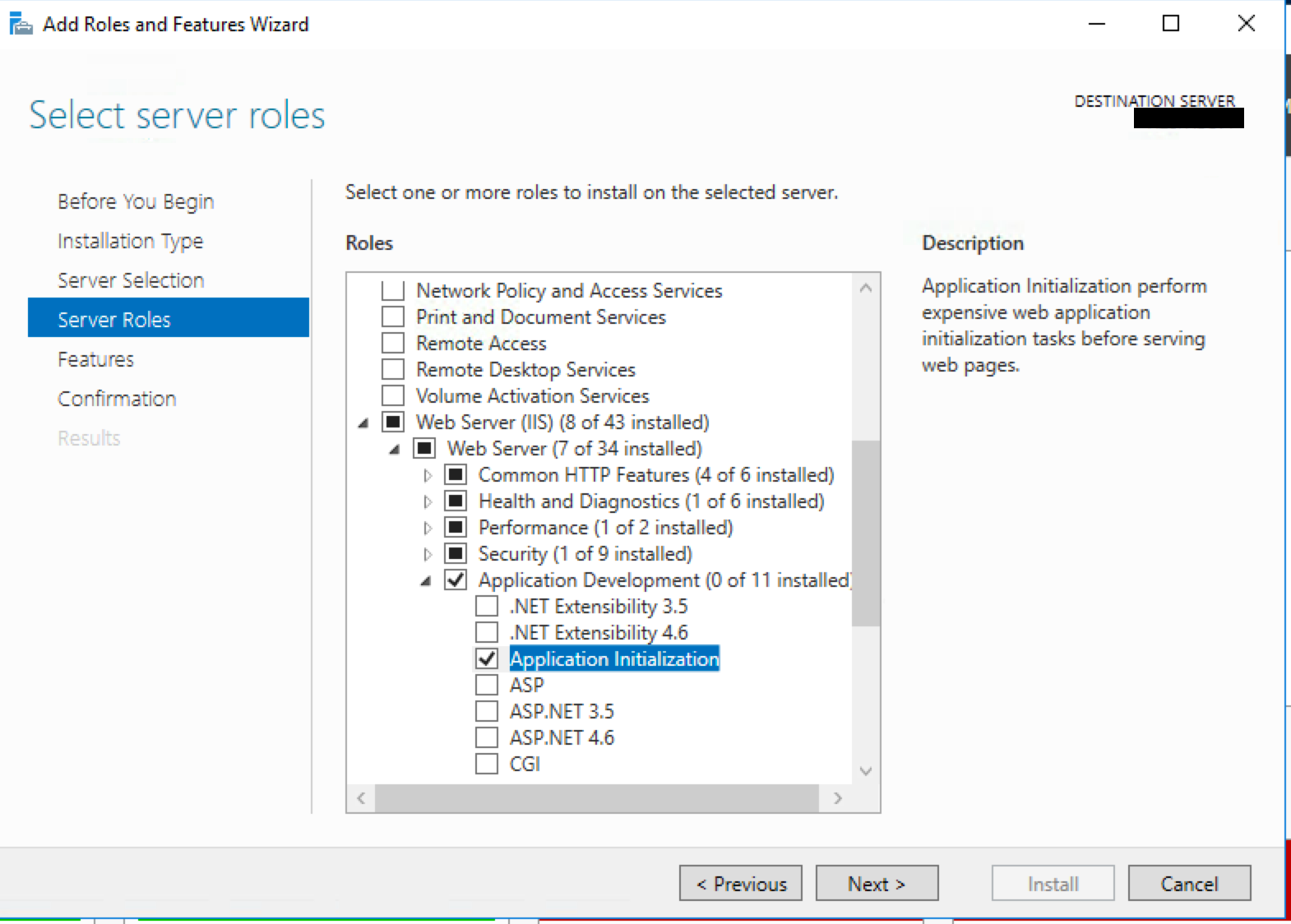
WEB Oct 16 2019 nbsp 0183 32 Step 6 Add IIS Features In the pop up window just click on Add Features then hit Next After that click Next on the next three consecutive windows as illustrated below

WEB May 24 2022 nbsp 0183 32 In Control Panel click Programs and then click Turn Windows features on or off In the Windows Features dialog box click Internet Information Services to install the default features Expand the Application Development Features node and click ASP NET 4 5 to add the features that support ASP NET

WEB In Windows Server 2019 IIS Microsoft updated its web server to version 10 0 17763 which the company also calls IIS 10 0 version 1809 to introduce several new features Microsoft added new binding flags so administrators can control both Online Certificate Status Protocol stapling and HTTP 2 on each binding
WEB Dec 23 2021 nbsp 0183 32 Open the PowerShell with admin rights and then run the Install WindowsFeature cmdlet as shown below Install WindowsFeature name Web Server IncludeManagementTools IIS Web Server start installation progress The web Server feature successfully enabled and with this its include the management tools so that we
WEB Nov 29 2021 nbsp 0183 32 Open the Server Manager Click Add roles and features Hit Next three times until you are at the following screen and search for IIS and checkbox it A pop out will appear just WEB Feb 14 2024 nbsp 0183 32 This section describes how to enable Internet Information Services IIS and the required IIS components on Windows Server 2019 To enable IIS on Windows Server 2019 Go to Start gt Server Manager The WELCOME TO SERVER MANAGER page appears Select Add roles and features
WEB Bertram Schuppe Mar 11 2022 Window Server 2019 IIS Window Server First we ll use PowerShell to install a new web server Windows Server 2019 on our computer We can launch this IIS role in the WEB01 environment