Add Event Listener To Multiple Elements With Same Class Including A Javascript Script In An EJS File Spritely Add Event Listener On Multiple Elements Vanilla JS Javascript Add Event Listener To Multiple Elements HTML How Do I Change Multiple Elements With Same Class Name Using HTML Affect Only The Clicked Element In Jquery For Multiple Elements Open the console and click any of the buttons The same event listener is added to each button using a forEach loop Button 1 Button 2
Yes it is possible to add multiple classes to one element using JavaScript You can use the classList property of the element which provides methods for We use querySelectorAll to get all the elements from my div1 and my div2 classes with the spread operator we merge two arrays of elements into one
HTML Affect Only The Clicked Element In Jquery For Multiple Elements DOM Event Listener Method In JavaScript DevsDay ru Click Vs Submit EventListeners When And Why To Use Each By Jessica M ltiples Event Listeners En JavaScript CSSLab Javascript Button Click Event Listener A Comprehensive Guide New Rxjs Event Listener To Button Archives How To JS Event Bubbling Capturing And How To Prevent Them DEV Community Event Listener In Javascript YouTube Add Event Listener To All Elements Of Class JavaScript
Add Event Listener To Multiple Elements With Same Class
 Add Event Listener To Multiple Elements With Same Class
https://spiriti.spritely.net/1661681154501.png
Add event listener to all Elements with Class using JS Use the document querySelectorAll method to select the elements by class Use the forEach method
Pre-crafted templates offer a time-saving option for developing a diverse variety of documents and files. These pre-designed formats and layouts can be used for numerous personal and expert jobs, including resumes, invites, flyers, newsletters, reports, presentations, and more, improving the material development procedure.
Add Event Listener To Multiple Elements With Same Class

JQuery Check If Multiple Elements With Same Class Exist YouTube
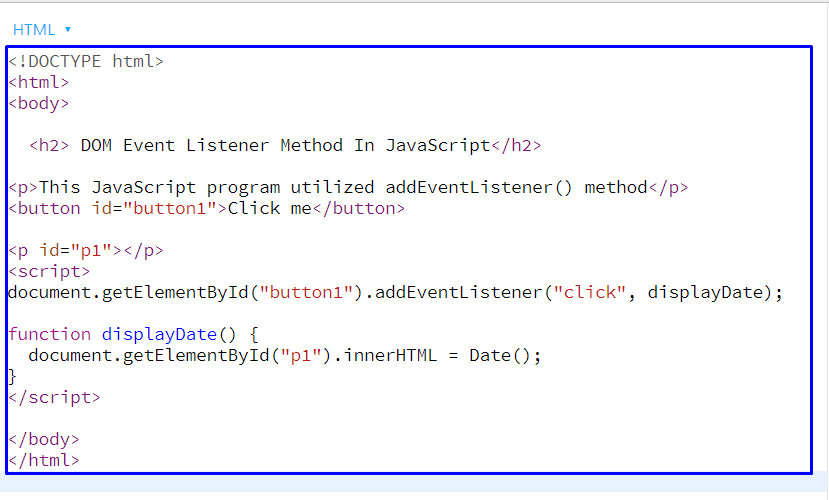
DOM Event Listener Method In JavaScript DevsDay ru

Click Vs Submit EventListeners When And Why To Use Each By Jessica
M ltiples Event Listeners En JavaScript CSSLab

Rxjs Event Listener To Button Archives How To JS
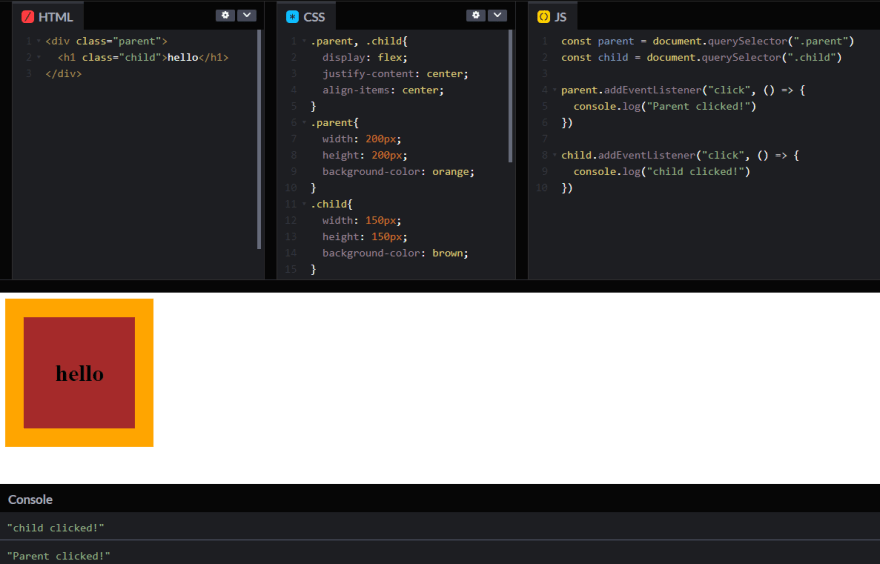
Event Bubbling Capturing And How To Prevent Them DEV Community

Use addEventListener for multiple elements with the same class By default addEventListener is made to work with just one element as seen
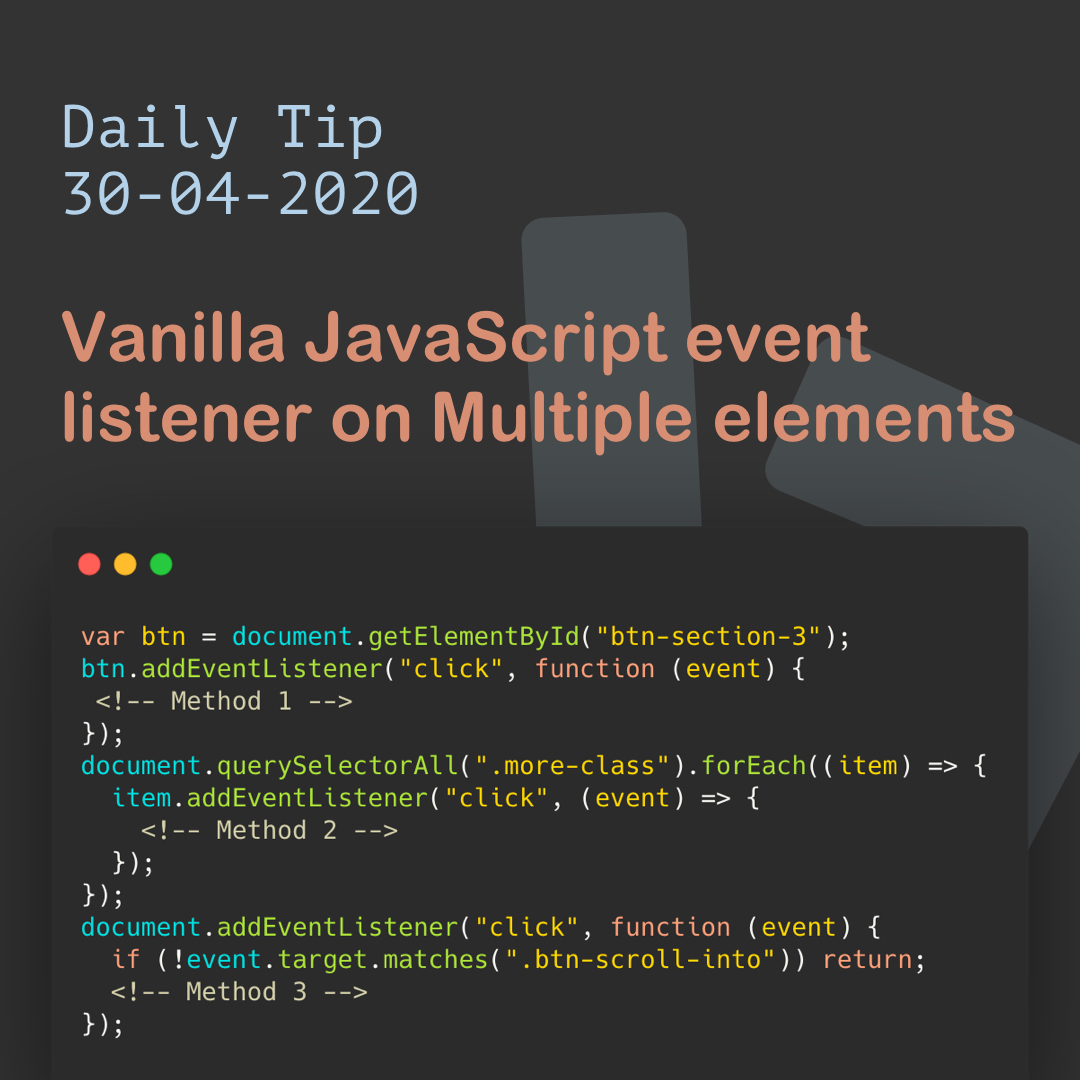
In JavaScript you add an event listener to a single element using this syntax document querySelector my element
Source Code on our Website HowToCodeSchoolIn this video we will learn how to add

By default addEventListener only adds an event to one HTML DOM element Let s look at how you can add events to multiple DOM elements

To add the event listener to the multiple elements first we need to access the multiple elements with the same class name or id using document
AddEventListener click function event If the clicked element has the click me class it s a match if event target You can do this in 2 ways One is using a loop the other is using event bubbling Using a loop The loop is the simplest one conceptually You
By default addEventListener only adds an event to one HTML DOM element Let s look at how you can add events to multiple DOM elements