Access Macro Export To Excel Without Formatting Macro Export Format PDF Paysage VBA Forum Formule Excel How To Convert PDF To Excel Without Losing Formatting A Step by Step Guide TalkHelper Macro Export Format PDF Paysage VBA Forum Formule Excel CATIA V5 MACRO EXPORT TO STP PDF TIF WITH SCRIPT OR APPLICATION YouTube Engineering Report In SCIA Engineer 15 2 To launch the Access to Excel export wizard Click the External Data tab in the Ribbon Click the Excel button in the Export group The wizard appears Exporting with or without formatting You can export table and query data to Excel with or without formatting However forms and reports cannot be exported without formatting
You can copy the VBA over to Access and use it after a few slight modifications Creating the Excel Application object and prefixing constants and top level statements with the object If you aren t super strong in Excel VBA then its a good way to clue in to all the little nuances of formatting Excel via VBA DHW Oct 25 2013 at 1 55 1 Fundamentally you are not qualifying your Excel objects being foreign inside MS Access Below lines need to be qualified by the Excel objects you initialize
Engineering Report In SCIA Engineer 15 2 Macro Export Transient FEM Results FreeCAD Documentation Contact Us Macro Export How To Convert Pdf To Excel Without Losing Formatting PDF File Store R Word PPT Excel HTML Latex Paste And Keep Text Only Shortcut In Excel paste Without Formatting YouTube MACRO Export To PDF Always Exports The First Sheet I Want 3rd English Ask LibreOffice R Word PPT Excel HTML Latex How To Convert PDF To Excel Without Losing Formatting Pdf Foxit Reader
Access Macro Export To Excel Without Formatting
 Access Macro Export To Excel Without Formatting
https://forum.formuleexcel.com/uploads/db8237/optimized/2X/c/c682903c68e66373424d88338df335358dcbe666_2_1005x750.jpeg
4 Answers Sorted by 2 this is a quick and dirty combination of Phil Wheeler s Code and my previous input for me this is working Don t forget to add Excel s Object Library in your Access Macro
Pre-crafted templates use a time-saving option for developing a diverse variety of documents and files. These pre-designed formats and designs can be used for various individual and expert tasks, consisting of resumes, invitations, leaflets, newsletters, reports, discussions, and more, simplifying the material production process.
Access Macro Export To Excel Without Formatting

Fortune Salaire Mensuel De Pandas Export To Excel Without Index Combien Gagne T Il D Argent 2

Macro Export Transient FEM Results FreeCAD Documentation

Contact Us Macro Export
How To Convert Pdf To Excel Without Losing Formatting PDF File Store
Paste And Keep Text Only Shortcut In Excel paste Without Formatting YouTube
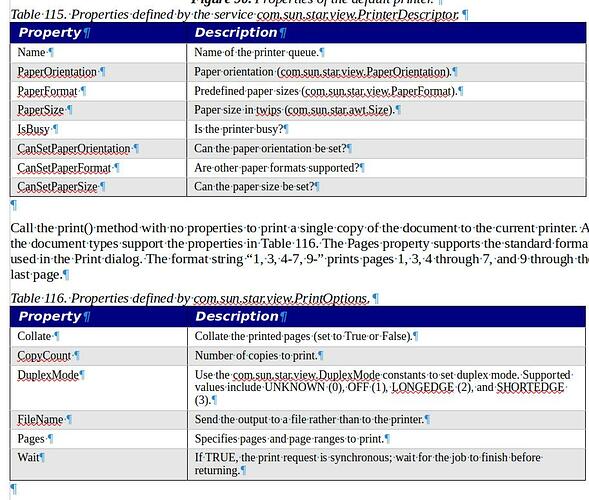
MACRO Export To PDF Always Exports The First Sheet I Want 3rd English Ask LibreOffice
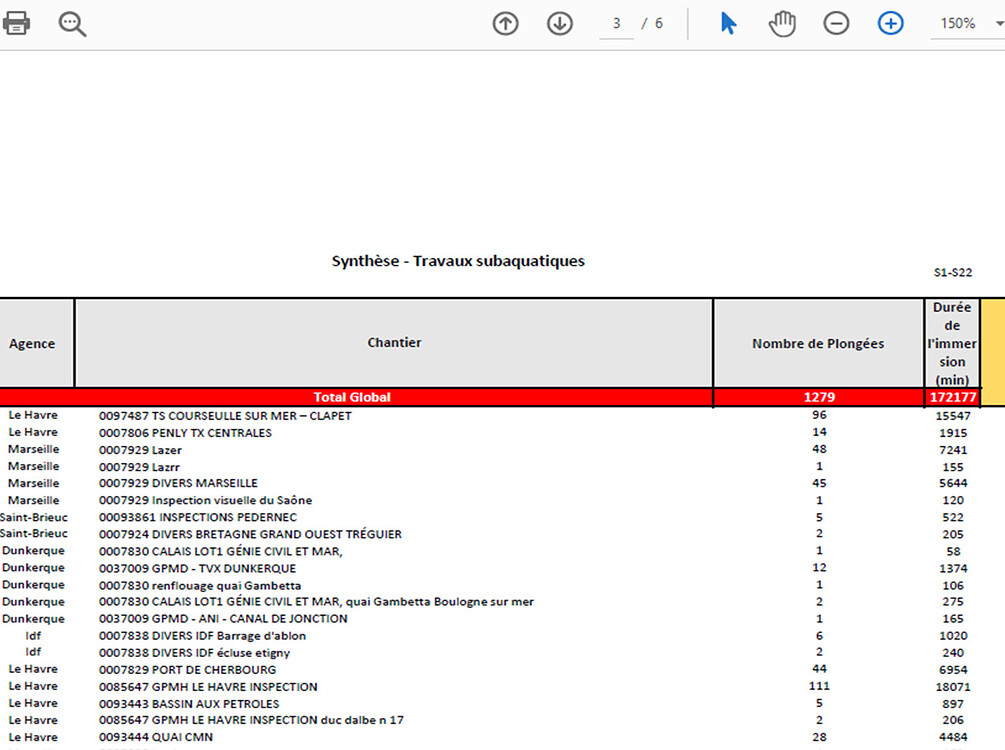
Settings The ExportWithFormatting action has the following arguments Remarks The Access data is output in the selected format and can be read by any program that uses the same format For example you can output an Access report with its formatting to a Rich Text Format document and then open the document in Microsoft Word

Access for Developers Question 0 Sign in to vote I tried to export a series of queries to excel files some of the queries have more than 65000 records by using DoCmd OutputTo in VBA but some were successfully done others not
1 Hi I ve created a set of queries that I d need to export every month I ve started looking at macros and have found that I could export a query using a series of ExportWithFormatting actions A couple of questions Is it possible to export it without formatting I can t see an equivalent action

You can use the ExportWithFormatting action to output the data in the specified Microsoft Access database object a datasheet form report module or data access page to several output formats Settings The ExportWithFormatting action has the following arguments Remarks

3 Answers Sorted by 1 You can open up your file without saving it by creating an Excel instance or grabbing an existing one and using the CopyFromRecordset function of the Excel Range object This assumes your data are in an ADO recordset
I am currently trying to export an Access from to a xlsm prepared Excel file Before switching to my template with macros I used DoCmd OutputTo acOutputForm frmFilteredInformation acFormatXLSX Access VBA Export Form Spreadsheet to Excel without OutputTo 1 Hi everyone There is only a ExportWithFormatting action in Access and not without which limits the amount of records that is truly exported 65 000 records I have a table and it s 300 000 records that need to be exported to excel using a Macro
How To Create a Microsoft Access Macro to Export Information to Excel or Word End users occasionally find it easier to work with Microsoft Excel or Word than Access if they need to perform calculations or add formatting They may receive the data in raw format however once it is organized in Microsoft Access they may need to perform additional data analysis in Excel or insert formatting